In the Solana ecosystem, users often create multiple token or NFT accounts during trading, airdrops, or DeFi activities. These accounts require a small SOL as "rent" to remain active on the blockchain. Over time, idle accounts can lock up your SOL, reducing fund efficiency. Binance Wallet's new Solana Account Rent Recovery feature simplifies checking and reclaiming your locked SOL, helping you optimize your assets with just a few clicks.
This guide explains the rent mechanism and provides step-by-step instructions for recovery. Whether you're a frequent trader or new to Solana, recovering rent can free up SOL for staking, trading, or new opportunities.
Solana uses a unique rent system to manage storage resources efficiently. Each token or NFT is stored in a special token account. To keep these accounts active and prevent resource waste from inactive ones, the network requires a minimum SOL deposit (typically 0.00203928 SOL per account) as rent. You can view more of the Solana Account Model here.
If the tokens or NFTs in the account are cleared and the account is no longer needed, users can choose to recover the rent from the account, freeing up the locked SOL funds.
Before starting, ensure the accounts you're closing have zero token or NFT balances. You'll need enough SOL in your wallet for a small on-chain gas fee (Binance Wallet charges no extra fees).
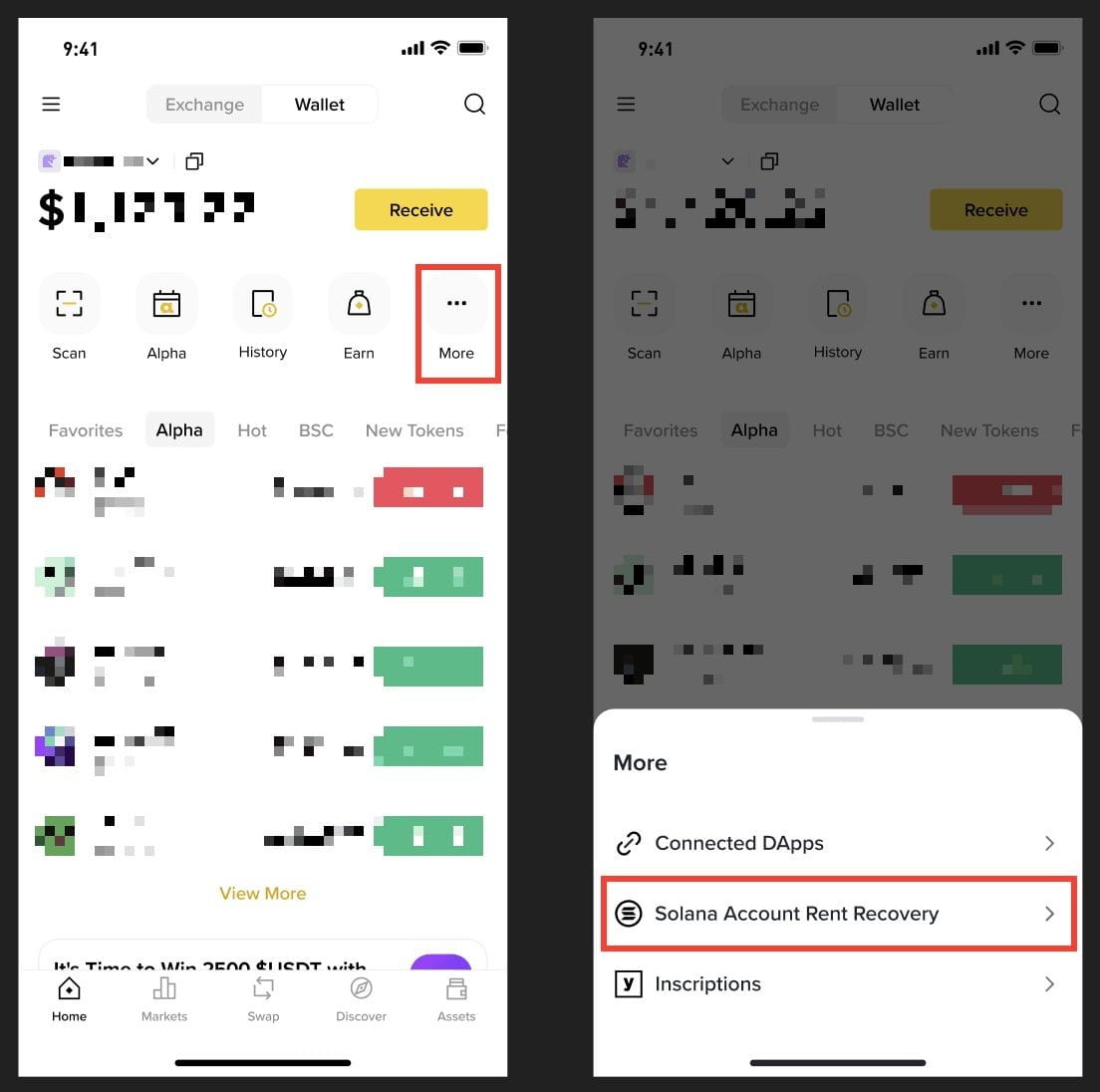
1. Log in to your Binance app and tap [More] - [Solana Account Rent Recovery]. If your current wallet doesn't support Solana, you'll be prompted to switch to a compatible one.
2. You can view your locked SOL and related information on this page, including:
If no accounts are eligible, you’ll see this message: "There is no rent to recover in this wallet."
You can switch between different wallet addresses to check and recover assets.
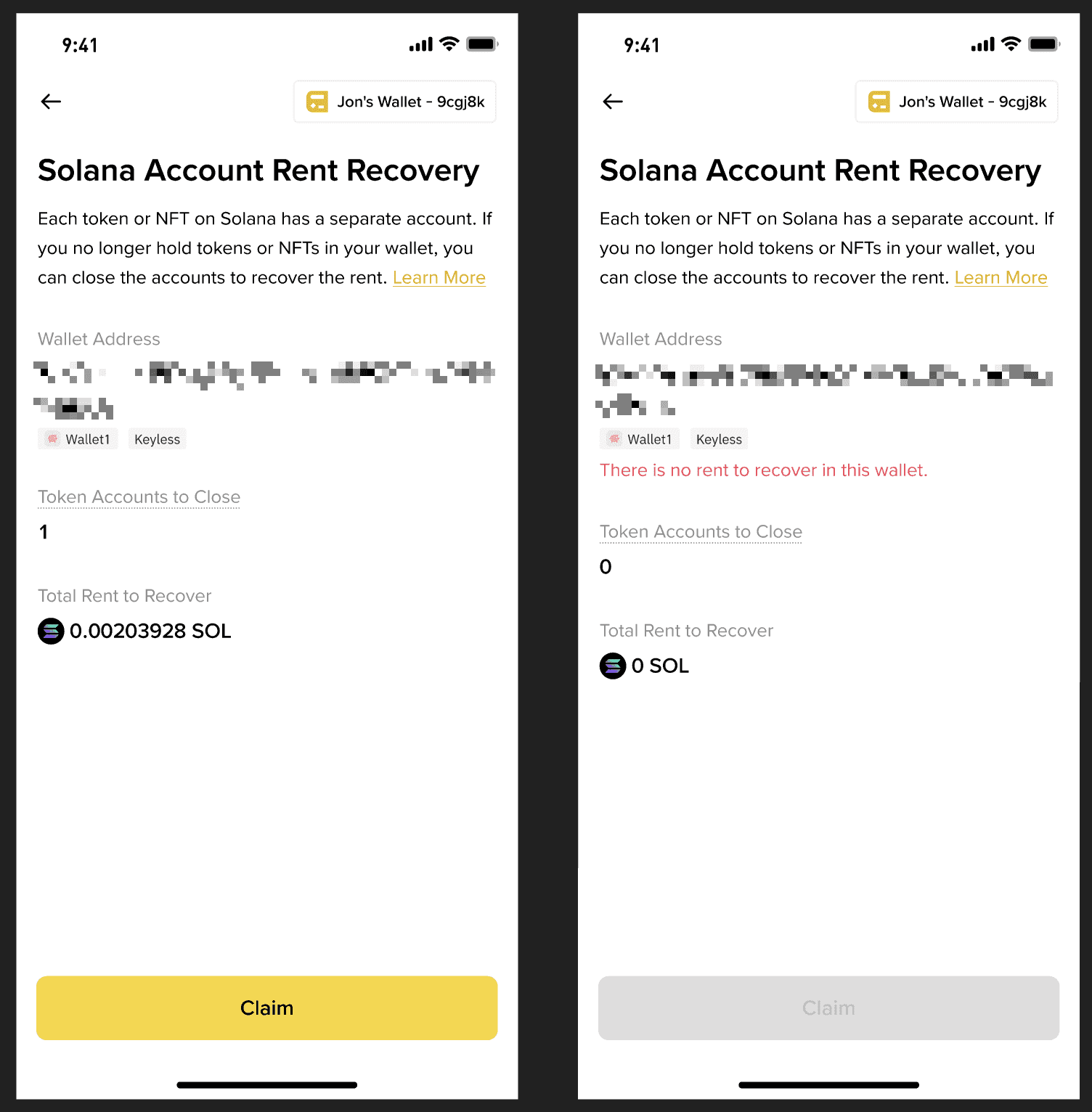
3. Tap [Claim] to initiate recovery.
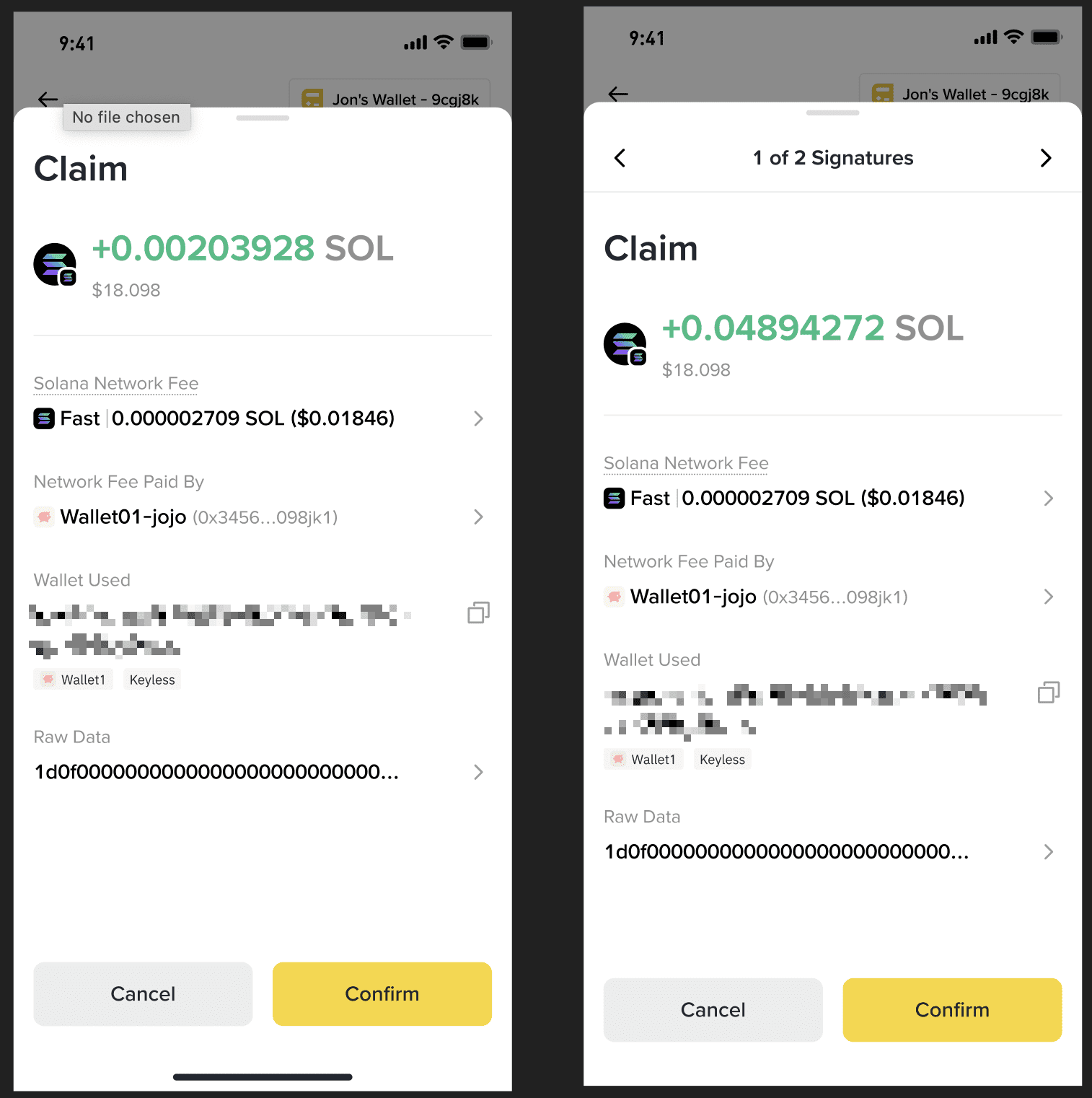
This may require one or more transaction signatures:
Once complete, the SOL will be refunded to your wallet balance.
1. Is it safe to close token accounts? Will it affect my primary wallet or other assets?
Yes, it's safe. We only close accounts with zero balances, so you won't lose any tokens or NFTs. Your primary wallet address remains unchanged and fully operational. Other accounts with assets are unaffected.
2. Are there any extra fees for recovering the Solana account rent?
Binance Wallet does not charge extra fees for Solana account rent recovery, but you’ll need to cover the standard Solana network gas fee. Make sure your wallet has sufficient SOL to handle this transaction cost.
3. Why might I need multiple transactions to recover all rent?
Solana limits each transaction to handling up to 24 accounts for efficiency and security. If you have more, the process splits into multiple signatures. You'll see their progress, for example, "2 of 4 Signatures", and can navigate between them.
4. What if I have no recoverable rent?
If the tool shows zero eligible accounts, it means there are no accounts to close for this address, and no action is required. You may switch to another wallet to scan the other addresses.
