

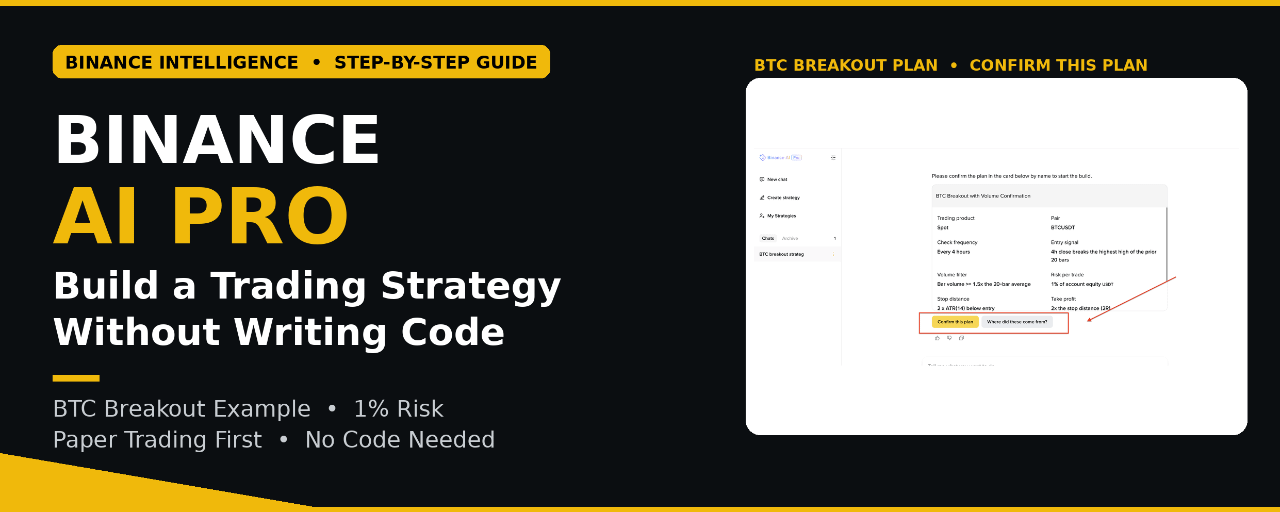


Most of us have trading ideas in our heads. We know when we want to enter, where to set our stop loss, and how much risk we want to take. The hard part is turning that idea into a proper strategy and testing it without making mistakes.
That is exactly what Binance AI Pro is trying to solve.
Launched on 19 October 2026 as part of Binance Intelligence, Binance AI Pro turns a trading idea written in simple words into a tested, automated strategy through a normal conversation. No coding or separate app to download.
Here is how it works, and how I would actually use it.
What is Binance AI Pro?
Think of it like this. You explain your idea the same way you would explain it to a friend. Binance AI Pro helps fill in the missing parts, improves the plan, and then shows it to you as a visual workflow.
You see every rule in front of you — entry, stop loss, take profit, and invalidation. If something looks wrong, you can click that step and change it before you approve anything.
Nothing goes live without your approval. That part is important to me.
How to Use Binance AI Pro — Step by Step
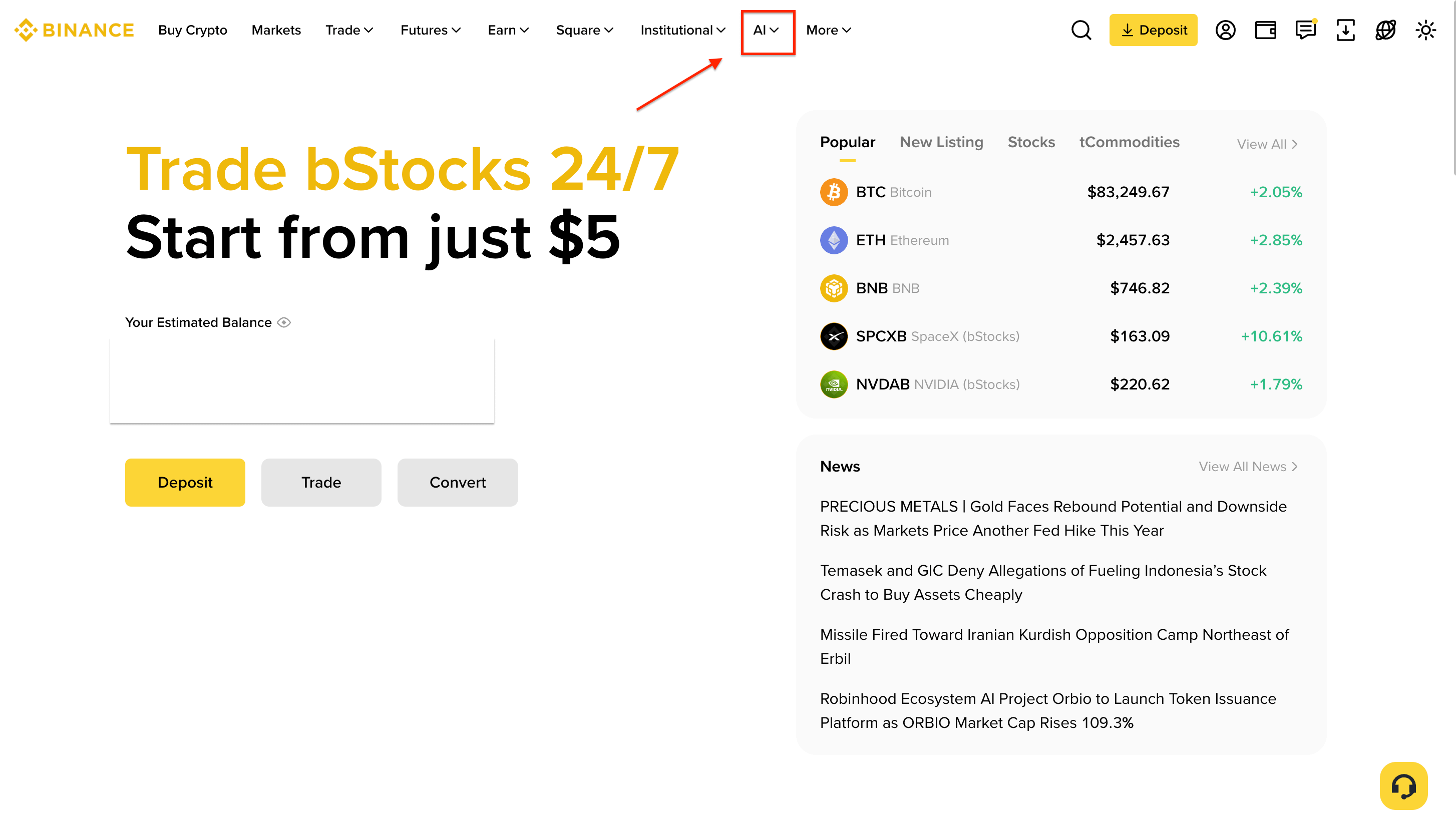
Step 1 — Click AI in the top menu
On the Binance homepage, click AI in the top navigation bar (marked in red in the screenshot).
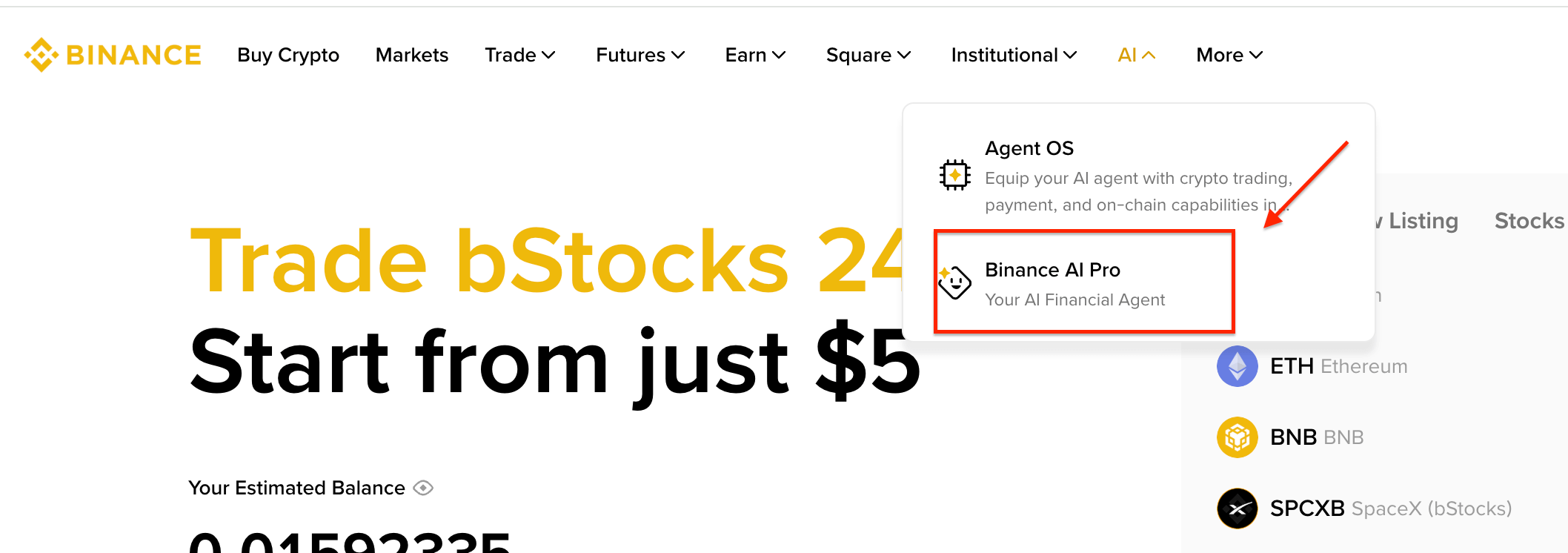
Step 2 — Select Binance AI Pro
From the dropdown, select Binance AI Pro — Your AI Financial Agent.
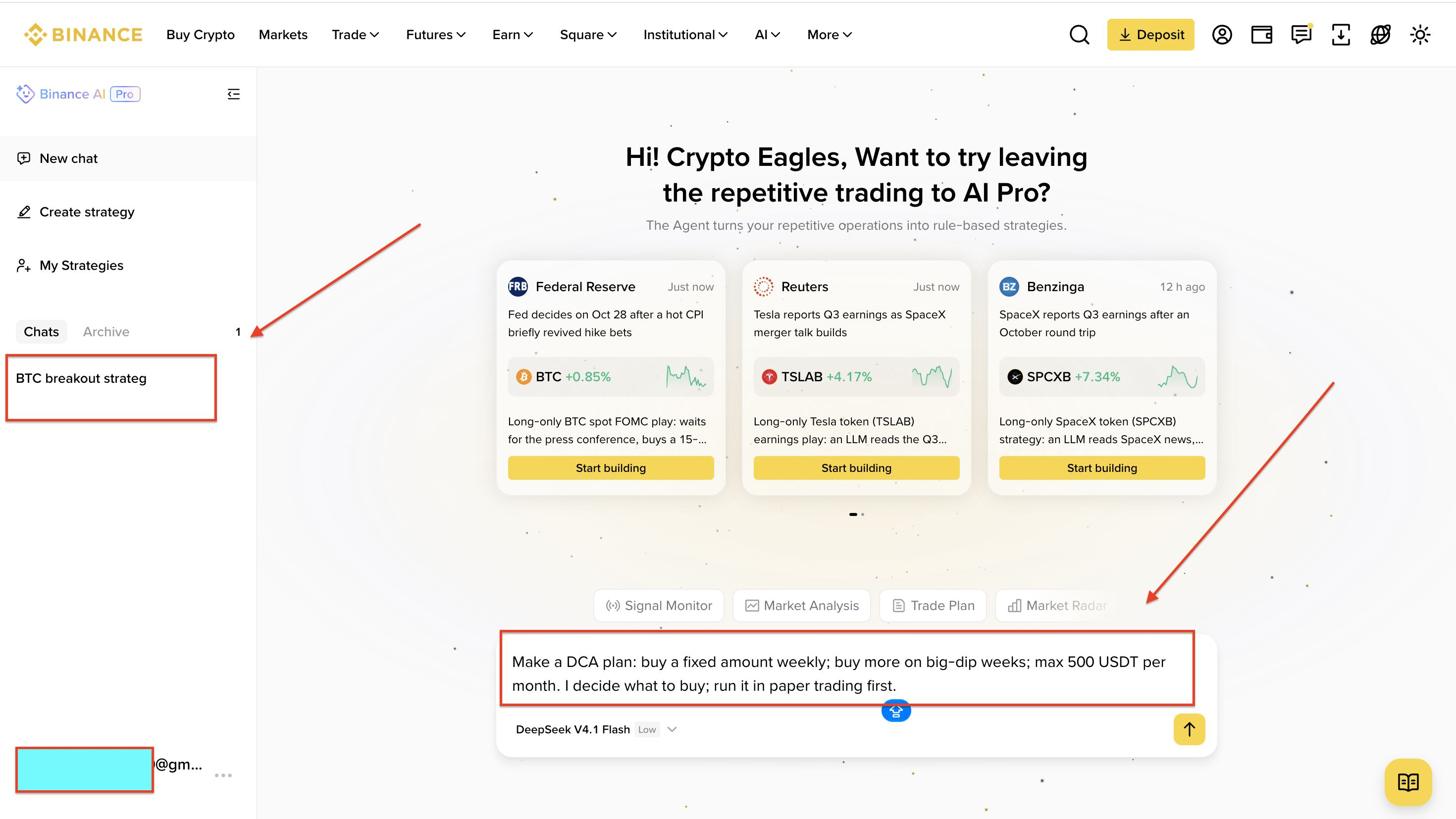
Step 3 — Write your trading idea in the chat box
Binance AI Pro opens. Write your trading idea in simple words in the chat box at the bottom and send it. On the left you can also see my saved chat, "BTC breakout strategy".
Step 4 — Review the plan, then click Confirm this plan
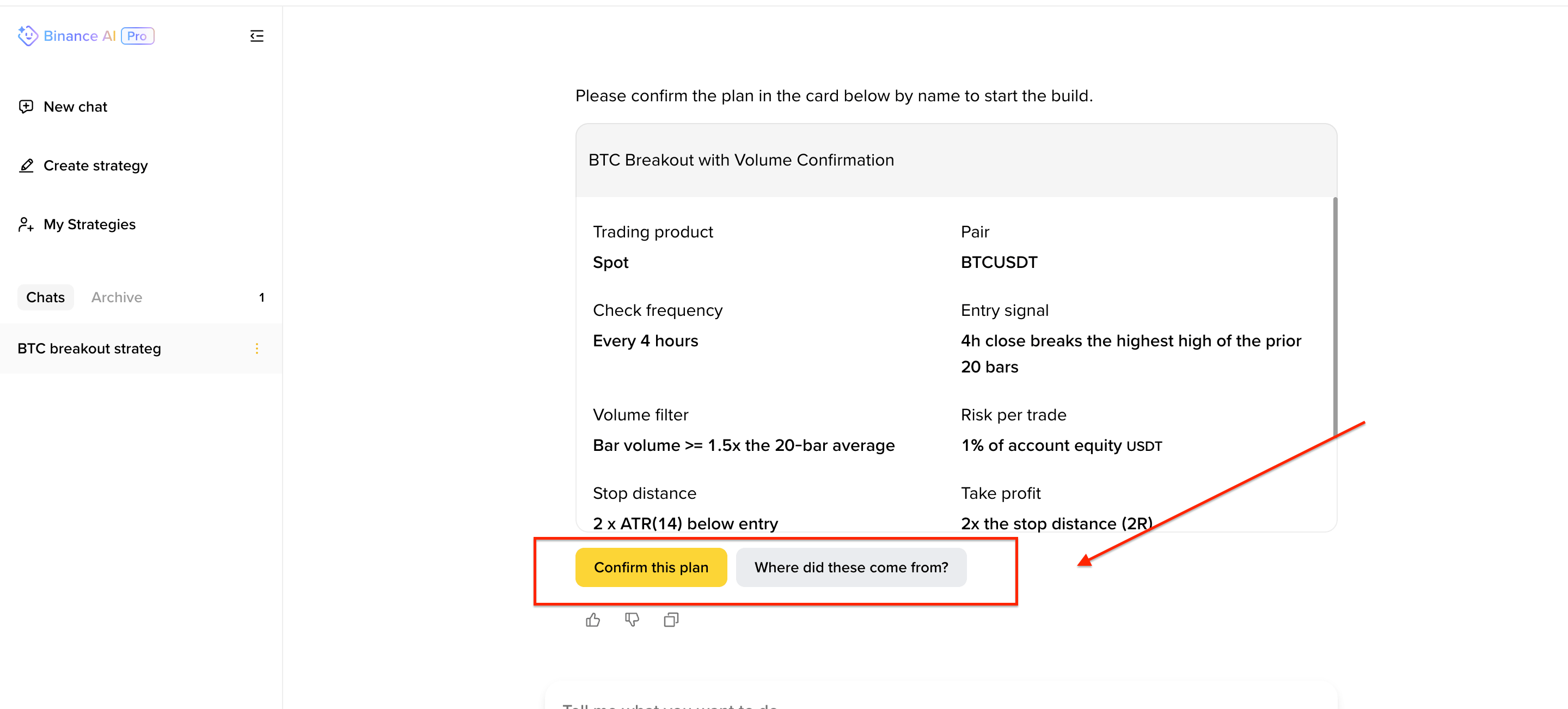
AI Pro creates a plan card for you to review. Check every rule carefully. If something is wrong, ask it to change that rule first. When you are happy, click Confirm this plan to start the build.
On the Binance App, it is similar:
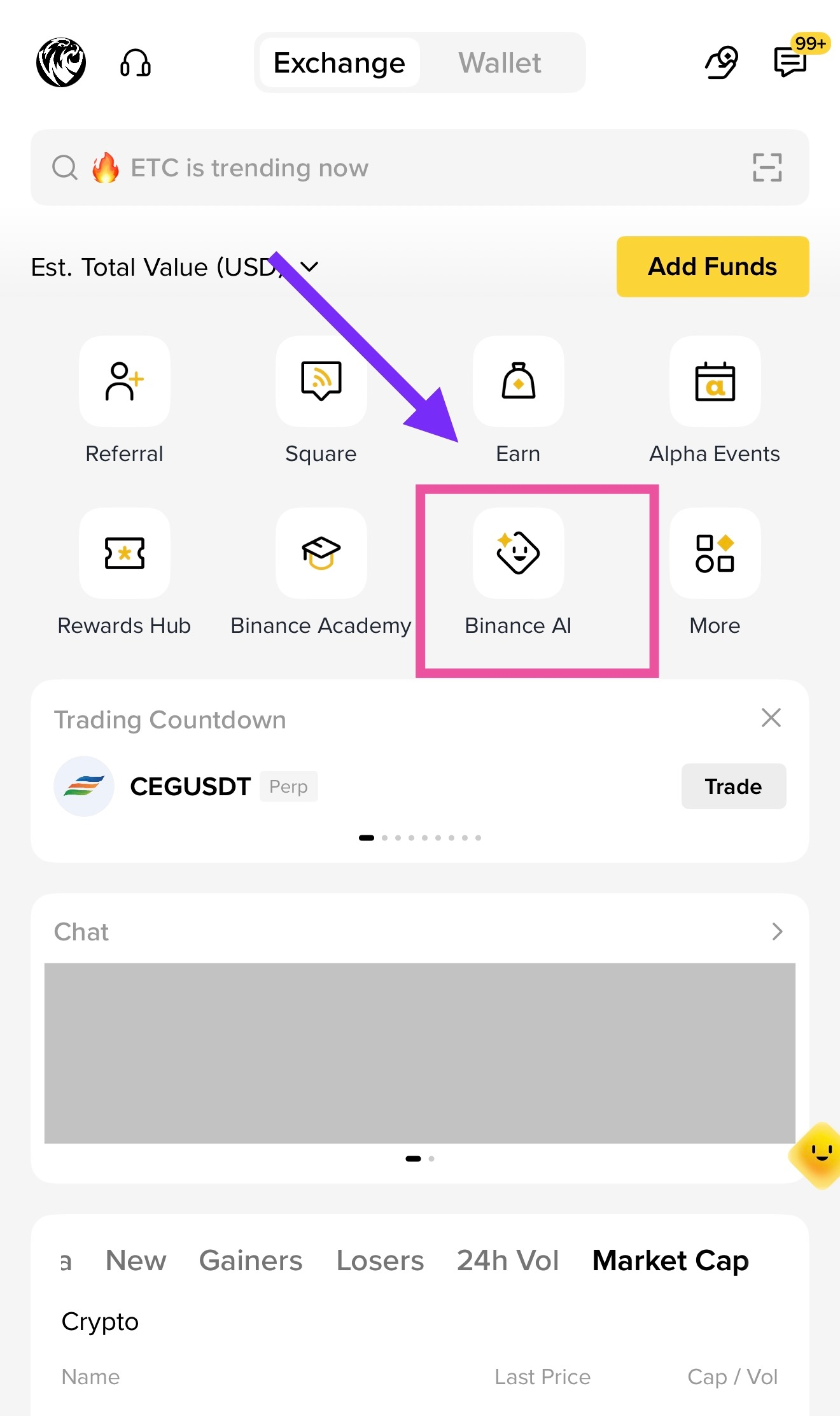
Tap the Binance AI icon on the homepage
Tap the [Get more with AI Pro] banner to open Binance AI Pro
Describe your trading idea in the chat
Review your strategy and test it with paper trading
Approve the strategy, then transfer funds to its dedicated sub-account to start live trading
That is it. There is no separate sign-up — you just log in with your Binance account.
A Real Example — My BTC Breakout Idea
This is the exact example I tried:
"Build a BTC breakout strategy that requires rising volume, limits risk to 1% per trade, and stops after two losing trades."
My BTC breakout prompt and the plan card Binance AI Pro created
Look at the screenshot properly. This is what Binance AI Pro made from that one line:
Product / Pair: Spot — BTCUSDT
Check frequency: Every 4 hours
Entry signal: 4h close breaks the highest high of the prior 20 bars
Volume filter: Bar volume >= 1.5x the 20-bar average
Risk per trade: 1% of account equity
Stop distance: 2 x ATR(14) below entry
Take profit: 2x the stop distance (2R)
I did not write any of those details. I only gave the main idea, and it built the missing rules for me to review. If I don't like a rule — for example, if I want 0.5% risk instead of 1% — I can ask it to change that one part and it saves a new version. That new version also needs my approval before it can trade.
3 Things I Would Use It For
Building strategies properly — A volume breakout with a fixed entry, stop loss, profit target and invalidation, instead of entering on emotion.
Testing before using real money — Paper trading uses hypothetical funds, so I can test and adjust the strategy first.
24/7 monitoring — I don't need to sit in front of the chart all day. It watches the market and alerts / acts only when my conditions are met.
The feature I am most excited to test is strategy refinement — changing the risk level, adding one more confirmation, and comparing the simulated results side by side.
Plans — Free and Premium
All users start on the free Standard Plan, so anyone can try it first.
Standard (Free): Chat on web and app, generate and preview strategies, paper trading, live deployment, 250,000 credits refreshed monthly, DeepSeek model
Premium (19.99 USDC/month): Everything above, 10,000,000 credits refreshed monthly, option to top up credits, and frontier models like ChatGPT Sol, ChatGPT Astra and Claude Opus, where available
Safety and Control
No strategy starts trading without your approval
Each live strategy runs in its own separate sub-account
Only you can move funds, by manual transfer — AI Pro cannot move funds by itself
You can pause, adjust or revoke access at any time
My Honest Take
AI can make strategy building much faster, but it cannot guarantee profit. I would still review every rule, test in paper trading first, and keep the final decision with myself.
But as a starting point, this is powerful — especially for traders like me who have ideas but don't code. You write the idea, you check the workflow, you test it, and only then you decide.
What would be the first strategy you would ask it to build?
Learn more: https://www.binance.com/en/support/announcement/c50ffc85804f45f08d0d7727ea508157