


Moving USDT between blockchains can be complicated if you don't know which tools to use. You may need to use a centralized exchange, wait for deposits and withdrawals, or find a reliable cross-chain solution.
With @STONfi DEX you can swap USDT from the TON blockchain to the TRON blockchain using its cross-chain feature.
In this guide, I'll explain how to swap USDT from TON to TRON (TRC-20), step by step, including how to connect your wallet, select tokens, and enter your receiving address.
Why Swap USDT from TON to TRON?
USDT exists on different blockchains, and each version follows the token standards of its network.
TON USDT: A Jetton token on the TON blockchain.
TRON USDT: A TRC-20 token on the TRON blockchain.
Although both represent USDT, they operate on different networks. You cannot send TON-based USDT directly to a TRON address using a regular transfer.
This is where STON.fi's cross-chain feature comes in. Powered by Omniston, it helps users find routes for swapping tokens across supported blockchains.
What You Need Before Starting
Before you begin, make sure you have:
A TON wallet such as Tonkeeper with USDT.
A small amount of TON to cover network fees.
A TRON wallet address that can receive TRC-20 USDT. TRON addresses typically start with the letter T.
Access to the STON.fi app.
Step-by-StepS Guide
Step 1: Open STON.fi and Select Cross-chain Mode
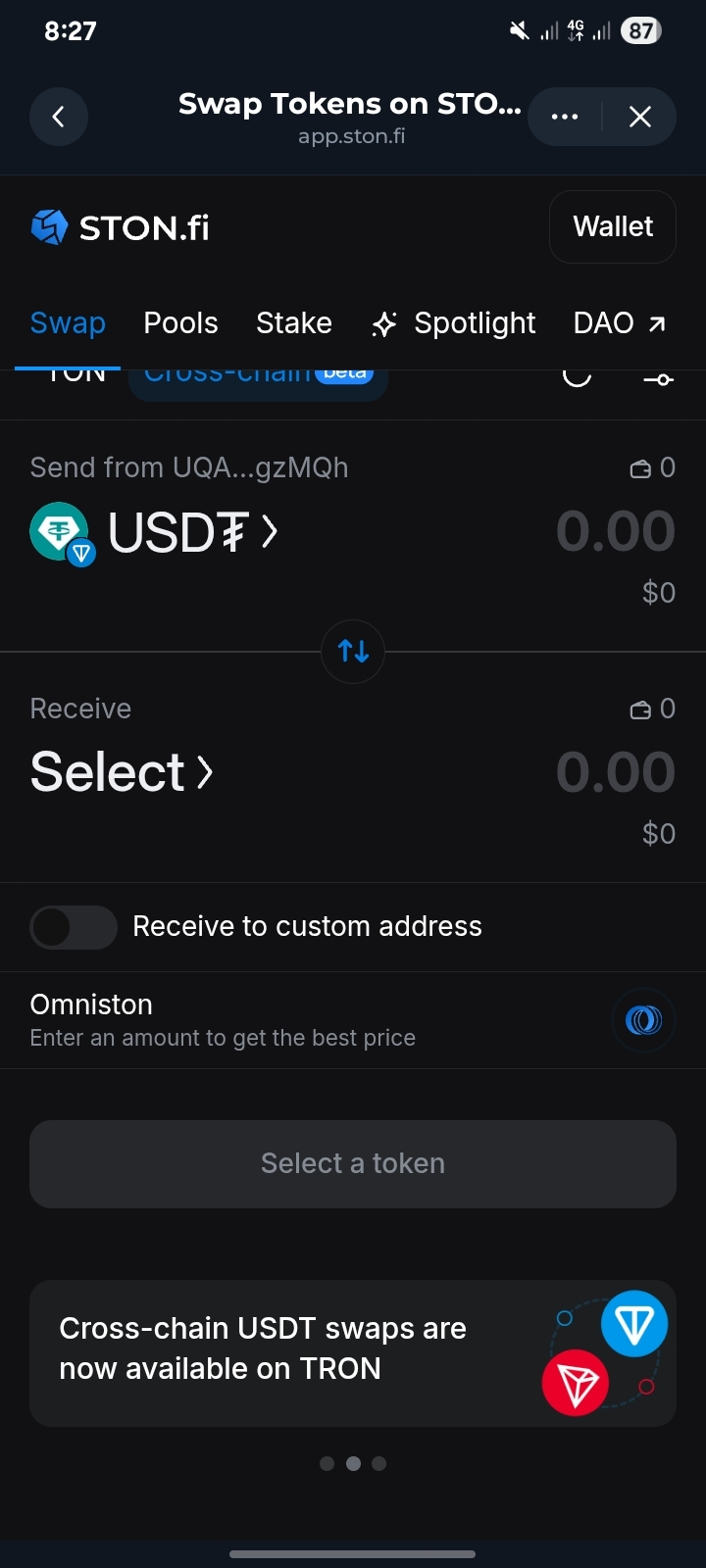
Open the STON.fi app and navigate to the Swap section.
You will see two options: TON and Cross-chain (beta).
Select Cross-chain to access the cross-chain swap interface.
Step 2: Connect Your TON Wallet
Connect your TON wallet to STON.fi.
If your wallet is not already connected, tap the Wallets button and select your preferred TON wallet, such as Tonkeeper.
Approve the connection request in your wallet.
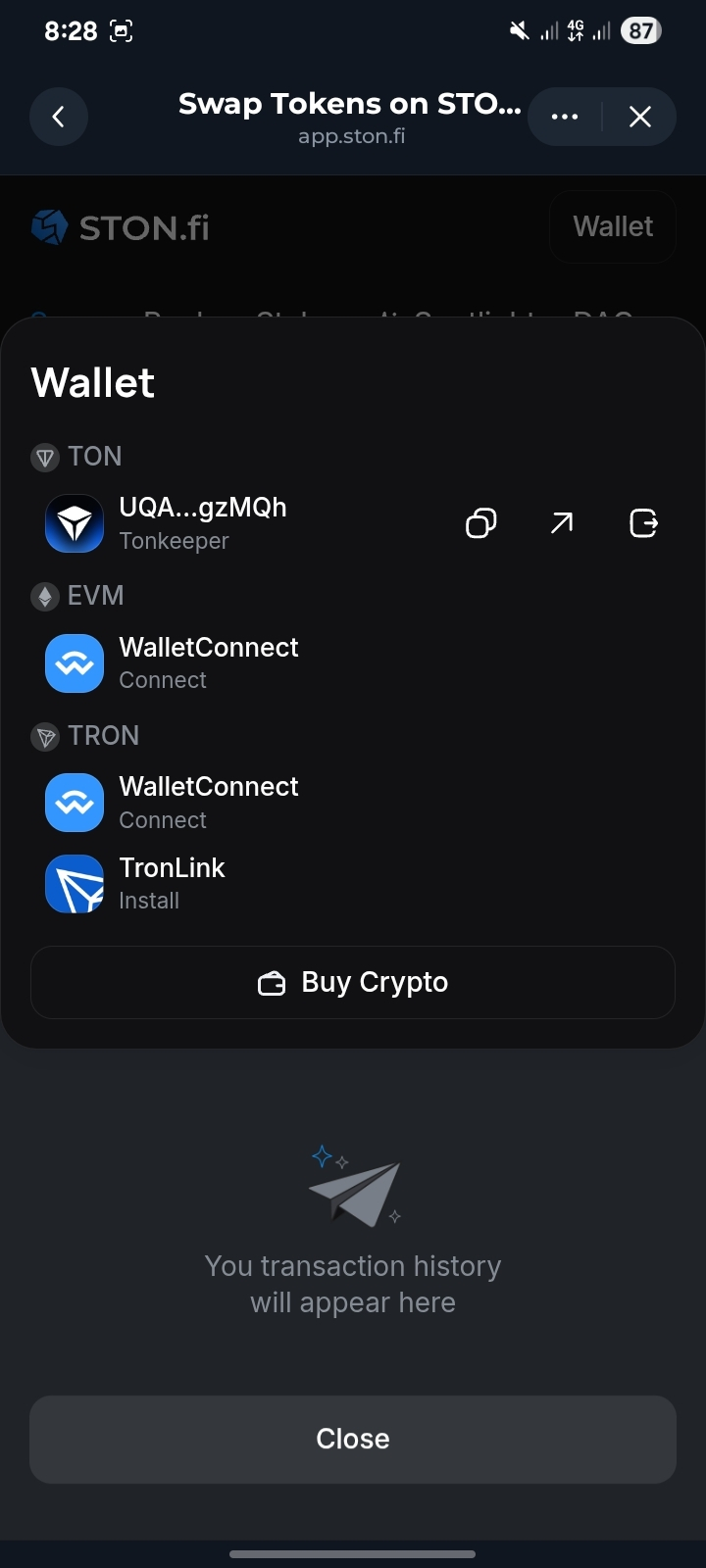
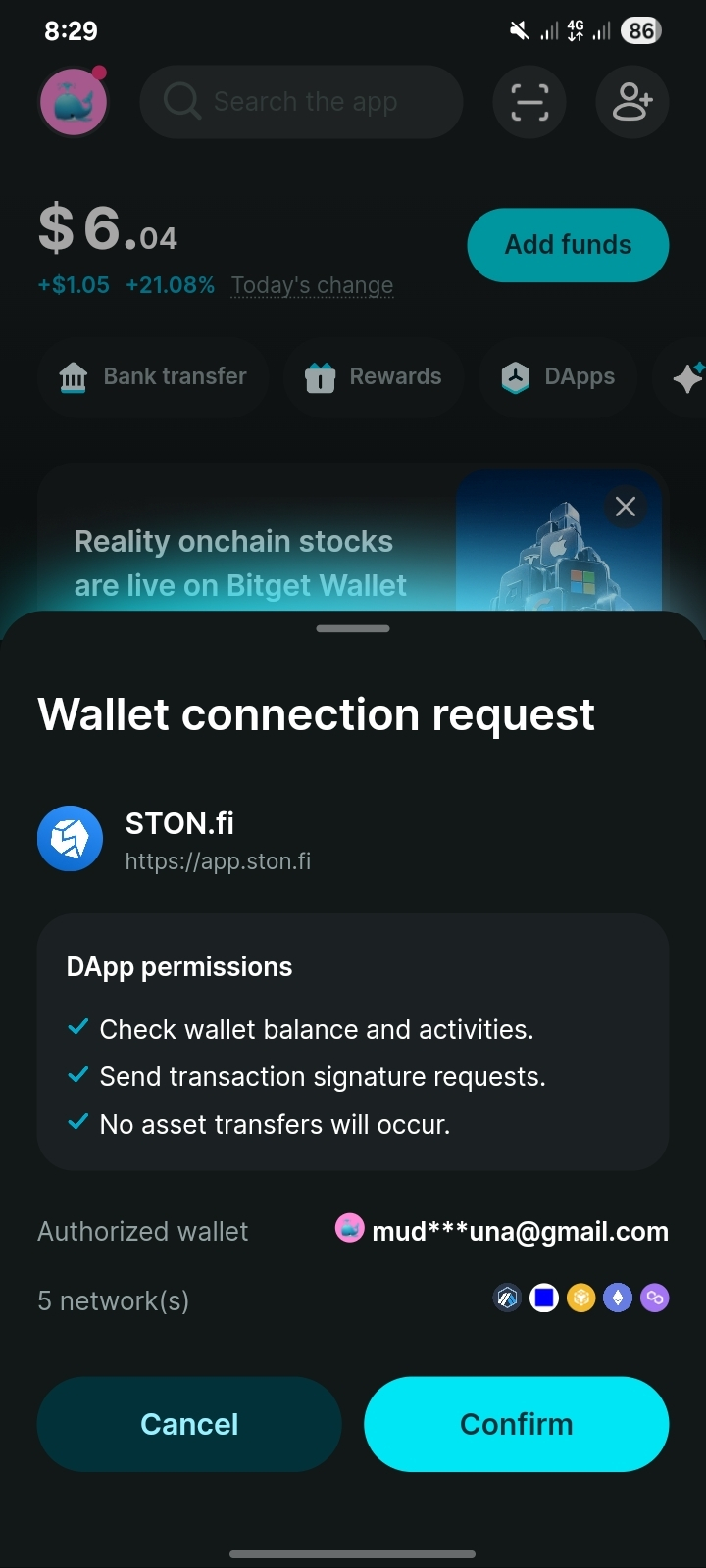
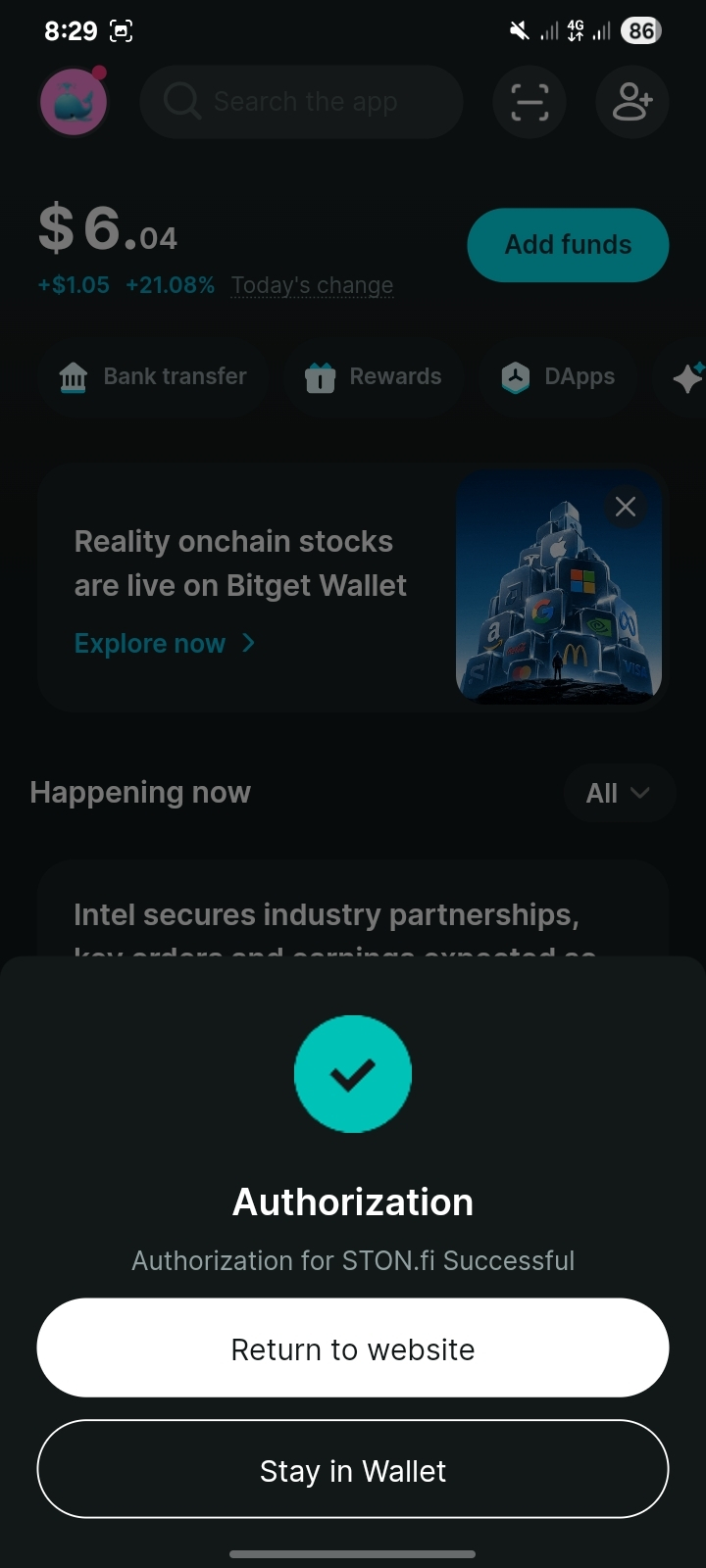
Once connected, your wallet address should appear at the top of the screen.
Step 3: Choose the Token You Are Sending
Tap the top token field and select the TON network.
Choose USDT as the token you want to send.
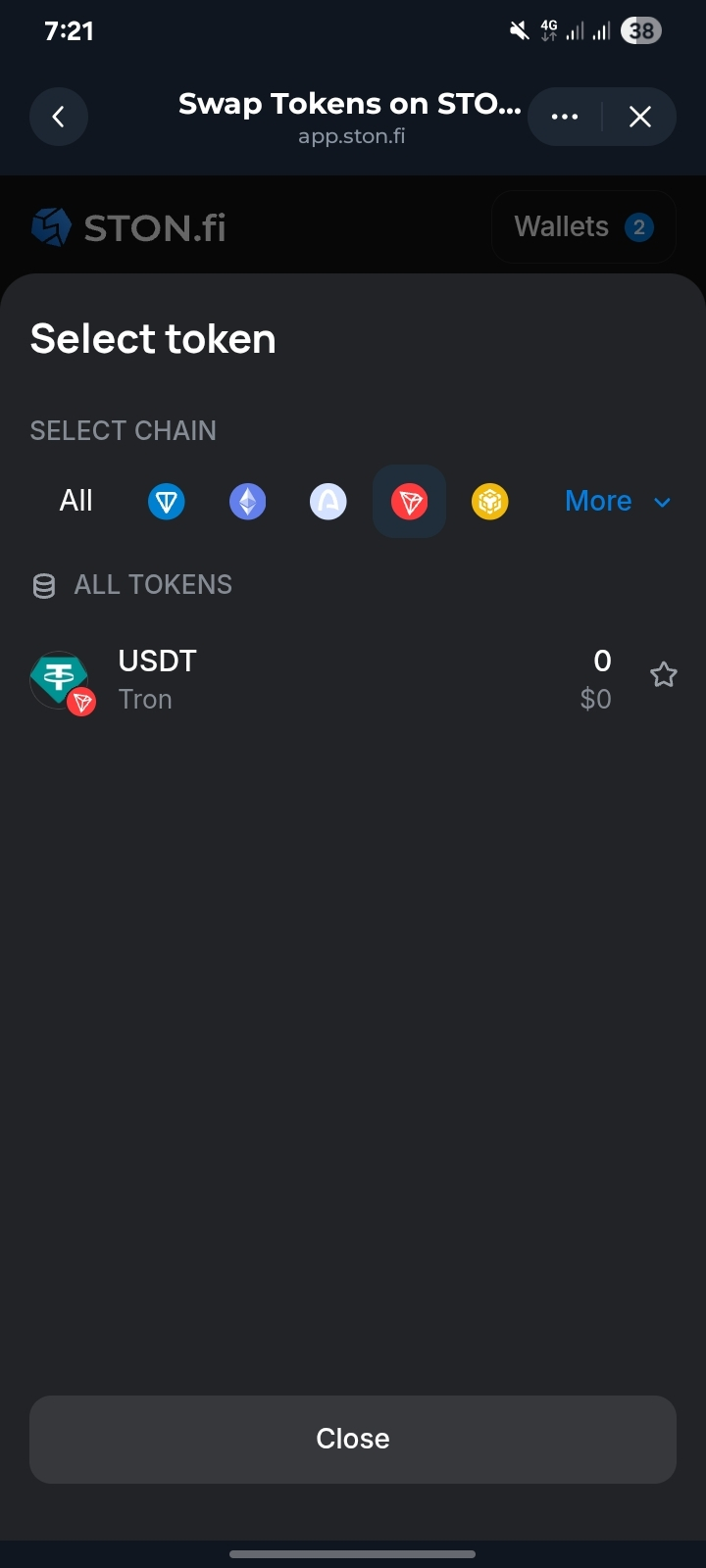
Step 4: Choose the Token You Want to Receive
Tap the bottom token field and select the TRON network.
Choose USDT as the receiving token
This ensures that you are swapping TON-based USDT for TRON-based USDT.
Step 5: Enter Your Receiving Address
Enable the Receive to custom address option.
Paste your TRON wallet address into the field.
Check the address carefully before proceeding. A valid TRON address typically starts with T.
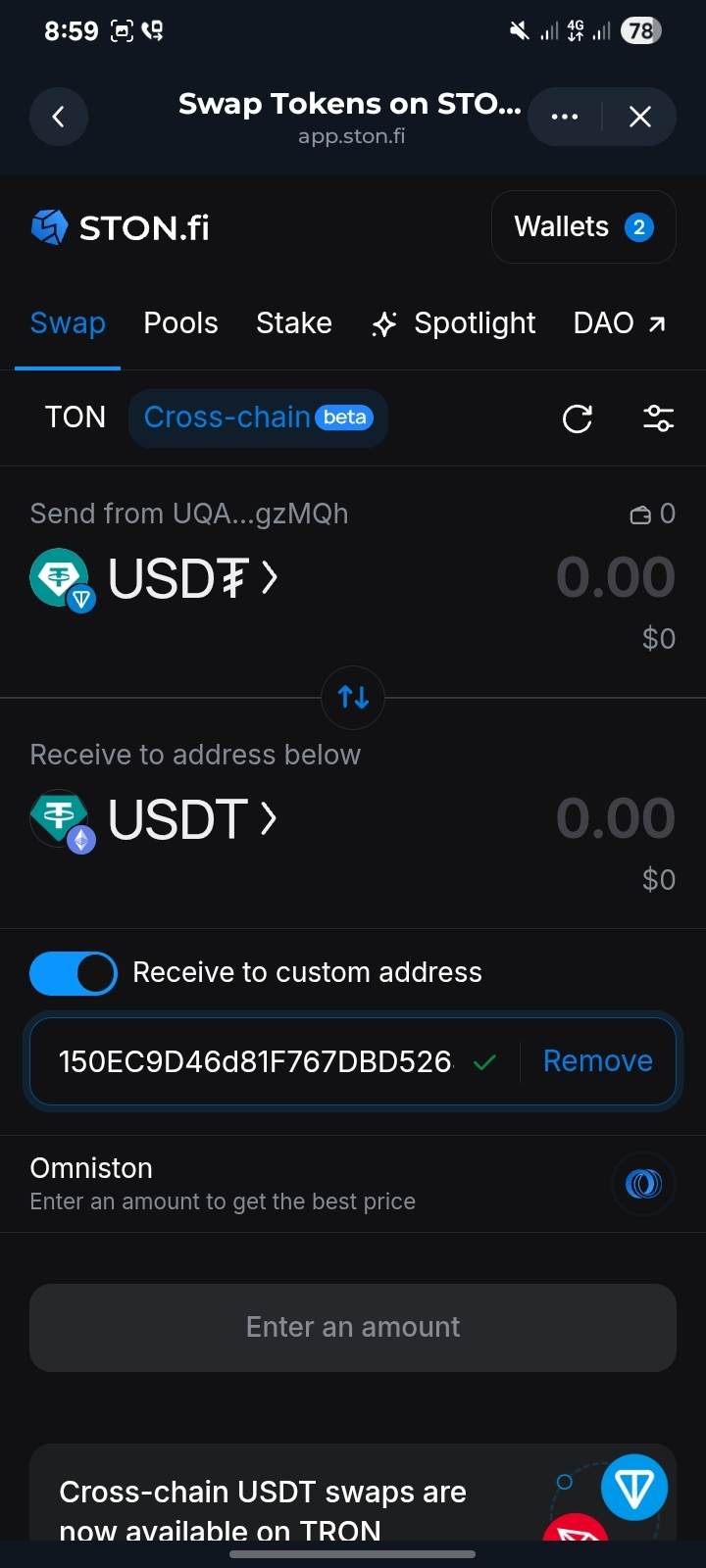
This tep is important because the receiving address determines where your USDT will be sent.
Step 6: Enter the Amount and Review the Quote
Enter the amount of USDT you want to swap.
STON.fi will display the estimated amount you will receive, along with the applicable fees and exchange rate.
Review the details carefully before proceeding.
Step 7: Confirm the Swap
Once you are satisfied with the quote, tap the swap button.
Approve the transaction through your connected TON wallet.
Make sure you understand the transaction details before confirming.
Step 8: Wait for Completion
After confirming the transaction, wait for the cross-chain swap to finish.
The time required depends on the route and network conditions.
Once completed, the USDT should arrive at the TRON address you provided.
Helpful Tips for a Smooth Experience
Start with a small test amount if you are using the feature for the first time.
Double-check your receiving address before confirming the swap.
Keep enough TON in your wallet to cover network fees.
Make sure your receiving wallet supports TRC-20 USDT.
Review the estimated amount and fees before approving the transaction.
Common Questions
Is swapping USDT from TON to TRON safe?
Always verify the transaction details, use the official STON.fi app, and understand the risks associated with cross-chain transactions. No cross-chain service is completely risk-free.
Do I need to connect a TRON wallet?
You may be able to use the custom address option to receive USDT without connecting a TRON wallet directly. You still need a valid TRON address that you control or are authorized to use.
How long does the swap takes
The time depends on the route and network conditions. Check the estimated completion time displayed by the app before confirming.
Final Thoughts
Swapping USDT from TON to TRON doesn't have to be complicated.
With STON.fi's cross-chain feature, users can select their tokens, provide a receiving address, review the quote, and confirm the transaction.
The most important things are to verify your receiving address, check the fees, and understand the transaction before approving it.