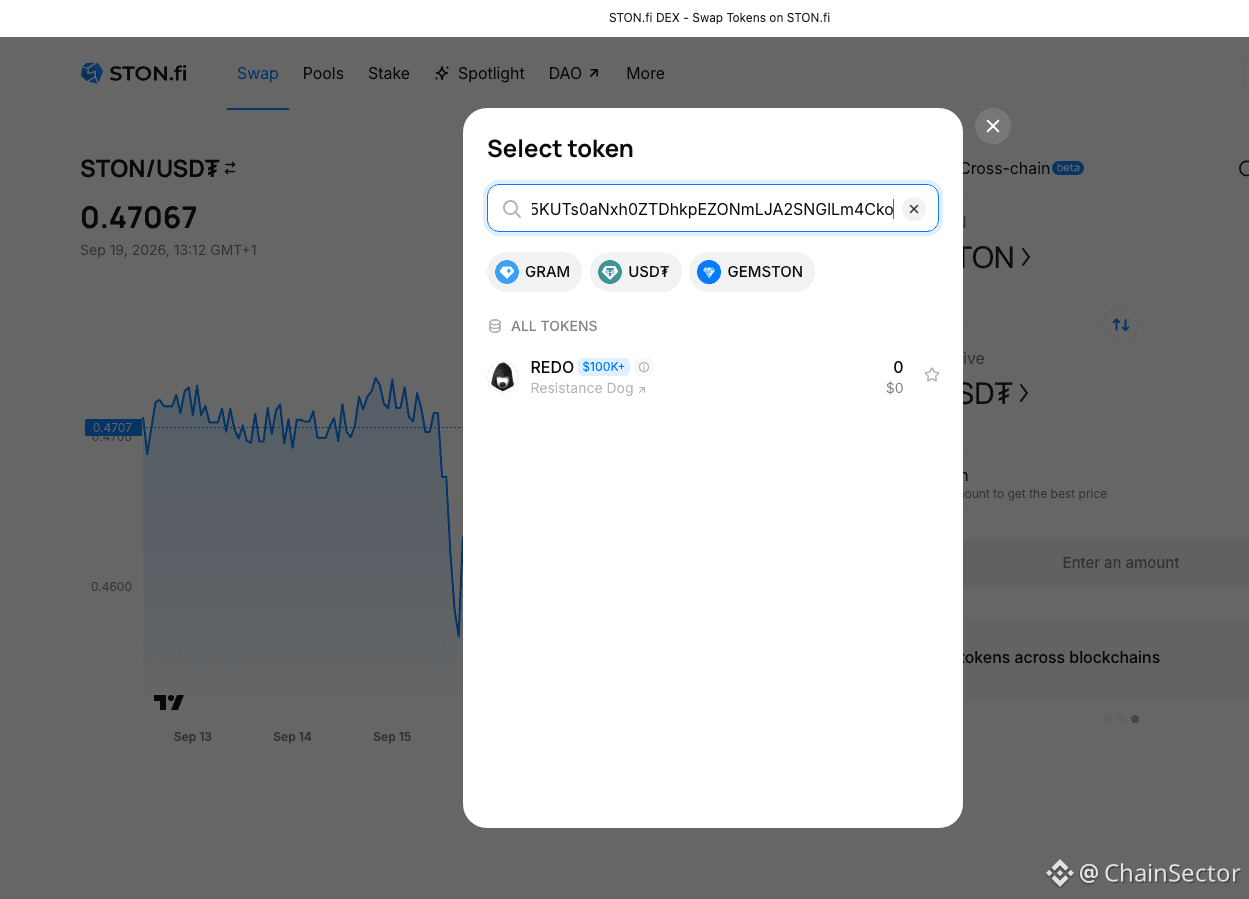
How to Swap a TON Token by Contract Address on STON.fi
Not every TON token is easy to find by simply searching its name.
If I already have the official contract address, I can use that address directly on STON.fi.
Here's the process I follow:
1. Open the Ston_fi.
2. Open the token selector.
3. Paste the token's official contract address into the search field.
4. Check the detected name, symbol and decimals.
5. Import the token.
6. Enter the amount and review the swap details before confirming.
STON.fi's current documentation specifically recommends verifying the official contract address because scam tokens can copy popular token names.
That's the part I wouldn't skip.
A familiar name or logo isn't enough for me when dealing with an unfamiliar token.
I want to confirm the contract → token details → swap details before interacting with it.
STON.fi also has interface flags for certain risky tokens, including Fake, Honeypot and Taxable classifications.
So if you're trying to swap a less familiar TON token, the contract address can be a much more precise starting point than searching by name alone.
@ston_fi
Not every TON token is easy to find by simply searching its name.
If I already have the official contract address, I can use that address directly on STON.fi.
Here's the process I follow:
1. Open the Ston_fi.
2. Open the token selector.
3. Paste the token's official contract address into the search field.
4. Check the detected name, symbol and decimals.
5. Import the token.
6. Enter the amount and review the swap details before confirming.
STON.fi's current documentation specifically recommends verifying the official contract address because scam tokens can copy popular token names.
That's the part I wouldn't skip.
A familiar name or logo isn't enough for me when dealing with an unfamiliar token.
I want to confirm the contract → token details → swap details before interacting with it.
STON.fi also has interface flags for certain risky tokens, including Fake, Honeypot and Taxable classifications.
So if you're trying to swap a less familiar TON token, the contract address can be a much more precise starting point than searching by name alone.
@ston_fi