Setting Up @binance Card? Here’s How I Did It
I wanted to see how much effort it actually takes to go from having crypto on Binance to having a card I can use.
So I went through the setup myself.
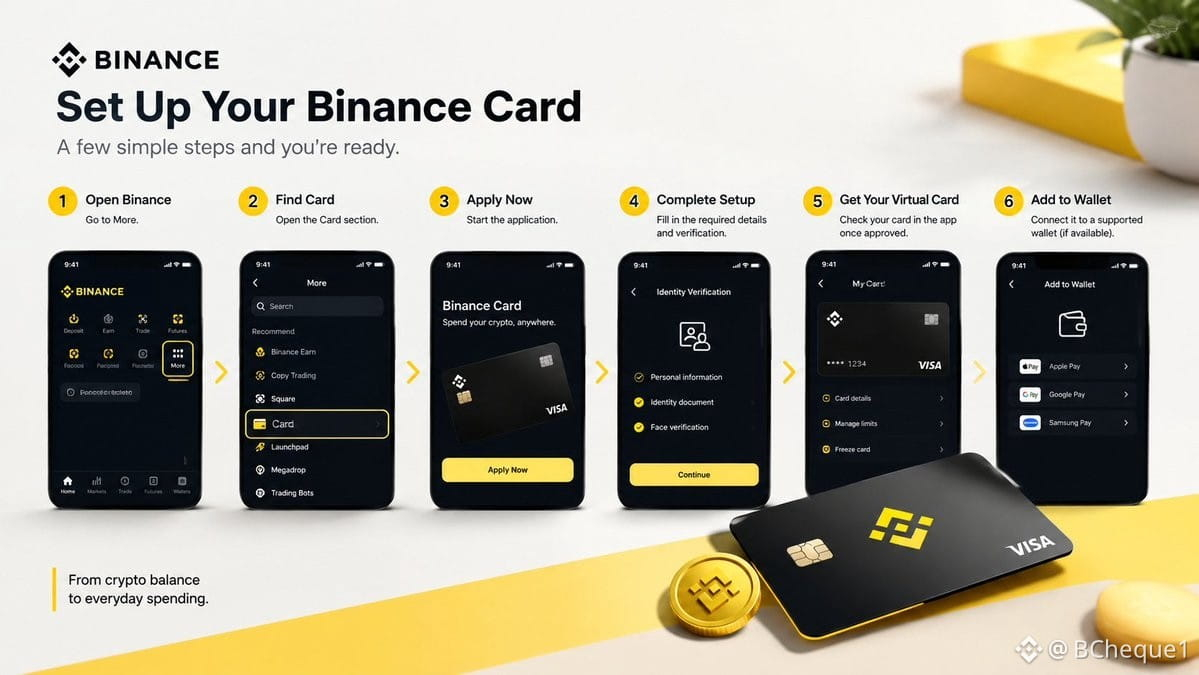
Step 1: Open Binance and head to More
Step 2: Find Card and open the Card section
Step 3: Tap Apply Now and start the application
Step 4: Complete the required details and verification
Step 5: Once approved, check your virtual card in the app
Step 6: If supported in your region, add it to a compatible payment wallet
And that’s basically the setup.
What caught my attention is how little the process feels like “crypto” once the card is ready.
You have a card, you can make eligible payments, and the crypto side is happening in the background.
Now the interesting part for me is simple:
How does it actually feel when you use it for a normal purchase?
That’s the test I’m doing next.
Availability, features and eligibility vary by region.
#Binance #BinanceCard #BinanceAcademy #LearnWithBinance
I wanted to see how much effort it actually takes to go from having crypto on Binance to having a card I can use.
So I went through the setup myself.
Step 1: Open Binance and head to More
Step 2: Find Card and open the Card section
Step 3: Tap Apply Now and start the application
Step 4: Complete the required details and verification
Step 5: Once approved, check your virtual card in the app
Step 6: If supported in your region, add it to a compatible payment wallet
And that’s basically the setup.
What caught my attention is how little the process feels like “crypto” once the card is ready.
You have a card, you can make eligible payments, and the crypto side is happening in the background.
Now the interesting part for me is simple:
How does it actually feel when you use it for a normal purchase?
That’s the test I’m doing next.
Availability, features and eligibility vary by region.
#Binance #BinanceCard #BinanceAcademy #LearnWithBinance