How STON.fi Omniston Widgets Prove They Are Official
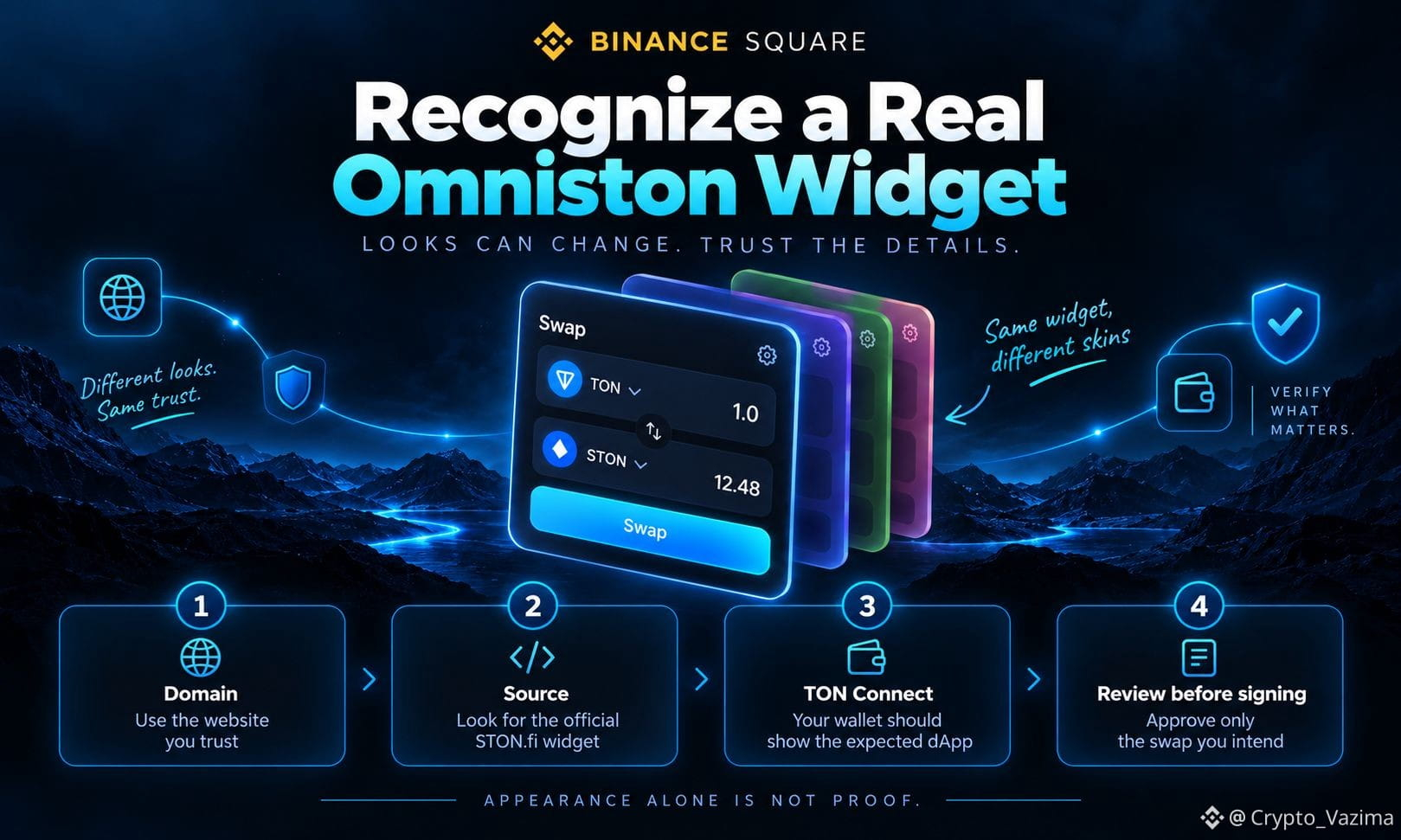
An official STON.fi Omniston swap widget is not proven by colors, logos, or Powered by Omniston labels. The widget is meant to blend into partner apps, so authenticity comes from the host domain, the widget source, TON Connect, and the signed transaction.
🔥 Why Design Can Fool You
STON.fi built the widget to match other products. Integrators can change accent colors, borders, themes, size, token lists, and the starting pair. A real embed can look unfamiliar. A phishing page can look perfect.
🚀 What You Are Actually Trusting
- Official code: the current bundle from the widget.ston.fi CDN or the official STON.fi widget loader.
- Official host: a third-party site can use that code and still remain its own app.
- Surrounding scripts, token picks, and the business model still belong to that integrator.
🧠 How to Check Before You Swap
1. Confirm the address bar matches the app you meant to open, not a lookalike domain.
2. Look for the documented STON.fi widget source instead of trusting the interface.
3. Open TON Connect and check that the wallet names the expected dApp, not a surprise identity.
4. Read the approval screen and stop if the assets or action differ from the swap you requested.
⚡ Extra Facts Users Miss
Custom tokens are allowed, so an unknown asset is not automatic proof of a fake widget. Partner referral fees are also supported. Judge the quote and verify token addresses. TON Connect identifies the host dApp, so seeing the partner name instead of STON.fi can be correct.
💬 My take
The useful recognition path is layered, not cosmetic. Domain first, source second, TON Connect third, transaction review last. Genuine Omniston code inside an untrusted page is still not a reason to sign blindly.
Would a mismatched TON Connect name stop you even if the swap box looked familiar? 👇
Comment the red flag that would make you close the tab immediately.
Not investment advice - research on your own! 🚀
$GRAM @STONfi DEX
An official STON.fi Omniston swap widget is not proven by colors, logos, or Powered by Omniston labels. The widget is meant to blend into partner apps, so authenticity comes from the host domain, the widget source, TON Connect, and the signed transaction.
🔥 Why Design Can Fool You
STON.fi built the widget to match other products. Integrators can change accent colors, borders, themes, size, token lists, and the starting pair. A real embed can look unfamiliar. A phishing page can look perfect.
🚀 What You Are Actually Trusting
- Official code: the current bundle from the widget.ston.fi CDN or the official STON.fi widget loader.
- Official host: a third-party site can use that code and still remain its own app.
- Surrounding scripts, token picks, and the business model still belong to that integrator.
🧠 How to Check Before You Swap
1. Confirm the address bar matches the app you meant to open, not a lookalike domain.
2. Look for the documented STON.fi widget source instead of trusting the interface.
3. Open TON Connect and check that the wallet names the expected dApp, not a surprise identity.
4. Read the approval screen and stop if the assets or action differ from the swap you requested.
⚡ Extra Facts Users Miss
Custom tokens are allowed, so an unknown asset is not automatic proof of a fake widget. Partner referral fees are also supported. Judge the quote and verify token addresses. TON Connect identifies the host dApp, so seeing the partner name instead of STON.fi can be correct.
💬 My take
The useful recognition path is layered, not cosmetic. Domain first, source second, TON Connect third, transaction review last. Genuine Omniston code inside an untrusted page is still not a reason to sign blindly.
Would a mismatched TON Connect name stop you even if the swap box looked familiar? 👇
Comment the red flag that would make you close the tab immediately.
Not investment advice - research on your own! 🚀
$GRAM @STONfi DEX