

#chatgpttrading
chatgpttrading
348,853 vues
120 mentions
Populaire
Récents




Binance Academy
·
--
How Binance Agent OS Is Changing Crypto Trading
Key Takeaways
Binance Agent OS is a platform that lets AI agents connect to Binance services so they can read market data, view balances, and, with permission, place trades on a user's behalf.
Agents work inside a dedicated, isolated sub-account, and withdrawals from that sub-account are blocked by default, creating a sandbox around agent activity.
Users control what an agent can access and whether it needs approval for every order or can trade more autonomously once permissions are set.
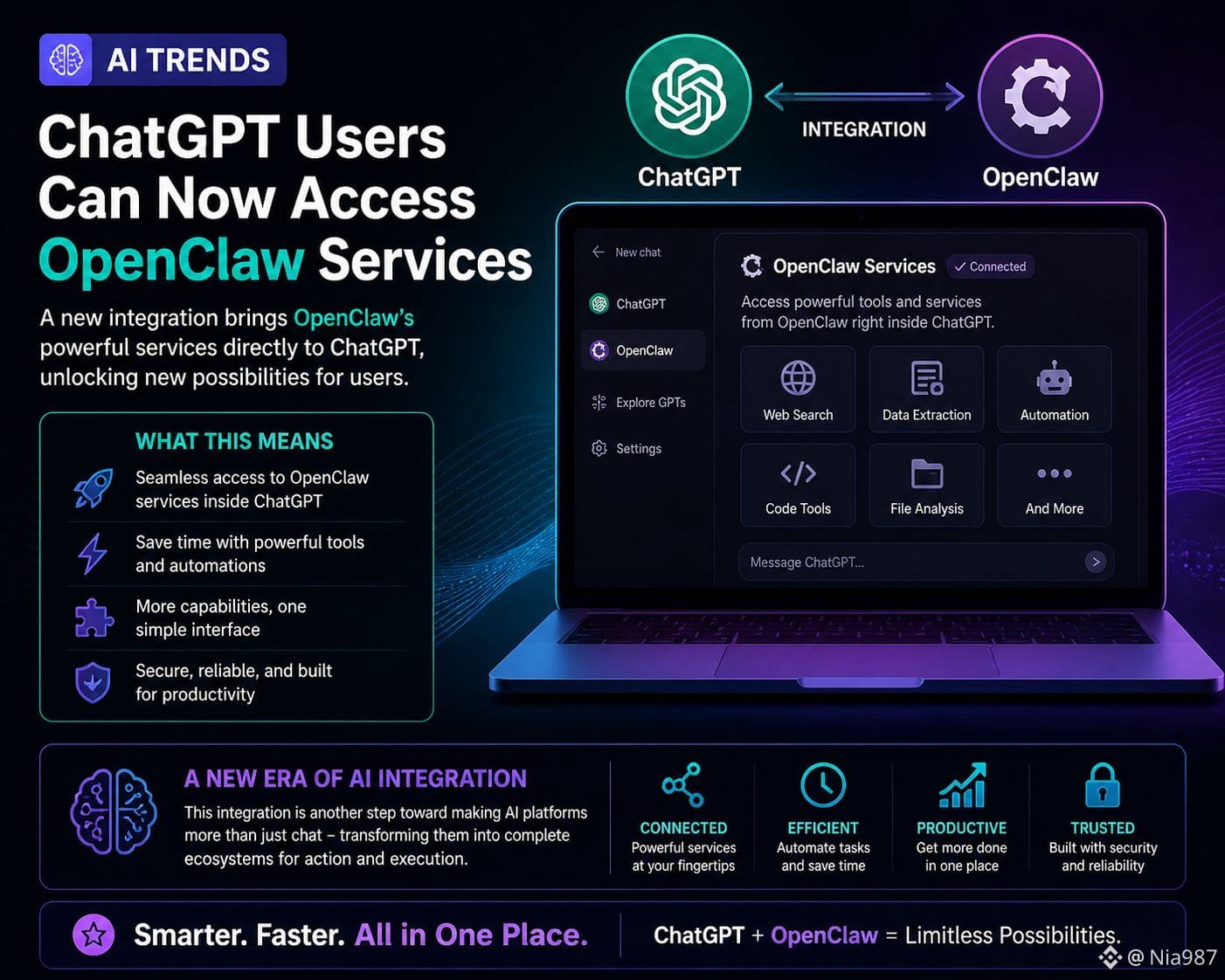
Binance Agent OS connects tools like ChatGPT, Claude Code, Codex, and Cursor through a Model Context Protocol (MCP) endpoint, along with Binance APIs, the Agentic Wallet, and x402 payments.
The design ensures that users are empowered to have ultimate control over how their agents are funded, the tools they can use, and specific limits.
Introduction
Binance Agent OS is a developer platform, launched on August 20, 2026, that lets AI applications connect to Binance and act on a user's behalf. In short, it moves AI for crypto trading from chatbots toward agents that can execute more complex tasks, such as reading markets and placing orders.
This shift matters because it changes what "using AI to trade" means in practice. Instead of copying an AI's suggestion into an exchange yourself, an authorized agent can carry out the steps directly within the limits you define. This article explains what Binance Agent OS is, how it works, and what to keep in mind before letting software trade for you.
What Is Binance Agent OS?
Binance Agent OS is a platform that connects AI agents and applications to Binance's financial infrastructure.
It brings together existing tools such as Binance APIs, the Agentic Wallet (part of the Binance Wallet Agentic Hub), and the Skill Hub, along with support for the Model Context Protocol (MCP), a standard that lets compatible AI tools talk to external services. Through this connection, an agent can access market data, view account information, and, if allowed, execute trades.
Binance Agent OS is a first step toward giving developers a way to build AI-powered applications that can act across crypto markets. Trading is one of the first use cases, but the same connection can support research, monitoring, and on-chain activity.
How Does Binance Agent OS Work?
The core idea is permissioned, isolated access. Rather than giving an agent full control of an account, users assign it a dedicated sub-account and configure it for specific activities, such as spot or futures trading.
An agent connects through an MCP endpoint and is granted specific permission scopes, which can include market data, account information, trading, and transfers within the sub-account.
Notably, there is no withdrawal scope, so an agent cannot withdraw funds. Access typically runs through API keys, with existing Binance security, risk-control, and anti-money-laundering policies for sub-account APIs applying at launch.
Funding is manual and stays in your control. The agent cannot move funds from your main account into the sub-account; you transfer them yourself. You can also review connected agents, adjust their permissions, or disconnect them, and an Emergency Stop option lets you revoke agent access broadly if something looks wrong.
There is an important detail on limits. For exchange trading, Binance does not impose a separate cap on how much an agent can trade or lose. In practice, the amount you transfer into the sub-account acts as the effective limit. This is why futures activity, which can involve leverage, deserves extra caution before you enable it for an agent.
How Is Binance Agent OS Different From a Trading Bot?
Traditional crypto trading bots follow fixed rules. You set parameters, such as buy at one price and sell at another, and the bot repeats those instructions. An AI agent behaves differently. It can interpret changing conditions, weigh information, and decide on an action based on its own reasoning rather than a strict rule set.
That flexibility is powerful, but it also introduces uncertainty. Binance has noted that an agent's reasoning happens outside its systems, either on the user's computer or within the chosen AI application. As a result, Binance can observe the resulting trades but has limited visibility into why a decision was made. That places more weight on the controls a user sets in advance.
What Can Agents Do Beyond Trading?
Binance Agent OS is also designed to connect agents to payments and on-chain activity. Through Binance's x402 integration, agents can send and settle payments with other agents. The Agentic Wallet lets them interact with tokens and decentralized finance (DeFi) protocols, which means an agent could, for example, monitor markets, react to signals, and interact with on-chain applications within set boundaries.
Unlike exchange trading, the Agentic Wallet applies its own daily limits. Based on Binance's launch details, regular swaps are capped at $50,000 per day, DeFi transactions have a default limit of $100,000 per day, and x402 payments are limited to $20 per day. Because on-chain actions often involve a self-custodied crypto wallet, understanding how these limits and permissions work is an important part of using the feature safely.
What Are the Risks and How Can You Manage Them?
Letting software act on your funds introduces new considerations. One is manipulation: if an agent receives faulty information or is targeted by a prompt-injection attack, where hidden instructions try to trick the AI into unwanted actions, it might act on it.
Binance points to the isolated sub-account as the main line of defense, since blocked withdrawals and funding limits contain the potential impact.
Sound risk management habits can help. These may include funding a sub-account with only what you are prepared to put at risk, starting with per-order approvals before allowing autonomous trading, limiting permissions to specific products, and reviewing an agent's activity regularly.
Because outcomes are uncertain, no configuration can remove risk entirely, and results can vary widely.
Users have full visibility and the ability to intervene at critical moments through three initiatives:
Notification mechanism: Every transaction involving asset changes (transfers, swaps, DeFi operations) triggers a push notification to the App. Users don't need to actively check. What the Agent does shows up on their phone.
Secondary confirmation: When a transaction's risk score is identified as high risk, it's neither auto-executed nor auto-rejected; it's pushed to the App for the user to review and confirm. This is "trust but verify" in practice: the Agent runs autonomously most of the time, but pauses at critical moments for user approval.
Real-time dashboard: A dedicated panel showing Agent wallet asset changes and every operation history so that you can track activities whenever you want.
FAQ
What is Binance Agent OS?
Binance Agent OS is a platform that connects AI agents and applications to Binance services. With a user's permission, an agent can read market data, view account balances, and place trades inside a dedicated sub-account. It launched on August 20, 2026 as a way for developers to build AI-powered applications on Binance infrastructure.
Can an AI agent withdraw my funds?
By default, withdrawals from the sub-account assigned to an agent are blocked. This creates a sandbox that limits what an agent can do with your funds. The amount you transfer into the sub-account effectively serves as the ceiling on exchange-trading exposure.
Do I have to approve every trade?
That is your choice. Users can require an agent to seek approval for every order, or allow it to trade autonomously once permissions are configured. Requiring per-order approval gives you more direct control, while autonomous mode lets the agent act faster within the limits you set.
Which AI tools work with Binance Agent OS?
Binance Agent OS supports tools connected through a Model Context Protocol (MCP) endpoint, including applications such as ChatGPT, Claude Code, Codex, VScode, and Cursor. It also brings together Binance APIs, the Agentic Wallet, and x402 payments so agents can act across trading, payments, and on-chain activity.
Is trading with an AI agent safe?
No trading method is risk-free. Binance Agent OS adds safeguards such as sub-account isolation, blocked withdrawals, and configurable permissions, but the responsibility for setting sensible limits rests largely with the user. Outcomes are uncertain, and you should only allocate funds you are prepared to put at risk.
Closing Thoughts
Binance Agent OS reflects a broader move in the industry from AI that answers questions to AI that takes action. By pairing agent access with isolated sub-accounts, blocked withdrawals, and user-defined permissions, it aims to let people experiment with autonomous tools while keeping control at the account level. As with any new capability, the safeguards work best when paired with careful configuration and a clear understanding of the risks involved.
Further Reading
What Are AI Agents and How Do They Work?
How to Use AI for Crypto Trading
What Are Crypto Trading Bots and How Do They Work?
What Are API Keys and Security Types?
Binance Ai Pro Guide: What It Is and How To Use It
Disclaimer: Your use of Binance AI, including any Binance AI Service, is at your own risk. It is provided to you on an “as is” and “as available” basis, without representation or warranty of any kind. You are solely responsible for all of your Prompts. Prompts may be used for training purposes. AI Inputs may include various unvetted third party sourced content. Any sourced content is provided “as is” without any guarantee. Binance may restrict or alter sourced content based on various compliance safety filters, however this is not absolute. Binance does not endorse or guarantee any AI Outputs. AI Outputs may include or reflect content, positions, views and opinions of third parties unknown to Binance, which may also include errors, biases, synthetic data and or outdated information. Any AI Output should not be solely relied on for decision making. AI Outputs do not constitute any kind of advice by Binance nor any other intermediary services. Binance AI may use or make available third party AI Tools without any guarantee and subject to third party terms. Where AI Tools are configured by yourself or a third-party, you indemnify Binance against all liability. Binance does not guarantee any AI Tools. Binance AI may respond to your requests, but without any guarantee that your request will be fulfilled satisfactorily or at all. Digital asset prices can be volatile. You are solely responsible for your investment decisions and Binance is not liable for any losses. Digital asset prices can be volatile. DYOR. Use of Binance AI may be subject to additional Binance Product Terms, where applicable. For more information, see our Terms of Use, Risk Warning and AI Policy and Terms.
Binance Agent OS is a platform that lets AI agents connect to Binance services so they can read market data, view balances, and, with permission, place trades on a user's behalf.
Agents work inside a dedicated, isolated sub-account, and withdrawals from that sub-account are blocked by default, creating a sandbox around agent activity.
Users control what an agent can access and whether it needs approval for every order or can trade more autonomously once permissions are set.
Binance Agent OS connects tools like ChatGPT, Claude Code, Codex, and Cursor through a Model Context Protocol (MCP) endpoint, along with Binance APIs, the Agentic Wallet, and x402 payments.
The design ensures that users are empowered to have ultimate control over how their agents are funded, the tools they can use, and specific limits.
Introduction
Binance Agent OS is a developer platform, launched on August 20, 2026, that lets AI applications connect to Binance and act on a user's behalf. In short, it moves AI for crypto trading from chatbots toward agents that can execute more complex tasks, such as reading markets and placing orders.
This shift matters because it changes what "using AI to trade" means in practice. Instead of copying an AI's suggestion into an exchange yourself, an authorized agent can carry out the steps directly within the limits you define. This article explains what Binance Agent OS is, how it works, and what to keep in mind before letting software trade for you.
What Is Binance Agent OS?
Binance Agent OS is a platform that connects AI agents and applications to Binance's financial infrastructure.
It brings together existing tools such as Binance APIs, the Agentic Wallet (part of the Binance Wallet Agentic Hub), and the Skill Hub, along with support for the Model Context Protocol (MCP), a standard that lets compatible AI tools talk to external services. Through this connection, an agent can access market data, view account information, and, if allowed, execute trades.
Binance Agent OS is a first step toward giving developers a way to build AI-powered applications that can act across crypto markets. Trading is one of the first use cases, but the same connection can support research, monitoring, and on-chain activity.
How Does Binance Agent OS Work?
The core idea is permissioned, isolated access. Rather than giving an agent full control of an account, users assign it a dedicated sub-account and configure it for specific activities, such as spot or futures trading.
An agent connects through an MCP endpoint and is granted specific permission scopes, which can include market data, account information, trading, and transfers within the sub-account.
Notably, there is no withdrawal scope, so an agent cannot withdraw funds. Access typically runs through API keys, with existing Binance security, risk-control, and anti-money-laundering policies for sub-account APIs applying at launch.
Funding is manual and stays in your control. The agent cannot move funds from your main account into the sub-account; you transfer them yourself. You can also review connected agents, adjust their permissions, or disconnect them, and an Emergency Stop option lets you revoke agent access broadly if something looks wrong.
There is an important detail on limits. For exchange trading, Binance does not impose a separate cap on how much an agent can trade or lose. In practice, the amount you transfer into the sub-account acts as the effective limit. This is why futures activity, which can involve leverage, deserves extra caution before you enable it for an agent.
How Is Binance Agent OS Different From a Trading Bot?
Traditional crypto trading bots follow fixed rules. You set parameters, such as buy at one price and sell at another, and the bot repeats those instructions. An AI agent behaves differently. It can interpret changing conditions, weigh information, and decide on an action based on its own reasoning rather than a strict rule set.
That flexibility is powerful, but it also introduces uncertainty. Binance has noted that an agent's reasoning happens outside its systems, either on the user's computer or within the chosen AI application. As a result, Binance can observe the resulting trades but has limited visibility into why a decision was made. That places more weight on the controls a user sets in advance.
What Can Agents Do Beyond Trading?
Binance Agent OS is also designed to connect agents to payments and on-chain activity. Through Binance's x402 integration, agents can send and settle payments with other agents. The Agentic Wallet lets them interact with tokens and decentralized finance (DeFi) protocols, which means an agent could, for example, monitor markets, react to signals, and interact with on-chain applications within set boundaries.
Unlike exchange trading, the Agentic Wallet applies its own daily limits. Based on Binance's launch details, regular swaps are capped at $50,000 per day, DeFi transactions have a default limit of $100,000 per day, and x402 payments are limited to $20 per day. Because on-chain actions often involve a self-custodied crypto wallet, understanding how these limits and permissions work is an important part of using the feature safely.
What Are the Risks and How Can You Manage Them?
Letting software act on your funds introduces new considerations. One is manipulation: if an agent receives faulty information or is targeted by a prompt-injection attack, where hidden instructions try to trick the AI into unwanted actions, it might act on it.
Binance points to the isolated sub-account as the main line of defense, since blocked withdrawals and funding limits contain the potential impact.
Sound risk management habits can help. These may include funding a sub-account with only what you are prepared to put at risk, starting with per-order approvals before allowing autonomous trading, limiting permissions to specific products, and reviewing an agent's activity regularly.
Because outcomes are uncertain, no configuration can remove risk entirely, and results can vary widely.
Users have full visibility and the ability to intervene at critical moments through three initiatives:
Notification mechanism: Every transaction involving asset changes (transfers, swaps, DeFi operations) triggers a push notification to the App. Users don't need to actively check. What the Agent does shows up on their phone.
Secondary confirmation: When a transaction's risk score is identified as high risk, it's neither auto-executed nor auto-rejected; it's pushed to the App for the user to review and confirm. This is "trust but verify" in practice: the Agent runs autonomously most of the time, but pauses at critical moments for user approval.
Real-time dashboard: A dedicated panel showing Agent wallet asset changes and every operation history so that you can track activities whenever you want.
FAQ
What is Binance Agent OS?
Binance Agent OS is a platform that connects AI agents and applications to Binance services. With a user's permission, an agent can read market data, view account balances, and place trades inside a dedicated sub-account. It launched on August 20, 2026 as a way for developers to build AI-powered applications on Binance infrastructure.
Can an AI agent withdraw my funds?
By default, withdrawals from the sub-account assigned to an agent are blocked. This creates a sandbox that limits what an agent can do with your funds. The amount you transfer into the sub-account effectively serves as the ceiling on exchange-trading exposure.
Do I have to approve every trade?
That is your choice. Users can require an agent to seek approval for every order, or allow it to trade autonomously once permissions are configured. Requiring per-order approval gives you more direct control, while autonomous mode lets the agent act faster within the limits you set.
Which AI tools work with Binance Agent OS?
Binance Agent OS supports tools connected through a Model Context Protocol (MCP) endpoint, including applications such as ChatGPT, Claude Code, Codex, VScode, and Cursor. It also brings together Binance APIs, the Agentic Wallet, and x402 payments so agents can act across trading, payments, and on-chain activity.
Is trading with an AI agent safe?
No trading method is risk-free. Binance Agent OS adds safeguards such as sub-account isolation, blocked withdrawals, and configurable permissions, but the responsibility for setting sensible limits rests largely with the user. Outcomes are uncertain, and you should only allocate funds you are prepared to put at risk.
Closing Thoughts
Binance Agent OS reflects a broader move in the industry from AI that answers questions to AI that takes action. By pairing agent access with isolated sub-accounts, blocked withdrawals, and user-defined permissions, it aims to let people experiment with autonomous tools while keeping control at the account level. As with any new capability, the safeguards work best when paired with careful configuration and a clear understanding of the risks involved.
Further Reading
What Are AI Agents and How Do They Work?
How to Use AI for Crypto Trading
What Are Crypto Trading Bots and How Do They Work?
What Are API Keys and Security Types?
Binance Ai Pro Guide: What It Is and How To Use It
Disclaimer: Your use of Binance AI, including any Binance AI Service, is at your own risk. It is provided to you on an “as is” and “as available” basis, without representation or warranty of any kind. You are solely responsible for all of your Prompts. Prompts may be used for training purposes. AI Inputs may include various unvetted third party sourced content. Any sourced content is provided “as is” without any guarantee. Binance may restrict or alter sourced content based on various compliance safety filters, however this is not absolute. Binance does not endorse or guarantee any AI Outputs. AI Outputs may include or reflect content, positions, views and opinions of third parties unknown to Binance, which may also include errors, biases, synthetic data and or outdated information. Any AI Output should not be solely relied on for decision making. AI Outputs do not constitute any kind of advice by Binance nor any other intermediary services. Binance AI may use or make available third party AI Tools without any guarantee and subject to third party terms. Where AI Tools are configured by yourself or a third-party, you indemnify Binance against all liability. Binance does not guarantee any AI Tools. Binance AI may respond to your requests, but without any guarantee that your request will be fulfilled satisfactorily or at all. Digital asset prices can be volatile. You are solely responsible for your investment decisions and Binance is not liable for any losses. Digital asset prices can be volatile. DYOR. Use of Binance AI may be subject to additional Binance Product Terms, where applicable. For more information, see our Terms of Use, Risk Warning and AI Policy and Terms.















Connectez-vous pour découvrir plus de contenu