A Sub-Merchant is a virtual account created under a Channel Partner’s main account to manage acquired merchants or subsidiary companies. Note that a Sub-Merchant account is virtual and cannot be used to log in.
There are two ways to create a Sub-Merchant:
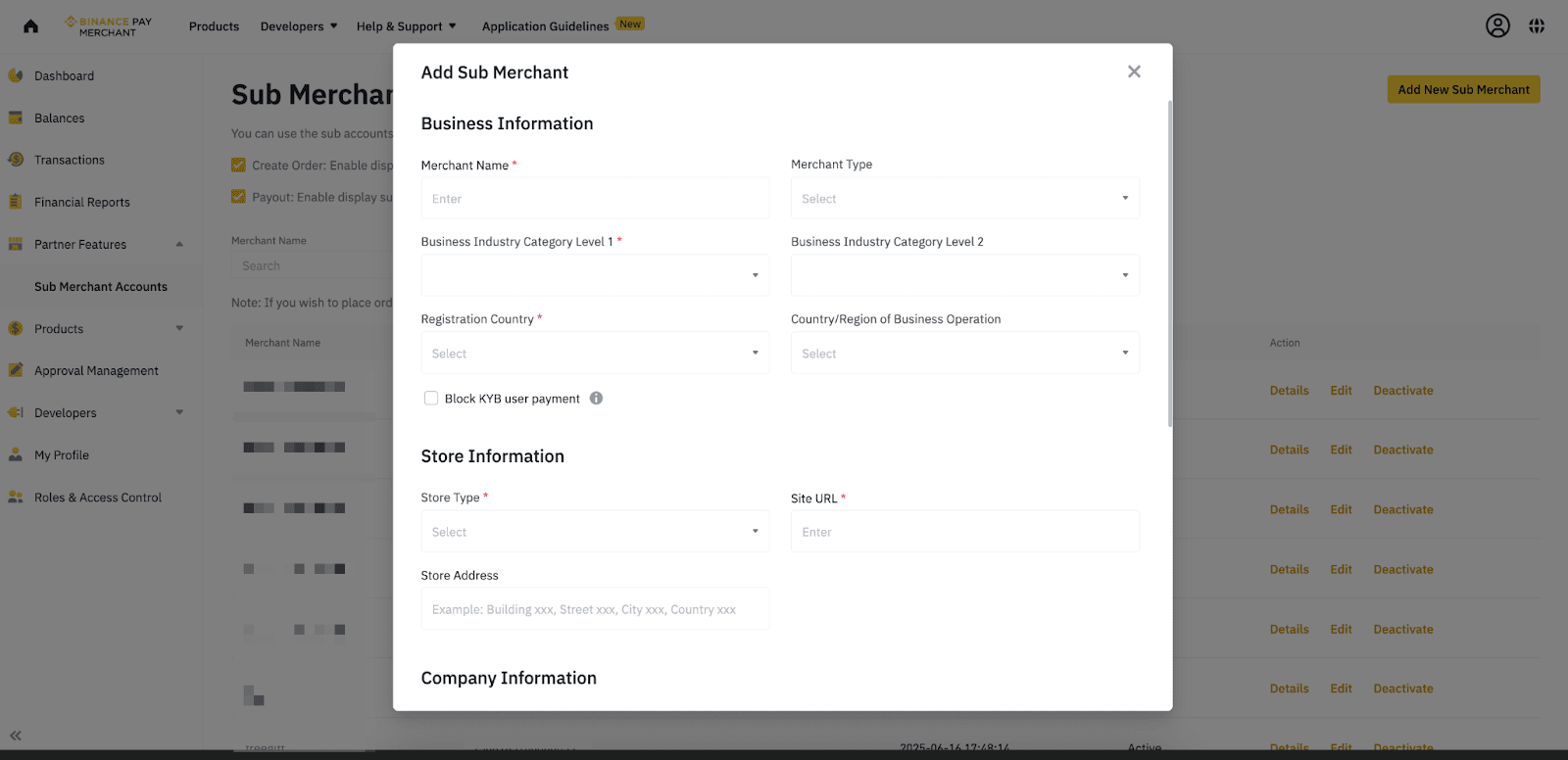
The following fields are mandatory (as of December 2024)
Note: Mandatory fields may be updated to comply with regulatory requirements.
After sub-merchant is created successfully, you will see a “subMerchantId” returned. Capture the “subMerchantId” and pass the “subMerchantId” in the Create Order API when creating a new order for your sub-merchant, refer to [How do I use the Sub-Merchant ID when creating orders?] below for more information.
You can manage and view all orders for each Sub-Merchant directly in the Merchant Dashboard and in the exported transaction reports.
If you need to update or change any Sub-Merchant information, you can do so either by using the Modify Sub-Merchant API or manually through the Merchant Dashboard.
Send a POST request to the endpoint:
| POST /binancepay/openapi/submerchant/add |
Request Example
Response Example
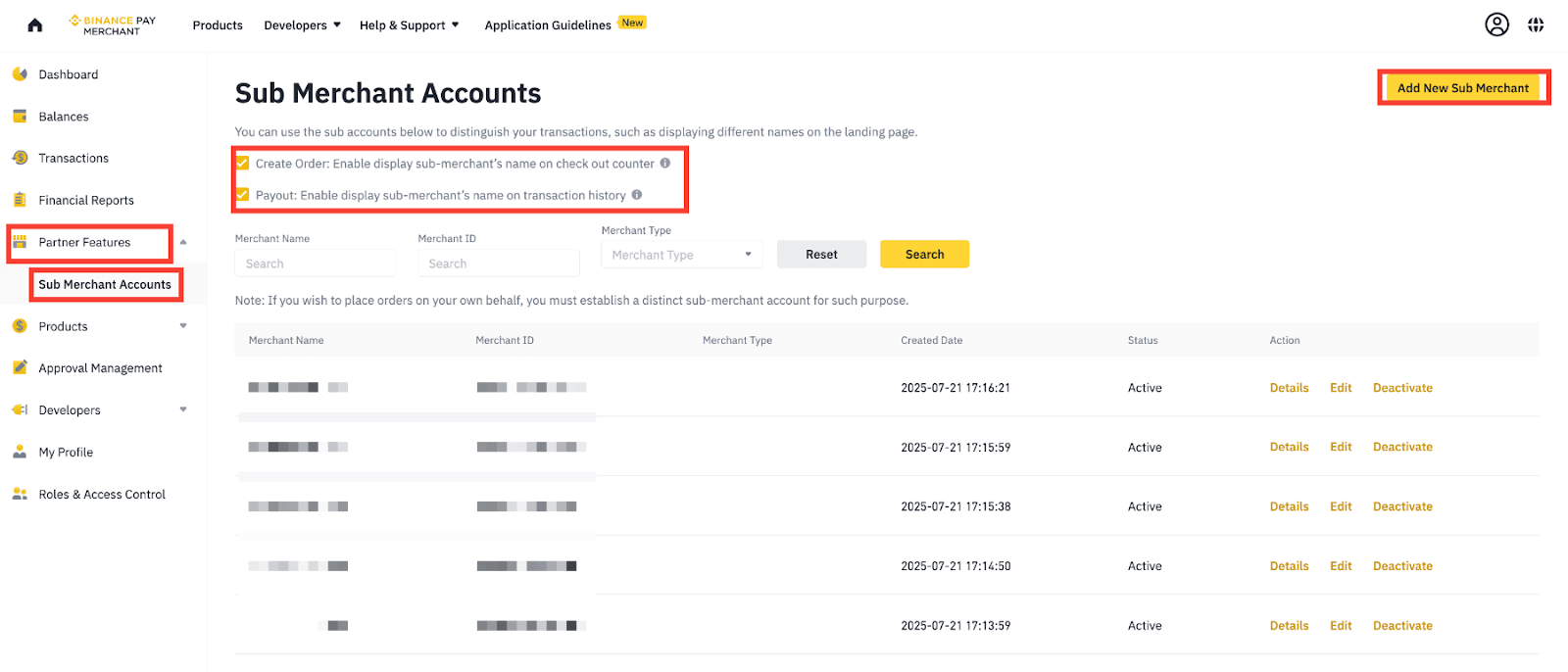
In addition to using the “Create SubMerchant” API, Sub-Merchants can also be created via the Merchant Management Platform (MMP).
Under the [Partner Feature] tab - Sub Merchant Accounts
Please note that the “Business Brand Logo” is optional.
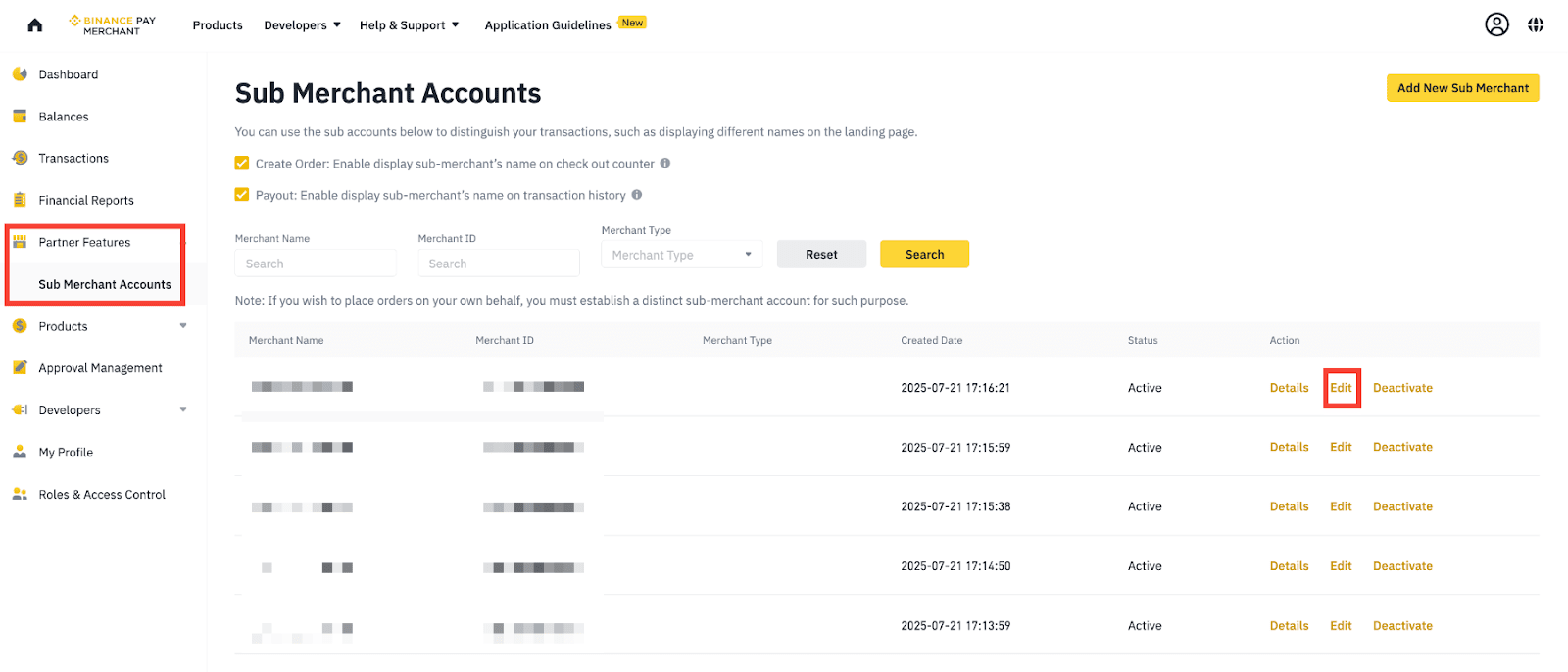
You can modify sub-merchant information via API and MMP:
1. Via Sub-merchant API to update submerchant details
Send a POST request to the endpoint:
| POST /binancepay/openapi/submerchant/modify |
Request Example
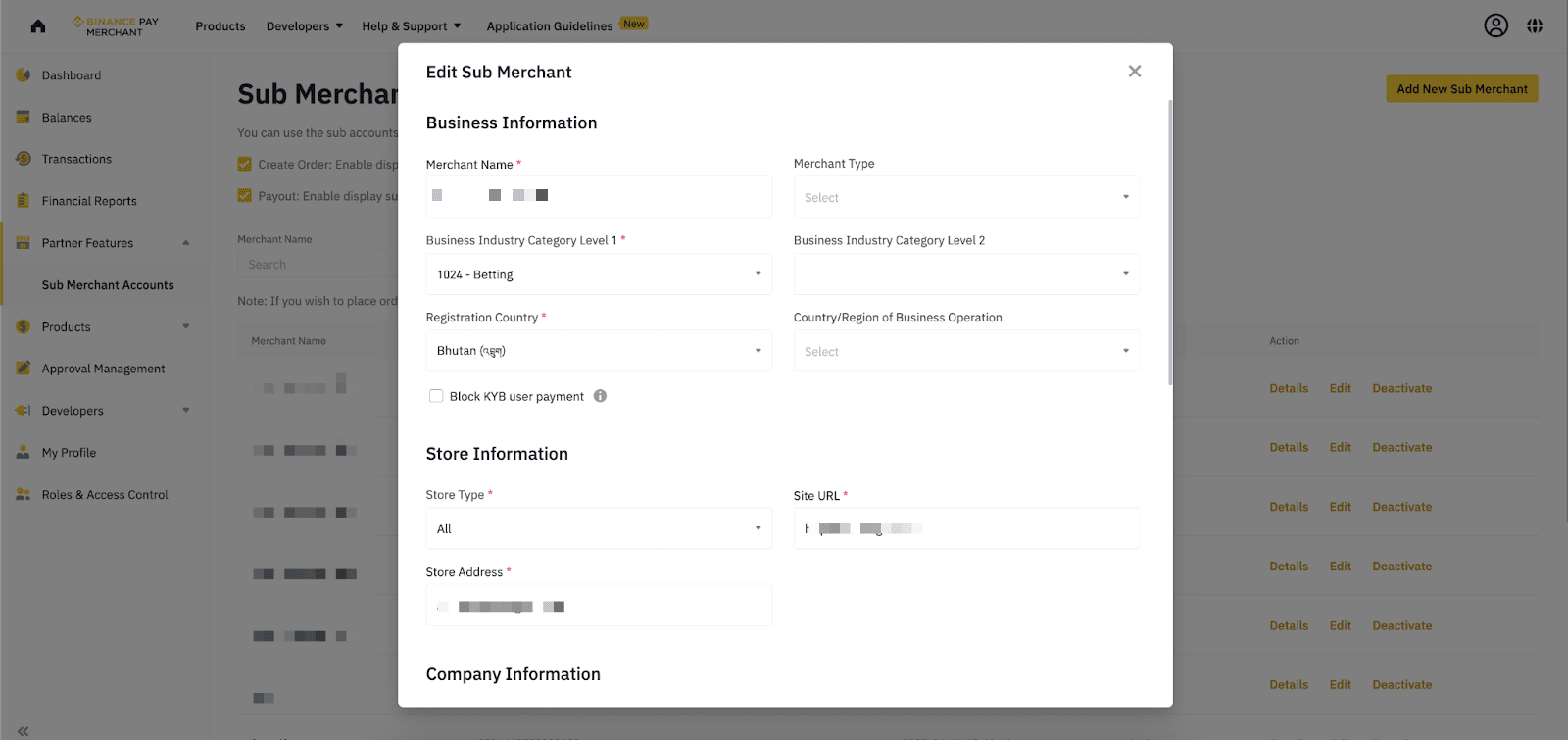
2. Via MMP - Merchant Dashboard, navigate to the [Sub Merchant Accounts] tab. Locate the Sub-Merchant you wish to modify and select “Edit” to update the details accordingly.
Edit and input the information accordingly and scroll to the bottom, select [Confirm] to save it.
When creating an order via the Create Order API, include the subMerchantId in the request to associate the order with the correct Sub-Merchant.
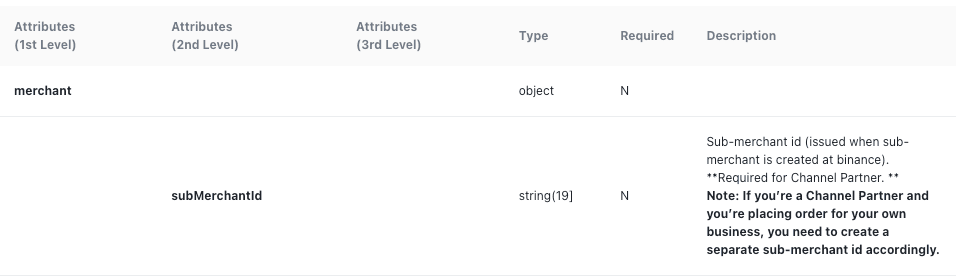
Request Example
To learn more about Binance Pay, visit the Binance Pay FAQs page.
Disclaimer: Digital asset prices can be volatile. The value of your investment may go down or up and you may not get back the amount invested. You are solely responsible for your investment decisions and Binance is not liable for any losses you may incur. Please fund your wallet and perform your transactions cautiously. Not financial advice. For more information, see our Terms of Use, Binance Pay Terms of Use and Risk Warning.
