The ‘Convert to Private Key Wallets’ function allows you to convert your Binance Keyless Wallet into private key wallets and access the private keys of these wallets.
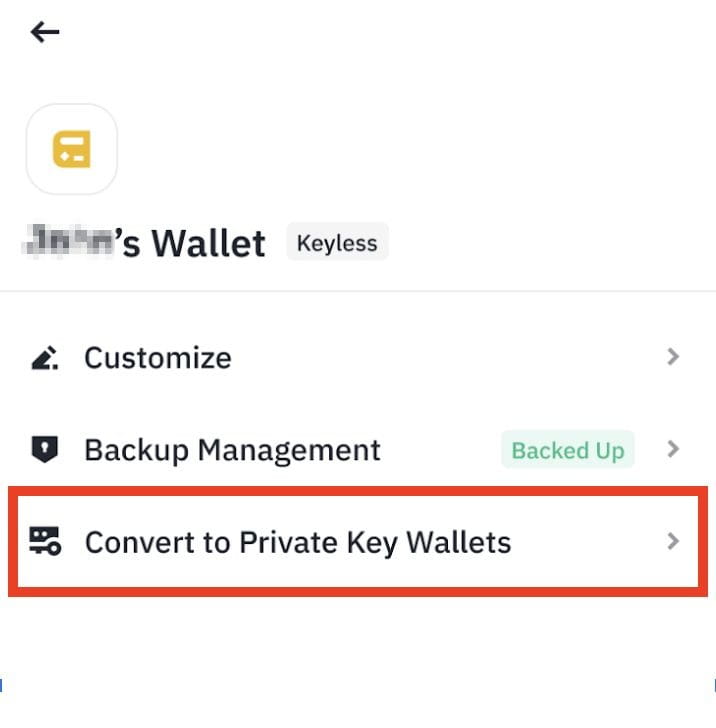
Please note, converting to private key wallets means transitioning from a Keyless Wallet with Binance’s security model to multiple regular self-custody wallets. After the conversion is completed, these wallets will no longer have recovery features and you will be responsible for safeguarding your private keys.
Once converted to private key wallets, you cannot revert back to a Binance Keyless Wallet. The wallets will also not be eligible for participating in Binance Wallet exclusive campaigns (e.g. Binance Wallet TGE).
1. Log in to your Binance Wallet. On the [Wallet Management] page, tap [Convert to Private Key Wallets]. Read through the reminder and tap [Continue].
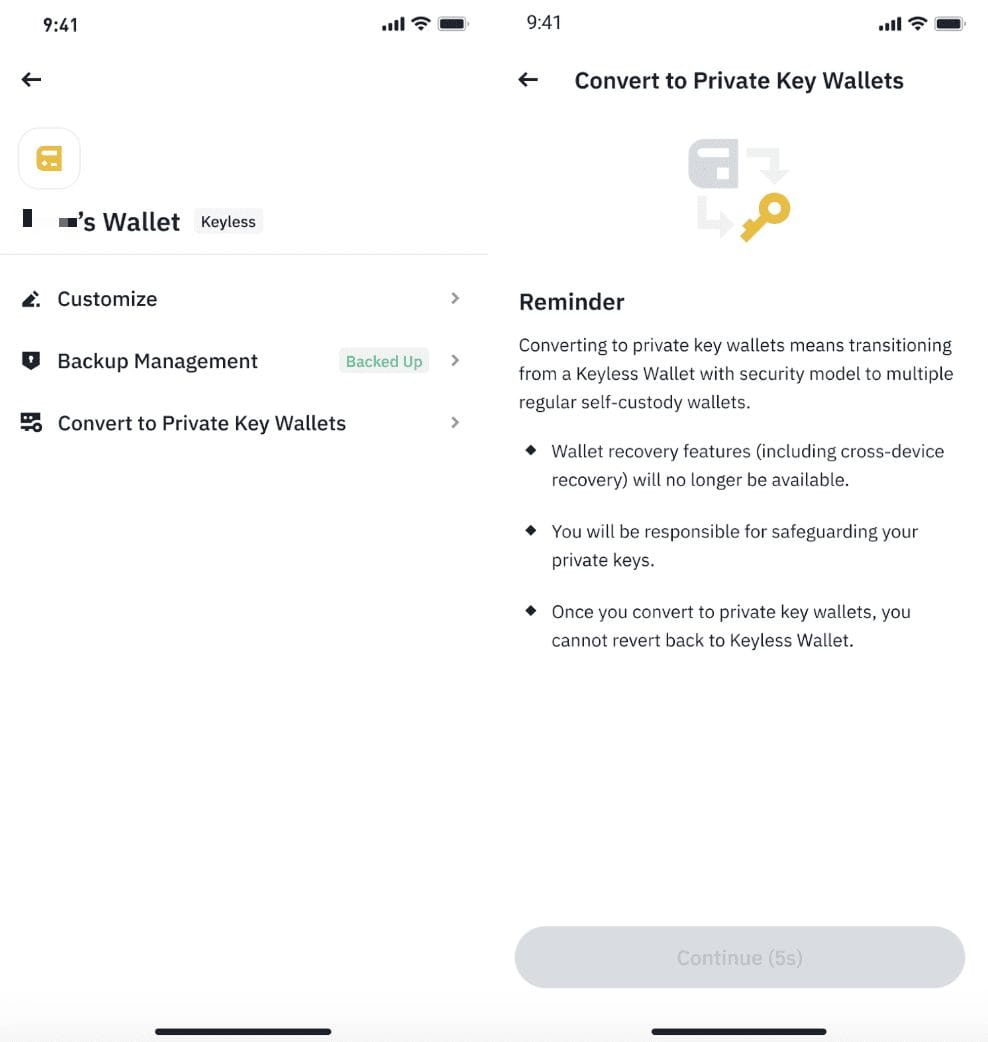
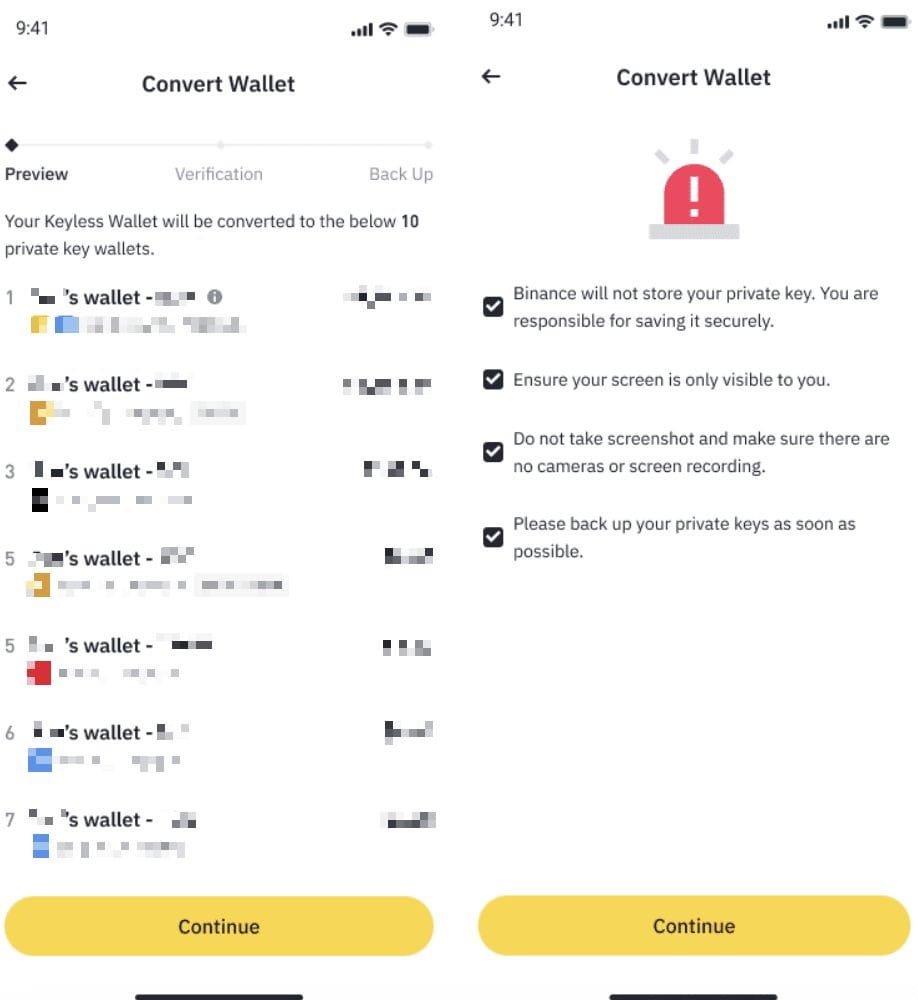
2. In the convert process, you will be shown the private key address along with each balance. Tap [Continue] and check all safety tips, then complete the identity verification.
3. After identity verification is successfully completed, your keyless wallet will be converted to private key wallets. Important note: Please ensure that you back up the private keys before leaving this page.

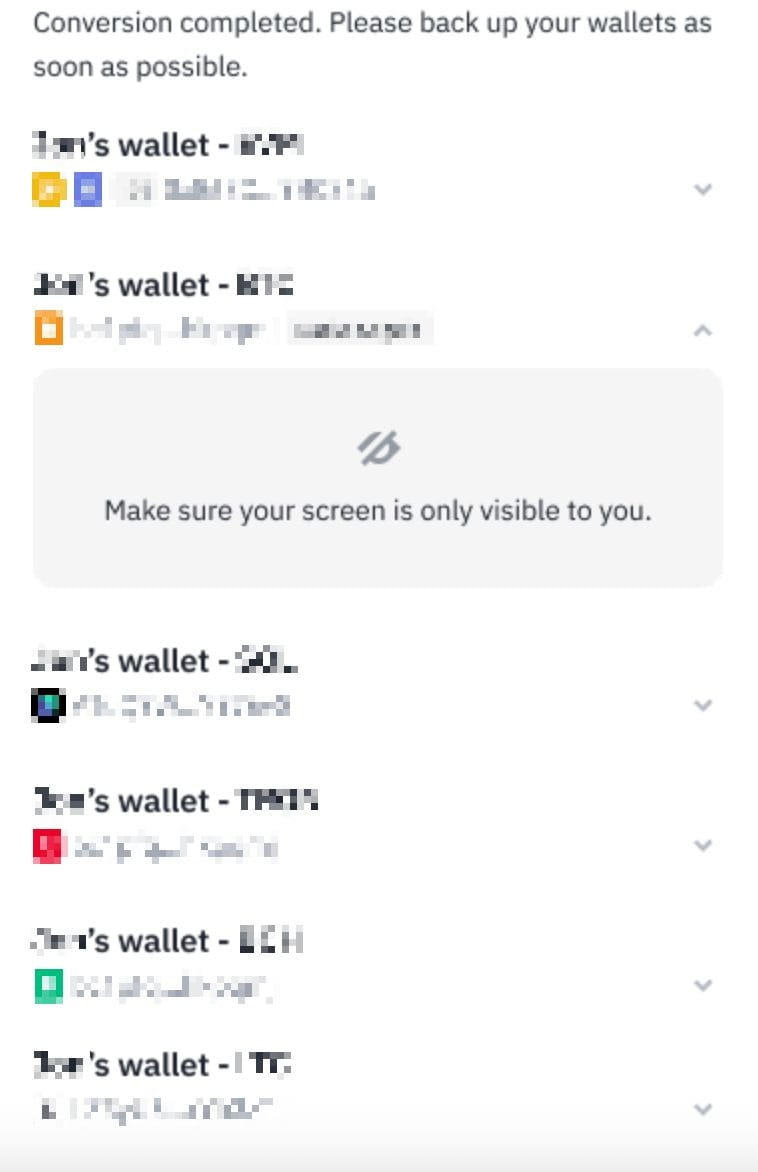


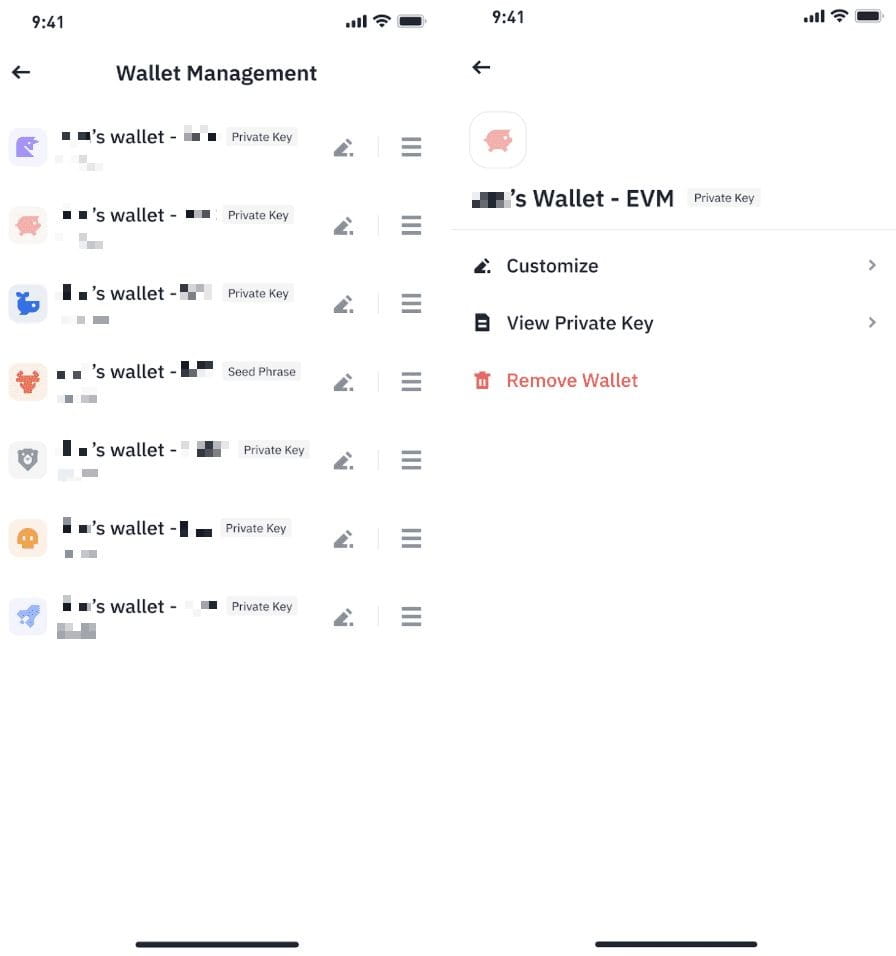
4. On the [Wallet Management] page, you will see the list of private key wallets just converted. You may edit the wallet name, view the private key, or remove the wallet.
To learn more about Binance Wallet, visit:
