

Non-fungible tokens, or NFTs, a term everyone is familiar with, continue to be the center of attention in decentralized markets. NFTs are used to verify ownership of a work and allow artists to put it up for sale without being exposed to risks such as counterfeiting or piracy.
As NFTs began to gain more ground in our world, users began to investigate where and how they could sell the works they produced. We will explain how you can deposit and sell your works on Binance NFT Marketplace, a marketplace.
You can access Binance's NFT marketplace by clicking here.
You can also click here to buy a mystery box on Binance NFT Marketplace.
Why Should You Sell Your NFTs on Binance NFT Marketplace?
Multi-Chain Support
Binance NFT Marketplace, unlike other marketplaces, has multi-chain support. Users who want to sell their NFTs can transfer their NFTs to the Ethereum (ETH) network via the Binance Smart Chain (BSC) network.
In this way, Binance NFT Marketplace turns into an open marketplace ecosystem.
Wide Range of NFT Collections
You can find and store different types of NFT collectibles on Binance Marketplace. You can find sports, arts, games and more in this marketplace.
Additionally, Binance NFT launched a launch pad for NFT games under the name IGO, or 'Initial Game Offering', on October 26. You can get information about IGO here.
Low Commission Fees
On Binance NFT Marketplace, the commission fee to be paid when performing NFT transactions is determined as '1 percent'. Thanks to these very low commission fees, you can carry out transactions with peace of mind.
How to Deposit Your NFTs to Binance?
Binance makes NFT deposits as easy as possible. You have the opportunity to deposit your NFTs in just 2 steps.
Step 1: Connect your wallet
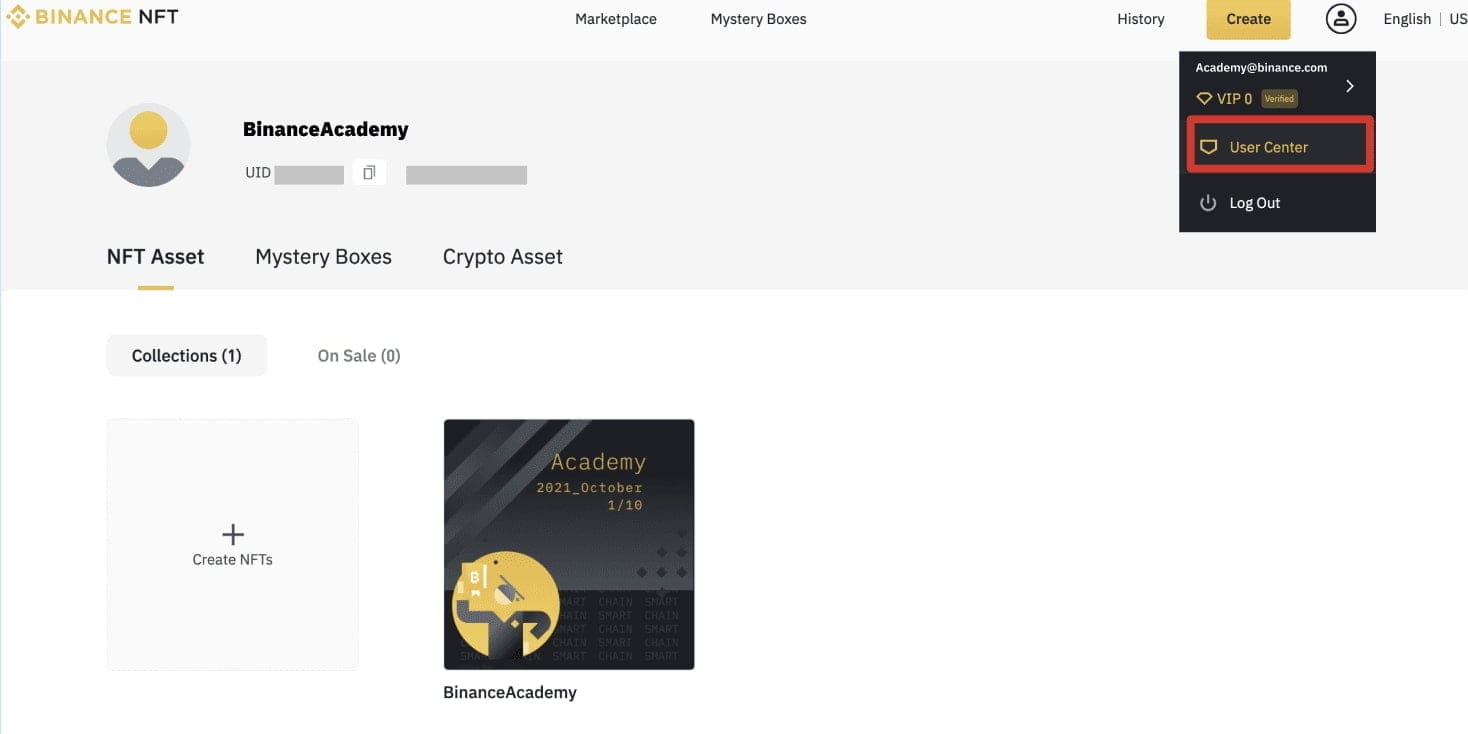
Go to Binance NFT and log in to your account. Then click on the 'User Center' tab and click on the 'Import NFT' button.
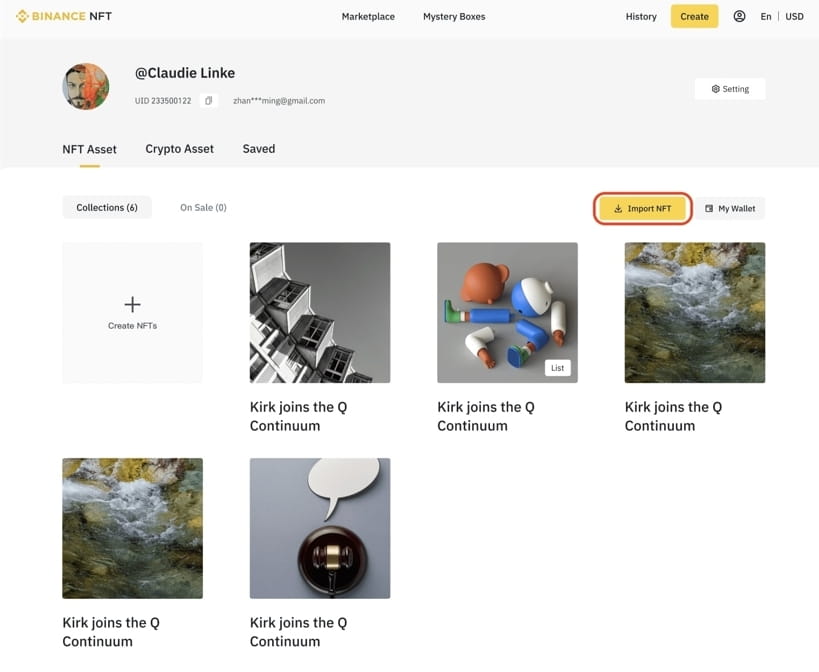
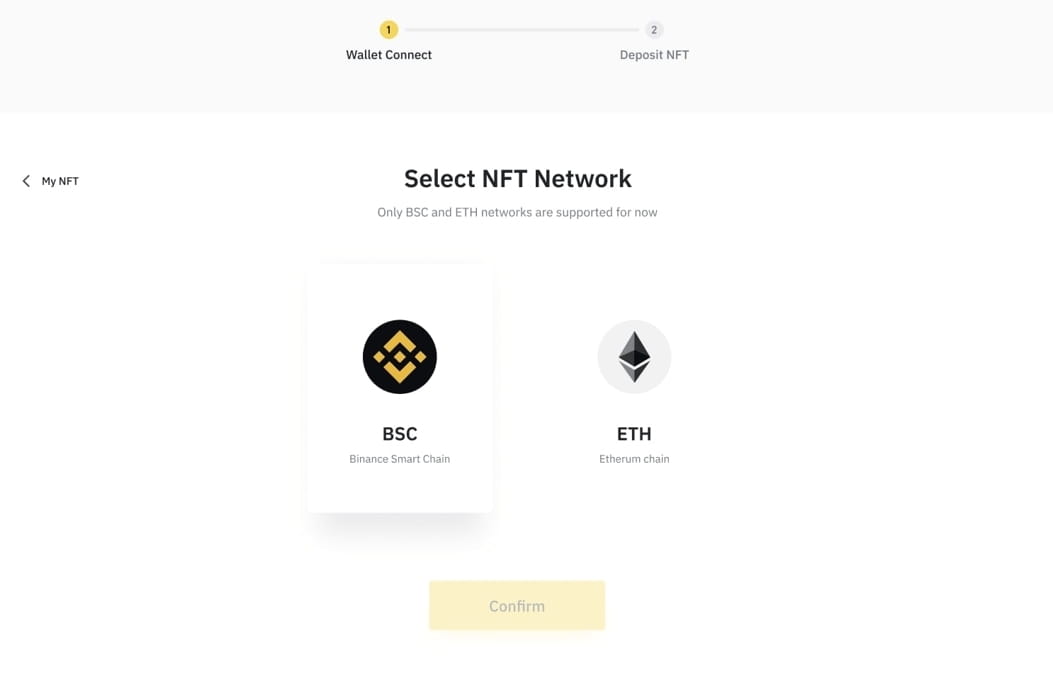
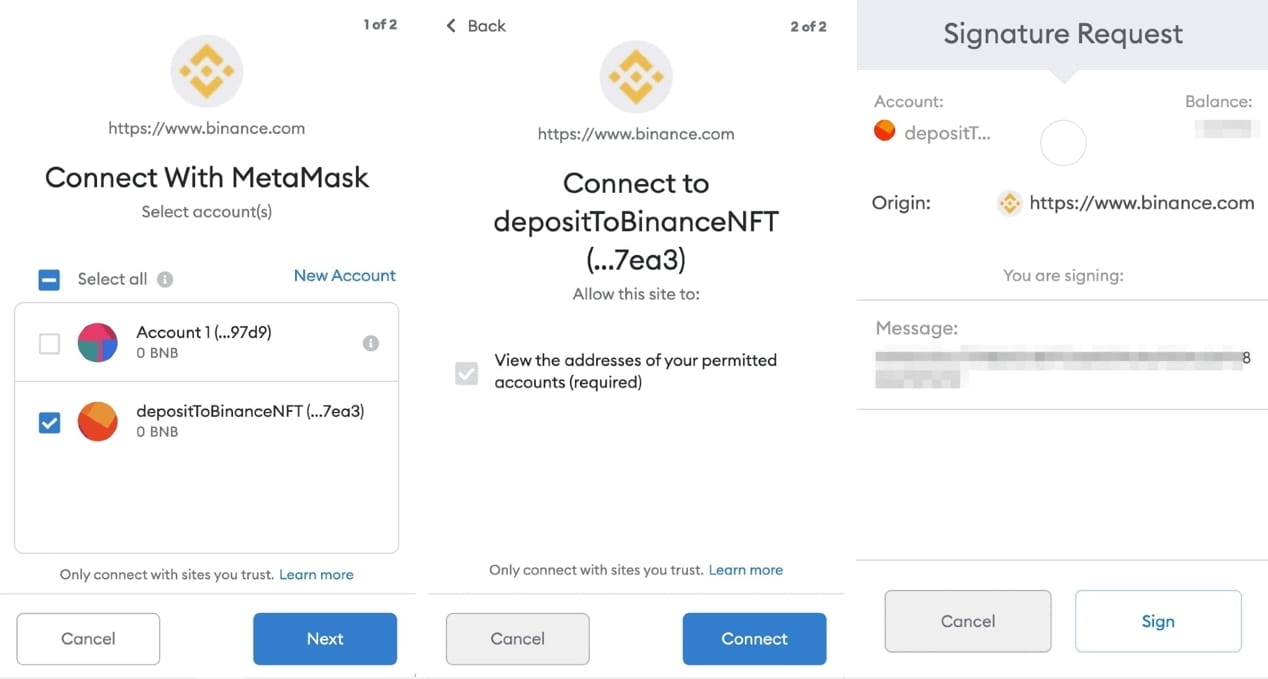
You will then reach the 'Wallet Connect' section. Select the network where your wallet exists and click 'Confirm'. Currently Binance Smart Chain and Ethereum network are supported.
You can then choose the wallet you want to connect. Currently only MetaMask and WalletConnect are supported.
Assuming you choose MetaMask for example;
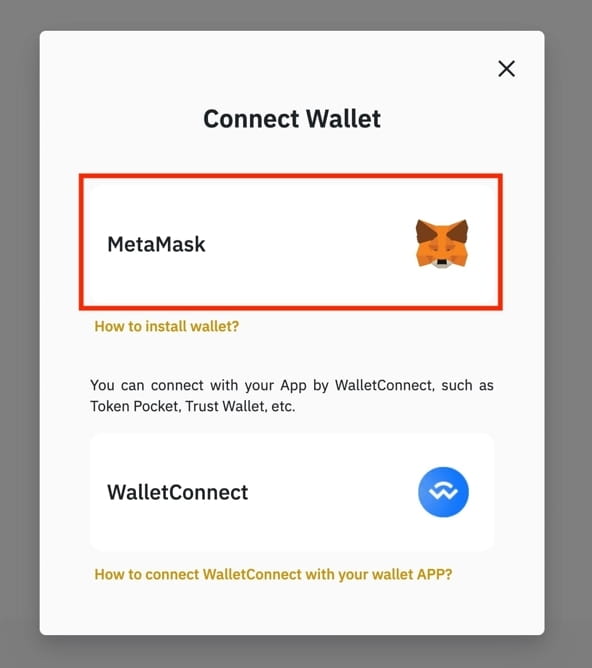
Afterwards, MetaMask will appear in the pop-up window. You must select and confirm the network you want to connect to Binance NFT.
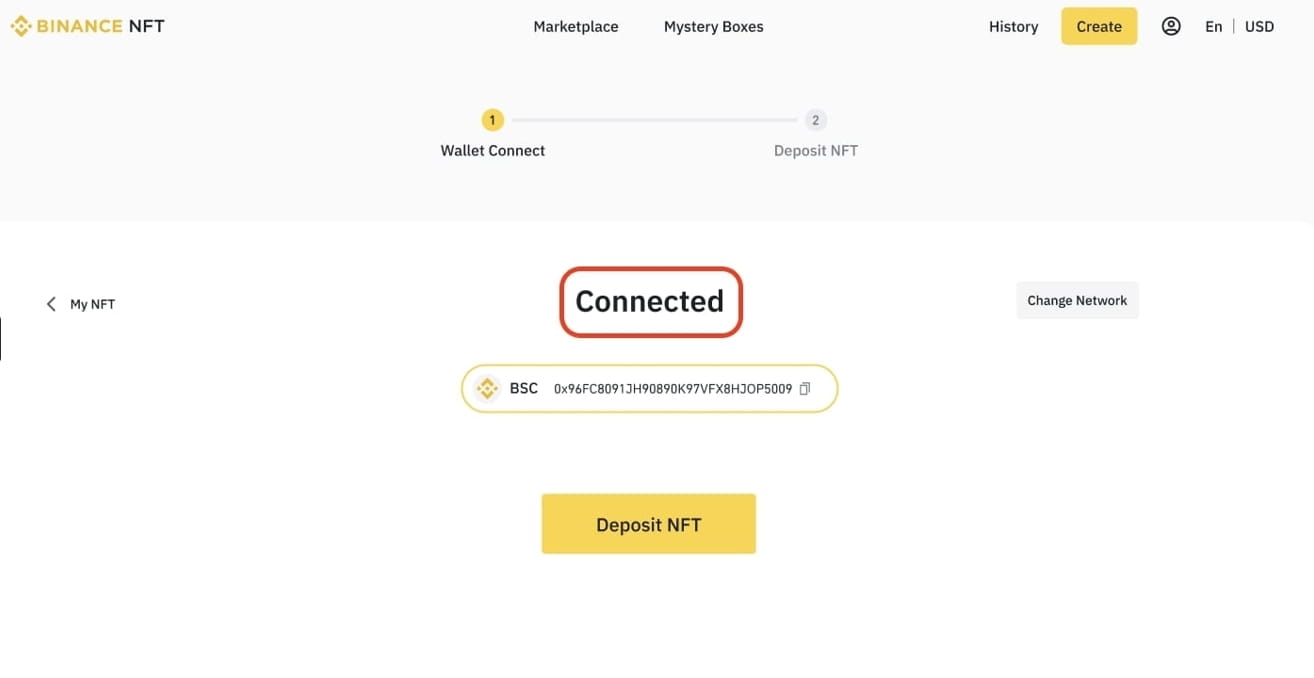
After completing all these steps, you will be directed to the Binance NFT page. Once redirected, you need to click on the 'Deposit NFT' option.
Step 2: Deposit Your NFT
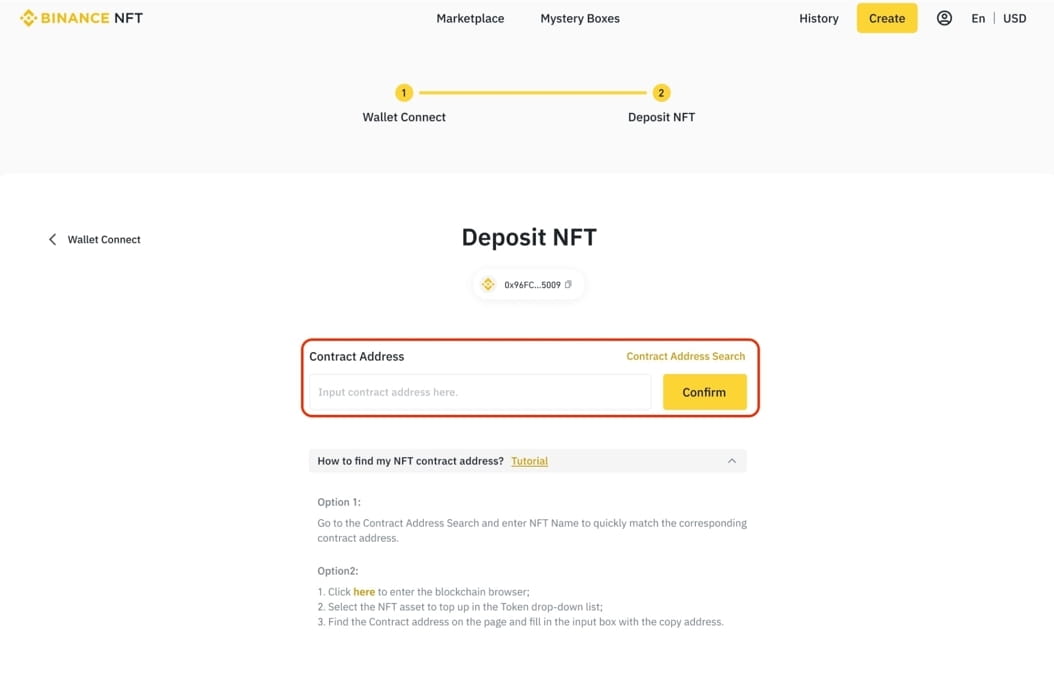
To deposit the NFT in your wallet, you must write the contract address of your NFT in the space on the screen. After typing your contract address, click the 'Confirm' button.
If you don't know how to find your contract address, you can find out by clicking here.
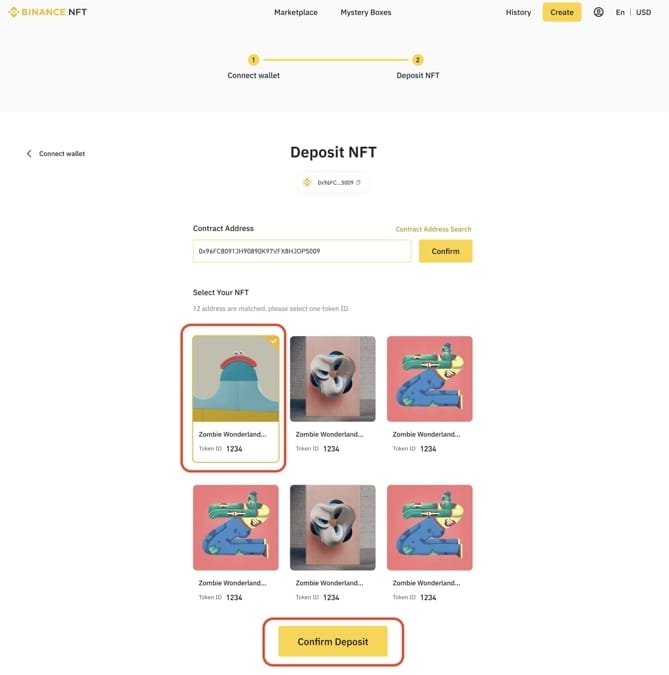
Once your contract address is verified, you will see your NFTs. Select the NFT you want to deposit and click the 'Confirm Deposit' button.
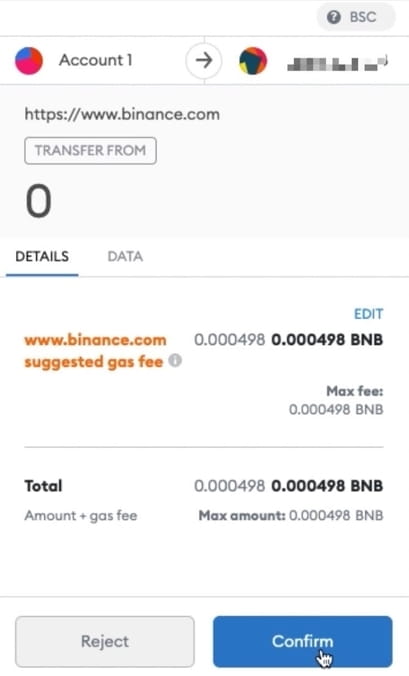
You will then see a pop-up window from the MetaMask plugin. From there, after confirming the 'Gas Fee', your NFT will be transferred to your account. However, keep in mind that the transfer time of your NFTs may vary depending on the network you transfer to.
WARNING
In order for you to transfer to Binance NFT, that contract address must be verified in advance. You can click here to learn the supported contract addresses.
How to List and Sell Your NFTs on Binance NFT
If you want to list an NFT you already own, you can access the 'Collections' section from the 'NFT Assets' section by clicking the 'User Center' tab.
Then go to the 'Description' screen of your NFT. You can show the description, bid history, and provenance of your NFT.
You can only add the description part when producing your NFT. You cannot edit the NFT after you create it or after you sell it.
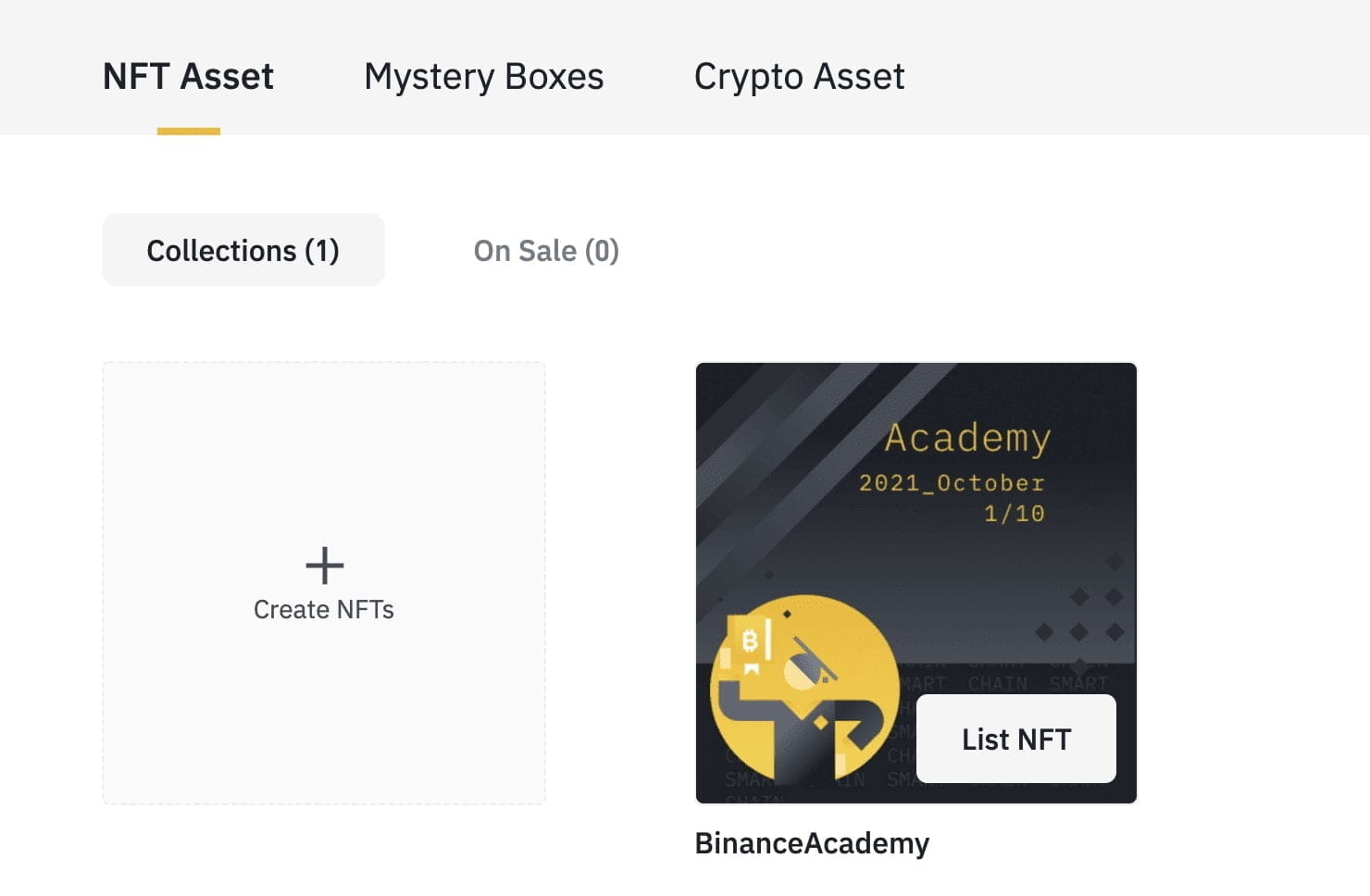
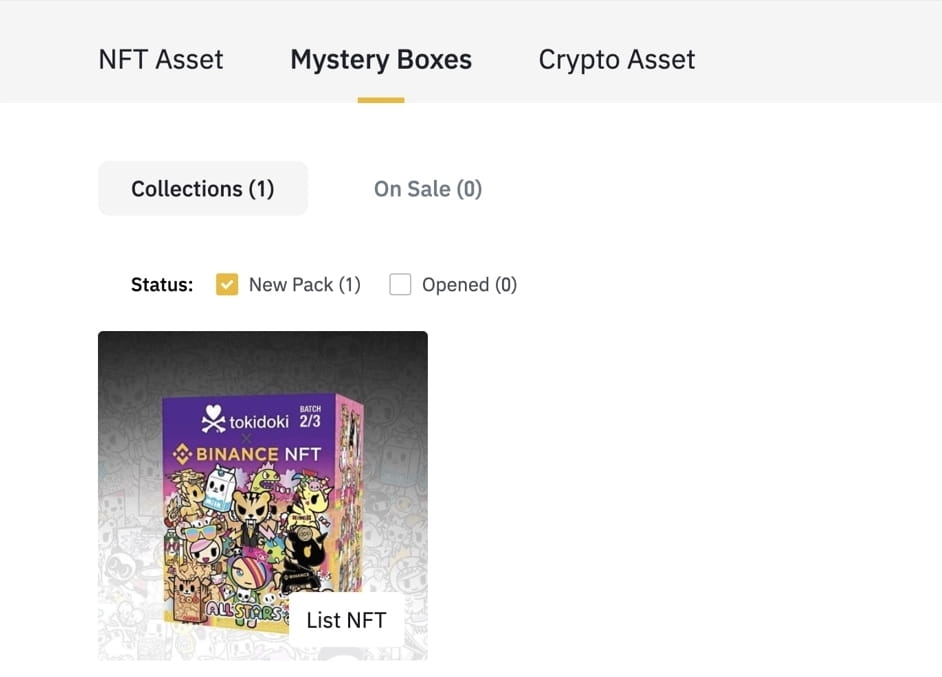
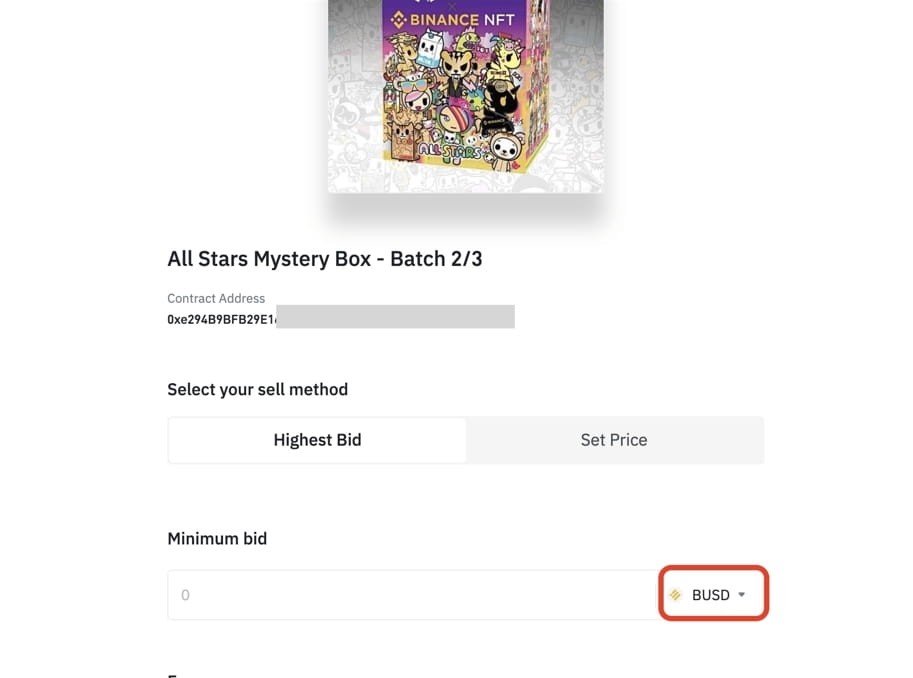
Then you need to make certain choices. If you want, you can sell it to the highest bidder via auction or you can set a fixed price.

If you select the auction option, i.e. 'Highest Bid', you will see a screen like the one below. You can set the price at which the auction will start and which unit you would like to receive as payment.
If you want to set a fixed price, you must click on the 'Set Price' option. If you choose this option, your NFT will be put up for sale at the price you specify. The buyer will pay the price you set.
You can also change the unit you will be paid for when you put it on sale, just like in the other option.
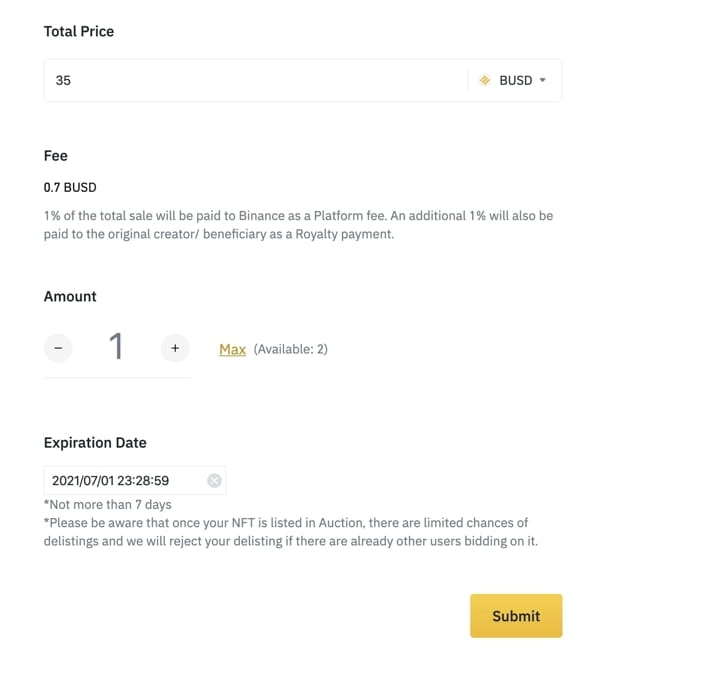
In both options, you need to determine the date when the listing will end. Select the date and time the sale will end, then select its category.
Once you proceed, you can annotate your NFT. In the statement; You can write down the privileges or advantages that the person purchasing your NFT will have. Then review the edits you have made and click the 'Send' button.
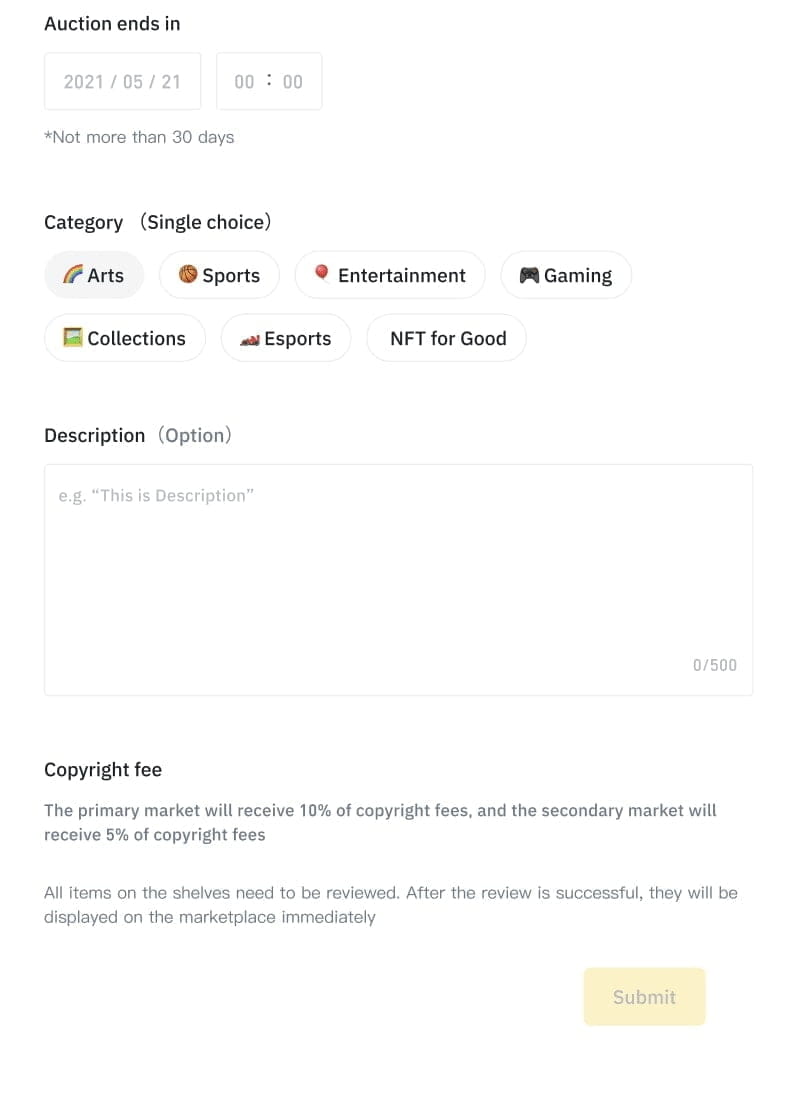
Binance team will manually review your sales request to check whether it meets quality standards. This process usually takes between 4 and 8 hours.
If you do not have a Binance account and are interested in NFTs, you can click here to go to the relevant page and perform your NFT transaction easily.
You can also register to Binance, the world's largest cryptocurrency exchange, by clicking here and earn a 20 percent commission discount.
Tips for Selling and Promoting Your NFTs on Binance NFT Marketplace
If you have produced more than one of your works, you can send gifts to the accounts of famous people so that more people can see them. It is used among marketing techniques.
You can attract attention by quoting current events.
It will be easier to sell if you do not set exorbitant prices.
You can place advertisements on social media platforms.
You can create NFTs in the best-selling types by looking at trends.
Using Binance NFT Marketplace, you can sell on other blockchains and reach a large number of buyers.