


Preface
Linea is a new zk-rollup network developed, designed and operated by ConsenSys, and is fully compatible with the Ethereum Virtual Machine (EVM). On May 2 this year, Linea and Galxe officially launched the loyalty program "Linea Voyage" to encourage early users to use the public testnet. The event lasted for 9 weeks, and users can explore the Linea ecosystem, participate in weekly challenges and collect points to receive exclusive Linea NFTs.
What is the use of Linea NFT? The ultimate goal of Linea Voyage is to prepare for the mainnet launch later this year through testnet activities. For this purpose, the official has prepared four "versions" of NFT as incentives, each version corresponding to the score threshold accumulated in this Voyage. In addition, if the Linea testnet exceeds 30 million transactions before the end of the Voyage, the official will also provide all participants with an additional commemorative NFT-the commemorative NFT does not mean that there will be Linea tokens in the future (Odaily Planet Daily Note: In other words, the first four versions of NFT are likely to have token airdrops).
At present, the activity has been going on for six weeks. The first week was cross-chain (total score 116 points), the second week was community activities (15 points), the third week's theme was NFT (total score 109 points), the fourth week completed the task of opening blind boxes (45 points), the fifth week was technology and development (65 points), and the sixth week was knowledge quizzes (55 points).
The seventh week activity "Social and Entertainment" has officially started (click to jump to the galxe task page), cooperating with 19 projects including ENS and Lineaster. The activity starts at 9 pm on June 14th, Beijing time, and ends at 12 am on June 20th. After completing the task, there will be an additional 4 days to collect points. There are 35 tasks in total this week, with a total score of 282 points, which will directly achieve a reverse turnaround. The specific tutorial is as follows:
(1) Register ENS on Linea testnet (15 points)
Open the Linea ENS website, connect the MetaMask wallet and select the Linea Goerli network; search for the domain name you want to register in the homepage search bar, make sure the domain name is available, and then click the "Register" button - it should be noted that all domain names end with .linea-build.eth and require a 0.01 linea ETH fee; then verify the transaction in the wallet and wait for network confirmation to complete the task. As shown below:

(2) Create a profile on Lineaster (10 points)
After you have an ENS domain name, open the Lineaster website, click the "Login" button in the upper right corner, and select the MetaMask wallet connection; use Lens to log in and sign; enter your personal handle in the panel, at least five characters; click Confirm Transaction and wait for the chain to complete. As shown below:

(3) Create a post on Lineaster (10 points)
Open your personal homepage on the Lineaster website and click the "What's happening?" button; write a post and add pictures. After completing the content, click the "POST" button; click to confirm the transaction and wait for network confirmation. Finally, your post will appear in your personal profile. It looks like this:

(4) Super attention to Linea tag in Lineaster (5 points)
Open https://lineaster.goerli.linea.build/u/linea, log in using the domain name; click "Super Foloow"; and authorize the account to deduct 10 USDC as the subscription fee, click to confirm the transaction, and wait for the approval on the chain. As shown below:

(5) On Lineaster, collect a specific post from the Linea profile (5 points)
Open https://lineaster.goerli.linea.build/posts/0x 26-0x 03, click “Collect” to pay 5 USDC as a fee, and wait for the on-chain transaction to be completed.

(6) IDriss - Send 3 transactions on Linea testnet using the IDriss browser extension on Twitter (10 points)
First, install the IDriss browser extension from the Google Chrome Web Store. Open Twitter and find an account with a green ID badge (just search for the IDriss official account). Hover over the badge, select the transaction amount and "Linea Testnet," then click the "Send" button. Connect your wallet and confirm the transaction. Repeat this process three times.

(7) Vote for Linea activity on Snapshot x (10 points)
Open the Snapshot x official website, visit the Linea space page, and log in with your wallet address. Currently, there is only one proposal. You only need to click "Accept", "Reject", or "Abstain" to complete the on-chain confirmation and wait for the transaction to be completed. The VOTE in the upper right corner represents your remaining votes. As shown below:

(8) Patch Wallet - Mint an NFT and send it to any Twitter user (15 points)
Open the Patch Walle official website and search for your Twitter account name on the homepage to create your own Patch wallet. Click the "Start" button below and follow the steps to bind your Twitter account to the Patch wallet as shown below:

Continue to the next step and mint an NFT. After the mint is successful, fill in a Twitter account and send the NFT directly to him to complete the task. It should be noted that after the task is completed, you must fill in your wallet address at the bottom, and the system will automatically synchronize it to Galxe for judgment. As shown below:

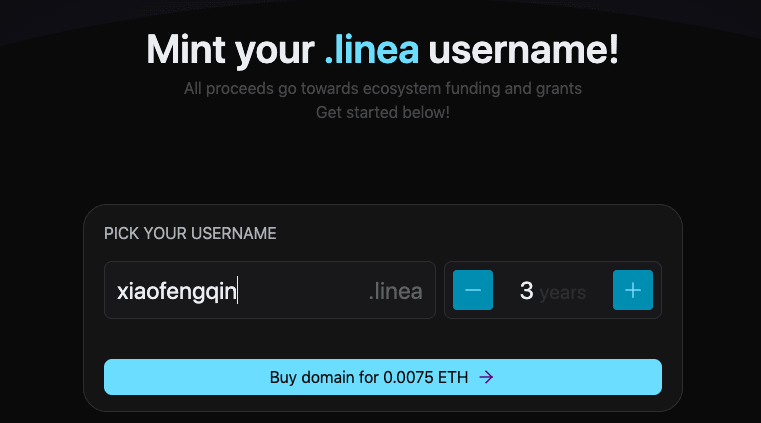
(9) Linea L2.domains - Create your own .linea username (10 points)
Open the Linea L2.domains website, connect to your wallet and log in, switch to the Linea test network in your wallet; type the username you want to create in the text box and check if it is available (must be more than 3 characters), if it is available, set the registration period; click "Buy Domain Name", use your wallet to sign the transaction, pay the fee, and wait for confirmation on the chain. As shown below:
(10) Atticc - Join Atticc's early adopter community (3 points)
Log in to the Atticc official website, select the wallet to log in; find the early adopter community and click "Join" to complete it. (Direct link: https://atticc.xyz/c/0x a 186 D 739 CA 2b 302 2b 966194004 C 6 b 01855 D5 9571/posts)

(11) Atticc-Mint A Linea x Atticc Event NFT (10 points)
Directly visit the Atticc official website event link: https://atticc.xyz/badge_minting, click “Mint Now”, sign the transaction to complete the task.

(12) Viti Diary - Read the game tutorial of Viti Diary (3 points)
Open the Viti Diary official website, click to log in, select the "Linea Test" network to start the game tutorial; follow the instructions on the screen to browse the tutorial steps, and finally the "Finish" button will appear, click it to complete the task.
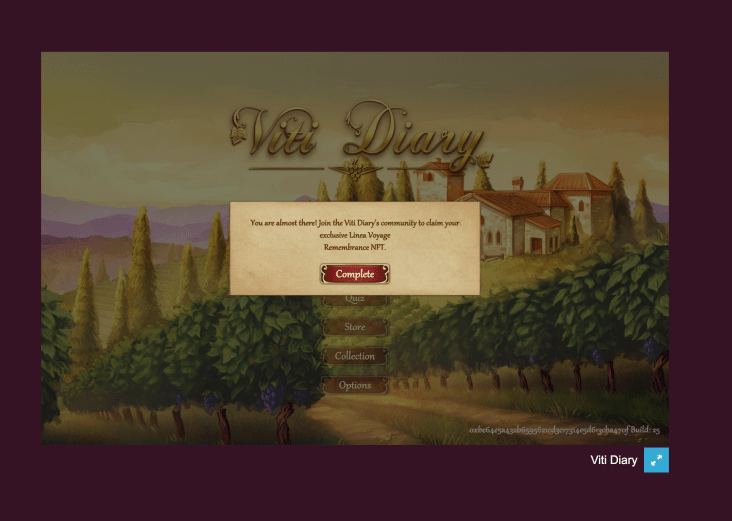
(13) Viti Diary-Mint A Linea Voyage x Viti Diary event NFT (10 points)
Directly visit the website: https://www.vitidiary.com/badge_minting, which will show that the first task has been completed. The second task requires following Viti Diary's official Twitter account and obtaining a certified character in DC to complete it - click to enter the Viti Diary task page. After completing both tasks, click Mint at the bottom.

(14) zkHoldem - Create/join a room and complete a game (15 points)
Directly open the zkHoldem linea testnet website, link the wallet address to log in; choose to create/or join a room, wait for other players to enter, and the Texas Hold'em game officially begins. Every action requires a signed transaction on the chain; the game is not truly over until there is a final winner. As shown below:

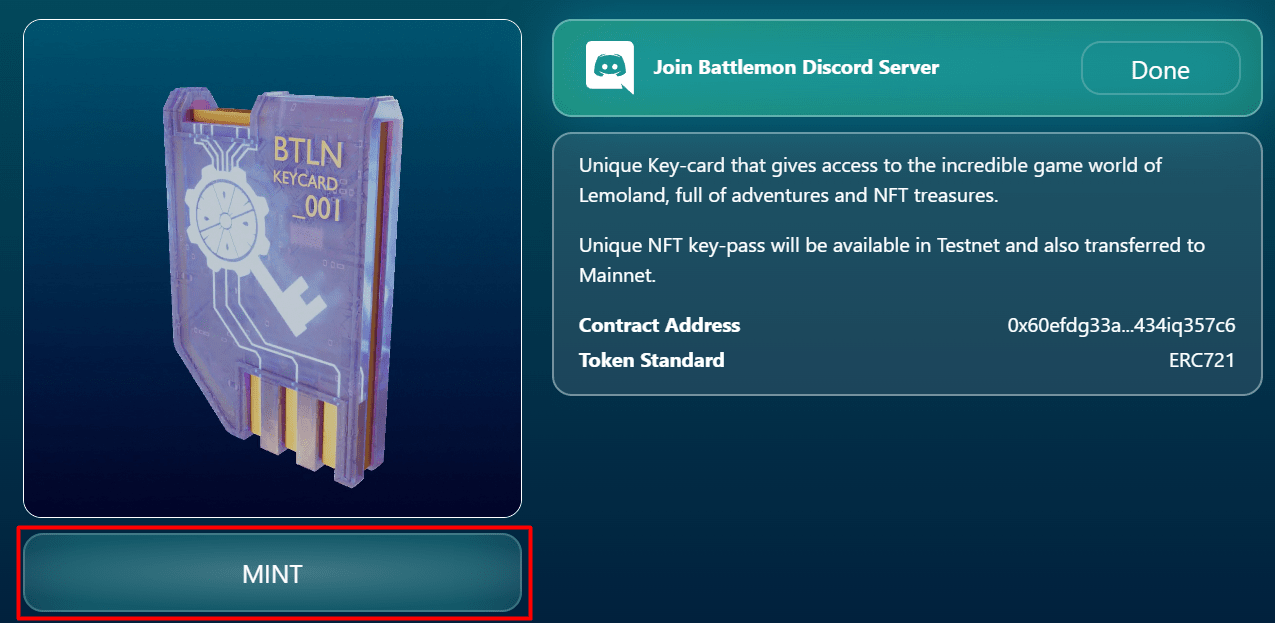
(15) Battlemo-Mint A “Key-pass” NFT (7 points)
Directly open the URL: https://battlemon.com/city/mint, connect to the wallet address to log in. At this time, if you want to mint, you need to join the Battlemo Discord community; after joining, copy the string containing "/activate code: yourcode", go to the activate channel in Discord, paste the string "/activate code: yourcode", send a command to the robot, and wait for the robot to confirm; return to the website to complete the Mint NFT task.
(16) Battlemon-Mint “Gem Level 1 (Green)” NFT (5 points)
Open the website https://battlemon.com/city/labs, click "Mint" at the bottom, and wait for confirmation on the chain to complete.

(17) Battlemon-Mint “Gem Level 3 (Yellow)” NFT (5 points)
Open the website https://battlemon.com/city/labs, click "Mint" at the bottom, and wait for confirmation on the chain to complete; repeat the operation to obtain many first-level gems; click Craft to synthesize first-level gems into second-level gems (blue); repeat the operation to synthesize second-level gems into third-level gems.
(18) Battlemon-Mint a “Pickaxe” NFT (5 points)
Open the website https://battlemon.com/city/launchpad, directly deposit 0.01 ETH at the bottom, sign the transaction and confirm it.

(19) Cataclysm - Survive for more than 3 minutes in "endless run" mode (10 points)
Open the game's official website, connect your wallet and log in. In the endless running mode, a pop-up window will appear after the player survives for 3 minutes, confirming that they can now redeem the tokens by clicking the designated button. After the user clicks, wait for the on-chain transaction to complete.

(20) Cataclysm - Kill 10 enemies in "arcade mode" (10 points)
Open the game's official website and connect your wallet to log in. In Arcade mode, the mission objective is to kill at least 10 enemies; once 10 enemies are defeated, the game ends, and regardless of whether the user wins or loses, a window will pop up to confirm their victory, similar to the endless running mode. Click Confirm to complete the mission.

(21) Moonlight - Minting an NFT (10 points)
Open the Moonlight official website and select your wallet address to log in; simply click the “Mint” button in the upper right corner and wait for the transaction to be confirmed to complete the task.

(22) Participate in the Meta Merge Linea Match 3 game (10 points)
Open the official website of the game, select the wallet address to log in, and click the "Linea Game" link at the top to enter the mini-game; the game mode is similar to last year's popular "Sheep and Yang", where you can select the same cards to eliminate the cards until all the cards are cleared; after passing a level, you can mint one OAT - the task itself only requires participating in the game, and there is no need to pass the level.

(23) ReadON Linea testnet user (10 points)
Open the ReadON website and connect your wallet. Enter at least five characters in the text box, click Mint, and wait for the on-chain transaction to complete.

(24) DegenReborn - Complete the game guide (2 points)
Open the game’s official website and connect to your wallet; expand the task box on the right, click the “Go” button, and complete each task one by one according to the beginner’s guide.

(25) DegenReborn - Participate in a round and spend at least 0.02 ETH to buy an item (7 points)
Open the game's official website and connect your wallet. Click "Start New Life" to enter a new page. Use ETH to purchase talents and attributes and confirm the attributes.


Choose a character to fight and select a language. You will randomly encounter some events that affect attribute values in the game, which in turn affect the final LifeScore. The system GPT will determine the final score based on the character's performance. You can view your LifeScore and $DEGEN income on the settlement page and claim the income.

(26) DegenReborn - Staking Tokens (1 point)
The DEGEN tokens obtained in the previous task can be used in this round. There is a leaderboard on the left side of the screen. Select the top ten pools, select "Buff" or "Curse", and wait for an hour to claim the tokens.

(27) DegenReborn - Rank in the top 2000 of the LifeScore leaderboard or complete a mission using Exhume (10 points).
One way is to continuously increase your talents and attributes. The more money you spend, the higher your LifeScore. The second way is to directly check the leaderboard and click on Grave Digging to purchase other players' tombstones. You will become the owner of that incarnation and obtain its ranking.

(28) Chasm-Mint a Tatarot NFT (10 points)
Open the Tatarot official website, link your wallet to log in; click "Unlock The Secrets", enter the question to get a customized tarot card; click "Scry Now" to generate the tarot card NFT; click "Read My Fortune" and approve the transaction to cast and display the tarot card, and the task is completed. As shown below:

( 29) StationX-Create a Station (7 points)
Open the official website and log in with your wallet address; click "Manage Stations" and click the "Create new" button to enter the details page; name your Station and choose a symbol, as well as the type of token you want to use for membership (ERC-20 / NFT);

Click "Next" and set the deposit rules - if you choose the ERC 20 token type, you need to set the minimum/maximum/total contribution for each wallet, the price of each token, and the last date the contributor deposited into the site; if you choose the NFT type, you need to set the price of each NFT, the maximum minting amount for each wallet, and the total supply, etc.

Click “Next” to set up governance; click “Finish” to approve the transaction in your wallet, the site will start running, and the task is completed.
(30) StationX-Claim 100 USDC (1 min)
Directly open the URL: https://testnet.stationx.network/claims/0x 5 d 993 Ff 7 FBCc 8 d 6541 2d 32 a 79248 dFAAB 6739047 , connect the wallet address and click "Claim" directly, and wait for confirmation on the chain to complete the task.

(31) StationX-Mint: An “exploration” NFT (10 points)
Directly open the URL: https://testnet.stationx.network/join/0x f 06 A 087 D 97 B 3 e 9 EadbdC 7 Cd 3 c 2146 bc 4 D 019 bB 19 , connect the wallet address, click "Claim" to pay the fee and you can receive it.

(32) AsMatch-Mint a zkPioneer (10 points)
Users who have completed tasks in Cross-Chain Week and NFT Week before can directly obtain the minting qualification; click to enter the minting page (Cross-Chain Week, NFT Week), click the qualification confirmation at the bottom; if you are qualified, you can mint directly. If you are not qualified, this task will be invalidated.

(33) MEEET-Get a free MML NFT on Linea Testnet (10 points)
Visit the MEET official website, connect your wallet address to log in; click "MINT" and wait for the chain to confirm the transaction.

(34) MEEET-Staking MML NFT on Linea Testnet (3 points)
After connecting the wallet, you can view your current NFT holdings in "My NFT"; click Authorize NFT, then click Pledge, and wait for the on-chain transaction to complete.

(35) MEEET-Redeem MML NFT on Linea Testnet (3 points)
After the previous task, just click "redeem" and wait for the on-chain transaction to be completed.

Congratulations on completing all 35 tasks for Week 7!