
💎Let me show you some of the important Security Features that you need to activate to keep your account& Device secure & how not to miss out on "Official" & Important updates in future:
✨As per my experience ive always received important updates from Binance on multiple devices be it Security updates about my account or expiry of deposit addresses or withdrawal request etc.
🔔But it is your duty to stay updated and activate these important features to keep your account & devices secure always!
💎The important word here in my article is the word "Official" cause there are a lot of bad actors in the market, so always stay alert and #DYOR
🔔If you dont want to miss out "Official" important updates from Binance with regards to your Assets & your account then ensure the following:
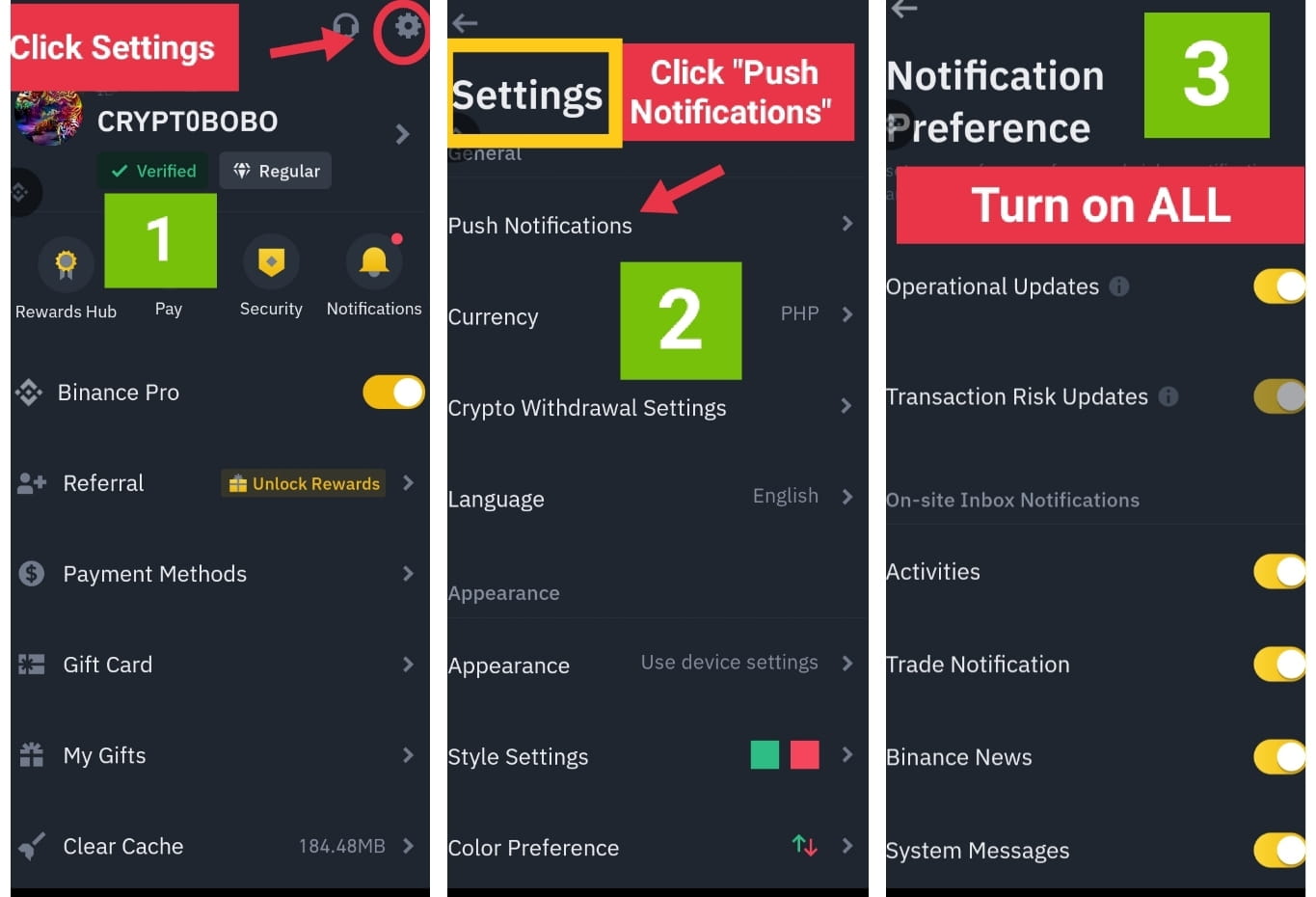
✨Turn on Binance "official" Announcements & Account Notifications on your app (instructions below)
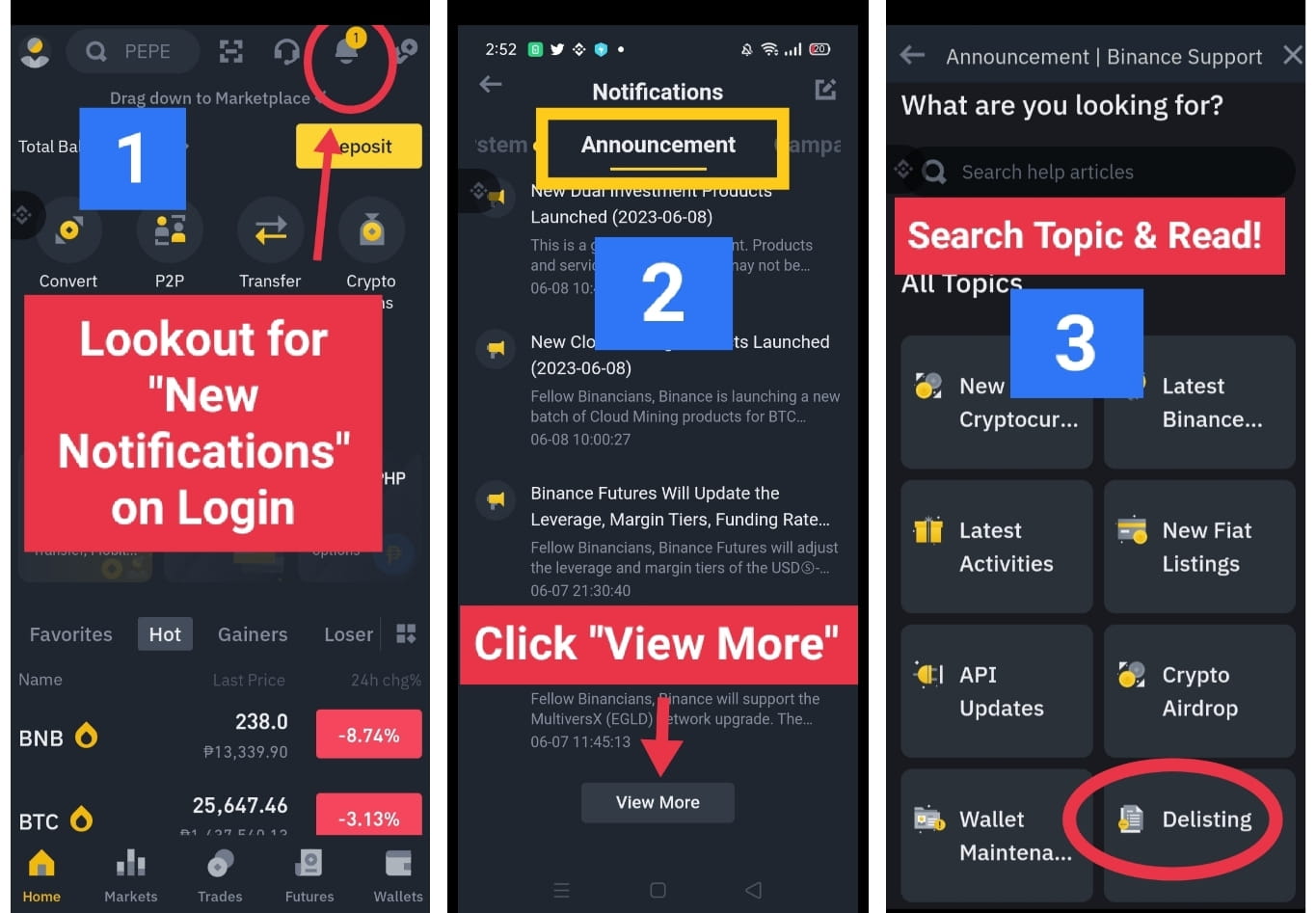
✨Read Important "Official" announcements you may have already missed (instructions below)
✨Whitelist the "official" email that you receive from Binance in your registered email service
✨Turn on your Anti-phishing Secret keyword to check for Genuine Email Updates form Binance (instructions below)
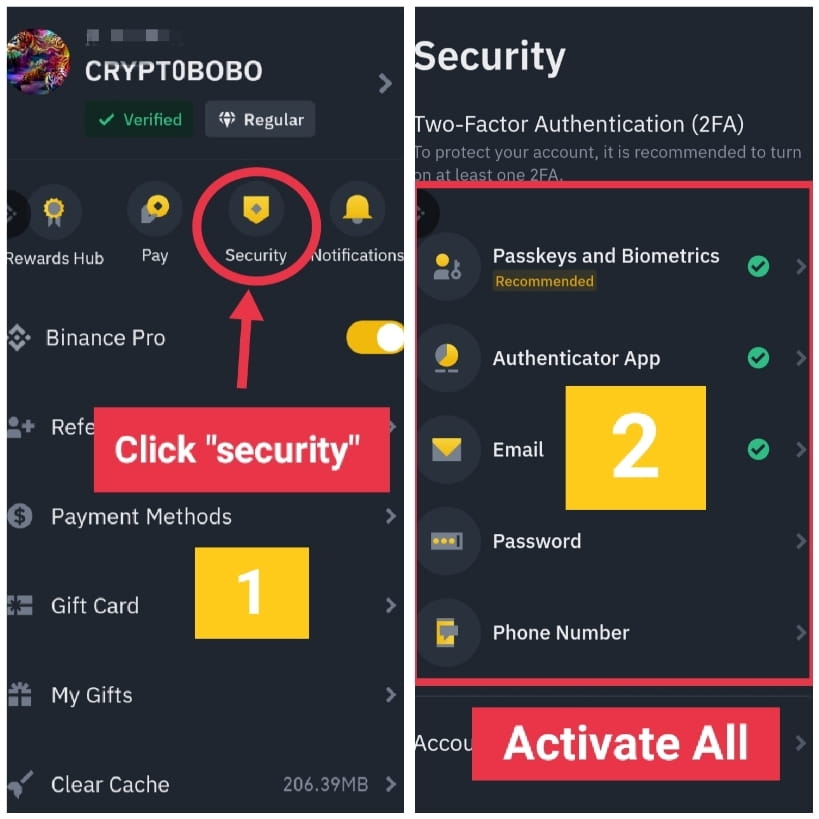
✨Turn on All account security features including app lock.
✨Lastly follow only Binance "Official" Social media accounts (look for the twitter company verification badge not blue check marks) for real Announcements & News about Binance, I follow them on Twitter for real time updates.
🔔INSTRUCTIONS (its self explationatory please see the screenshots)
💎HOW TO TURN ON OFFICIAL BINANCE ANNOUNCEMENTS & NOTIFICATIONS
💎WHERE TO READ MISSED BINANCE OFFICIAL ANNOUNCEMENTS & NOTIFICATIONS
💎HOW TO CHECK FOR GENUINE & OFFICIAL BINANCE EMAILS & TURN ON IMPORTANT SECURITY FEATURES
To Turn on your Anti-phishing Secret keyword of your choice you will need to access the settings menu from your Desktop Brower - while you are there also make sure to setup your 2FA or "Two Factor Authentication" or in laymans words your OTP pin receeiving setup.
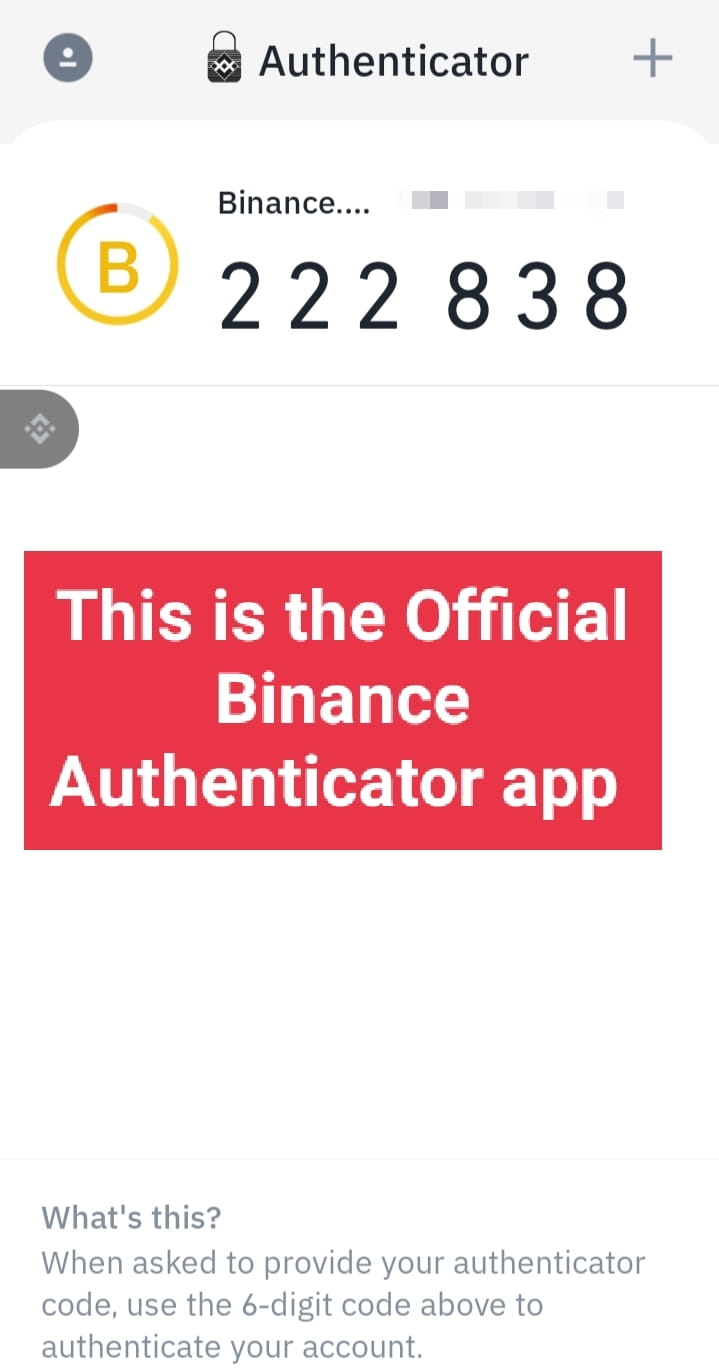
You can also download the "official" Binance OTP app so you dont need to wait for sms notifications incase there is a network delay and the otp pin is available already on your device
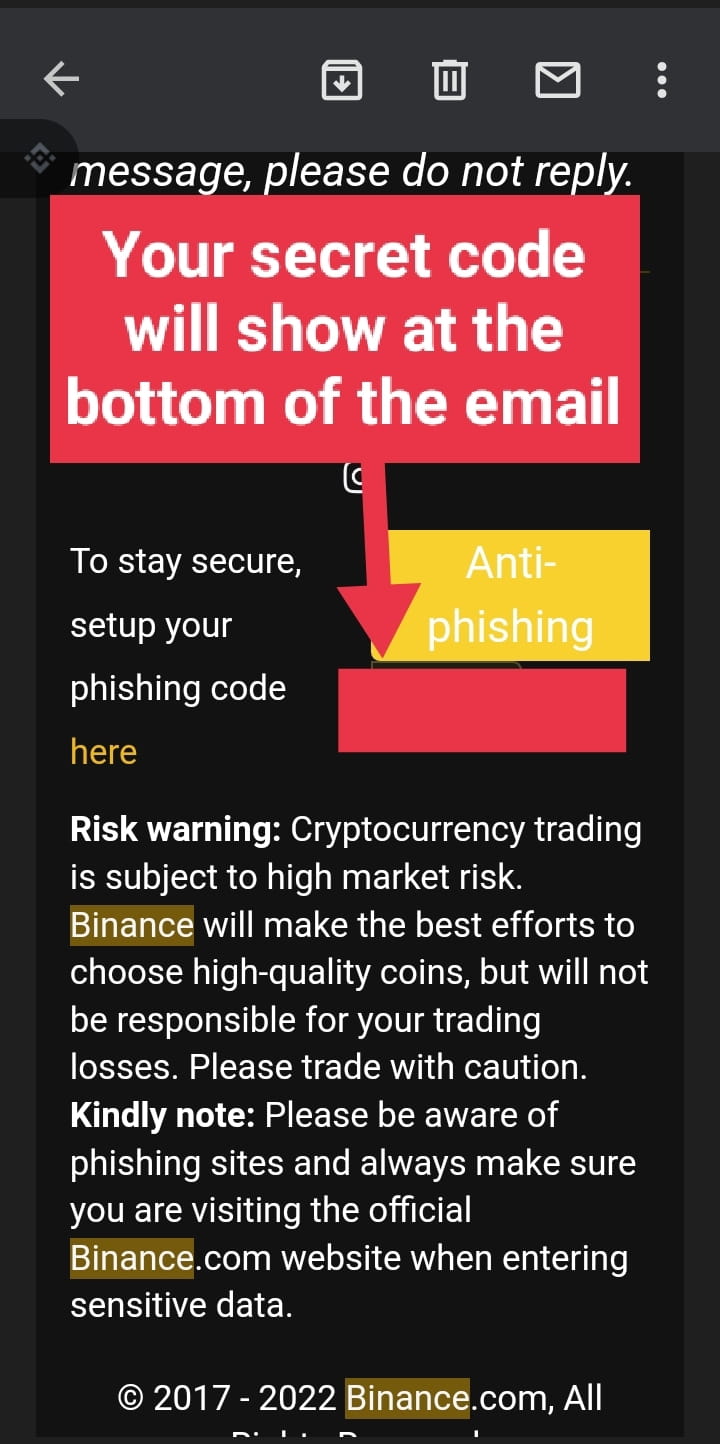
Once you set up a secret keyword moving forward every "official" email that will be sent to you with from Binance will have that word at the very bottom of the email that will help you to recognize a spam or phishing email form an "Official" Binance email
🚨If you want to take an extra level of security - do not login by clicking links form any emails even if it seems official especially for crypto or online banking or any other sensetive login:
🔔Do this instead:
Go into your Binance app and read the same notifications inside the app and follow instructions from there.
Or
Open your Binance account from a desktop browser- scan qr code with your app on the smartphone to auto login without typing your password and read the notifications there!
How to read notifications?? I already showed you above-check.
Yes i am a skeptic when it comes to data #security but its better to be safe than sorry!
✨This is how it will look inside your "official & Genuine email from Binance:
And thats, thats you keep your account secure & stay updated!
If you liked this article then do check out my pinned article on my profile where i cover how to remain secure online especially while trading and also how you can protect yourself from getting hacked.
If this article has helped you do share & like it, and give me a follow for aome more crypto related news updates and alerts.