

zkSync transaction fees consist of two parts: the on-chain part follows the fluctuations of the Ethereum mainnet, and the off-chain part is a set value.
Written by: AlΞx Wacy
Compiled by: Luffy, Foresight News
The zkSync ecosystem is growing rapidly, but it faces a roadblock: rising gas prices. After digging deeper, I found some ways to reduce transaction costs.

The success of zkSync is clear, and its TVL growth is amazing. However, many people are still confused about the high transaction costs of this L2 solution. What is the reason for this? How can we reduce transaction costs?
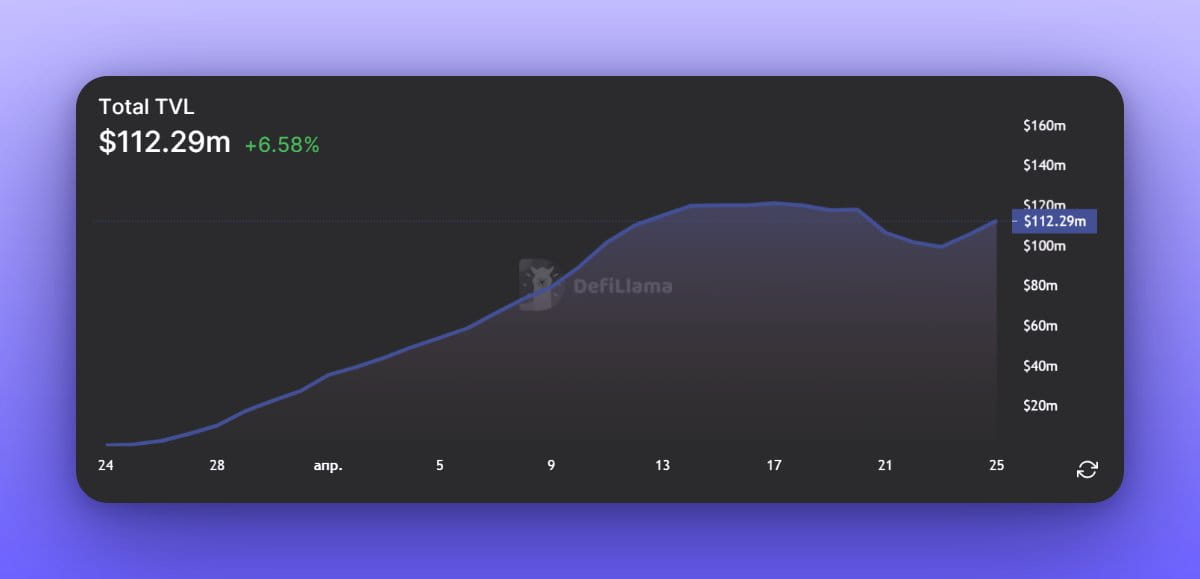
zkSync’s transaction fee mechanism
Gas fees for transactions on zkSync consist of two parts: on-chain and off-chain. The on-chain fee is the cost of checking proofs and publishing incremental states (the difference between old and new states) on Ethereum, and the off-chain fee is the cost of storing states and generating proofs.
The on-chain fee cost fluctuates with the current gas price on the Ethereum network; the off-chain fee is a set value of approximately $0.001. The state contains all the details about wallets and balances, and cryptographic proofs show that the transaction is legitimate and consistent with the current state.
Comparison of Gas Mechanisms in Ethereum and zkSync
Ethereum Gas Mechanism
Gas limit = Maximum Gas consumed
Gas Price = ETH Price per Gas Unit
Total fee = Gas limit x Gas price
zkSync Gas Mechanism
Fixed off-chain fees and variable on-chain fees
On-chain fees depend on the current Ethereum price and the amount of data to be published on Ethereum
Off-chain fees do not depend on the complexity of the transaction
Tracking Gas prices on zkSync to reduce transaction costs
There is a parameter "Gas_PER_PUBDATA_LIMIT" in zkSync that can be used to calculate transaction costs. It is the gas price for publishing one byte of data to Ethereum, which is determined by the operator based on the current gas price and only affects the on-chain part of the transaction fee.
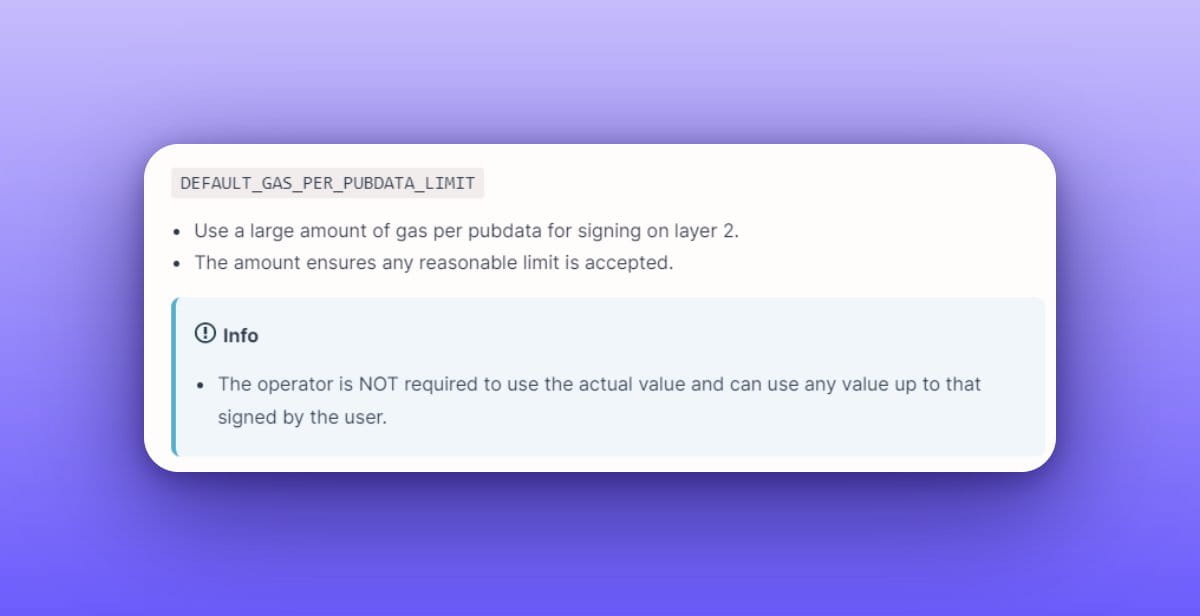
Tracking gas costs is critical to the optimal operation of the network, as zkSync's performance depends on gas costs.
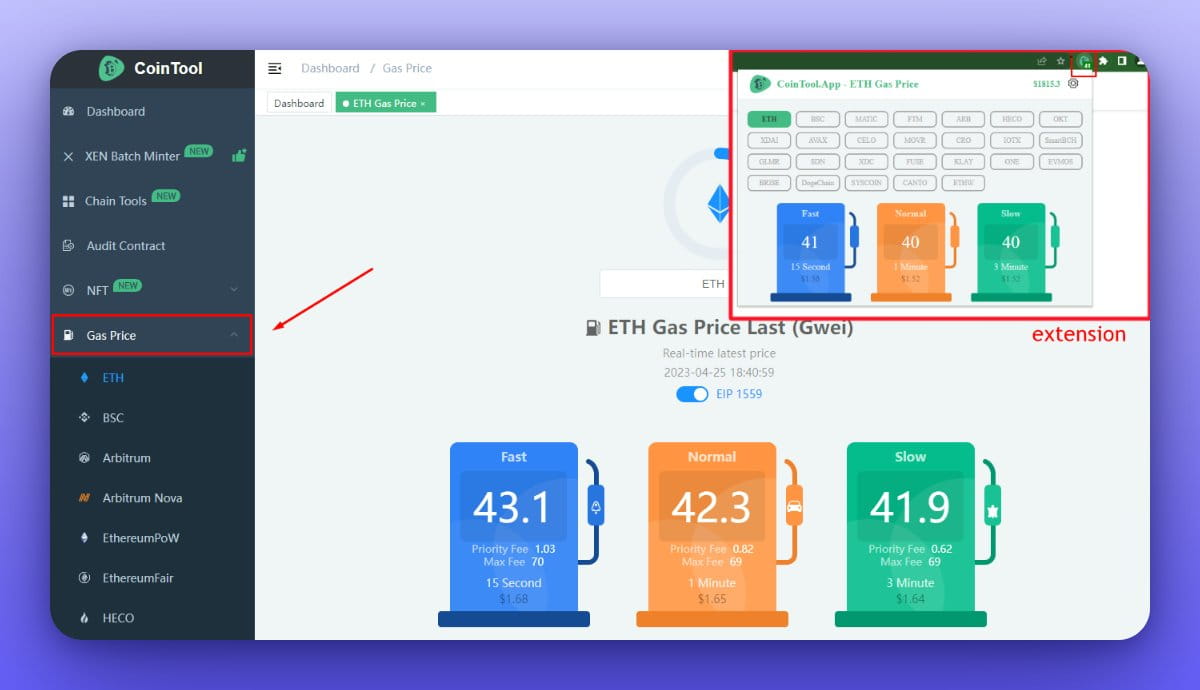
There are some handy tools you can use to track Gas 👇
The CoinTool website provides a dashboard that allows users to track Gas in real time, and it supports browser plug-ins.
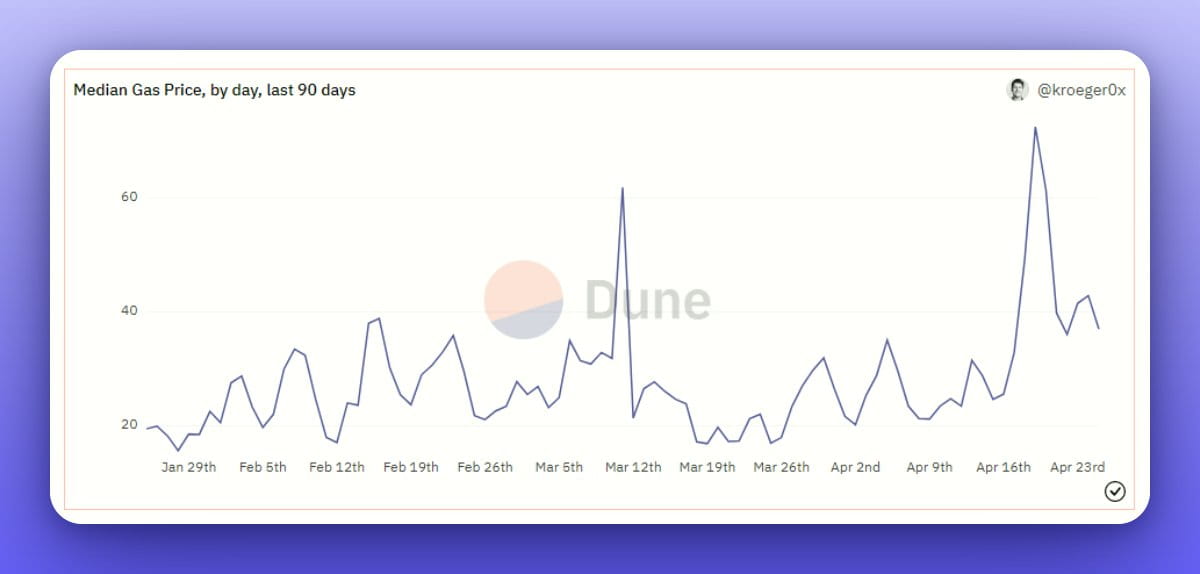
If you want to save gas fees, check out the Dune chart contributed by @alex_kroeger. By paying close attention to this chart, you can send transactions when gas is low and save costs.
There is also a little-known trick that may help you reduce transaction costs.
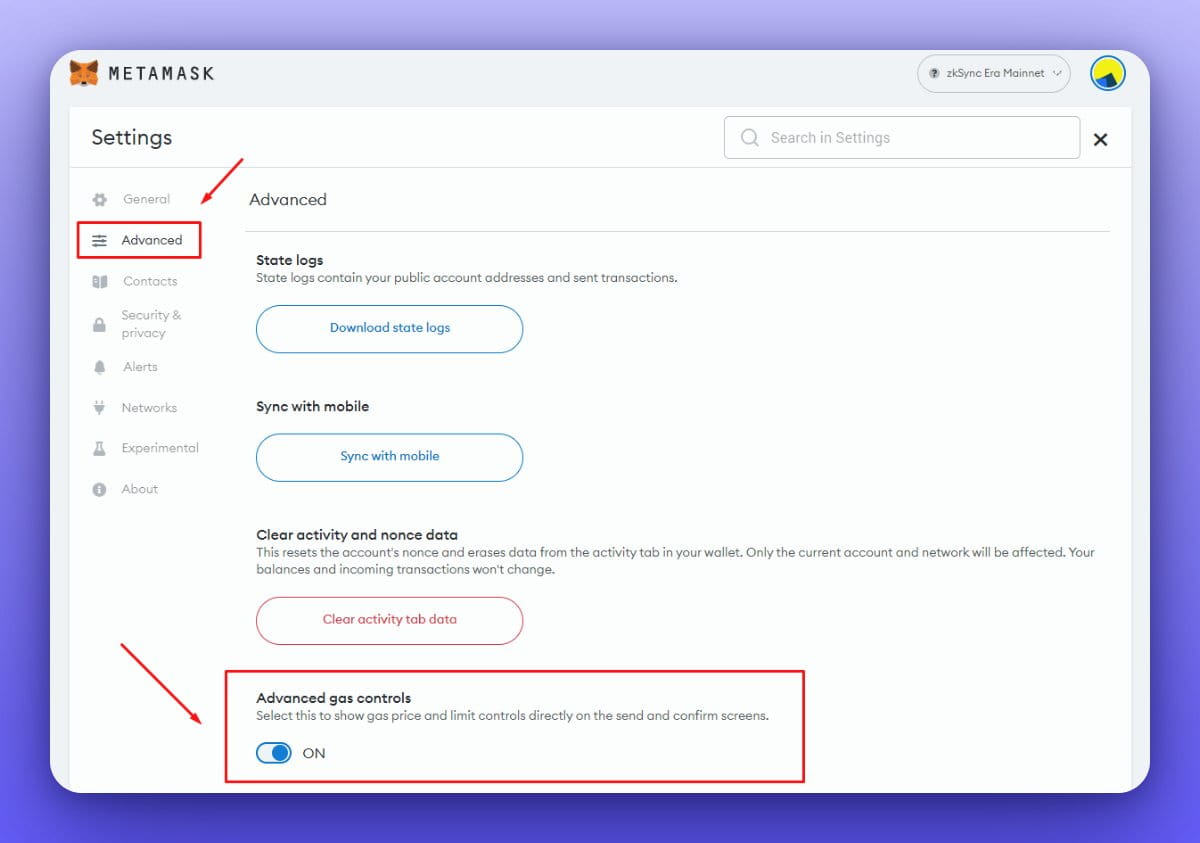
First, enable advanced gas settings in Metamask.
When creating the transaction, click "Edit" and reduce the Gas limit by a factor of 3.
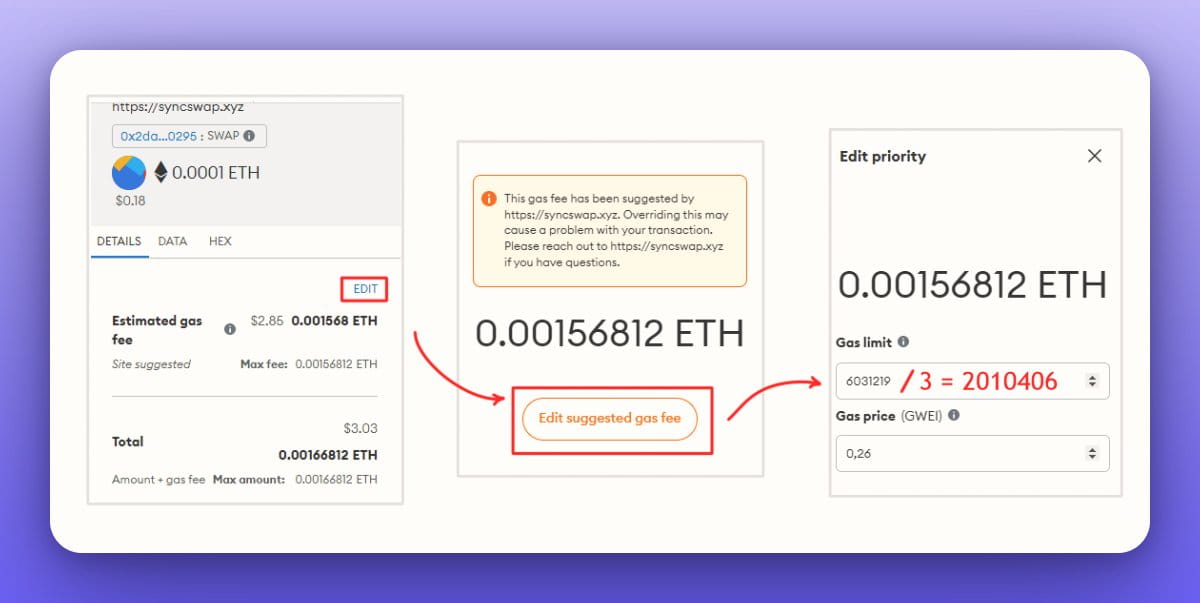
While there is no written evidence to support this approach, some people may feel that this is a cheaper way to trade. This may not always be the case.
Please note that there is some risk in doing this as the transaction may be canceled due to insufficient Gas.