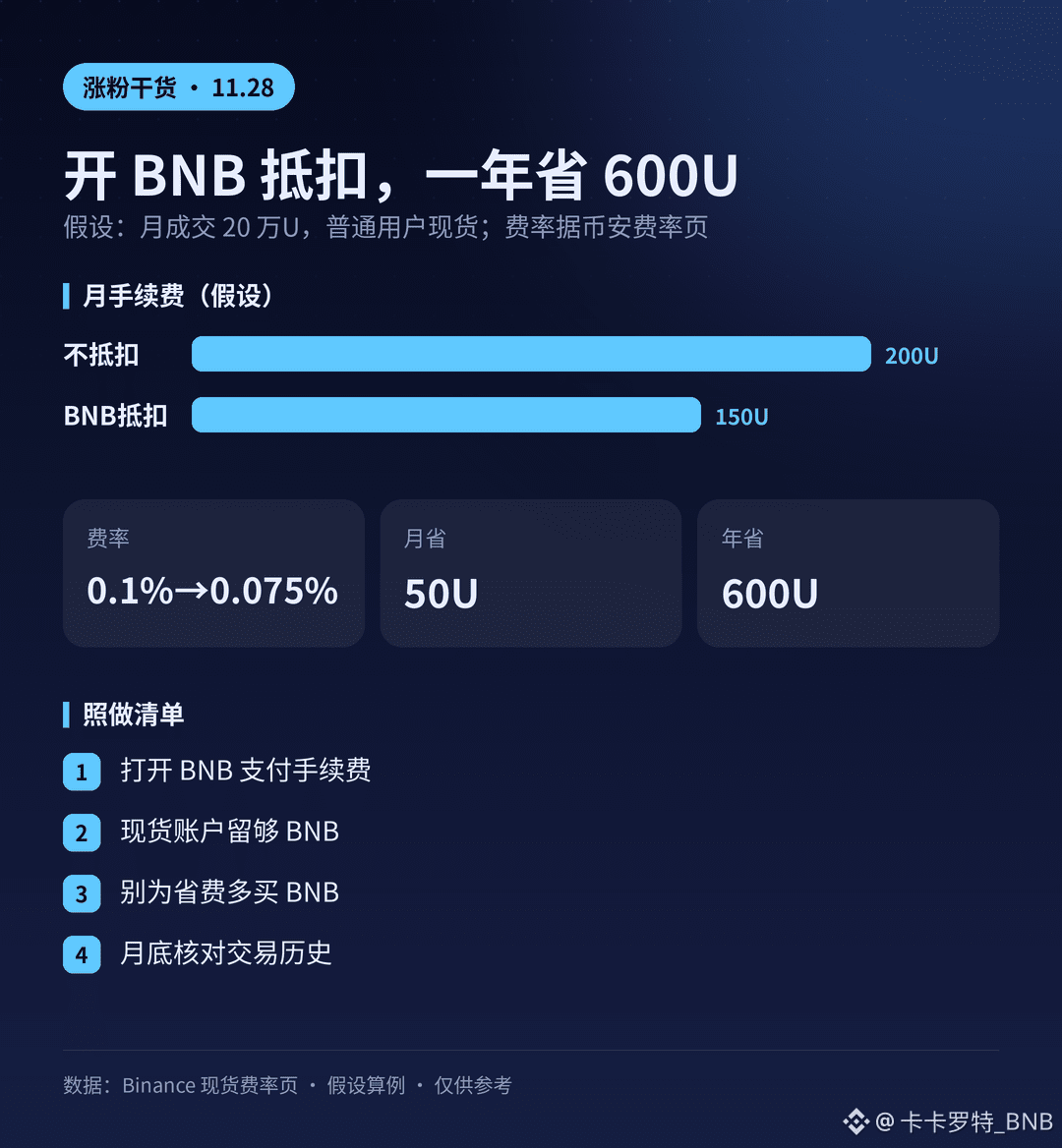
Trading volume of 200,000U a month—have you claimed your free 50U?
I took a look at Binance’s spot fee page: regular users pay 0.100% for both maker and taker orders. Turn on the BNB fee discount, and it drops to 0.075%—an official 25% discount. Lots of beginners haven’t even switched it on.
Here’s an example using hypothetical numbers: say your total spot trading volume for the month is 200,000U.
Without the discount: 200000 × 0.1% = 200U
With the discount: 200000 × 0.075% = 150U
That’s 50U saved in a month, or 600U a year. The more you trade, the more you save. Even with 20,000U in volume, you’d save 5U—not a lot, but it’s free money.
There’s another thing many people overlook: spot trading fees are deducted from the asset you receive. Buy BTC, and the fee is deducted in BTC; sell BTC, and it’s deducted in USDT. So if you buy 1 BTC, you’ll actually receive 0.999 BTC. When you sell it all later, the amount will be a little short, which can make it easy to lose track of things if you sell in batches.
My own checklist:
1. On the Spot page, tap “Fee level,” or go to the BNB discount in your account settings, and turn on “Pay fees with BNB.”
2. Keep enough BNB in your Spot account. If your balance is too low, you’ll be charged the regular rate, so you won’t get the discount.
3. Don’t buy extra BNB just to save on fees. BNB’s price can go up or down too. Just keep enough to cover a month’s fees—in the example above, that’s 150U.
4. Check your trade history to see how much you actually paid last month, and compare it with your trading volume.
About how much did you trade last month? If you’ve turned on the BNB discount, what are you planning to do with the money you save?
#现货交易 $BNB $BTC
(For reference only. Not investment advice.)