🇻🇪 Direct deposit in Bolívares (VES) on Binance: how funding from your bank works
Binance is enabling the option to fund your account in bolívares directly from the app in Venezuela, without relying solely on P2P, so you can convert them to digital dollars like USDT, USDC, USD1, $U, and other available assets.
📌 Step-by-step in the Binance app:
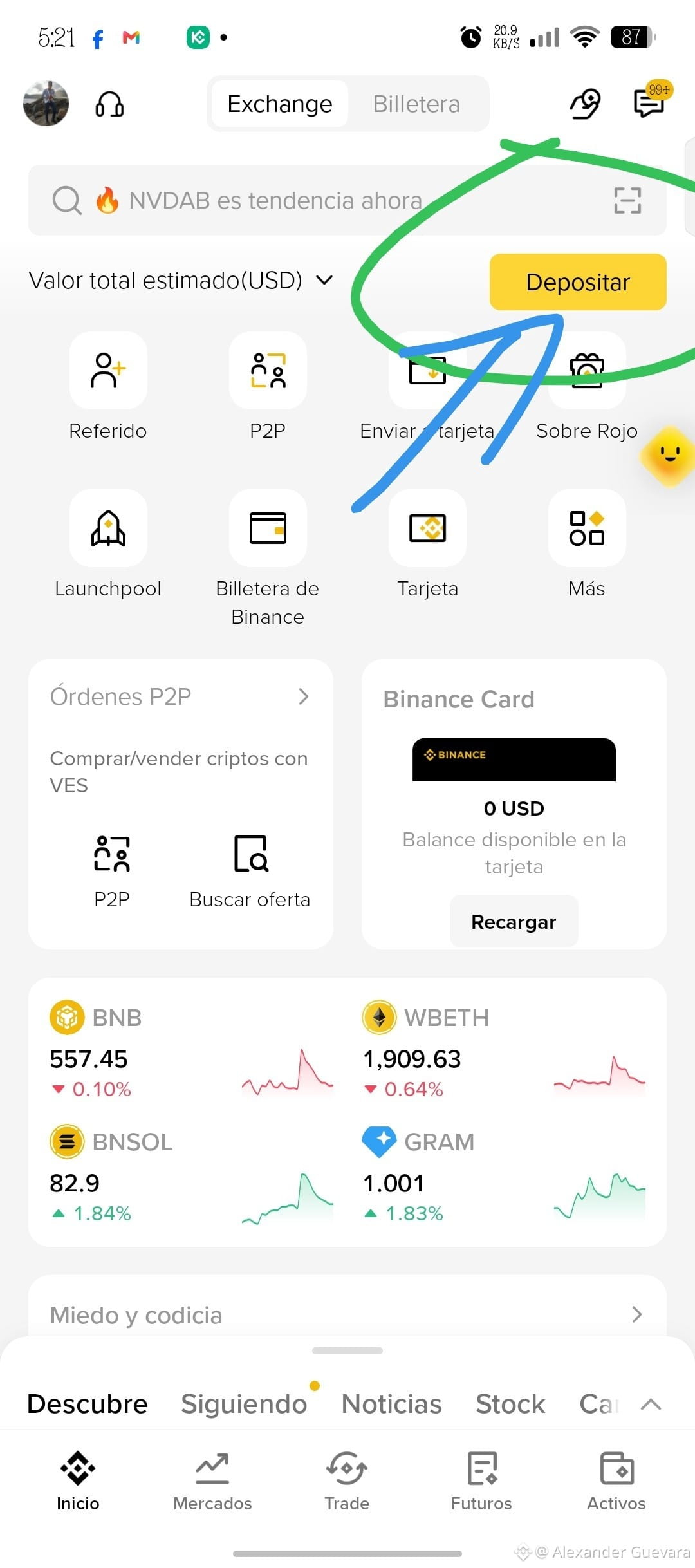
1️⃣ On the home screen, tap Deposit.
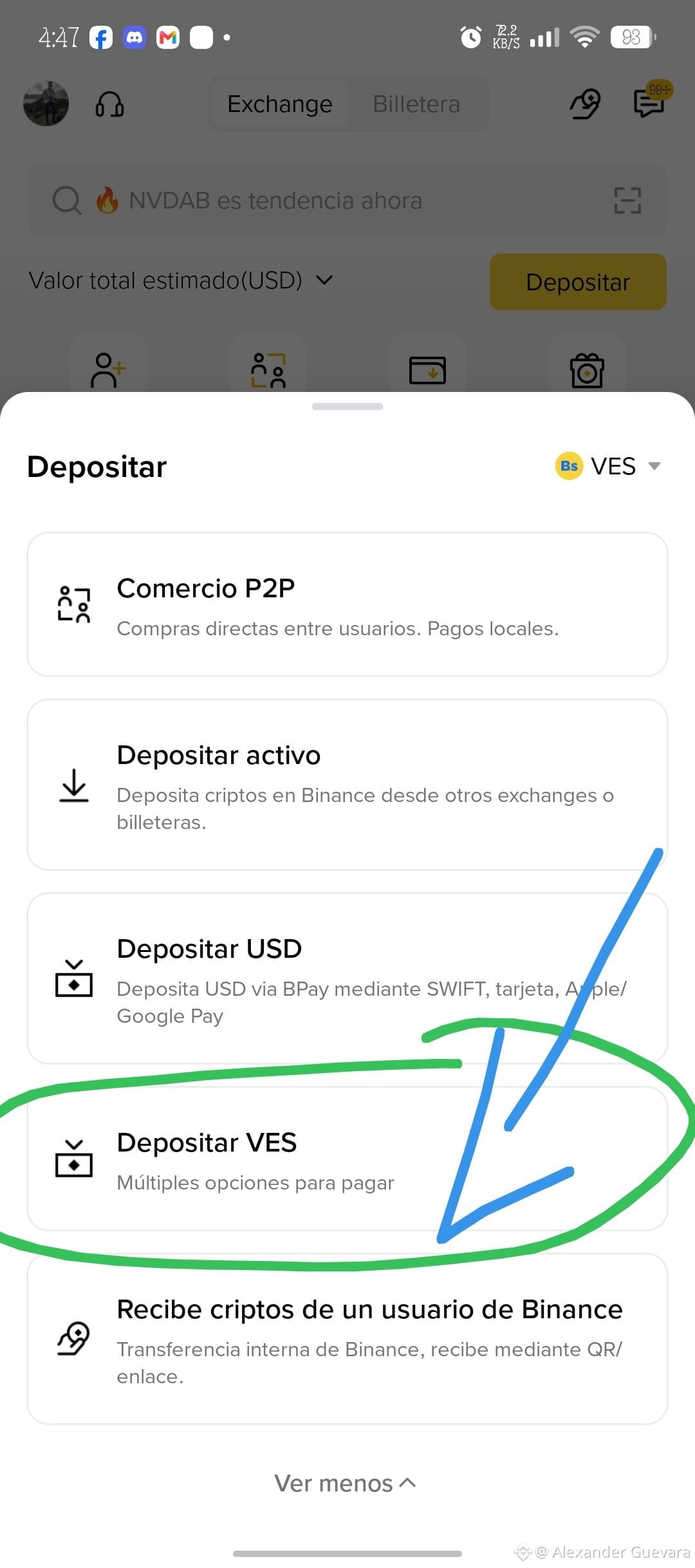
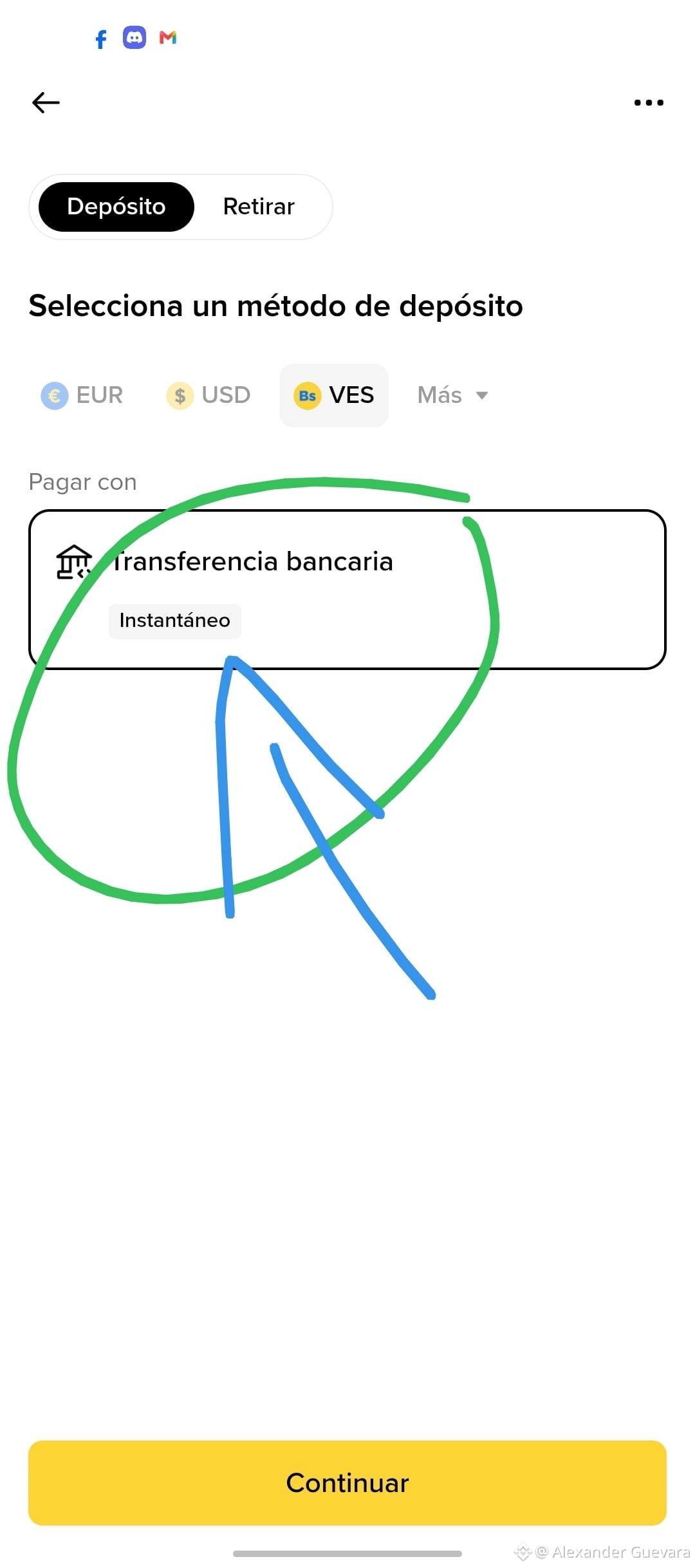
2️⃣ Select VES and go to Deposit VES / Bank transfer.
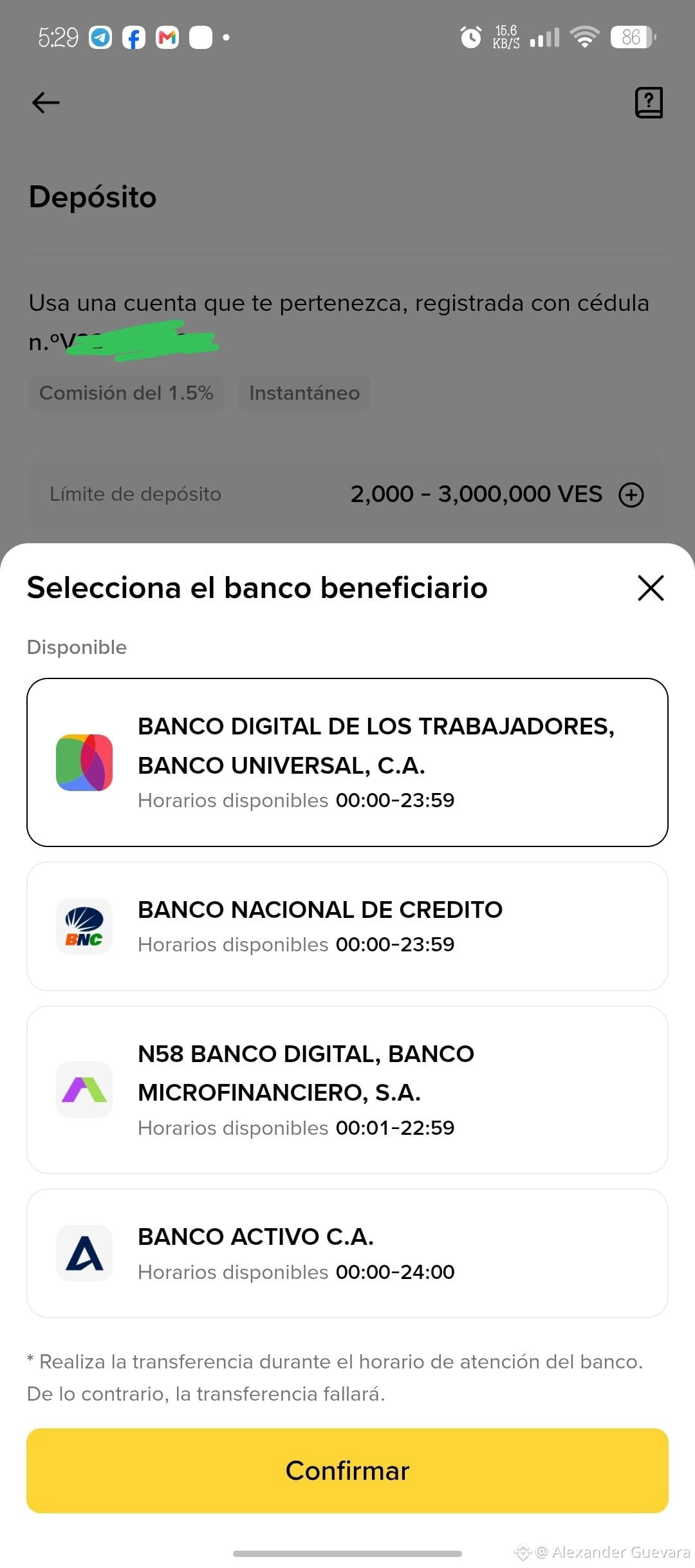
3️⃣ Choose an enabled beneficiary bank and verify the transaction details.
4️⃣ Make the transfer from a bank account in your own name (same ID/account holder) and check that the funds have been credited to your wallet. Then convert them to the asset you need.
💡 Key details and points to check on your screen before proceeding:
Fees and limits shown on screen/promotional materials:
The promotional email mentions a 1.5% fee on deposits (for example, 9,850 Bs. would be credited from a deposit of 10,000 Bs.) and 0.3% on withdrawals (with a temporary limit of 1,000,000 Bs. per transaction). Meanwhile, the deposit screens shown list a 1.5% fee with a range of 2,000–3,000,000 VES (and general announcements have mentioned a gradual rollout and terms that may vary by account/window).
Always check the exact breakdown on your screen before confirming.
Bank hours: Each beneficiary bank displays its operating hours (for example, 00:00–23:59, 00:01–22:59, or 00:00–24:00). Follow the stated hours to avoid failed transfers.
Effective exchange rate: Before converting your VES to USDT, USDC, or another currency, calculate the actual cost (Bs. paid ÷ crypto received) and compare it with your usual alternatives.
Has this option appeared as enabled on your Binance account, or are you still using P2P? 👇
#VES #Bolivares #venezuela #BinanceVenezuela #USDT $BTC