


Opening a Futures trade is one click; closing it well takes a little more care. Here are the three ways to close a position on Binance Futures, with examples. Binance referral code for new users: BTC2026.
Where your open position appears
Every open trade is listed in the Positions tab under the chart, with size, entry price, mark price, liquidation price and PnL. The Close buttons sit at the end of each row.
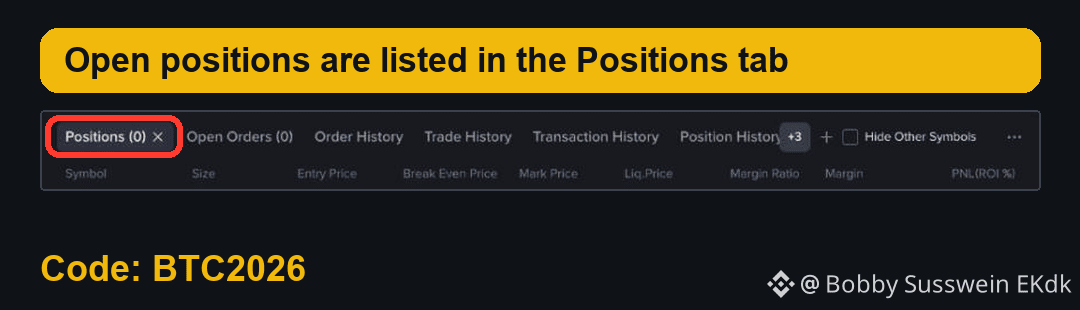
1. Market close
Click Market in the position row. The whole position closes at once at the best price. Use it when speed matters more than the exact price. It pays the taker fee.
2. Limit close
Type a price in the row and click Limit. Example: long 0.01 BTC from 61,300; a limit close at 62,500 sits until BTC reaches it, then locks in about 12 USDT before fees.
3. Reduce-Only orders from the order panel
Tick Reduce-Only in the order panel and place a sell (for a long) or buy (for a short). The order can only shrink the position, never flip it or add to it. That is useful for partial exits.
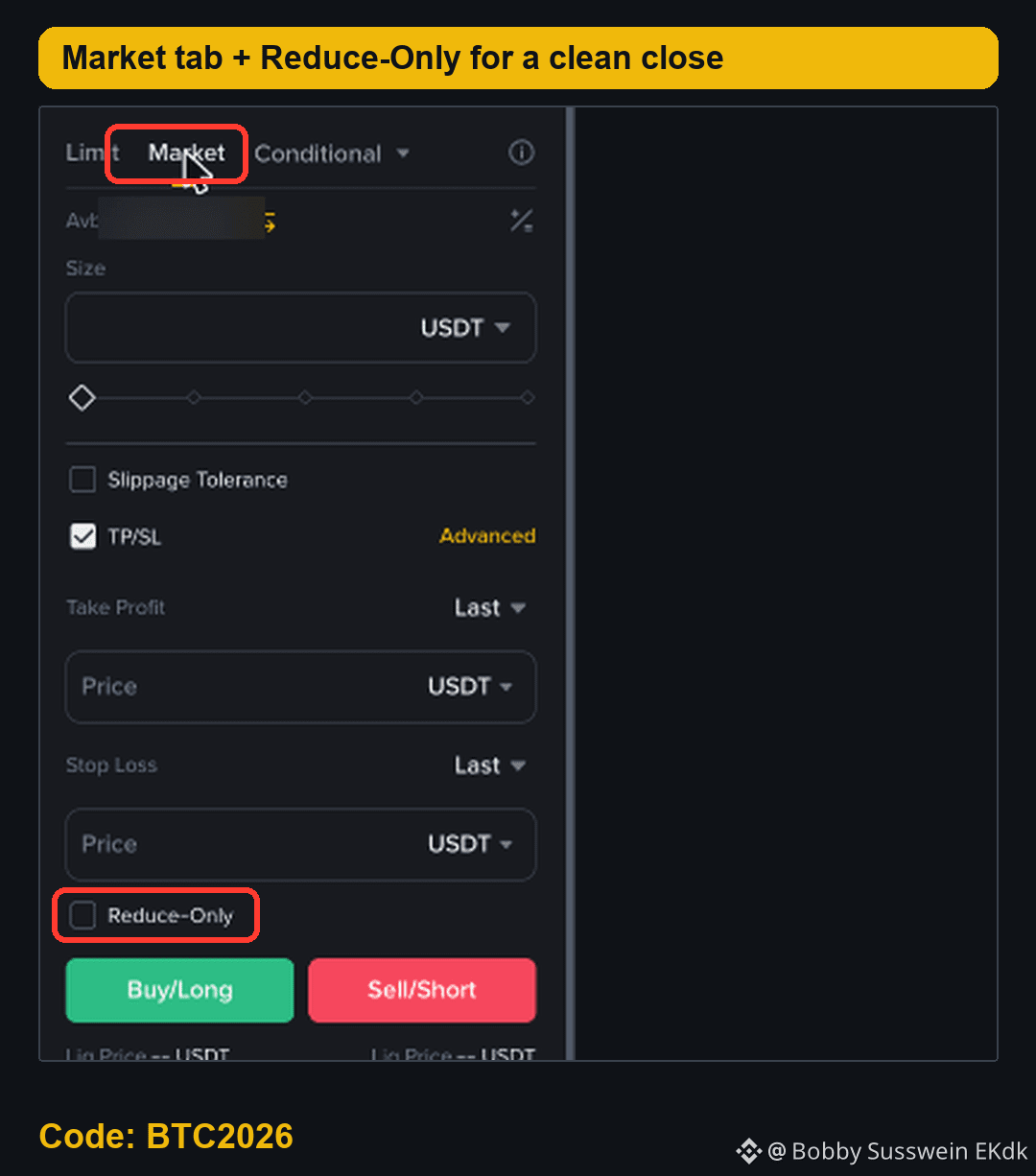
Example: long 0.02 BTC. A Reduce-Only market sell of 0.01 BTC closes half and keeps the rest open.
Don't forget TP/SL
Setting Take Profit and Stop Loss when you open the trade closes it automatically. You can also add them later from the TP/SL column of the position.
Quick checklist
Check the PnL and the fee before closing
Use Reduce-Only for partial exits
Cancel leftover TP/SL orders after a manual close
Opening your first account? Binance referral code BTC2026 sign-up link.
Disclosure: BTC2026 is my referral code, and I may earn commission from qualifying activity. This is an independent guide, not an official Binance post. Benefits depend on Binance's terms, your region and your eligibility. Crypto trading carries risk, and leveraged Futures trading can lose more than you expect. Not financial advice. DYOR.