Houge: Muse has just dropped another game-changing feature! One dedicated email address to manage all your emails—and you can even email instructions to AI and put it to work!
Muse’s dedicated email address is here.
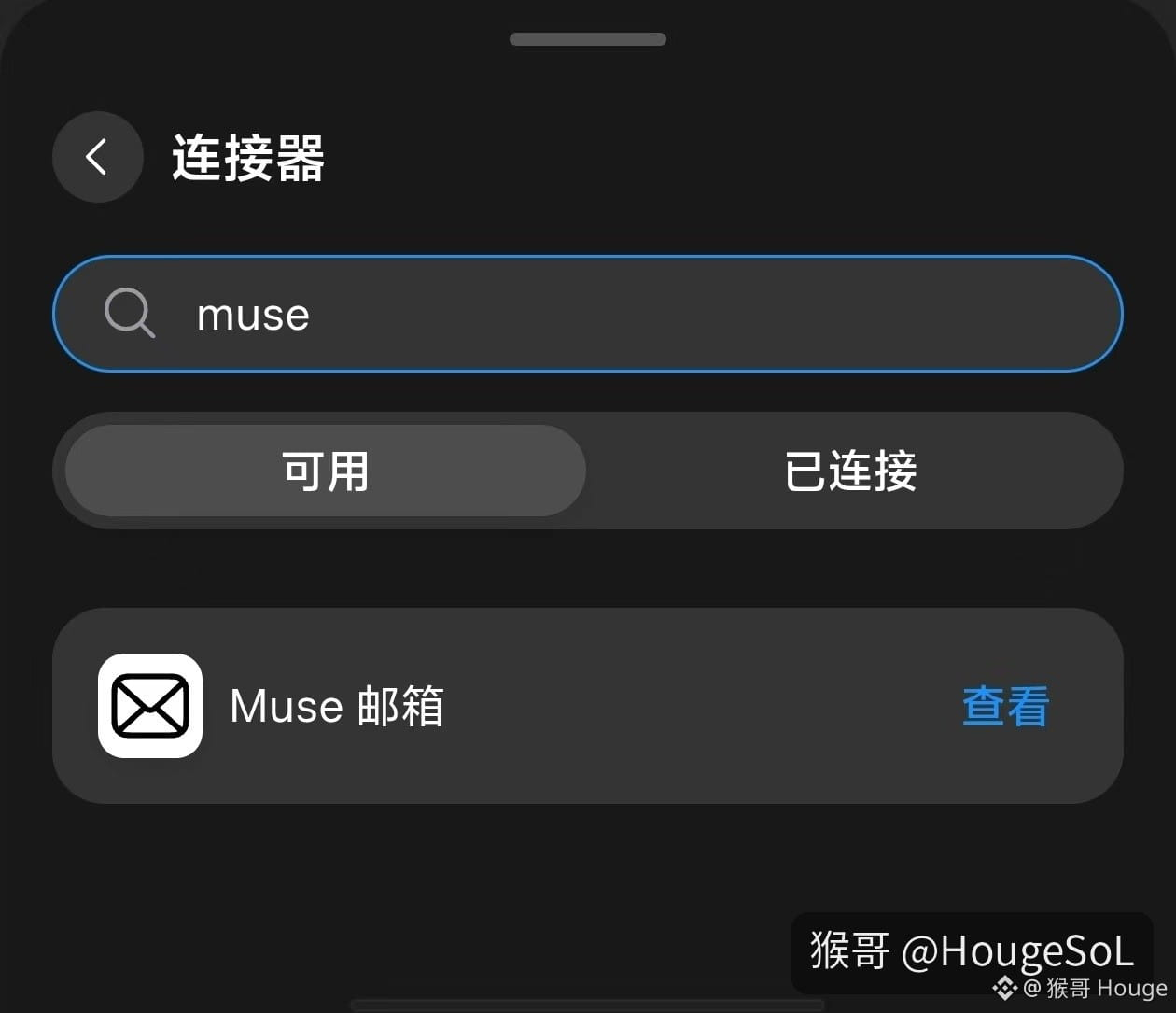
Go to Settings → Connectors and search for Muse.
Heads-up: it’s rolling out in batches. I can see it on a few accounts I use regularly, but it might not show up on accounts I rarely use.
If you can see Muse Mail, sign up now—you might still be able to get a 3-character email address!
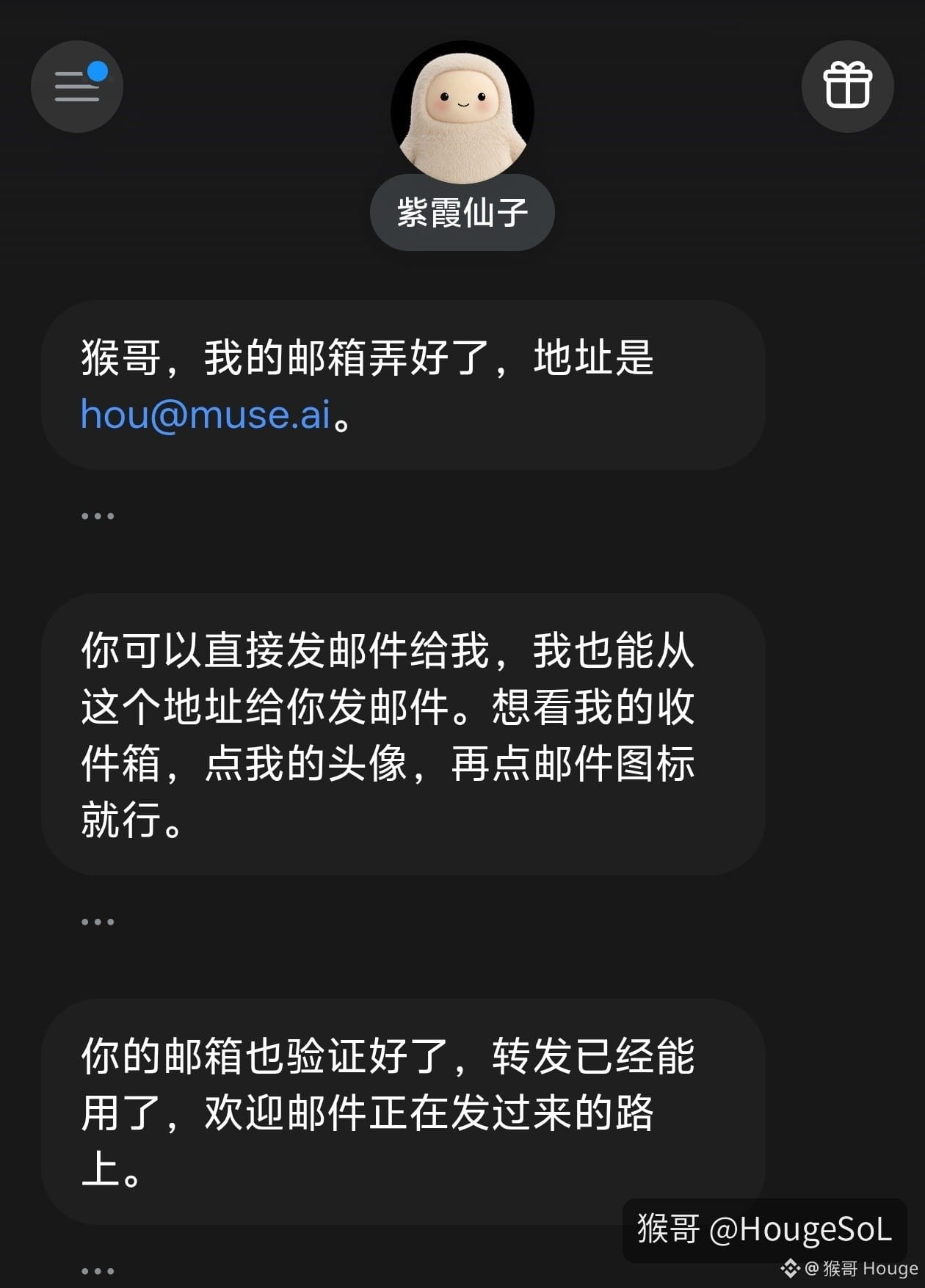
I registered hou@muse.ai. It’s really cool. Hou, as in “monkey,” is even cooler than Houge! Of course, I also registered houge@muse.ai. 😂
After signing up, there’s another really handy way to use it: manage all your email accounts in one place.
For example, if you have five email accounts—A, B, C, D, and E—you can forward A, B, C, and D to account E, then forward E to your Muse email address.
That way, your personal email stays separate from Muse, with one of your own email accounts in between as a relay.
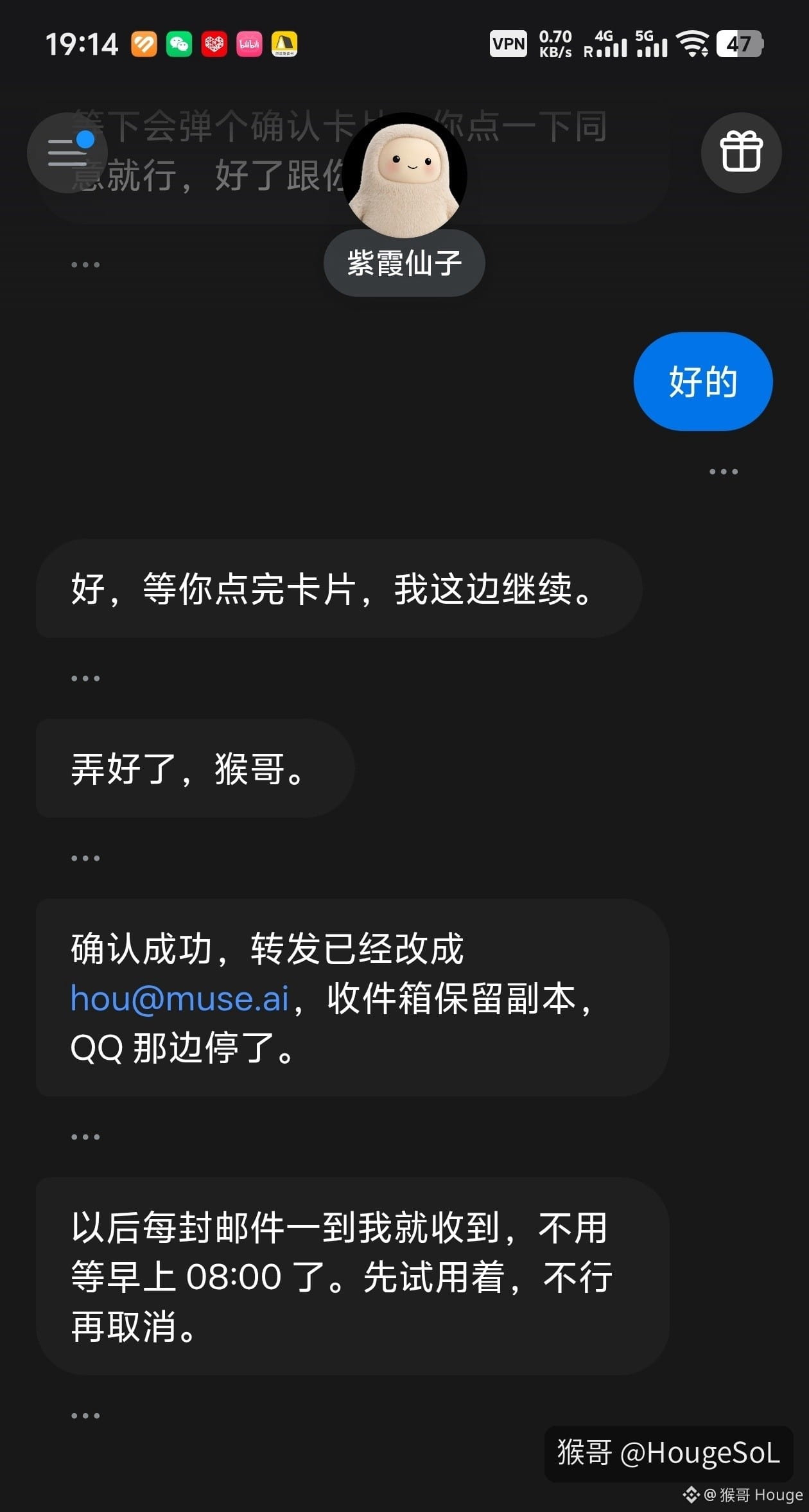
No need to periodically check your personal inbox anymore. Set up automatic email forwarding, and Muse will get notified right away.
To check your emails, just click your Muse profile picture.
Here’s an even better trick:
If you’re out and about and don’t have Muse installed on your phone, you can email your Muse address directly and tell it what you need done.
It’s like having an AI assistant you can call on anytime by email.
One last thing: if you really can’t figure out how to sign up for a Muse account, you can buy one too.
They’re not expensive now—a small treat’s worth of money will do. With tools like this, the sooner you start using them, the sooner you can enjoy the productivity boost.
Purchase link: https://www.16688.com.cn/shop/houge
Note: Change the email address and password as soon as you buy it. Otherwise, don’t buy it.
With Muse and its dedicated email address, you can use email management and an AI assistant together. It really is much more convenient.
3-character email addresses are hard to come by. If you see the signup option, don’t miss out—go register a short email address you like!
Muse’s dedicated email address is here.
Go to Settings → Connectors and search for Muse.
Heads-up: it’s rolling out in batches. I can see it on a few accounts I use regularly, but it might not show up on accounts I rarely use.
If you can see Muse Mail, sign up now—you might still be able to get a 3-character email address!
I registered hou@muse.ai. It’s really cool. Hou, as in “monkey,” is even cooler than Houge! Of course, I also registered houge@muse.ai. 😂
After signing up, there’s another really handy way to use it: manage all your email accounts in one place.
For example, if you have five email accounts—A, B, C, D, and E—you can forward A, B, C, and D to account E, then forward E to your Muse email address.
That way, your personal email stays separate from Muse, with one of your own email accounts in between as a relay.
No need to periodically check your personal inbox anymore. Set up automatic email forwarding, and Muse will get notified right away.
To check your emails, just click your Muse profile picture.
Here’s an even better trick:
If you’re out and about and don’t have Muse installed on your phone, you can email your Muse address directly and tell it what you need done.
It’s like having an AI assistant you can call on anytime by email.
One last thing: if you really can’t figure out how to sign up for a Muse account, you can buy one too.
They’re not expensive now—a small treat’s worth of money will do. With tools like this, the sooner you start using them, the sooner you can enjoy the productivity boost.
Purchase link: https://www.16688.com.cn/shop/houge
Note: Change the email address and password as soon as you buy it. Otherwise, don’t buy it.
With Muse and its dedicated email address, you can use email management and an AI assistant together. It really is much more convenient.
3-character email addresses are hard to come by. If you see the signup option, don’t miss out—go register a short email address you like!