

Binance invitation code COINBTC. When signing up for an exchange, many people enter a referral code (also called an invitation code) without giving it much thought, then never look at it again. But even though they’re all called referral codes, the amount of trading fees you can get back varies widely—some codes don’t give you anything back at all. This article isn’t about market trends; it’s just about how to check for yourself.
1. Commission and fee rebates are two different things
Binance’s official explanation distinguishes them this way: each time you make a trade, the share the inviter receives is called a “commission”; the portion the inviter chooses to give you is called a “rebate.” Whether they share any of it, and how much, is up to the person who created the code. So when you see someone sharing a code, first ask: how much does this code give back to me?
2. After registering, verify and save your referral information
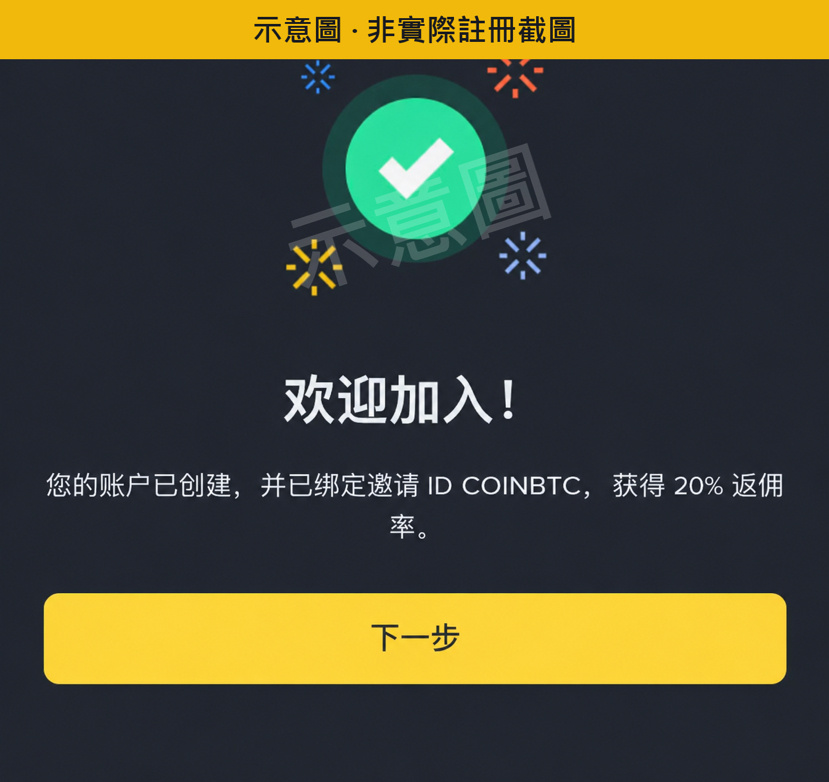
After completing registration, if the Binance page shows a bound Referral ID and commission rebate rate, take a screenshot and save it. If nothing is shown, or the information differs from what you were told beforehand, check with Binance Support. The image below is only an illustration to help you recognize what the fields look like; it is not proof of actual registration or rebate results.
3. Referral links can't be changed after they're set, and you shouldn't reopen an account just to use a different code
The official FAQ is very clear: once a referral relationship is established, it cannot be changed or removed. If the system detects that someone has closed an old account and re-registered with the same identity information to change their referral relationship, Binance reserves the right to terminate all commissions for the new account, and the user will not receive rebates. So if your Binance account already has a referral relationship, leave it as it is. Don't close or reopen your account just to use a different code. If you simply forgot to enter a code during registration and don't currently have a referral relationship, see the next section.
4. If you forgot to enter a referral code during registration, you may still be able to add one later, but the requirements are strict
Binance lists six requirements, and all of them must be met: the account is within 30 days of registration; it has not been funded or used to trade; it currently has no referral relationship; it is a main account; the same identity verification information has not been used on another account in the past 180 days; and it has not been flagged for wash trading. If the account has already been funded or has any trading history, it is not eligible to add a referral relationship.
Do the math yourself
This is just a calculation example: suppose a spot trade worth 10,000 USDT is completed, the applicable trading fee rate is 0.1%, and the trade qualifies for a 20% rebate. The fee would be 10 USDT, the rebate would be 2 USDT, and the fee after the rebate would be 8 USDT. Actual rates, rebate eligibility, and amounts are subject to the information and rules in your Binance account. Also, using BNB to pay spot trading fees gives you a 25% discount (reducing the rate from 0.1% to 0.075%). That's a separate promotion on Binance's fee page, not a benefit of the referral code.
There's one more thing to check about futures rebates
According to the Binance Referral Pro FAQ, when the referrer's eligibility for futures commissions expires after one year, the referee's futures rebates will stop. The referrer must pass an assessment and have a futures commission rate of at least 30% for the referee's rebates to resume. This 30% is the referrer's commission rate, not the referee's rebate rate. So before entering a code, if you can't confirm its rate and applicable terms, don't complete registration yet.
My referral code
The rate for the code below is the one I set in the affiliate dashboard.
One more thing: if you don't have a Binance account yet, enter referral code COINBTC during registration to get 20% back on spot and futures trading fees.