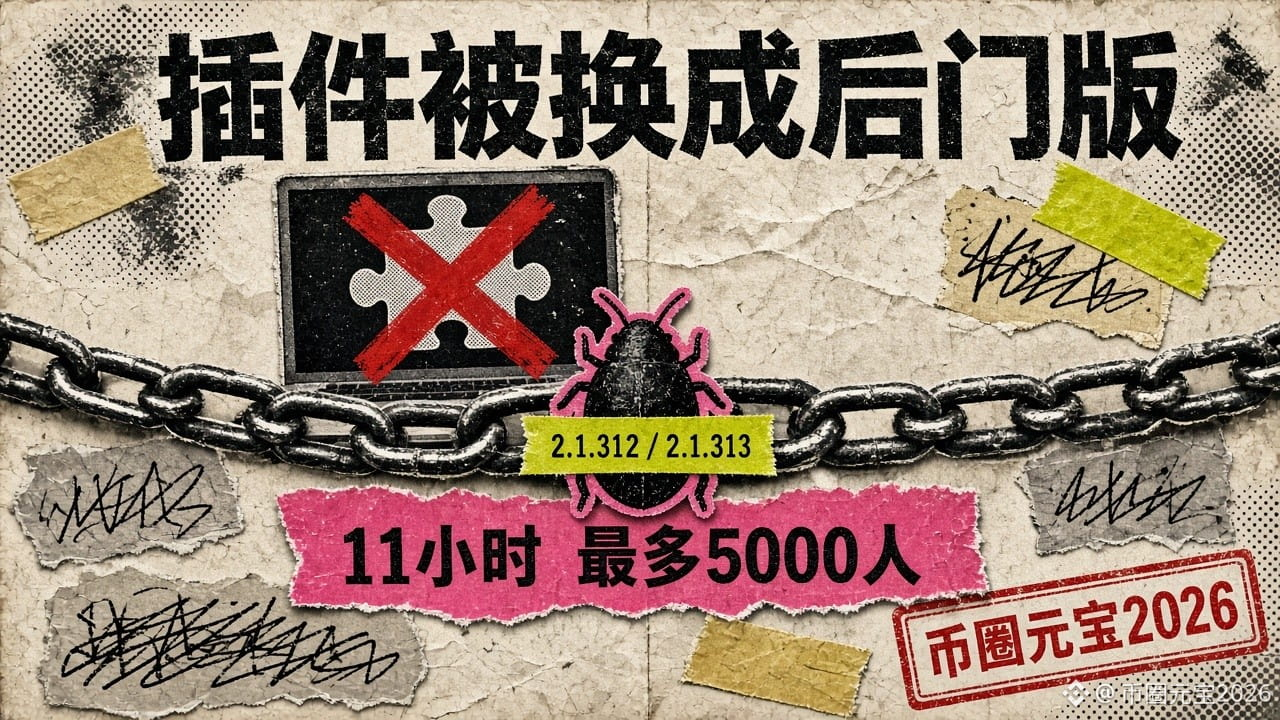
The plugin name and author were right, but the version number was wrong: Cursor published an incident report after a backdoored Claude Code extension was available for about 11 hours, and up to 5,000 people may have installed it
The plugin you installed had the right name and author—it was just the version number that was wrong. That’s how people got caught this time.
On November 13, Cursor published a full incident report. Here’s how it unfolded:
1. The breach didn’t start with Cursor itself: The attacker obtained an access key Cursor had issued to its partner Fireworks (Cursor says it was leaked on Fireworks’ side) and copied a batch of historical coding-agent records, mostly from 2025 sessions where privacy mode was off.
2. A small number of credentials in the records were unredacted: Fewer than 0.01% of customer API credentials were exposed. Using these credentials, the attacker gained access step by step to some of the SaaS tools used by Cursor.
3. On October 29, the attacker used the stolen credentials to upload counterfeit Claude Code extensions 2.1.312 and 2.1.313 directly into the cache of Cursor’s extension marketplace. They were taken down about 11 hours later, and up to around 5,000 users may have received them. Anthropic never released these two versions, and the upstream source, Open VSX, contained no malicious code.
4. Cursor says the incident is contained. The last attack activity was on November 1 and was blocked.
What the malicious version did after installation (October 29 security notice):
1. Collected information such as the hostname, username, system, public IP address, and Git email, and sent it to the attacker;
2. Added the attacker’s public key to your SSH authorized keys, with the comment name svc-telemetry, then tried to open a reverse SSH tunnel;
3. Established persistence using a macOS startup item or a Windows scheduled task named SysMon, reconnecting about every 60 seconds.
Enabling the local SSH service requires administrator privileges, so this step will fail on most computers. But, in Cursor’s own words: simply uninstalling the extension may not be enough.
What does this have to do with your crypto? If you run trading scripts, store API keys, or use a browser wallet on the same computer, a single compromised plugin can give an attacker a way into your entire machine. Here are some practical checks:
1. Open your extension list and look for Claude Code 2.1.312 or 2.1.313, installed or updated from Cursor’s extension marketplace on October 29. If you find one, follow the script in Cursor’s security notice to check your system.
2. Check ~/.ssh/authorized_keys for any unfamiliar public keys and search for svc-telemetry. On Windows, check for a scheduled task named SysMon.
3. Restrict exchange API keys to read and trade permissions, disable withdrawals, and bind them to an IP allowlist. Don’t put keys in code repositories or AI chats. One of the sources of this incident was unredacted credentials in conversation records.
My take: The most insidious thing about supply-chain attacks is that you haven’t done anything wrong—you just clicked “Update.”
Follow me for a daily briefing at 14:50 on the intersection of AI tools and crypto security.
#AI #供应链攻击 #电脑安全 #SecurityAlert
The plugin you installed had the right name and author—it was just the version number that was wrong. That’s how people got caught this time.
On November 13, Cursor published a full incident report. Here’s how it unfolded:
1. The breach didn’t start with Cursor itself: The attacker obtained an access key Cursor had issued to its partner Fireworks (Cursor says it was leaked on Fireworks’ side) and copied a batch of historical coding-agent records, mostly from 2025 sessions where privacy mode was off.
2. A small number of credentials in the records were unredacted: Fewer than 0.01% of customer API credentials were exposed. Using these credentials, the attacker gained access step by step to some of the SaaS tools used by Cursor.
3. On October 29, the attacker used the stolen credentials to upload counterfeit Claude Code extensions 2.1.312 and 2.1.313 directly into the cache of Cursor’s extension marketplace. They were taken down about 11 hours later, and up to around 5,000 users may have received them. Anthropic never released these two versions, and the upstream source, Open VSX, contained no malicious code.
4. Cursor says the incident is contained. The last attack activity was on November 1 and was blocked.
What the malicious version did after installation (October 29 security notice):
1. Collected information such as the hostname, username, system, public IP address, and Git email, and sent it to the attacker;
2. Added the attacker’s public key to your SSH authorized keys, with the comment name svc-telemetry, then tried to open a reverse SSH tunnel;
3. Established persistence using a macOS startup item or a Windows scheduled task named SysMon, reconnecting about every 60 seconds.
Enabling the local SSH service requires administrator privileges, so this step will fail on most computers. But, in Cursor’s own words: simply uninstalling the extension may not be enough.
What does this have to do with your crypto? If you run trading scripts, store API keys, or use a browser wallet on the same computer, a single compromised plugin can give an attacker a way into your entire machine. Here are some practical checks:
1. Open your extension list and look for Claude Code 2.1.312 or 2.1.313, installed or updated from Cursor’s extension marketplace on October 29. If you find one, follow the script in Cursor’s security notice to check your system.
2. Check ~/.ssh/authorized_keys for any unfamiliar public keys and search for svc-telemetry. On Windows, check for a scheduled task named SysMon.
3. Restrict exchange API keys to read and trade permissions, disable withdrawals, and bind them to an IP allowlist. Don’t put keys in code repositories or AI chats. One of the sources of this incident was unredacted credentials in conversation records.
My take: The most insidious thing about supply-chain attacks is that you haven’t done anything wrong—you just clicked “Update.”
Follow me for a daily briefing at 14:50 on the intersection of AI tools and crypto security.
#AI #供应链攻击 #电脑安全 #SecurityAlert