
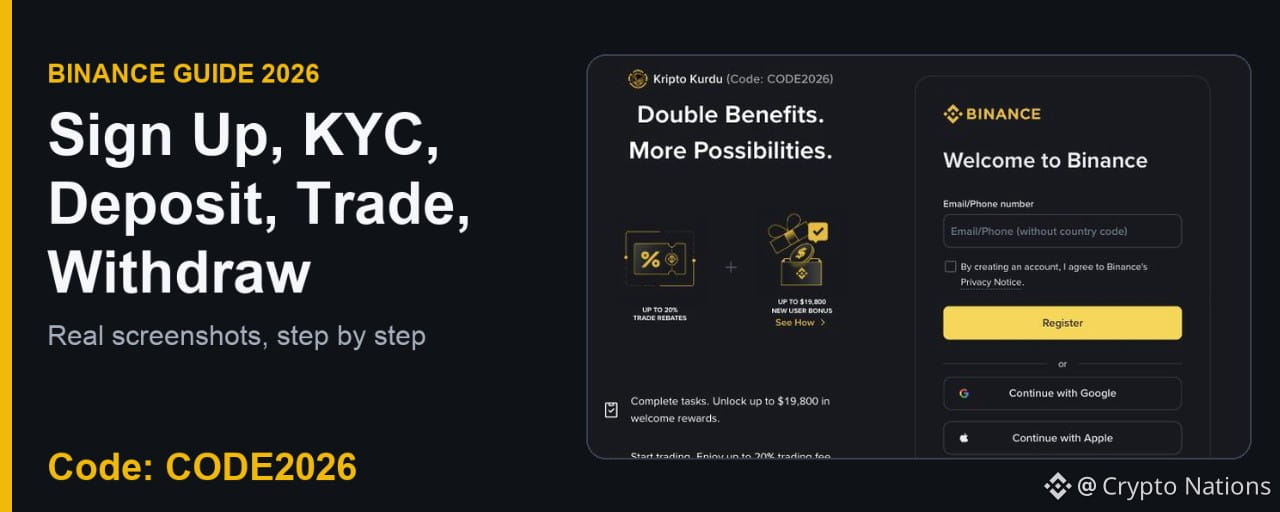

This is a complete, step-by-step Binance guide for 2026. Every image below is a real Binance screen: live pages captured on November 14, 2026, or screenshots from Binance's official support guides. You will see how to sign up with Binance referral code CODE2026, verify your identity (KYC), deposit, place your first Spot trade, move funds to Futures, open a position and withdraw.
Start here: Binance referral code CODE2026 sign-up link. The code is applied automatically.
Binance Referral Code CODE2026: Quick Facts
Referral code: CODE2026
Shown on the sign-up page: up to 20% trade rebates on qualifying Spot trading fees
Welcome rewards: up to $19,800 shown for eligible new users, separate and task-based
Cost: free
Sign-up link: https://www.binance.com/join?ref=CODE2026
Step 1: Sign Up on Binance with Referral Code CODE2026
Open the CODE2026 sign-up page. At the top left you will see Code: CODE2026 and "Up to 20% trade rebates". That confirms the code is attached, so you don't need to type it.
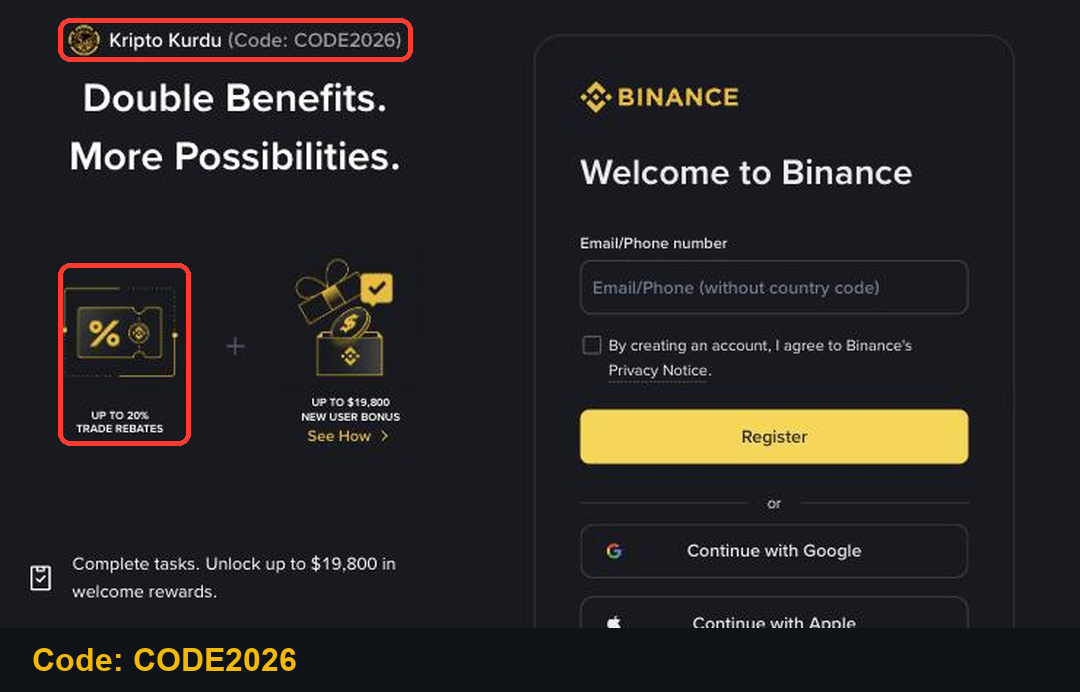
Enter your email or phone number (without the country code).
Tick the box to agree to Binance's Privacy Notice and click Register.
Enter the 6-digit code Binance sends you, then create a password with at least 8 characters, one number and one uppercase letter.
On the last screen, check that the Referral ID field shows CODE2026. A referral code can't be changed after sign-up.
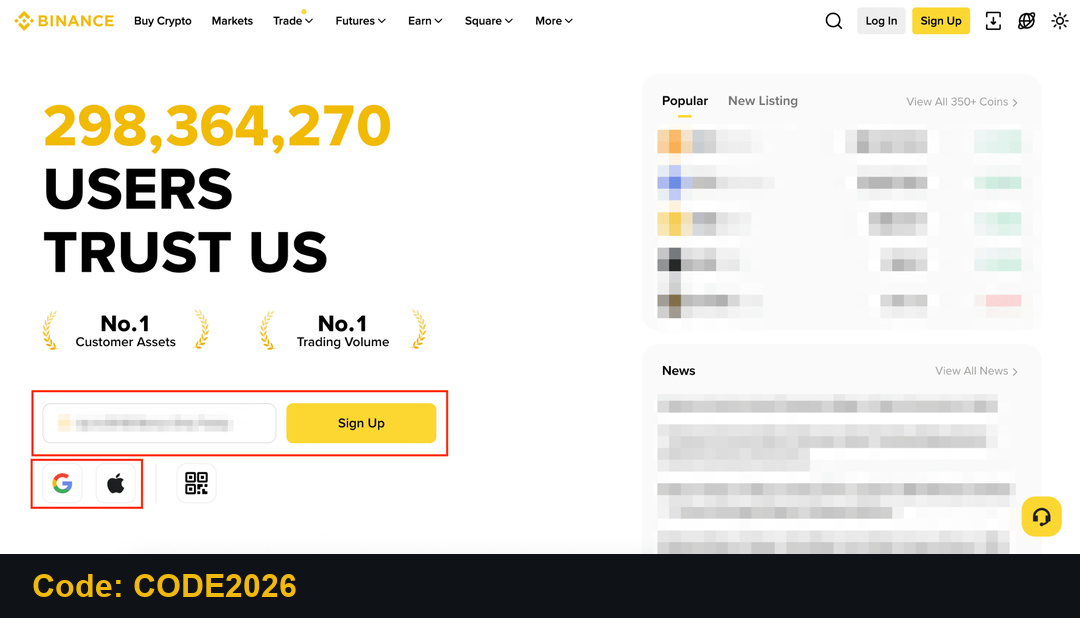
You can also sign up from the Binance homepage with email, phone, Google or Apple. Use the link above so the code is attached from the start.
Step 2: Complete Binance Identity Verification (KYC)
You need identity verification before you can deposit and trade. On the website, hover over the profile icon, click Account, then Identification, and start verification.
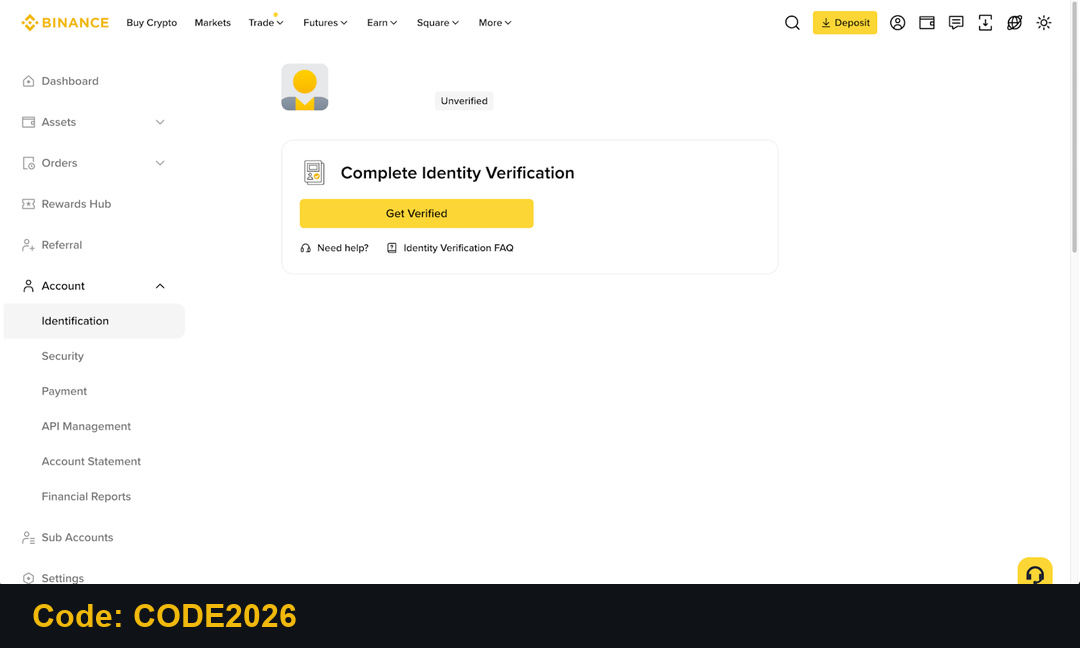
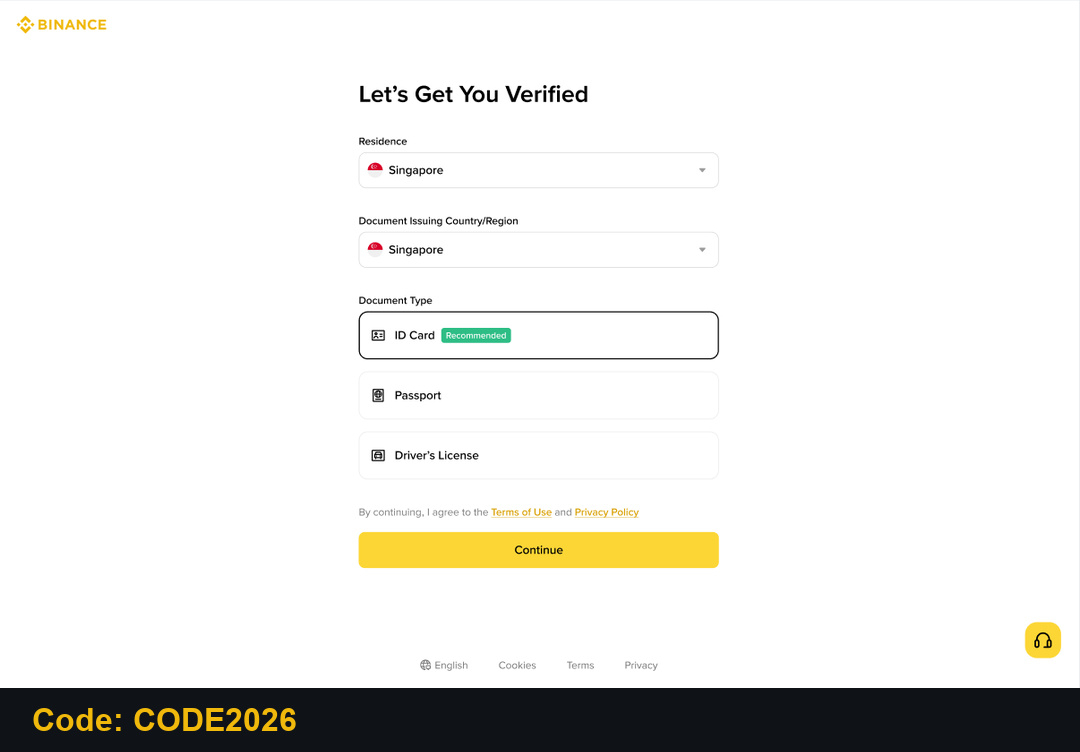
Select your residence, the country that issued your document and the document type: ID card, passport or driver's license.
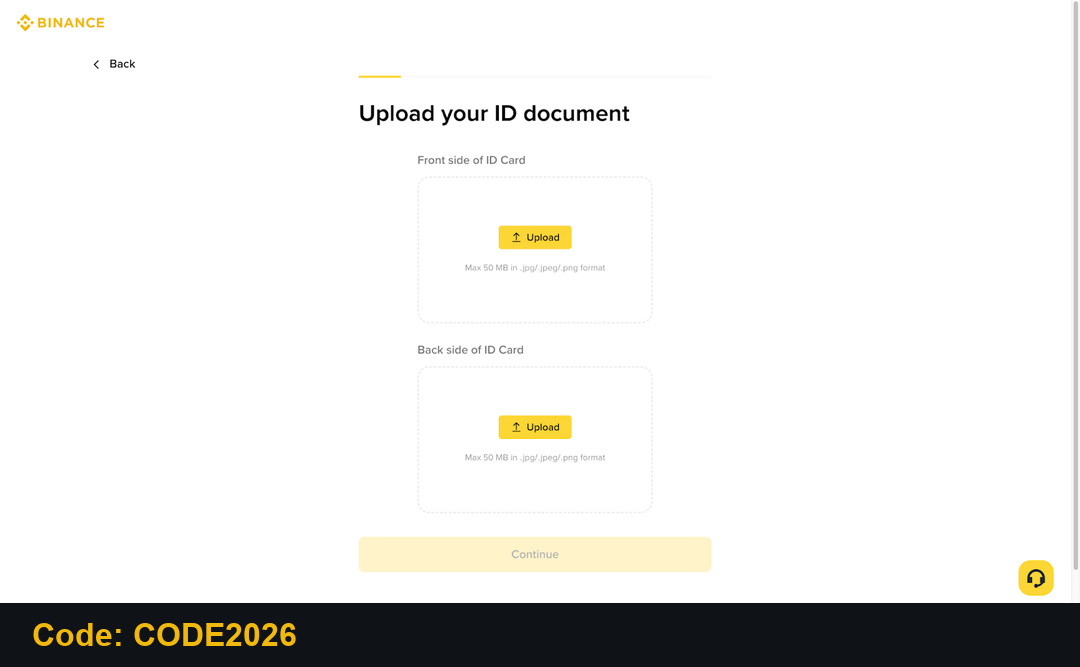
Upload the front and back of your document. You can also scan the QR code and finish on your phone.
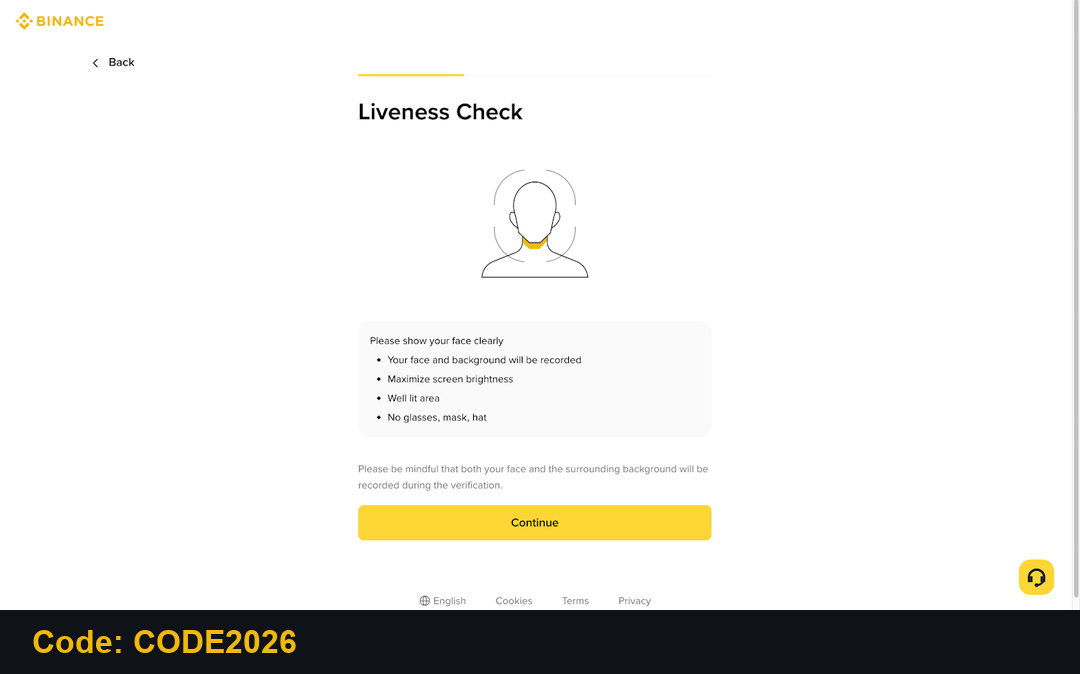
Then complete the liveness check. Don't wear a hat or glasses, avoid filters and use good light. Confirm your personal details and submit. Don't refresh the browser while it runs.
Step 3: How to Deposit Crypto on Binance
If you already hold crypto in another wallet, go to Wallet, choose Deposit, then Deposit Crypto.
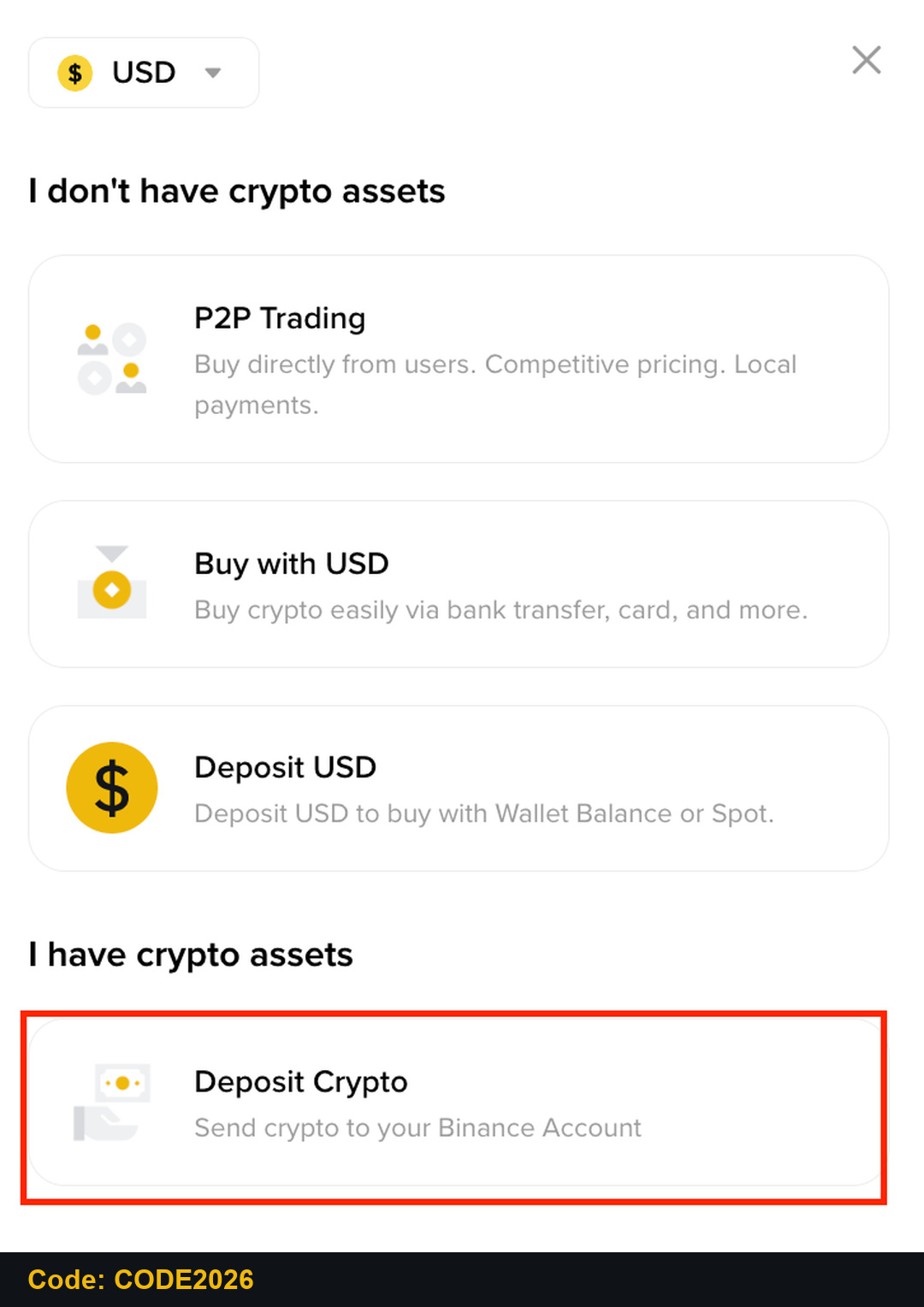
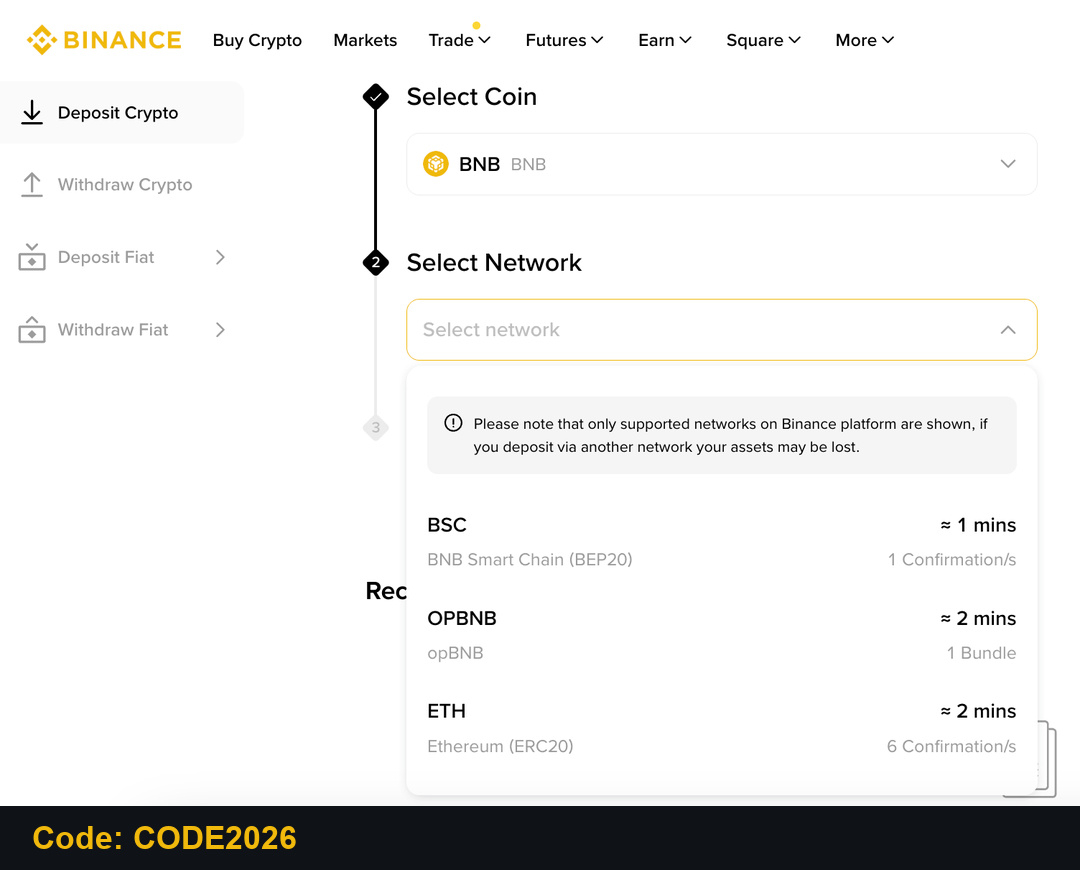
Pick the coin and the network. The network must match the one you send from, or the funds can be lost.
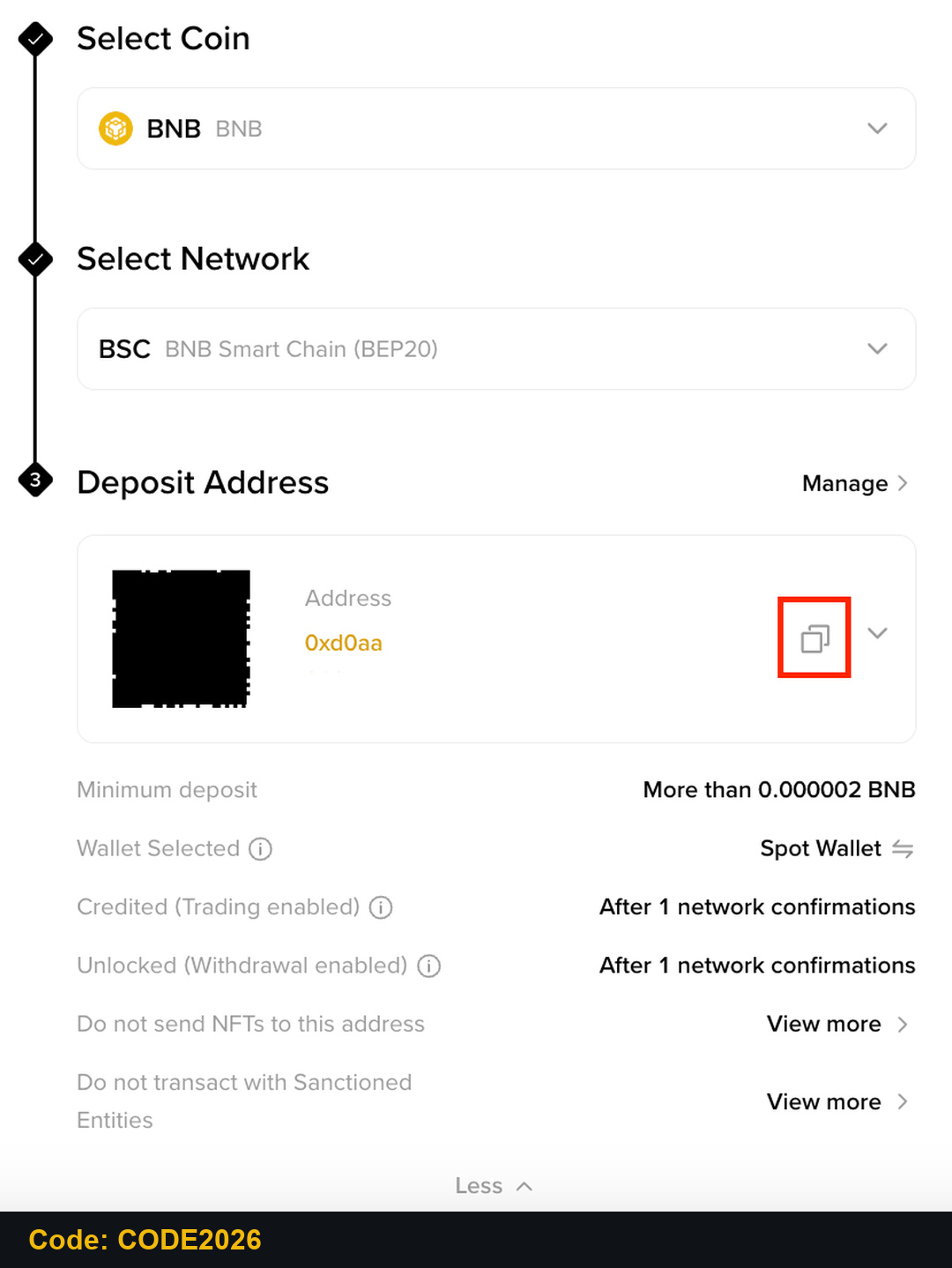
Copy the deposit address or scan the QR code, then send from your other wallet. Binance doesn't charge a deposit fee, but the sending wallet may charge a network fee.
Step 4: Buy USDT with Your Local Currency on Binance P2P
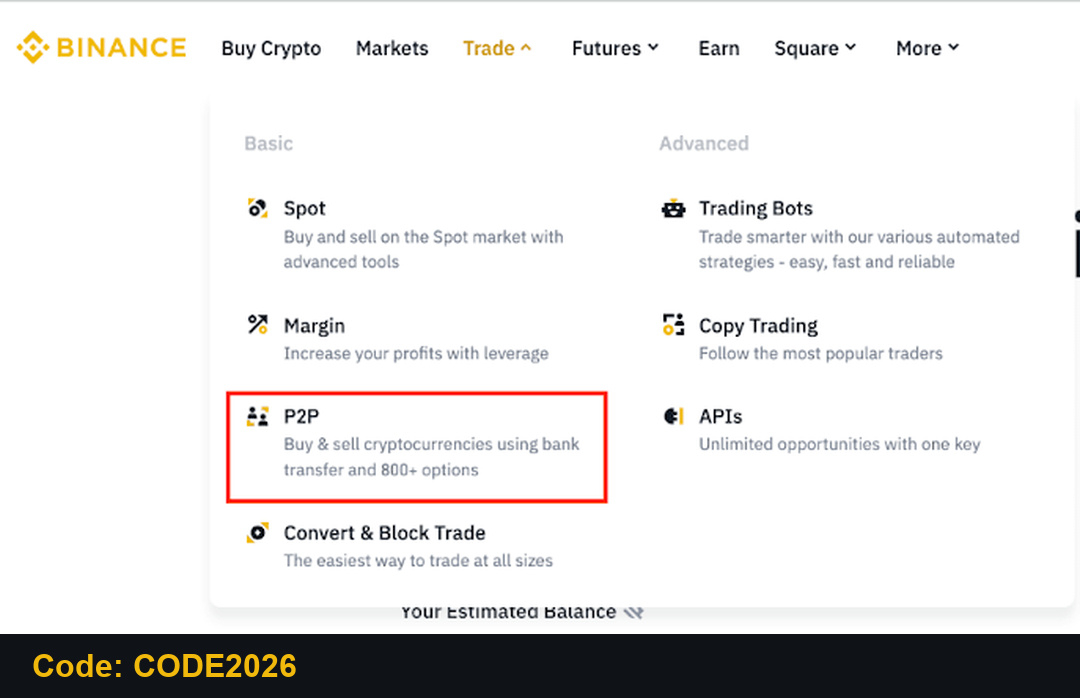
No crypto yet? Use Binance P2P to buy USDT with your local currency. On the website click Trade and then P2P. P2P needs completed KYC and two-factor authentication.
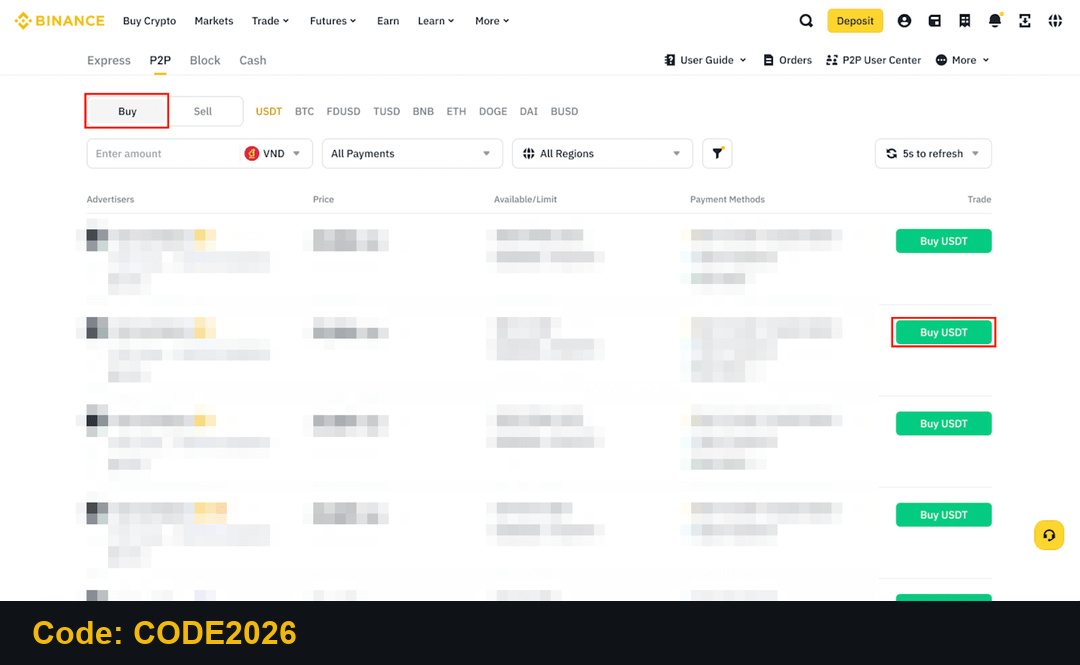
Choose Buy, USDT and your currency. Compare price, limits, completion rate and payment method, then click Buy USDT.
Pay the seller only through the payment details shown in the order, then click Transferred, Notify Seller. The crypto is held in escrow and released to your Funding wallet when the seller confirms. Never pay outside the order or release funds early.
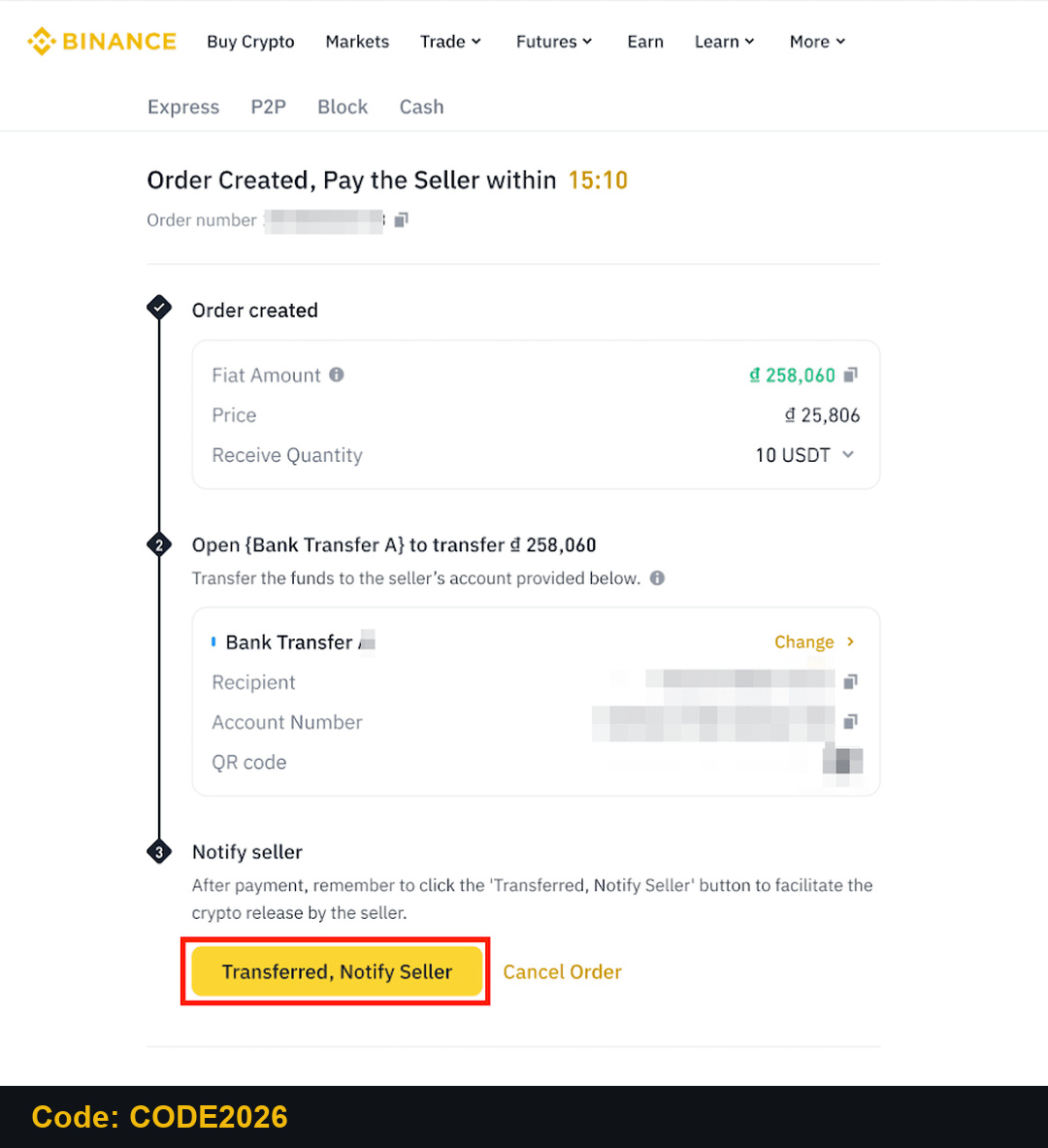
Binance by Country: India, Pakistan, Serbia, Vietnam, Brazil, South Korea, China, Russia
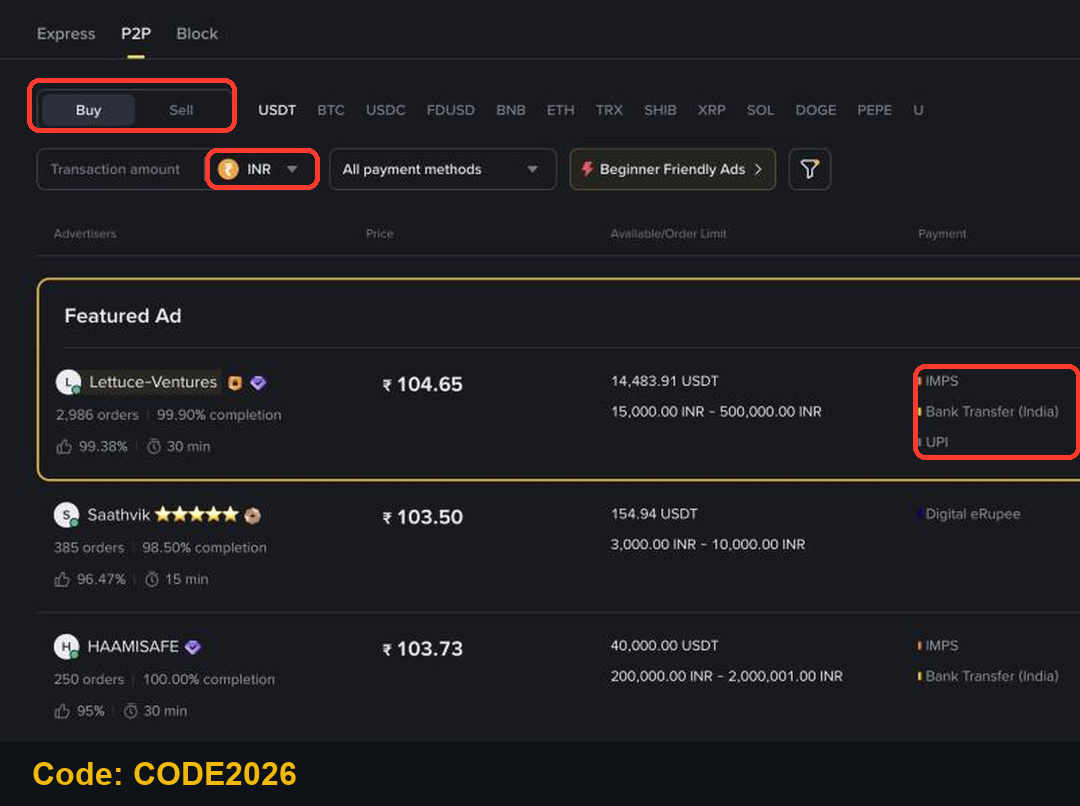
India: buy USDT with INR
On Binance P2P, select INR. On November 14, 2026, INR ads listed payment methods such as UPI, IMPS and bank transfer. Prices and limits change all the time, so check them on the order before you pay.
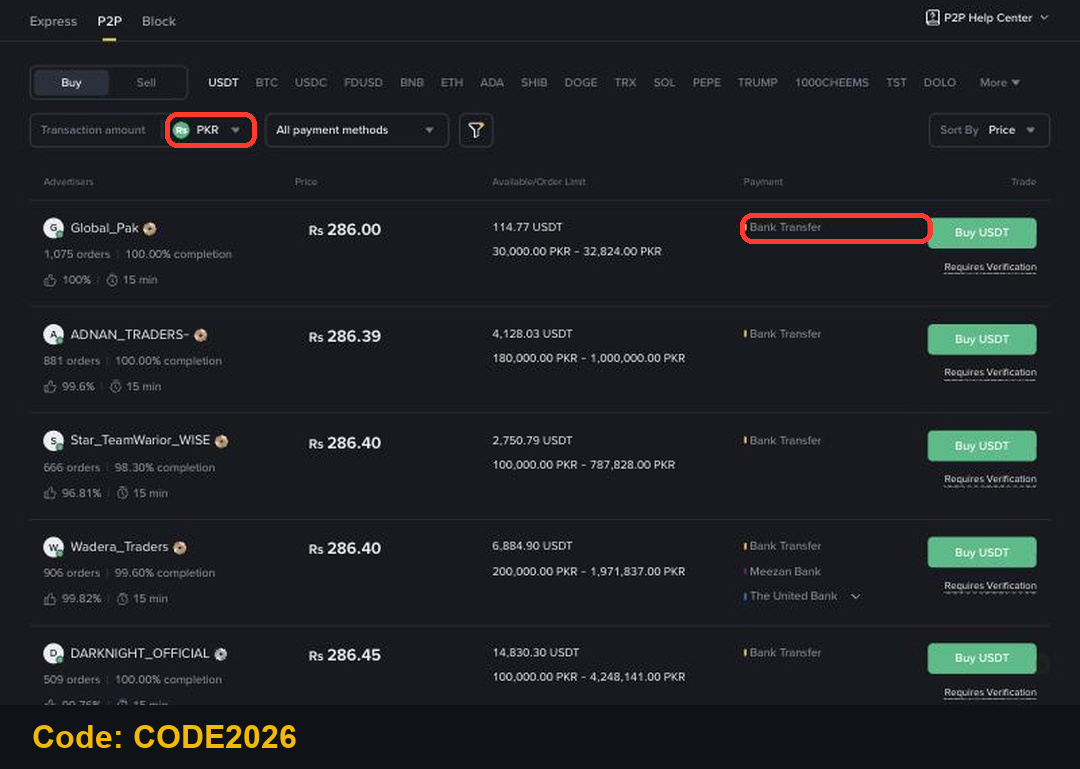
Pakistan: buy USDT with PKR
Select PKR on Binance P2P. On November 14, 2026, PKR ads listed bank transfer and local banks. Start with a small order to learn the flow.
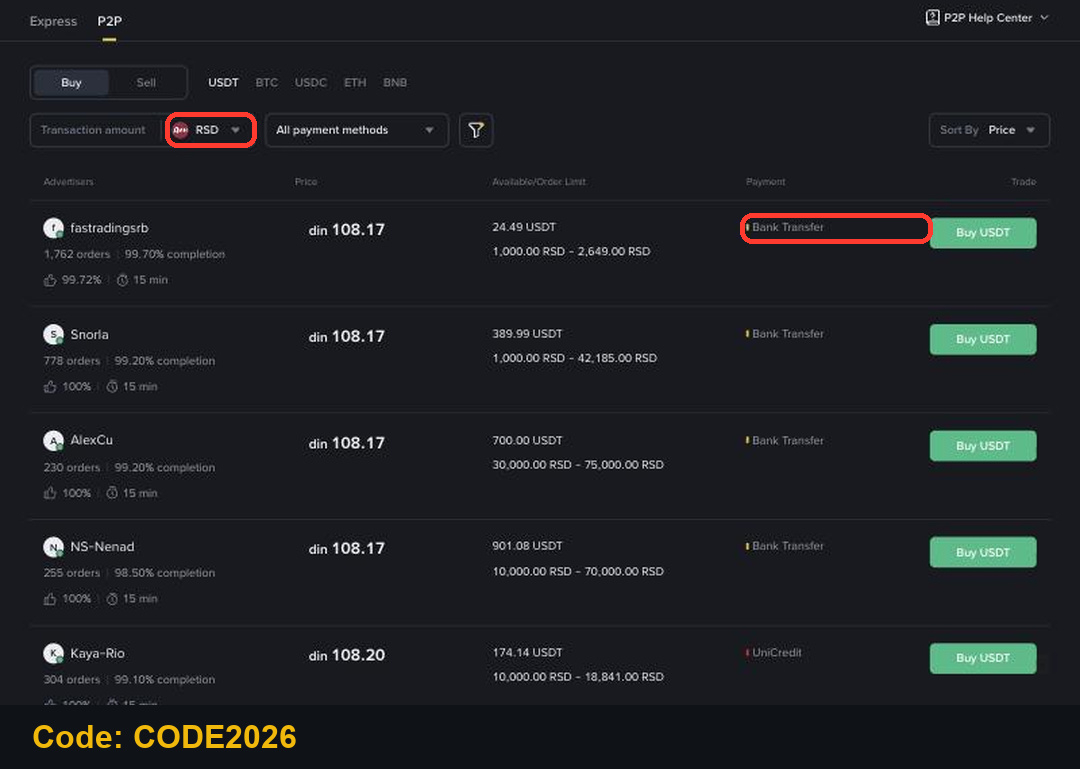
Serbia: buy USDT with RSD
Select RSD on Binance P2P. On November 14, 2026, RSD ads listed bank transfer and UniCredit, with order limits starting from 1,000 RSD. Compare the price and limits, then pay only through the details in the order.
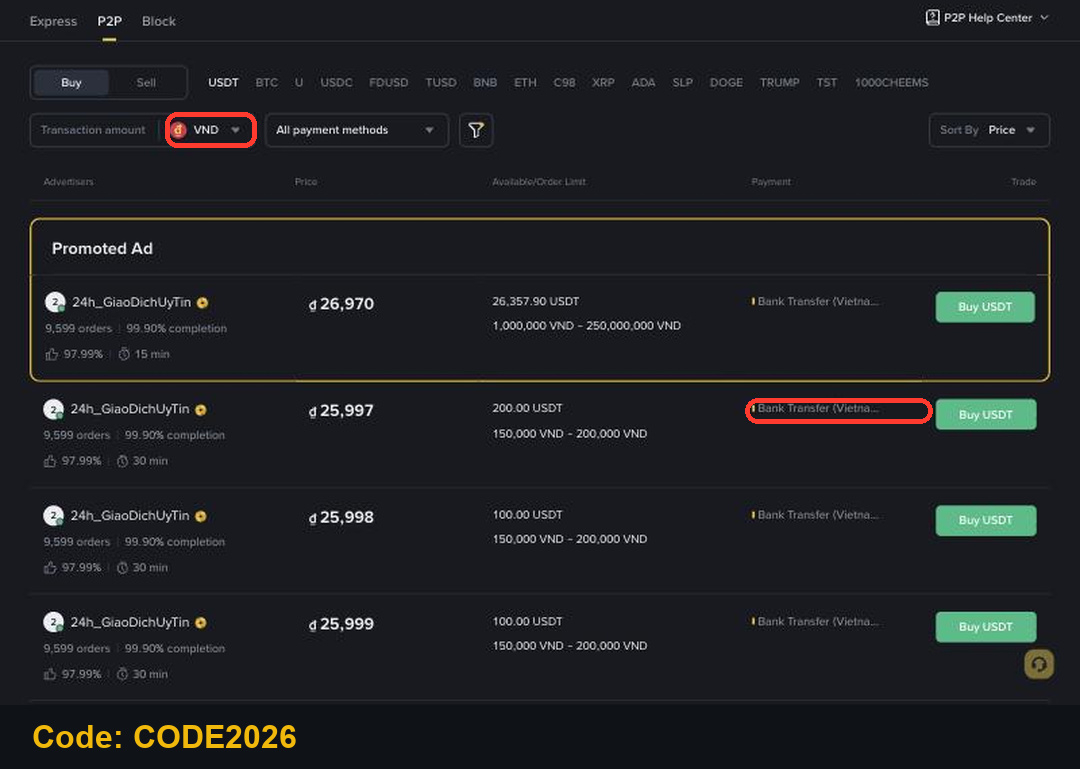
Vietnam: buy USDT with VND
Select VND on Binance P2P. On November 14, 2026, VND ads listed bank transfer in Vietnam. Vietnam is moving crypto trading to licensed local platforms under its pilot program, so check the latest local rules before you trade.
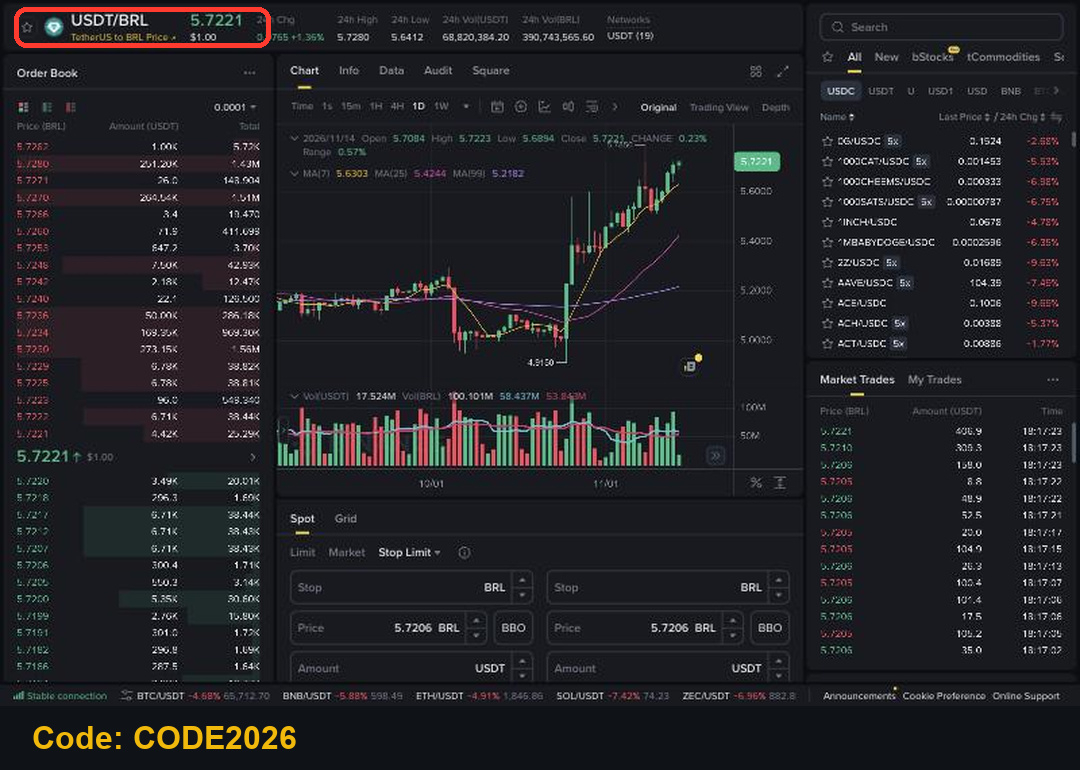
Brazil: BRL on Binance
When we checked Binance P2P on November 14, 2026, there were no BRL ads for USDT. The USDT/BRL Spot pair was live, so once you hold BRL or USDT in your account you can trade between them on the Spot page. Direct BRL deposits by Pix have been interrupted before, so open Deposit and check which BRL methods your account shows today.
South Korea: KRW is not supported
KRW is not available on Binance P2P: when we selected it on November 14, 2026, the page switched to another currency. Binance removed KRW trading pairs and KRW payment options in 2021 and is not registered with South Korea's financial regulator. If you live in South Korea, check your local rules before you use any overseas exchange.
China: Binance does not serve mainland China
Binance does not offer its services to users in mainland China, where crypto trading is banned. This guide doesn't cover CNY for that reason. If you live there, follow your local law.
Russia: RUB is not supported
Binance left the Russian market in 2023. When we selected RUB on Binance P2P on November 14, 2026, the page switched to another currency, so there is no RUB route on Binance.
From local money to your first trade
Buy USDT with your local currency (INR, PKR, RSD or VND) on P2P. It lands in your Funding wallet.
Move it to your Spot wallet with Transfer, or use it directly where Binance shows it as available.
Use Convert or a Spot order to swap USDT for BTC, BNB or another coin.
To cash out, sell USDT on P2P for your local currency and confirm the payment has arrived in your bank before you release.
Step 5: Your First Spot Trade on Binance
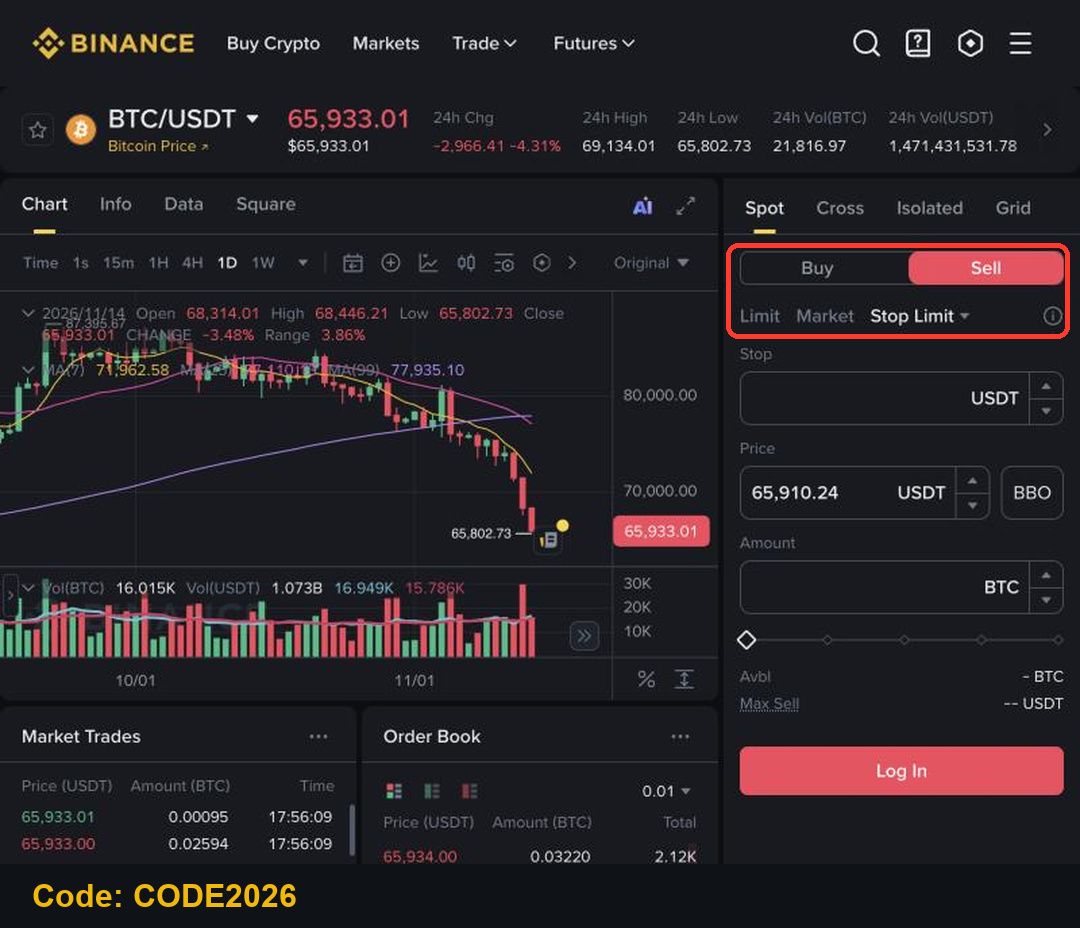
Go to Trade, then Spot, and pick a pair such as BTC/USDT. The order form sits on the right: Buy or Sell, then the order type.
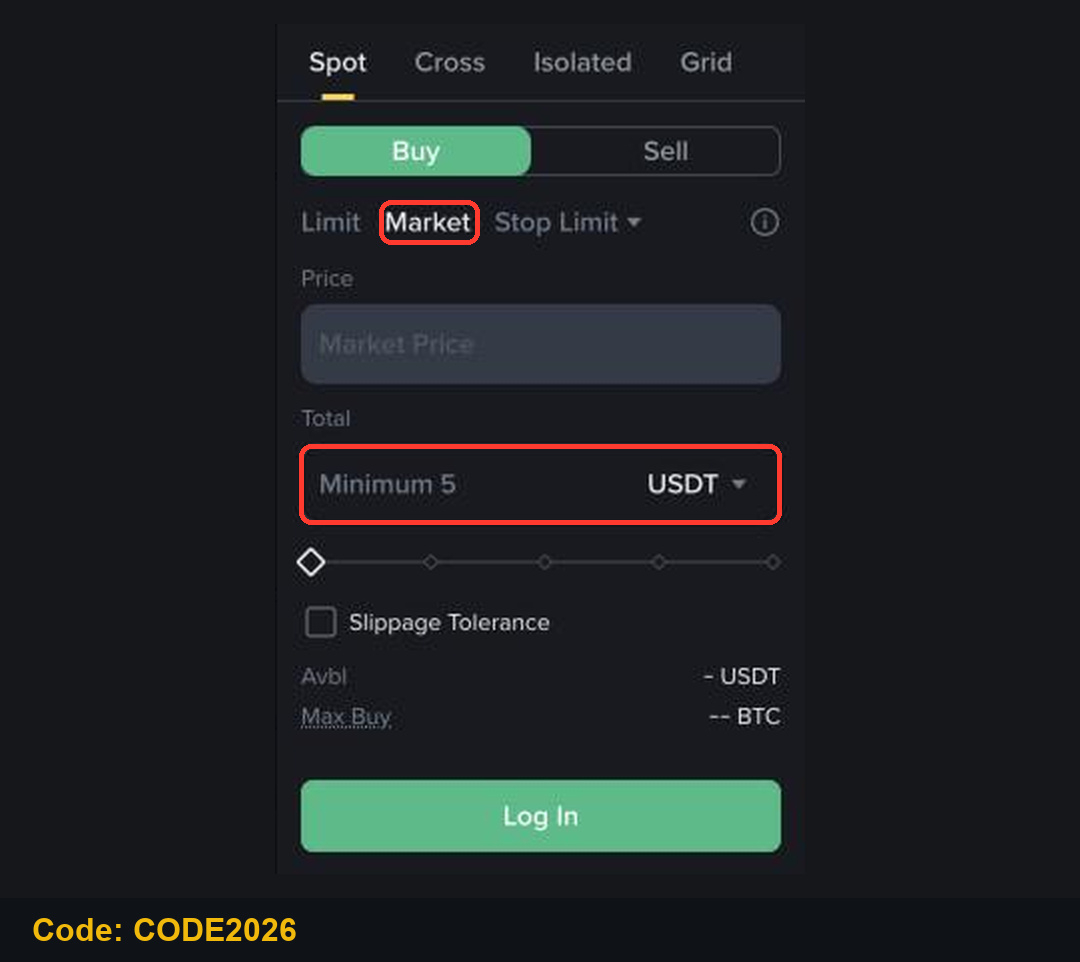
Market order: buy now at the best price
Click Market, enter the total in USDT (the minimum shown was 5 USDT) and click Buy. The order fills at once, but the final price can differ slightly from the screen.
Limit order: choose your own price
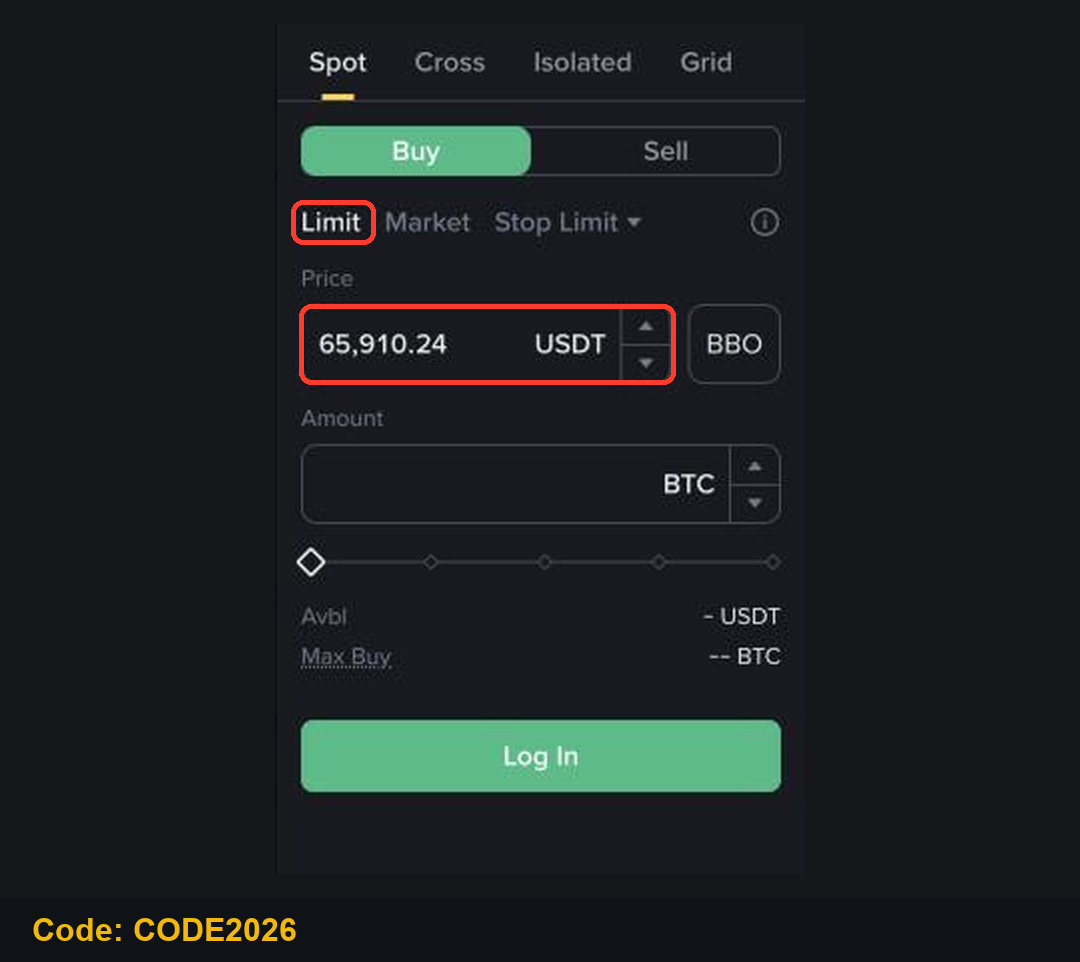
Click Limit, set the price you want to pay and the amount. The order waits in Open Orders until the market reaches your price, so it may never fill.
Stop-limit as a stop loss
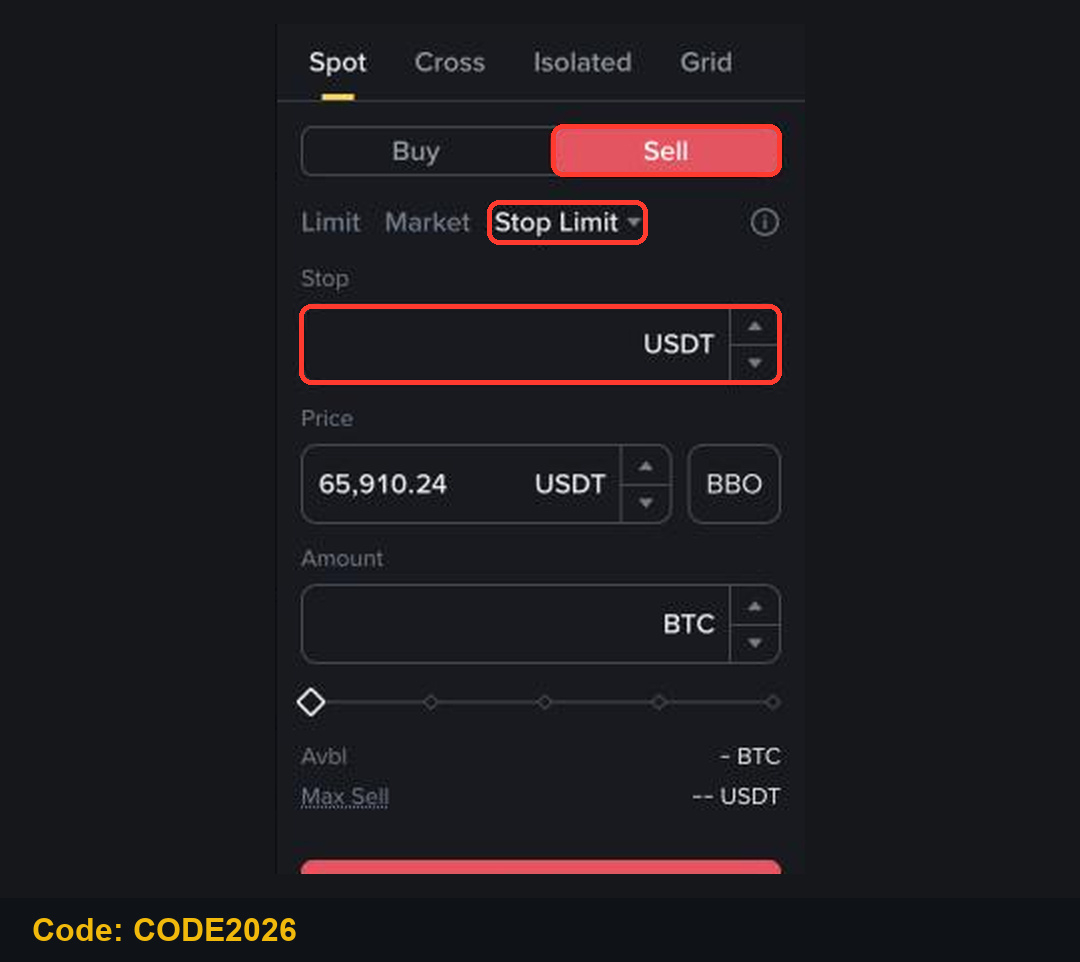
After you buy, you can protect the position. Choose Sell, then Stop Limit. Set the Stop price (the trigger) a little below the current price, and the limit Price slightly below the stop. When the market falls to the stop, a sell order is placed. In a fast drop it may not fill.
Convert: the simplest swap
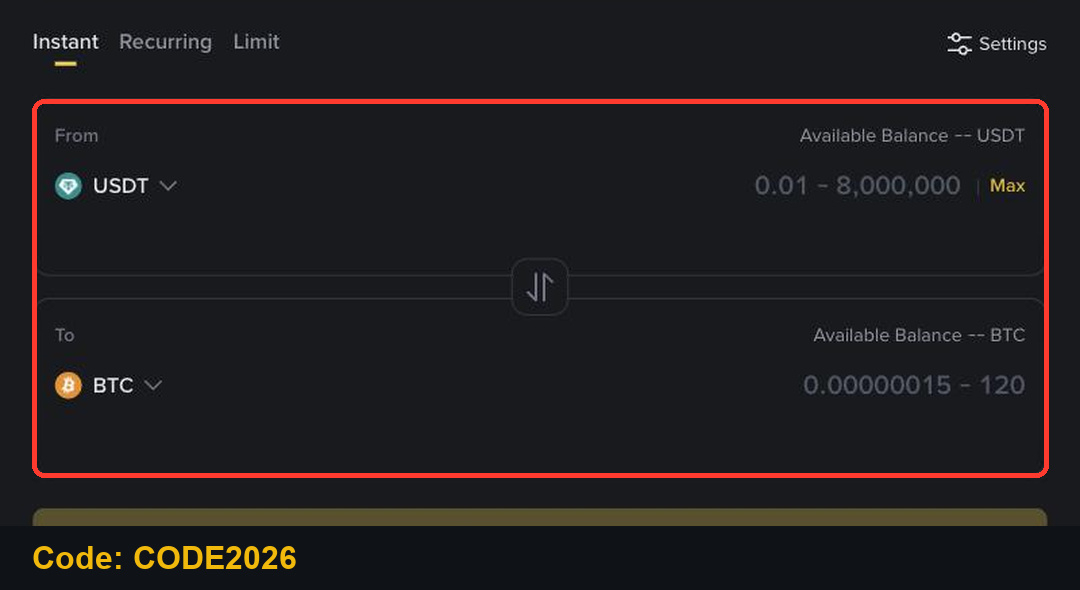
Prefer no order book? Convert swaps one coin for another at a quoted price. Choose From and To, enter the amount, preview and confirm.
Step 6: Transfer Funds from Spot to Futures
Futures uses its own wallet. On the USDⓈ-M Futures page, find Assets at the bottom right and click Transfer.
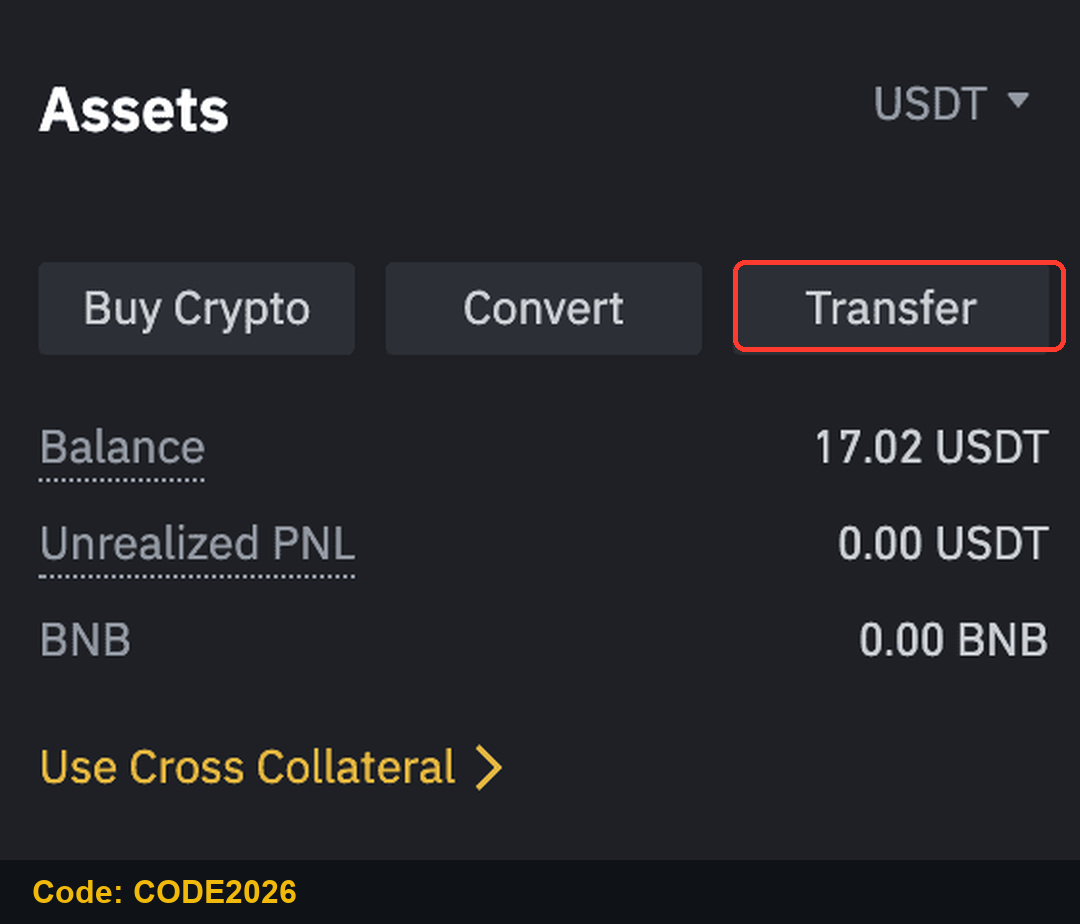
Set From: Spot (Fiat and Spot), To: USDⓈ-M Futures, choose USDT, enter the amount and click Confirm. Internal transfers are instant. The swap icon sends funds back to Spot.
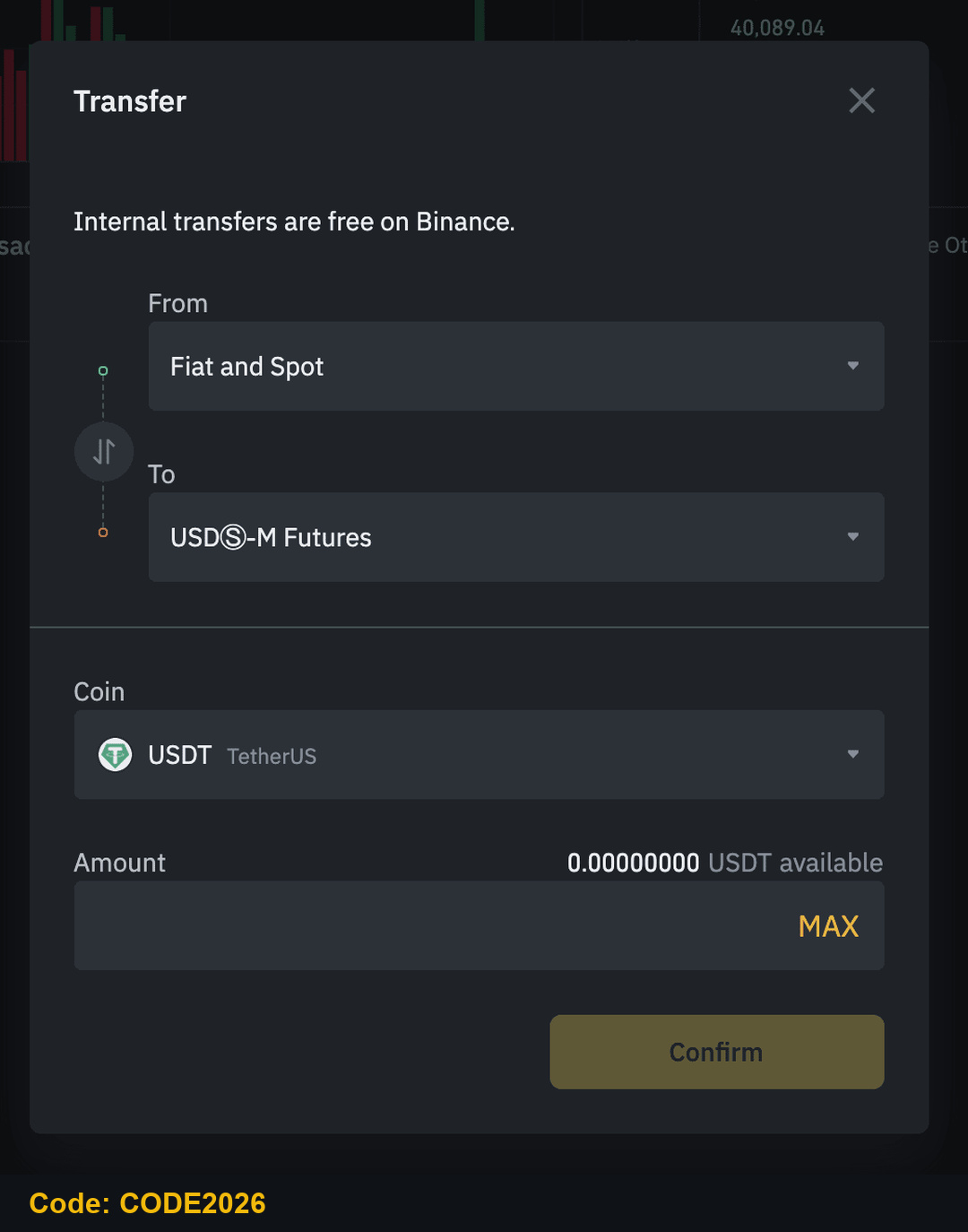
Step 7: Open Your First Futures Position
Binance asks you to activate Futures and complete a short quiz the first time. Then, on the BTCUSDT perpetual page, set the mode (Cross or Isolated) and leverage at the top of the order form, choose Limit, Market or Conditional, and enter the price and size.
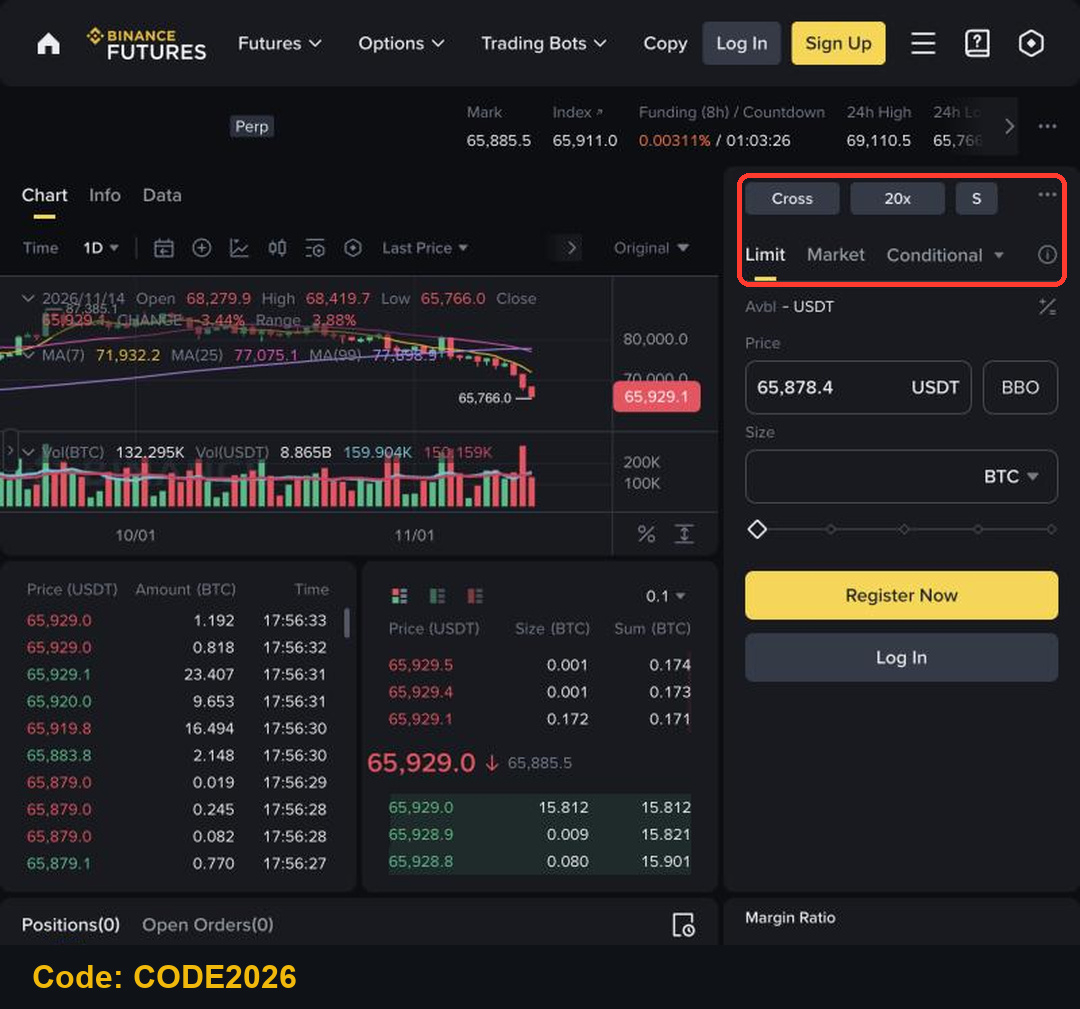
Click Buy/Long if you expect the price to rise or Sell/Short if you expect it to fall. Tick TP/SL to add a take-profit and a stop-loss with the order.
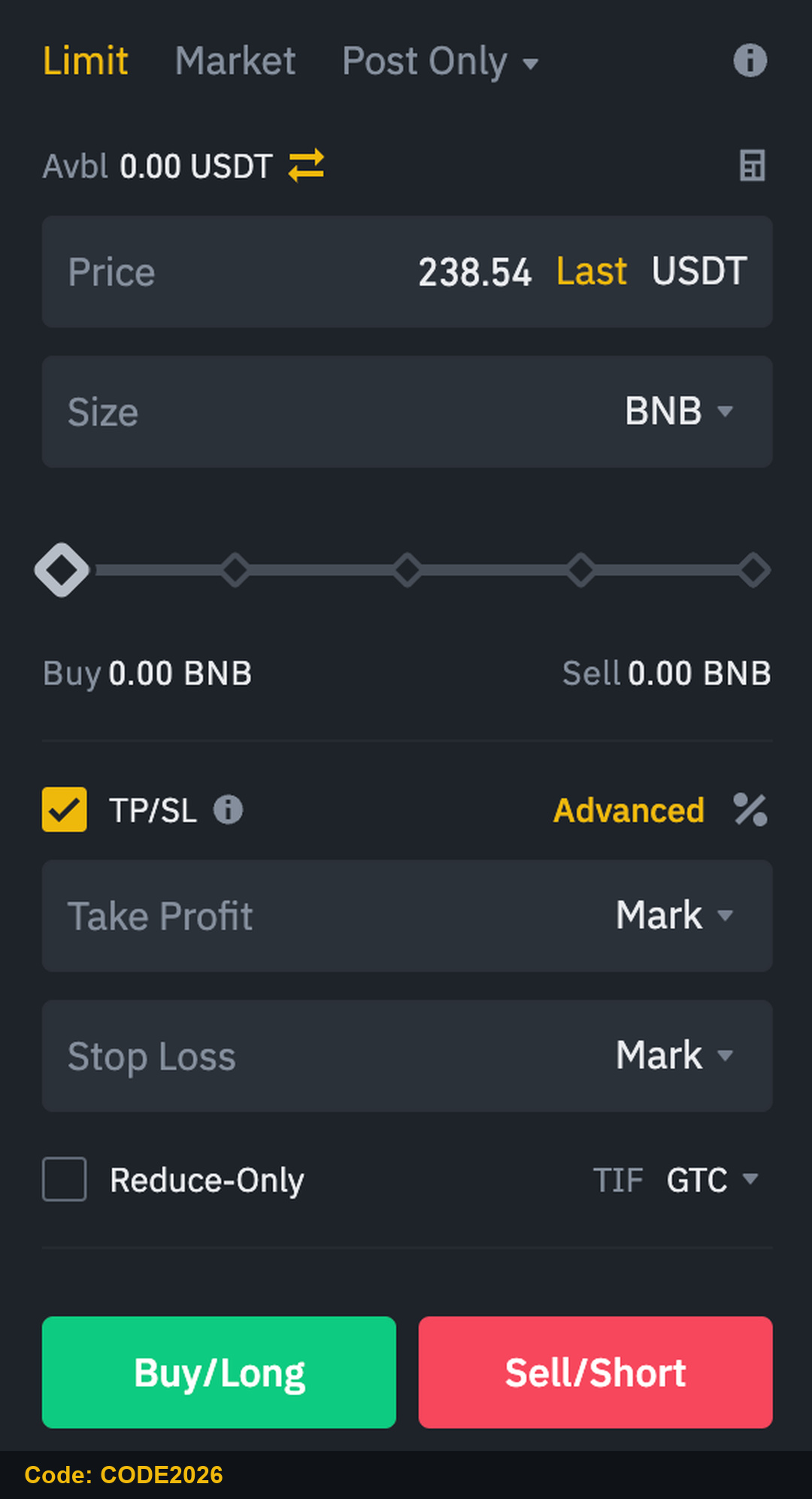
Futures uses leverage, and a position can be liquidated if the price moves against you. Start with low leverage, a small size and a stop-loss on every position.
Step 8: How to Withdraw from Binance
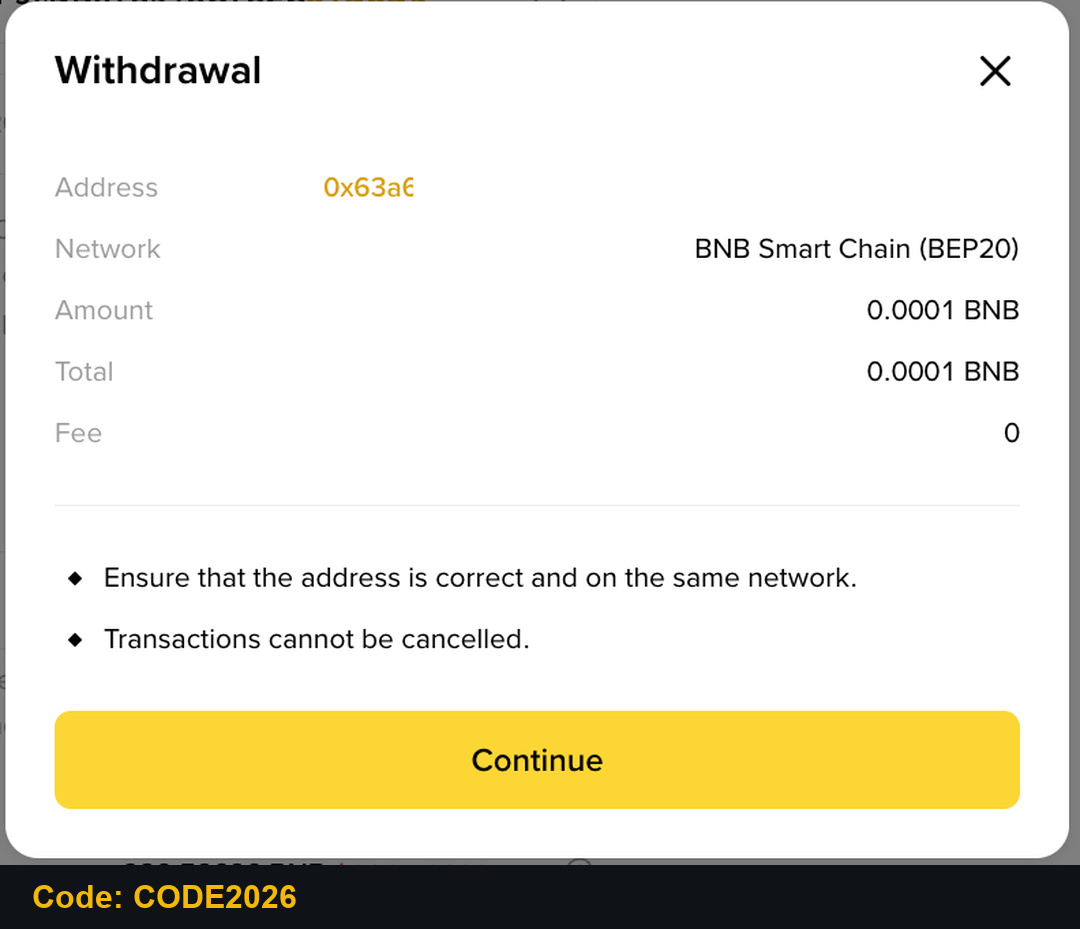
Go to Wallet, then Withdraw. Select the coin, paste the destination address and select the network. The network must be supported by the receiving wallet.
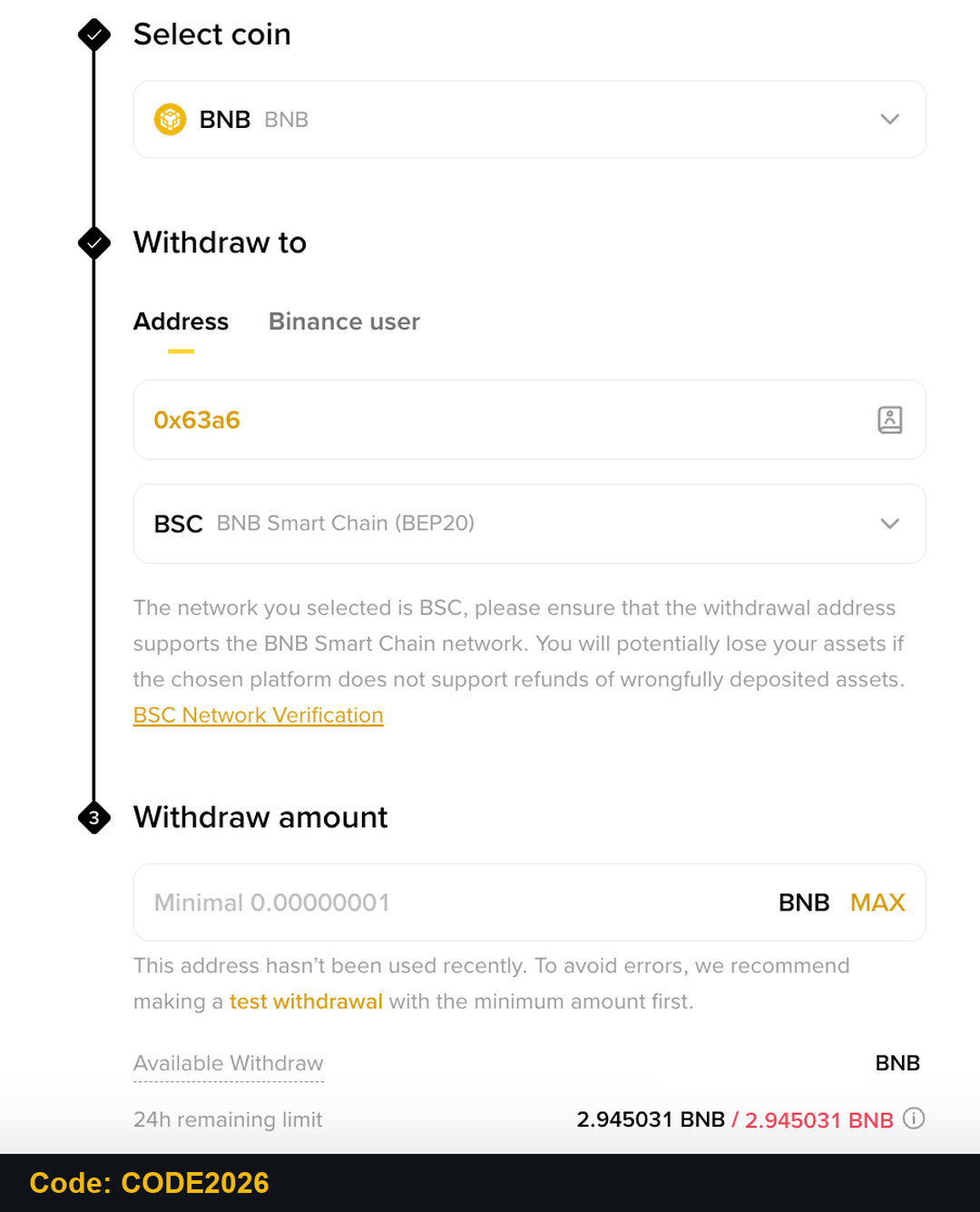
Enter the amount. You will see the network fee and the amount that arrives. Click Withdraw, check every detail, then click Continue and confirm with your 2FA or passkey. A withdrawal can't be cancelled once sent.
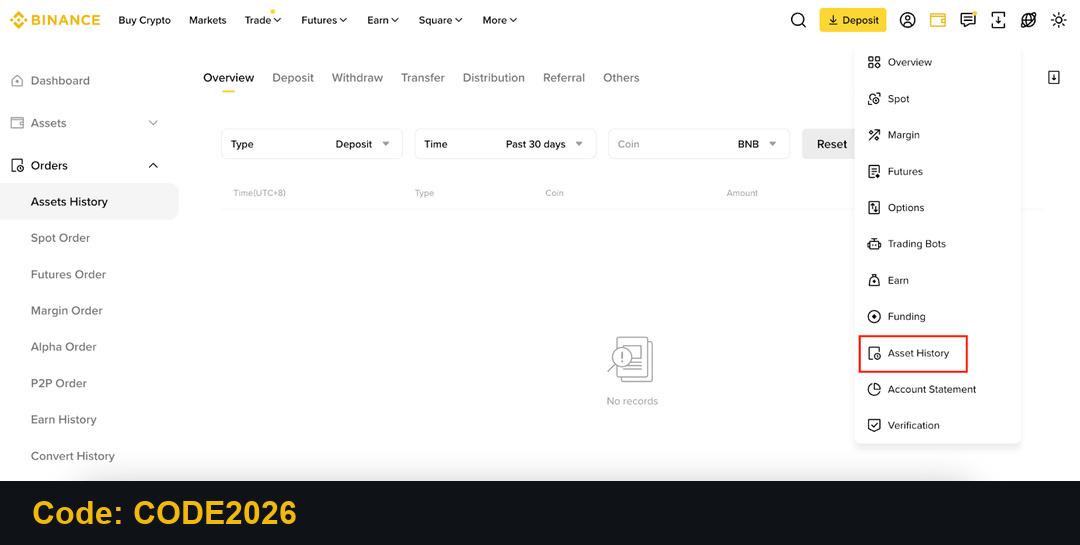
Track the status in Asset History under Orders. To get your local currency back, sell USDT on P2P instead of withdrawing crypto.
Binance Spot Fees and What CODE2026 Covers
On November 14, 2026, Binance's fee page showed 0.100% maker and 0.100% taker for Regular Users on Spot, or 0.075% when paying fees with BNB. With CODE2026, the sign-up page shows up to 20% trade rebates on qualifying Spot trading fees.
Spot trade of $1,000 at 0.100%: $1.00 fee, up to $0.20 back.
Same trade paying fees in BNB at 0.075%: $0.75 fee, up to $0.15 back.
Since April 29, 2026, the Spot referral commission is calculated on net fees, so actual amounts can be lower.
Keep Your Binance Account Safe
Turn on an authenticator app or a passkey.
Set an anti-phishing code so you can recognize real Binance emails.
Use a withdrawal address whitelist.
Binance staff will never ask for your password or verification codes.
FAQ: Binance Referral Code CODE2026
What is the Binance referral code for 2026?
It's CODE2026. The sign-up page shows up to 20% trade rebates on qualifying Spot trading fees.
Can I add CODE2026 after I register?
Only in limited cases, generally within 30 days of registration, with no existing referral and no deposits or trades. Check the referral binding page.
How long does Binance KYC take?
Often within minutes, but a review can take longer. Binance sends an email or notification when it's done.
Can I deposit INR, PKR, RSD or VND on Binance?
Yes, through Binance P2P: you buy USDT from other users with your local payment method. KRW and RUB aren't supported, and Binance doesn't serve mainland China. In Brazil, check the Deposit page for the BRL methods your account shows.
Start with Binance Referral Code CODE2026
Sign up, verify, fund your account with a small amount and practise the steps above. Binance referral code CODE2026 sign-up link.
Disclosure: CODE2026 is my referral code, and I may earn commission from qualifying activity. This is an independent guide, not an official Binance post. Benefits depend on Binance's terms, your region and your eligibility. Crypto trading carries risk. Not financial advice. DYOR.