
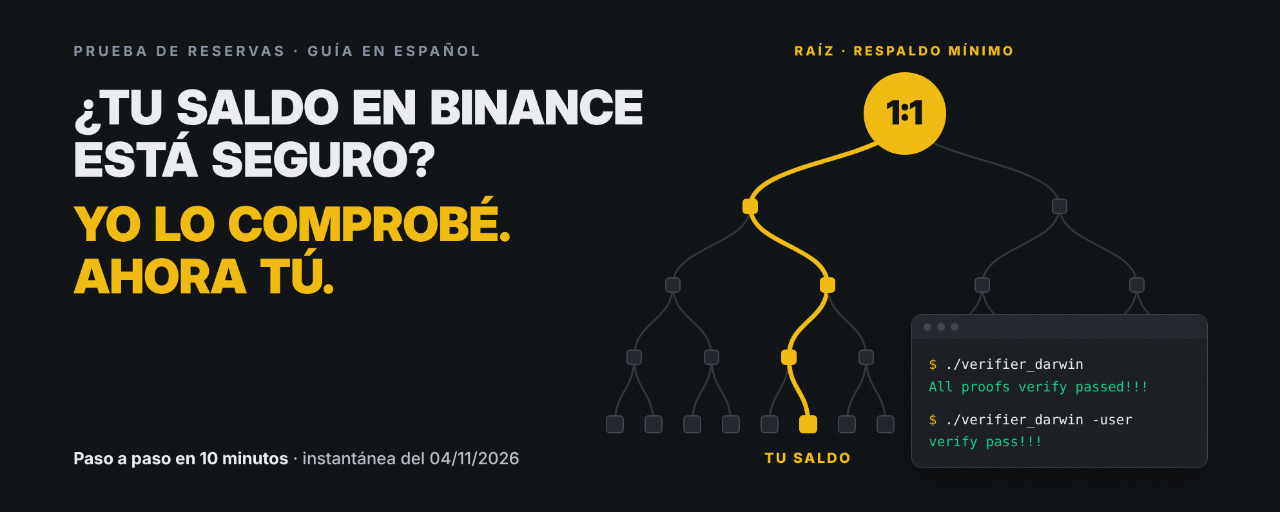
To verify your Binance account balance, download two files from Wallet → Verification and check them on your computer using the included open-source verifier. You don't have to simply trust the published figure: you can cryptographically verify that your account is included in the proof.
I did it with the November 4, 2026 snapshot, and the result was "verify pass!!!". In this guide, I share every step in Spanish, with screenshots, the errors I encountered on Mac, and how to fix them.
Now is a good time to do it. After the security incident on October 29, 2026, Binance absorbed the loss with its own funds and took extraordinary reserve snapshots on October 31 and November 4 so that any user could verify that their assets were backed.
Quick summary
You do the verification yourself, on your computer, using an open-source tool.
You need three things: your Binance account, a computer running Windows, macOS, or Linux, and the two files you download from your account.
What it proves: that your balance was included and backed at least 1:1 on the snapshot date.
What it doesn't prove: your current balance. It also doesn't work as insurance.
Regular snapshots are monthly. Save this guide for the next one.
Time: ∼10 minutes.
What is Binance Proof of Reserves?
Proof of Reserves (PoR) shows that users' assets are backed at least 1:1 by the funds Binance holds. Binance launched it in November 2022 and added zero-knowledge proofs (zk-SNARKs) in February 2023.
The system combines two technologies:
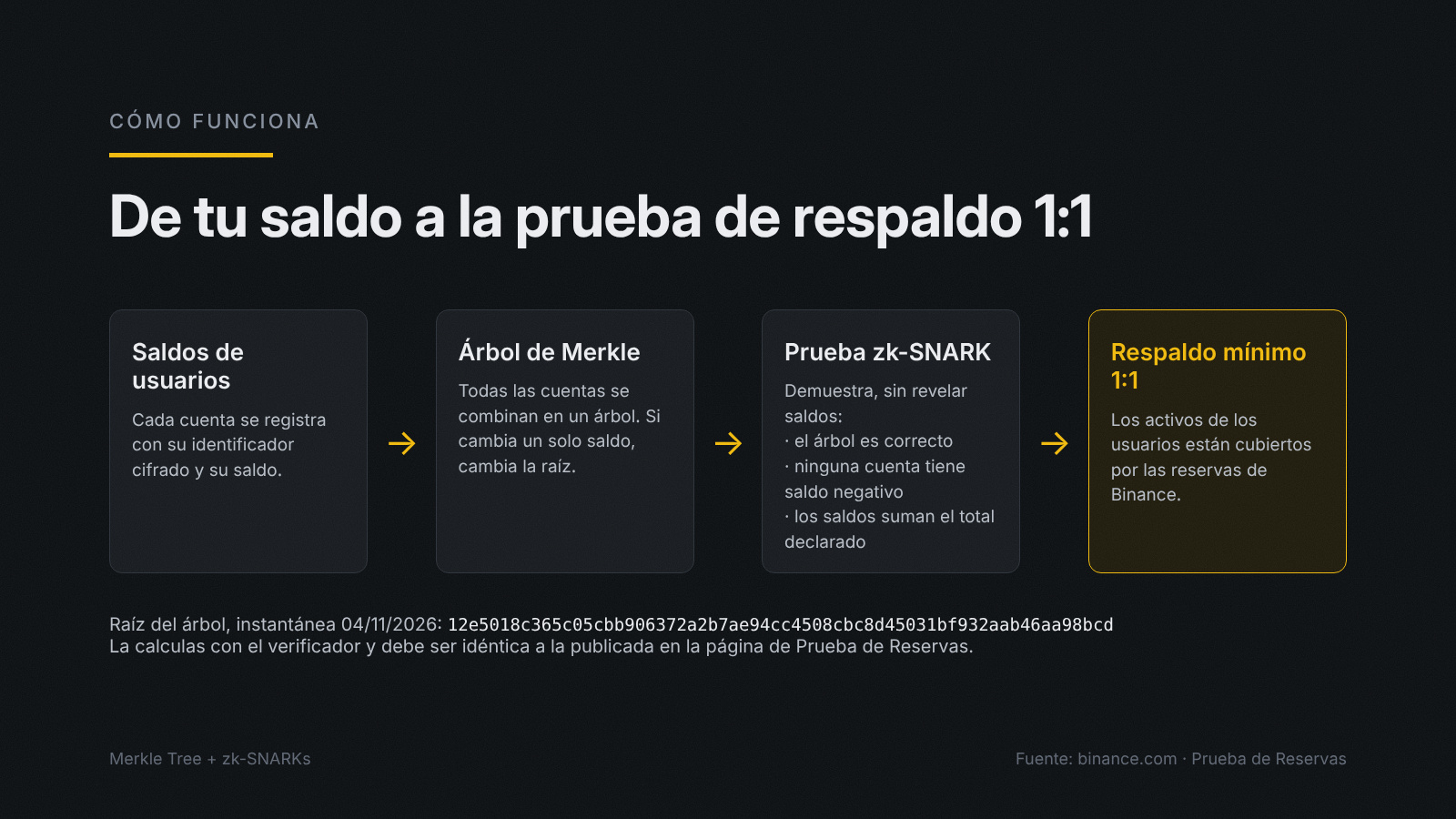
Merkle tree: Binance combines each user's encrypted identifier (hash) and balance in data blocks. It then arranges those blocks into a tree whose root summarizes the information for all accounts. If even one balance changes, the root changes too. You can use your Merkle proof to check that your account is part of the tree.
zk-SNARK: proves that the tree was built correctly, that no account has a negative net balance, and that all balances add up to the total Binance reports. It does so without revealing anyone's balance.
The regular snapshot is taken on the 1st of each month at 00:00 UTC, and the results are published by the 7th at the latest. In addition to its liabilities, Binance publishes its wallet addresses so that anyone can check its reserves using blockchain explorers such as Etherscan or BscScan.
How do I check whether my balance is included in Proof of Reserves?
Log in to Binance.com, click the Wallet icon in the top bar, and select Verification, the last option in the menu. There you'll find the verification data for each snapshot.
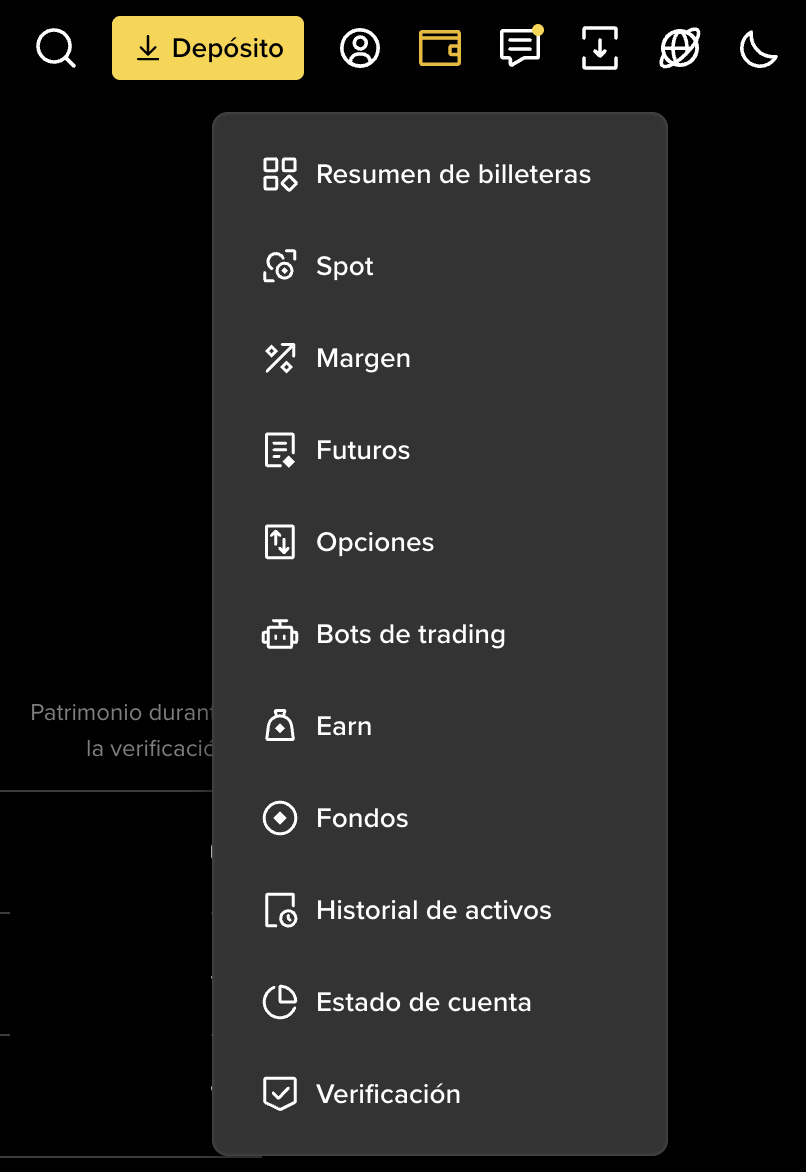
Log in to the official Binance website.
Click the wallet icon in the top bar and select Verification, the last option in the menu.
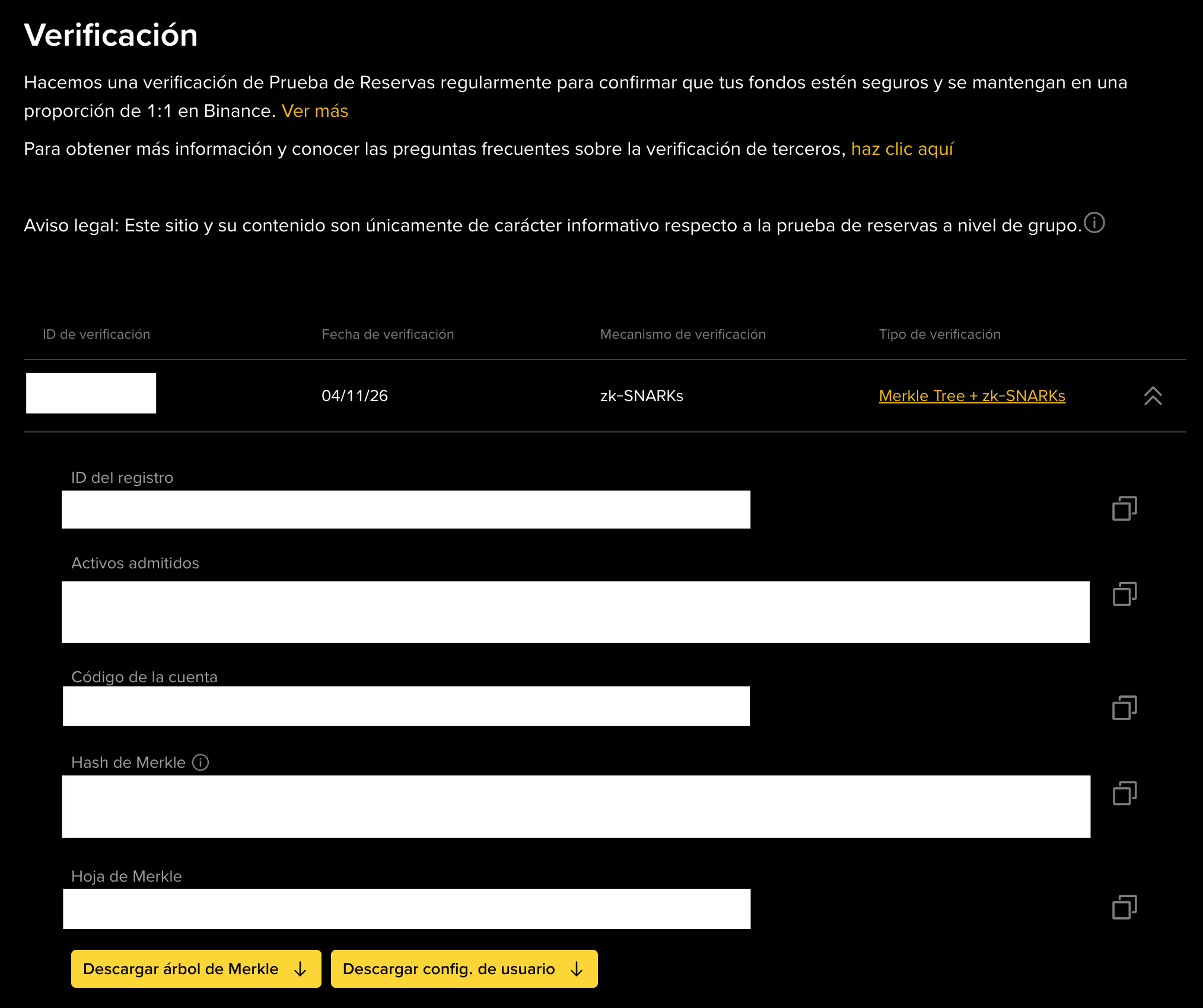
Select the Verification Date you want to review and expand its details using the arrow.
Check that the Verification Type says "Merkle Tree + zk-SNARKs".
Find your Record ID, Merkle Hash, and Merkle Leaf: they identify your account in the tree without revealing your personal data.
Under Your Assets, review the balance, debt, and equity for each asset at the time of verification.
Download both files: [Download Merkle Tree] and [Download User Config].
With this step, you can see the balances recorded in that snapshot. To verify them without relying on what the page shows, continue with the independent verification.
How do I independently verify my balance using the Merkle tree and zk-SNARKs?
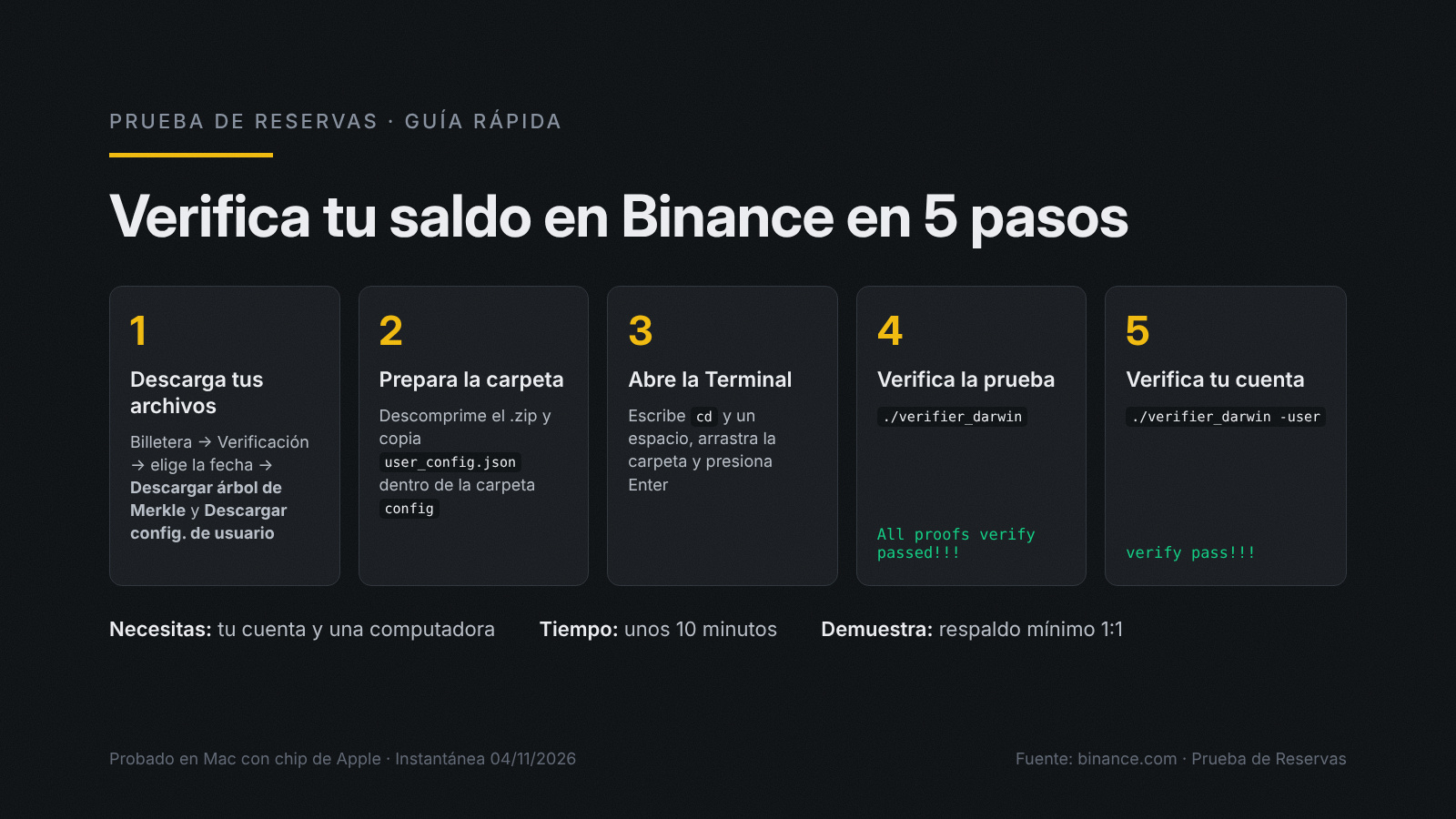
The ZIP file you download from your account includes the official open-source verifier for Windows, macOS, and Linux. You just need to prepare the folder and run two commands in Terminal. The process takes about 10 minutes.
I tried the steps on a Mac with an Apple chip. According to the official guide, you can follow the same procedure on Windows and Linux, replacing verifier_darwin with verifier_windows or verifier_linux, respectively.
1. Prepare the folder. Unzip zkmerkle_AAAAMMDD.zip. Inside, you'll find the config folder and three verifiers: verifier_darwin (Mac), verifier_linux, and verifier_windows. Copy your user_config.json into config, alongside config.json, proof.csv, and the verification keys (.vk files).
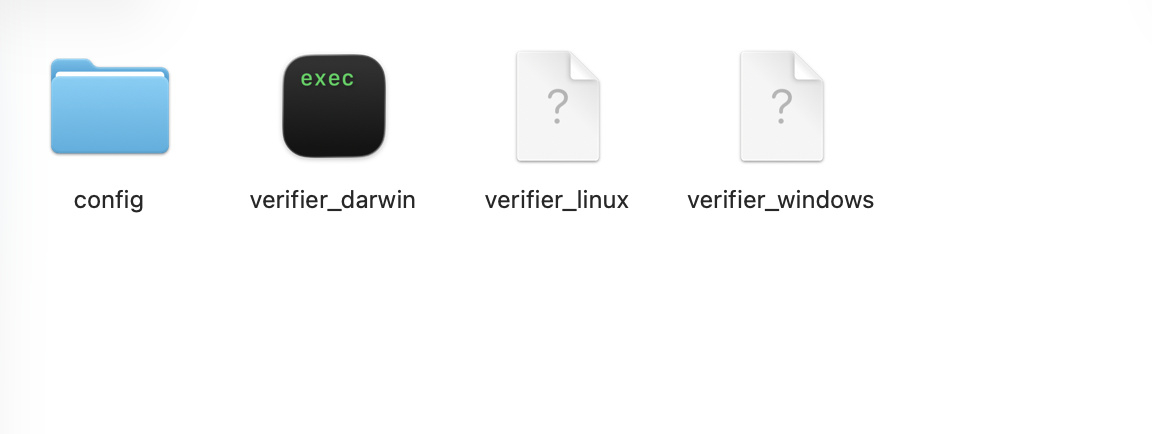
2. Check that the verifier is the original (optional). Binance publishes the sha256 hash of each verifier in its GitHub repository, zkmerkle-proof-of-solvency, in the Releases section. On a Mac, you can get it in Terminal by running shasum -a 256 verifier_darwin. If it matches the one on GitHub, no one has modified the file.
3. Open Terminal in the folder. Type cd followed by a space, drag the unzipped folder into the window, and press Enter.
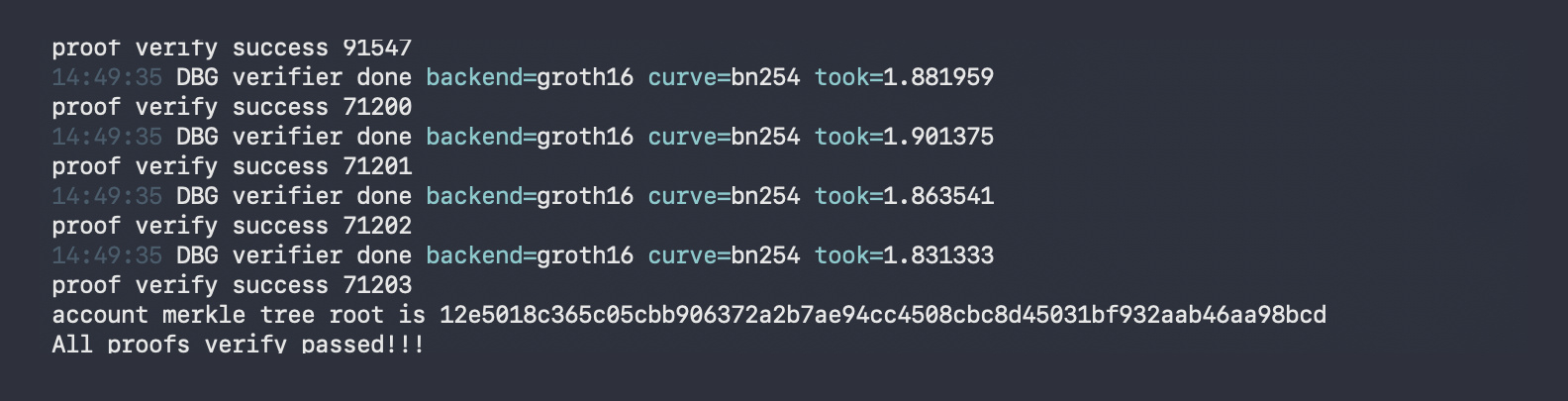
4. Verify the full proof. Run ./verifier_darwin. The verifier checks the zk-SNARK proof for the entire tree and, when finished, displays the Merkle tree root and the message "All proofs verify passed!!!". Compare that root with the Merkle Root Hash on the Proof of Reserves page: they should be identical. The root for the November 4, 2026 snapshot is 12e5018c365c05cbb906372a2b7ae94cc4508cbc8d45031bf932aab46aa98bcd.
5. Verify your account. Run ./verifier_darwin -user. If your account is included in the tree, the process ends with the message "verify pass!!!".

Errors I ran into and how to fix them:
"no such file or directory": Terminal is open inside the config folder. Type cd .. to go up one level and run the command again.
"bad CPU type" (Mac with an Apple chip): install Rosetta, Apple's official tool for running programs made for Intel chips, with softwareupdate --install-rosetta --agree-to-license
"killed" (Mac): go to System Settings → Privacy & Security, scroll down to the Security section, and click Open Anyway next to the verifier_darwin alert. Then run the command again.
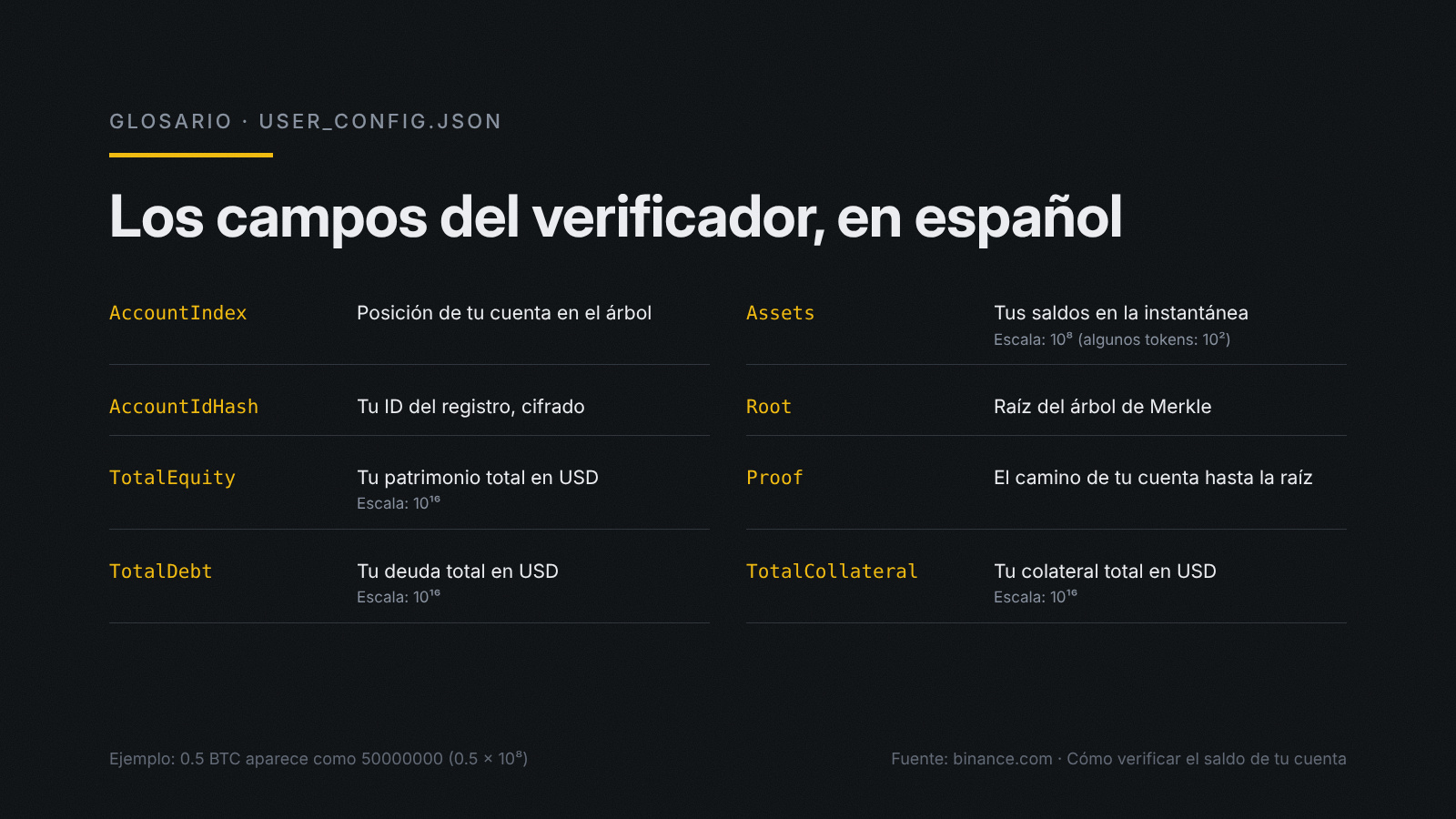
What each field in user_config.json means:
AccountIndex: your account's position in the tree.
AccountIdHash: your Record ID, your account's encrypted identifier.
TotalEquity, TotalDebt, TotalCollateral: your total equity, debt, and collateral in USD, scaled by 10¹⁶.
Assets: your balances in the snapshot. Balances are scaled by 10⁸, except for some tokens such as DOGE, SHIB, PEPE, and BONK, which are scaled by 10².
Root: the Merkle tree root for that verification.
Proof: the path from your account to the root.
About the scales: a balance of 0.5 BTC appears as 50000000 because it is multiplied by 10⁸.
Use only Binance's official website and official GitHub repository. Don't share your login details with anyone who offers to verify for you, and perform the verification on a trusted device.
What does a successful verification tell me, and what are its limitations?
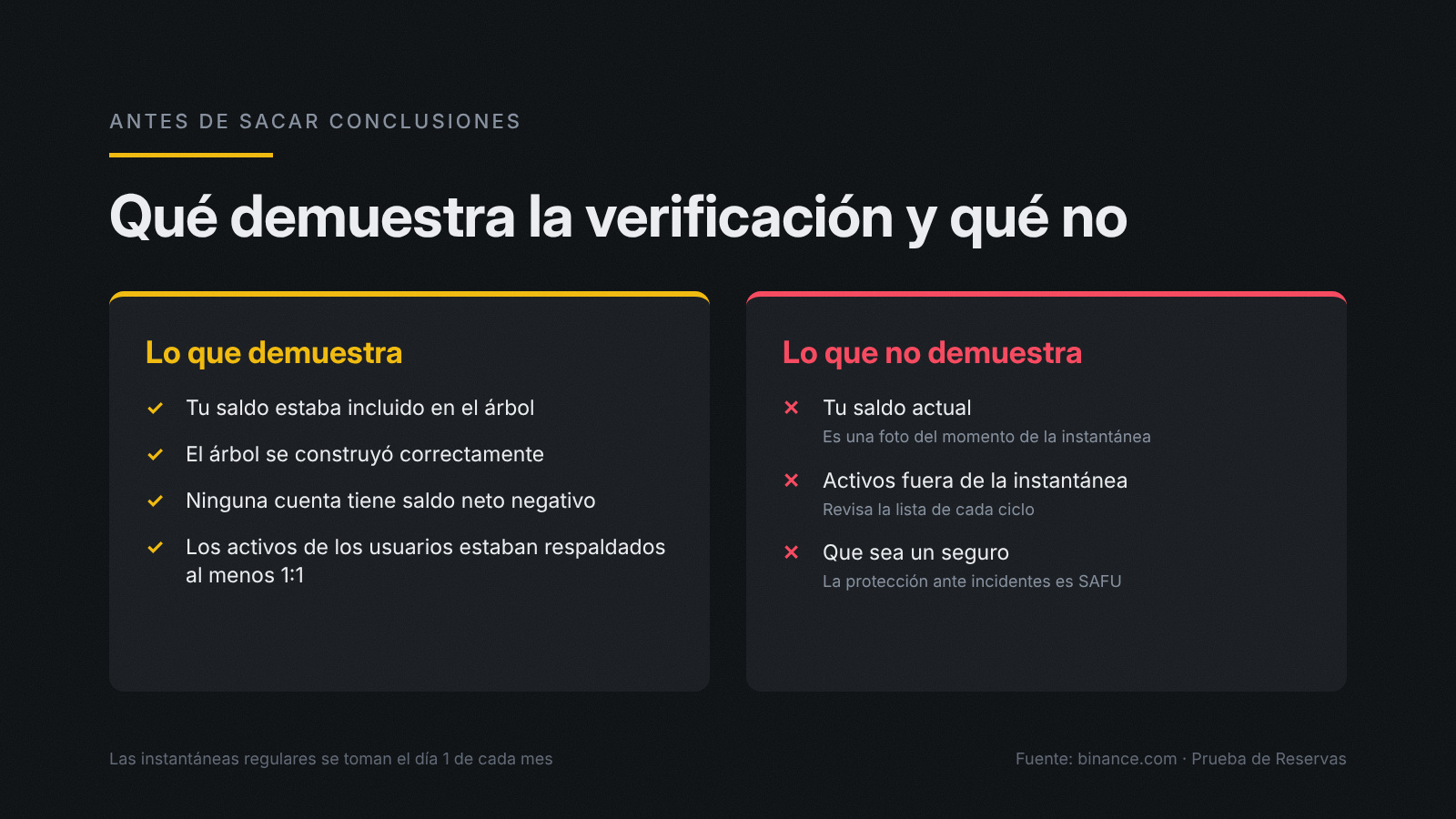
A successful verification confirms that your account was included in the Merkle tree and that users' assets were backed at least 1:1 at the time of the snapshot. It also confirms that the tree was built correctly and contains no accounts with a negative net balance.
But there are some limitations to keep in mind:
It's a snapshot, not a video. It reflects your balance at the snapshot's date and time, not your current balance.
It covers the assets included in that snapshot. Check the Proof of Reserves page to see which assets can be verified in each cycle.
Use the correct verifier. It is the one included in the .zip file for that same snapshot.
It's transparency, not insurance. Protection against platform incidents is provided by SAFU, the emergency fund Binance created in July 2018.
Frequently asked questions
Where can I find my Binance Proof of Reserves verification data?
On Binance.com, click the wallet icon in the top bar → Verification. There you'll find your Record ID, Merkle Hash, Merkle Leaf, and the two downloadable files for each snapshot.
Which assets are covered by the snapshot I'm reviewing?
It depends on the cycle. The October 31, 2026 snapshot covers BTC, ETH, USDT, BNB, SOL, USDC, XRP, USD1, RLUSD, and ZEC. The November 4, 2026 (00:00 UTC) snapshot expands coverage to more tokens and is now available for verification. In that snapshot, the reserve ratios are 100.03% for BTC, 100.02% for ETH, 101.55% for USDT, 101.49% for BNB, 100.13% for SOL, 103.12% for USDC, 102.13% for XRP, and 100.96% for USD1. See the Proof of Reserves page for the complete list and current figures.
Does Proof of Reserves guarantee that my funds are protected?
It's not insurance. It shows that users' assets were backed at least 1:1 at the time of the snapshot. Protection against incidents is provided by SAFU: after the October 29 incident, Binance covered the affected funds with SAFU and its own resources, and stated that Binance—not its users—would absorb the loss.
Is it safe to download and run the verifier?
Yes, if you download it from your account on Binance's official website. The verifier is open source, runs on your computer, and doesn't ask for your password or security codes. You can check that it's the original by comparing its sha256 hash with the one published in Binance's official GitHub repository: they matched in my test.
Did you get "verify pass!!!"? Let me know in the comments. If you ran into a problem at any step, tell me which one and I'll help you fix it.
Save this guide for the next snapshot and share it with someone who holds crypto on Binance. Follow me for more guides in Spanish.
Risk warning: The price of digital assets can go up or down. The value of your investment may decrease, and you may not get back the amount you invested. You are responsible for your investment decisions.
Links: