
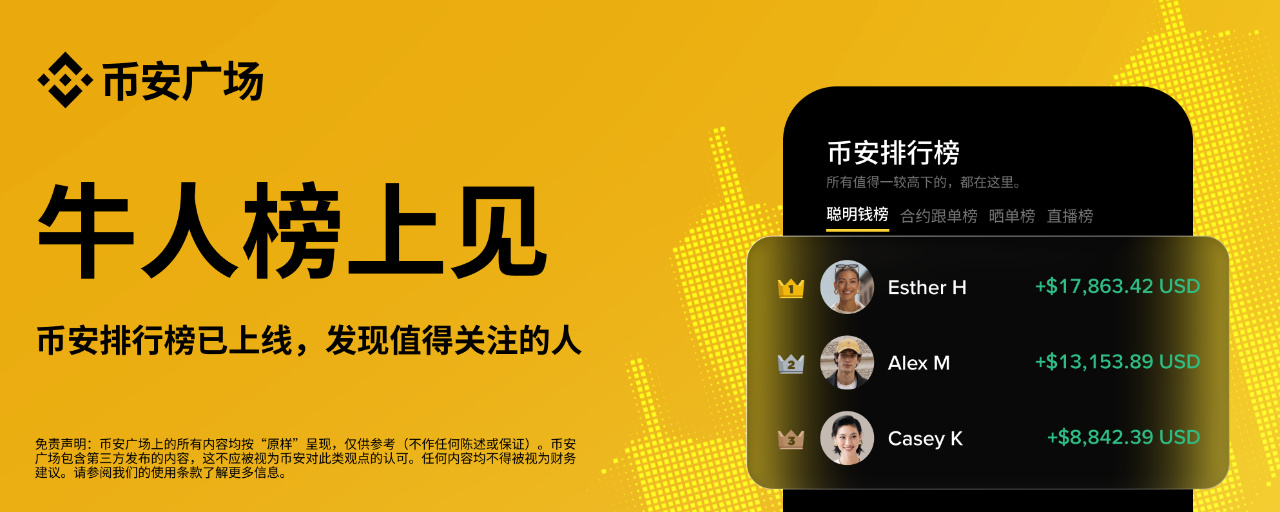


Binance Square has officially launched the Binance Leaderboard, a hub that brings together trading leaderboards. It combines the Smart Money Leaderboard, Futures Copy Trading Leaderboard, Trade Showcase Leaderboard, and Live Leaderboard to help you discover traders and content you’re interested in more efficiently. With the new leaderboard sharing feature, you can also turn your leaderboard achievements into exclusive posters and let more people see your trading highlights.
Key Features
Rankings from every angle, discover top traders: Catch signals from leading traders on the Smart Money Leaderboard, check copy traders’ performance on the Futures Copy Trading Leaderboard, or browse high-return trade showcase posts on the Trade Showcase Leaderboard—all to find traders you’d like to learn more about.
Discover great livestreams: Find popular livestreams in Top Live Streamers, or check the Live Trading PNL rankings to see the combined PNL of participants using Join Live Trading in a livestream. Choose a livestream that interests you.
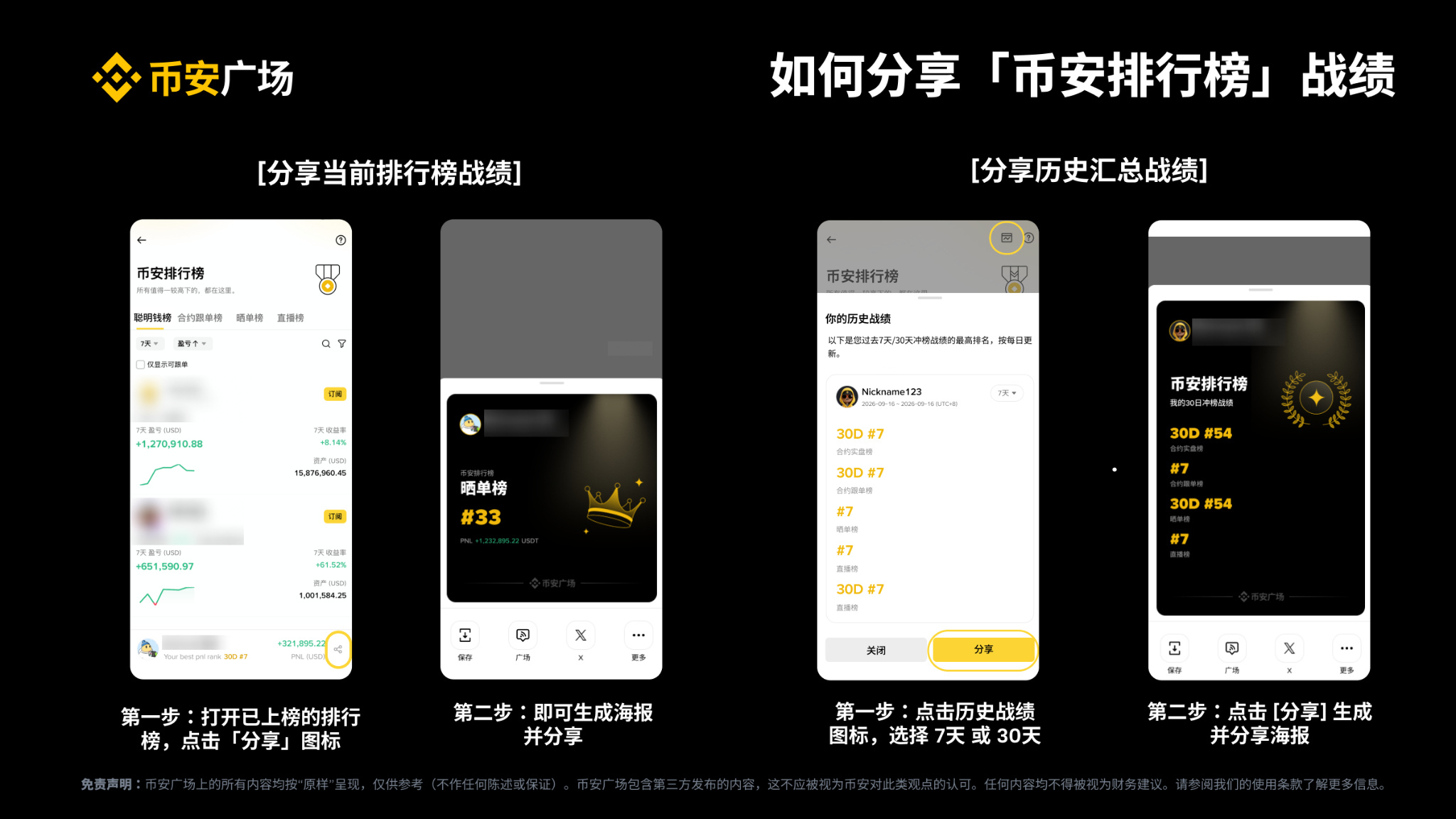
Share your current ranking: Create a personalized poster of your best current ranking on an individual leaderboard, then save or share your moment in the rankings.
Your leaderboard highlights at a glance: Summarize your best rankings across leaderboards over the past 7 or 30 days in one poster to share your recent achievements.
How to view leaderboards and share performance records
View leaderboards
Square top navigation: Go to “Binance Leaderboards” and switch tabs to view different rankings.
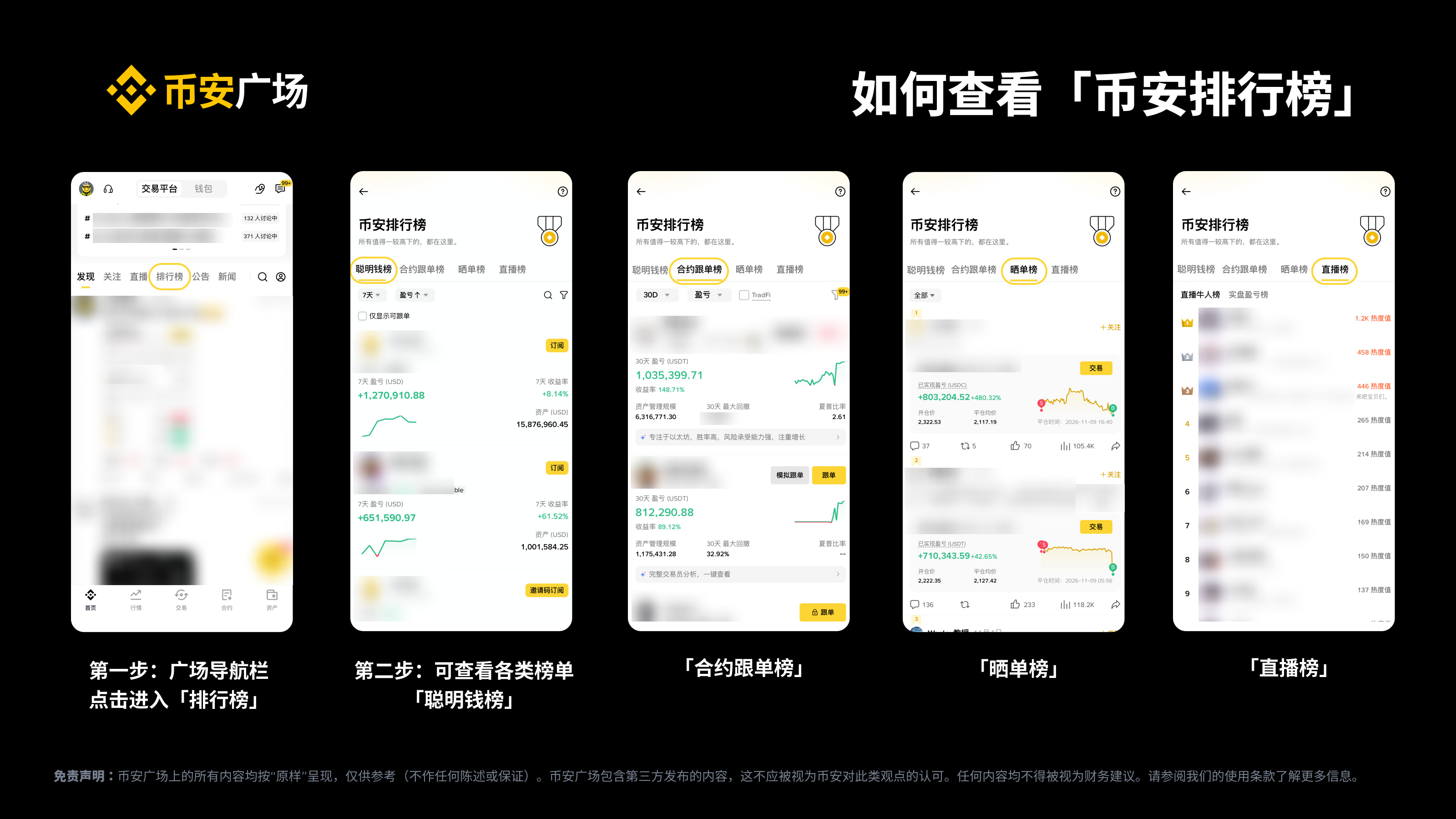
Ranked performance-sharing posts: Tap the ranking badge below a performance-sharing card to view the corresponding leaderboard.
Live Rankings: Tap the leaderboard badge beneath a host’s profile picture to view Top Live Streamers or Live Trading PNL.
Share your current ranking
Open a leaderboard where you’re currently ranked, then tap the “My Best Performance” card at the bottom of the page.
Create a personalized poster, then choose to save or share it.
Share a summary of historical performance
Tap the performance icon in the upper-right corner of the leaderboard to open “Historical Performance Summary.”
Select “Past 7 Days” or “Past 30 Days” to view your best rankings across leaderboards during that period. Tap “Share” to create a performance summary poster and save or share it.
Frequently asked questions
Q1. Which leaderboards are included in Binance Leaderboards?
The Chinese-language interface includes the Smart Money Leaderboard, Futures Copy Trading Leaderboard, Performance-Sharing Leaderboard, and Live Rankings:
Smart Money Leaderboard (signals from top traders), Futures Copy Trading Leaderboard (find lead traders to follow), Performance-Sharing Leaderboard (see who’s sharing the most profitable trades)
Live Rankings: Top Live Streamers (see which livestreams are popular) and Live Trading PNL (see which livestreams have standout performance)
Q2. What is the Smart Money Leaderboard?
Binance Futures Smart Money is a suite of tools that helps users discover and learn from outstanding futures traders. Futures traders can choose to enable live trading and publicly display their performance data and positions. The top 100 traders by PNL/ROI appear on the Top Traders leaderboard. Subscribers can follow these traders, view their real-time positions, and receive trading alerts.
Ranking data is updated hourly. Active days, maximum drawdown, and win rate are updated daily. Other performance data is updated on schedule, with a delay of around 20 minutes.
Q3. What is the Futures Copy Trading Leaderboard? How are traders ranked?
The Futures Copy Trading Leaderboard ranks lead traders based on metrics such as returns, assets under management (AUM), maximum drawdown, and number of followers, helping users quickly find and follow traders with consistent performance.
Q4. What is the Performance-Sharing Leaderboard? How are posts ranked?
The Performance-Sharing Leaderboard is a Square leaderboard of futures trading posts with high returns. It brings together recent posts with the highest PNL, helping users quickly find successful traders whose trading ideas they can learn from.
In the Square’s performance-sharing post rankings, posts are ranked by position PNL from highest to lowest. If a user has multiple posts about the same position, only the latest post is included. If a user has multiple positions that meet the criteria, multiple posts from that user can appear in the rankings.
Ranked posts are marked on their corresponding content detail pages, and the ranking badge is also displayed on the performance-sharing card. This helps users browsing content quickly identify posts with high PNL.
Q5. What are the Live Rankings? How are they ranked?
The Live Rankings feature the Top Live Streamers and Live Trading PNL rankings, based on the overall popularity and quality of trading livestreams. They help viewers find great streamers, content, and strategies while watching live markets, trading in real time, and connecting with others around live trading.
* Trading livestreams: Livestreams in which the host discusses trading-related topics, such as market analysis, trading strategies, charting techniques, and trade reviews, and uses trading tools such as screen sharing, listing trading pairs, strategies, and Join Live Trading to help viewers make decisions and place trades in real time.
Top Live Streamers: This ranking is based on a combination of factors, including the number of viewers online and how long they stay, livestream interaction rates, trading livestream quality, and trade recommendations. The overall score mainly consists of the following four dimensions:
Audience engagement: Number of viewers online and how long they stay
Interaction: Livestream interaction rates, including follows, comments, and shares
Content quality: Trading livestream quality and trade recommendation performance
Build trust: Turn on your camera and appear on screen when convenient. Do not artificially inflate traffic or engagement with spam or红包.
Live Trading PNL: This ranking is based on hosts enabling Join Live Trading. The platform aggregates the cumulative PNL of participants in each livestream and ranks the livestreams. Livestreams that have not enabled this feature are excluded, as are those with too few eligible participants in Join Live Trading.
Q6. Which performance records can I share?
Current ranking record: Your current best ranking in the corresponding leaderboard.
Best historical records: A summary of your best rankings across leaderboards over the past 7 or 30 days. “Best” refers to ranking, not the highest or cumulative returns.
Q7. How do I share my performance records?
To create and share a poster, update the Binance App to version 3.23 or later.
Current record: Open a leaderboard where you’re ranked → tap the Share button at the bottom → create a performance poster to save or share
Historical records: Tap the performance icon in the upper-right corner of the leaderboard → select the past 7 or 30 days → tap “Share”
Q8. Why is the performance card different from the current filter results?
Some leaderboards show your best ranking from among the supported time periods or filter options, so it may differ from the current list. Check the leaderboard and period shown on the card.
Q9. Why can’t I see or share my performance records?
Not currently ranked: The current performance card won’t appear at the bottom, but you can still view your history.
“Ranking has expired” notice: The page will refresh automatically and remove the expired card.
No records for the selected historical period: The Share button won’t appear. Select another period to check.
App version earlier than 3.23: Update the app before creating and sharing a poster.