Bro: stop waiting around for the Muse AI whitelist! I’ll show you how to register in a few minutes.
Recently, a lot of X users want to register for Muse AI, but they keep getting stuck on the whitelist.
There are tons of tutorials online—Airtap, Browser Use, all that stuff—and after messing around for half a day, beginners still can’t figure it out.
Actually, there are two easiest methods.
Method 1: Register with a new phone (most recommended)
Android or iPhone both work.
Prepare a new phone and a new Gmail address; if you’ve been waiting on the whitelist before, don’t use that one!
Switch your VPN to an overseas node, for example I use Singapore.
Open the registration link: https://muse.ai/join
Key point:
If you registered before and kept getting stuck on the whitelist, it’s recommended to switch to a new device and a new email and try again. That’s the trick—don’t keep messing around on the original device.
I just tested registering two accounts back-to-back, and both succeeded.
After registering successfully, log into Muse on your usual phone and download the app as prompted.
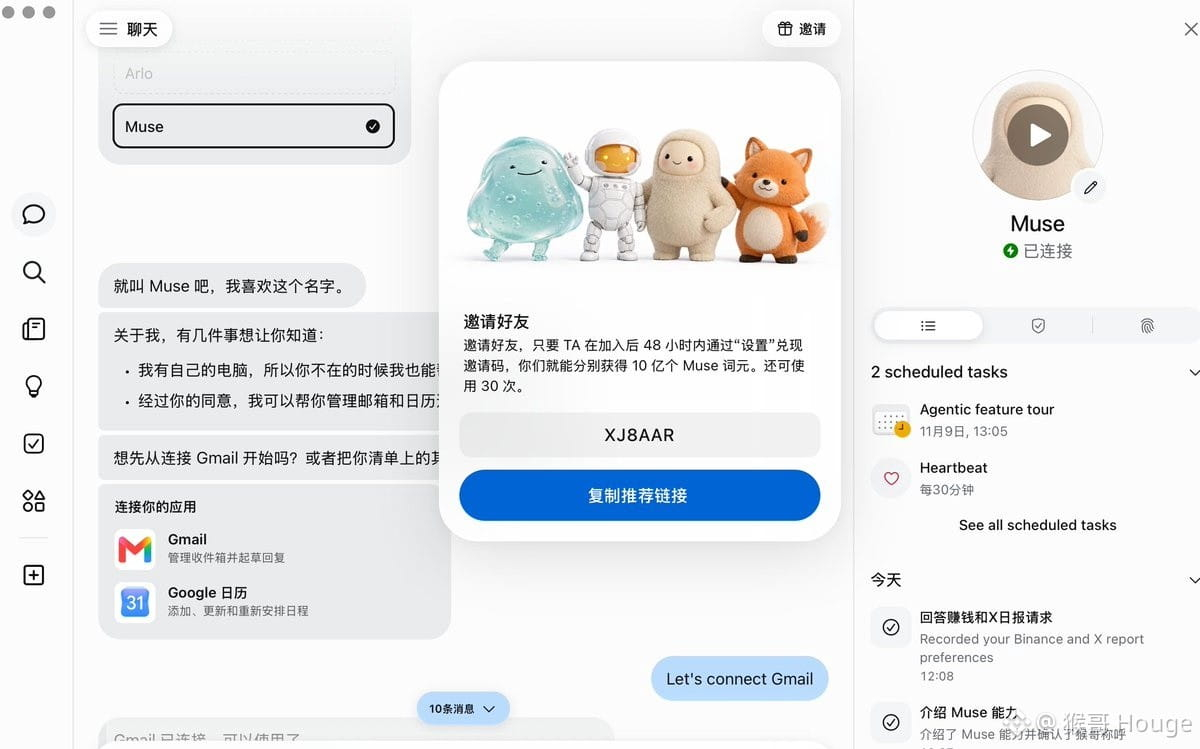
Note: remember to redeem the invite code within 48 hours!
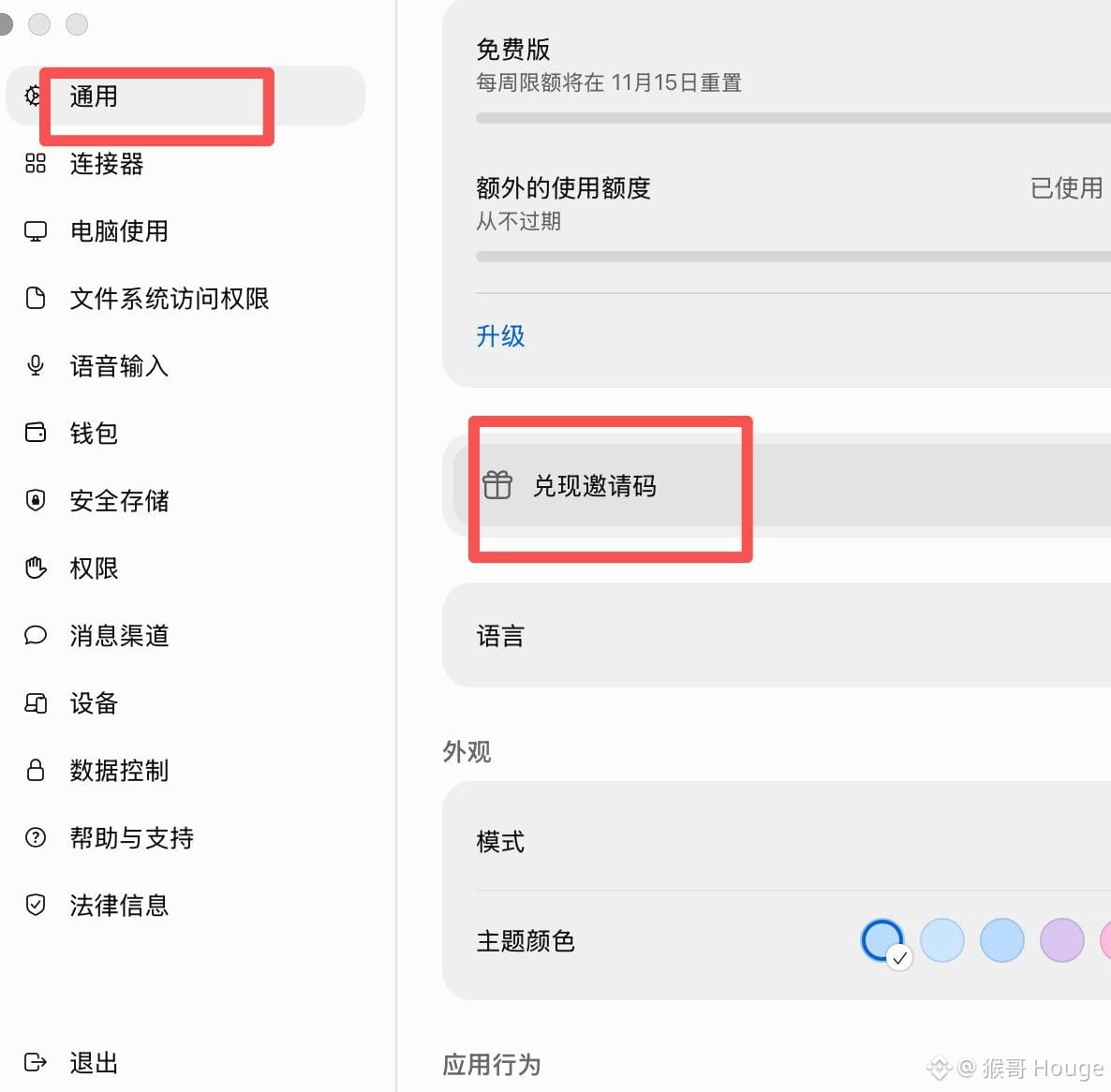
Open "Settings" → "General" → "Redeem Invite Code" and enter XJ8AAR
Both sides get 1 billion Muse tokens each. This invite code I just used was newly registered, and there are still 30 spots left.
Method 2: Register using Gemini Spark
If you don’t have a new phone, you can also try this method.
The prerequisite is that your Gemini account has Spark enabled (requires AI Pro/Ultra users).
Entry: https://gemini.google.com/spark
After opening it, send the following instruction to Gemini and let it help you complete the registration:
Help me open https://muse.ai/join
Use a remote browser to access the Muse registration page and help me complete the account registration.
Whenever I need to enter an email, verification code, or personal information at any step, please pause and let me take over.
If age verification comes up, show the available verification methods and let me choose and complete it myself.
Recently, a lot of X users want to register for Muse AI, but they keep getting stuck on the whitelist.
There are tons of tutorials online—Airtap, Browser Use, all that stuff—and after messing around for half a day, beginners still can’t figure it out.
Actually, there are two easiest methods.
Method 1: Register with a new phone (most recommended)
Android or iPhone both work.
Prepare a new phone and a new Gmail address; if you’ve been waiting on the whitelist before, don’t use that one!
Switch your VPN to an overseas node, for example I use Singapore.
Open the registration link: https://muse.ai/join
Key point:
If you registered before and kept getting stuck on the whitelist, it’s recommended to switch to a new device and a new email and try again. That’s the trick—don’t keep messing around on the original device.
I just tested registering two accounts back-to-back, and both succeeded.
After registering successfully, log into Muse on your usual phone and download the app as prompted.
Note: remember to redeem the invite code within 48 hours!
Open "Settings" → "General" → "Redeem Invite Code" and enter XJ8AAR
Both sides get 1 billion Muse tokens each. This invite code I just used was newly registered, and there are still 30 spots left.
Method 2: Register using Gemini Spark
If you don’t have a new phone, you can also try this method.
The prerequisite is that your Gemini account has Spark enabled (requires AI Pro/Ultra users).
Entry: https://gemini.google.com/spark
After opening it, send the following instruction to Gemini and let it help you complete the registration:
Help me open https://muse.ai/join
Use a remote browser to access the Muse registration page and help me complete the account registration.
Whenever I need to enter an email, verification code, or personal information at any step, please pause and let me take over.
If age verification comes up, show the available verification methods and let me choose and complete it myself.