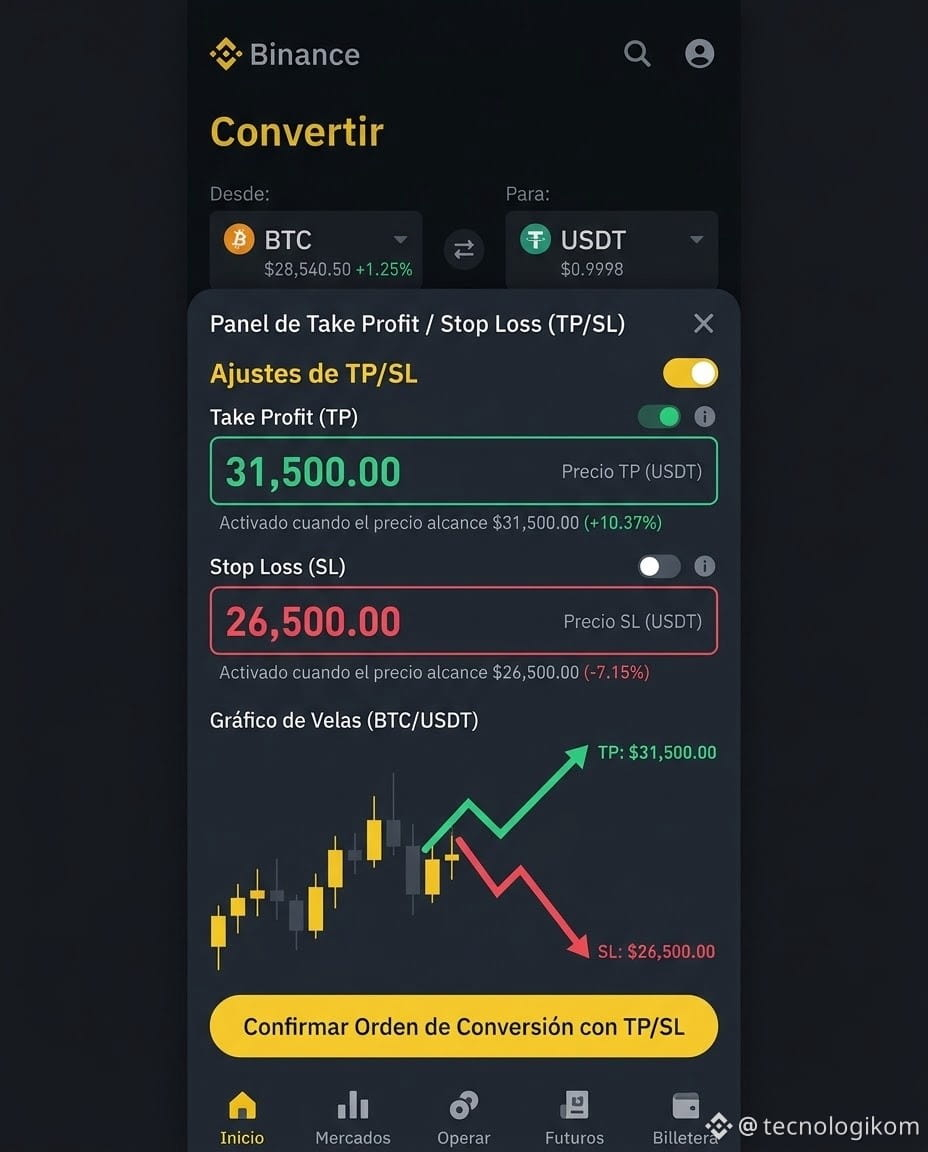
A must-have for lazy traders! You can now set take profit and stop loss in Binance Convert 🛡️
I used to think Convert was only for buying and selling manually—just converting 😊—but it actually has a built-in TP/SL feature.
How does it work?
1. Open Binance Convert (Instant mode) and enable Advanced settings.
2. Enter the amount you want to buy as usual.
3. Set your take-profit price (for example, automatically sell when the price rises 10%) and stop-loss price (for example, automatically sell when the price drops 5%).
4. Confirm, and you're all set. Close the app and get on with whatever you need to do.
🔥🔥Keep two things in mind:
· Stop-loss orders are executed at market price, so slippage may occur in extreme conditions.
· You can have up to 20 orders open at the same time.
Great for holders who don't want to constantly monitor the market. Plan ahead and let the system take care of the rest. ✅
Until my next post,
Cheers, Binance folks!
#Binance #Convert #TakeProfitStopLoss #TradingTips #RiskManagement
I used to think Convert was only for buying and selling manually—just converting 😊—but it actually has a built-in TP/SL feature.
How does it work?
1. Open Binance Convert (Instant mode) and enable Advanced settings.
2. Enter the amount you want to buy as usual.
3. Set your take-profit price (for example, automatically sell when the price rises 10%) and stop-loss price (for example, automatically sell when the price drops 5%).
4. Confirm, and you're all set. Close the app and get on with whatever you need to do.
🔥🔥Keep two things in mind:
· Stop-loss orders are executed at market price, so slippage may occur in extreme conditions.
· You can have up to 20 orders open at the same time.
Great for holders who don't want to constantly monitor the market. Plan ahead and let the system take care of the rest. ✅
Until my next post,
Cheers, Binance folks!
#Binance #Convert #TakeProfitStopLoss #TradingTips #RiskManagement