
You’ve found USDT in your wallet, but haven’t completed the checks before receiving it. The network you choose and the account address you copy determine where your assets go.
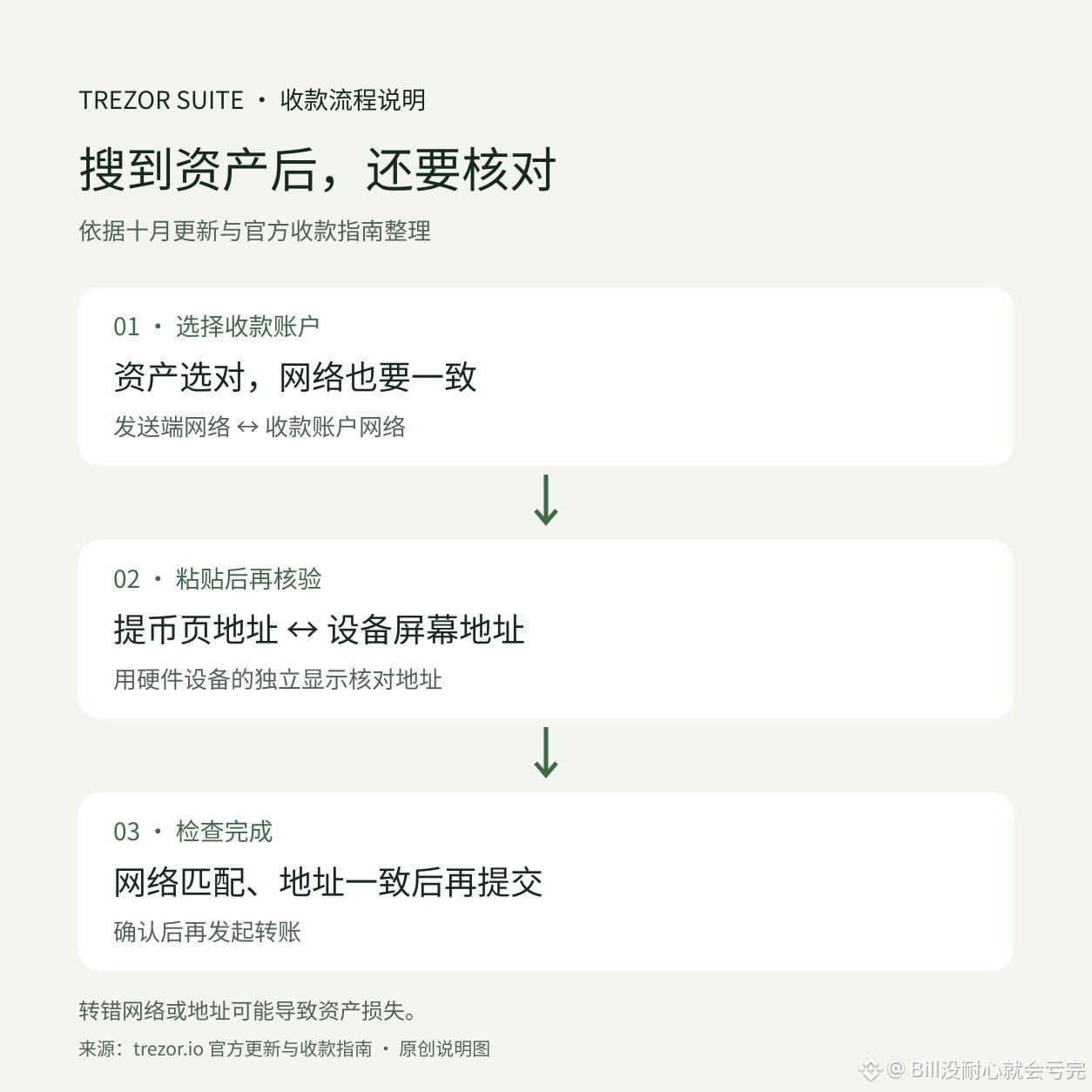
Trezor’s October Suite update changed the desktop receiving flow so you search for an asset first. It’s now easier to use, but when withdrawing from an exchange, the withdrawal network must still match the receiving account’s network. According to the official guide, to receive USDT on Ethereum, use your Ethereum account address; the token doesn’t have a separate, dedicated receiving address.
There’s one more step that’s easy to skip: after pasting the address into the withdrawal page, compare it with the address shown on your Trezor device’s screen. Checking only the address on your computer or phone isn’t enough—malware could replace the copied and pasted content.
Searching for an asset makes it easier to find the right token, while matching the network and verifying the address on your device help reduce the risk of sending funds on the wrong network or to the wrong address. On-chain transfers carry a risk of loss, and a hardware wallet can’t correct a network selection mistake for you.
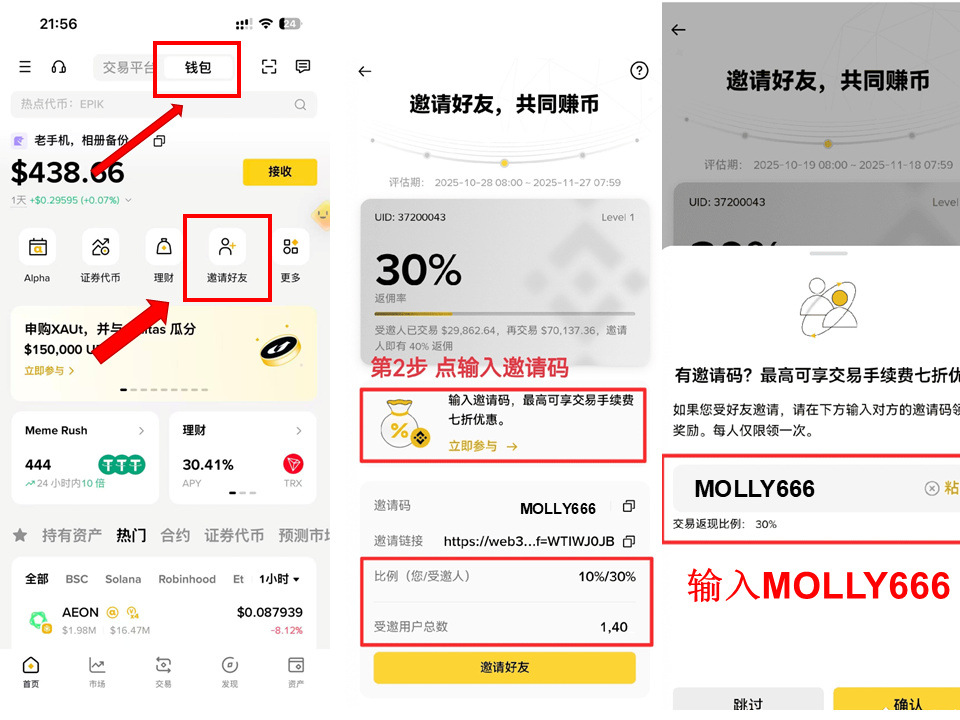
Binance Wallet referral code: MOLLY666
Trezor’s October Suite update changed the desktop receiving flow so you search for an asset first. It’s now easier to use, but when withdrawing from an exchange, the withdrawal network must still match the receiving account’s network. According to the official guide, to receive USDT on Ethereum, use your Ethereum account address; the token doesn’t have a separate, dedicated receiving address.
There’s one more step that’s easy to skip: after pasting the address into the withdrawal page, compare it with the address shown on your Trezor device’s screen. Checking only the address on your computer or phone isn’t enough—malware could replace the copied and pasted content.
Searching for an asset makes it easier to find the right token, while matching the network and verifying the address on your device help reduce the risk of sending funds on the wrong network or to the wrong address. On-chain transfers carry a risk of loss, and a hardware wallet can’t correct a network selection mistake for you.
Binance Wallet referral code: MOLLY666