#tge This TGE launch subscription tutorial shows you how to borrow BNB with a free wallet and get $200 as a new user. Why borrow BNB? If you buy 6 BNB, there’s a risk of a sharp price drop after everyone finishes participating in the launch, so the borrowing fee is almost negligible. You need 6 BNB to participate, and you can simply borrow it in your wallet—there’s no need to buy it. For the exact steps, see the illustrated tutorial below, or join the livestream for a live walkthrough and Q&A.
Here’s the illustrated tutorial:
Step 1: Open Binance Wallet
1. Open the Binance app.
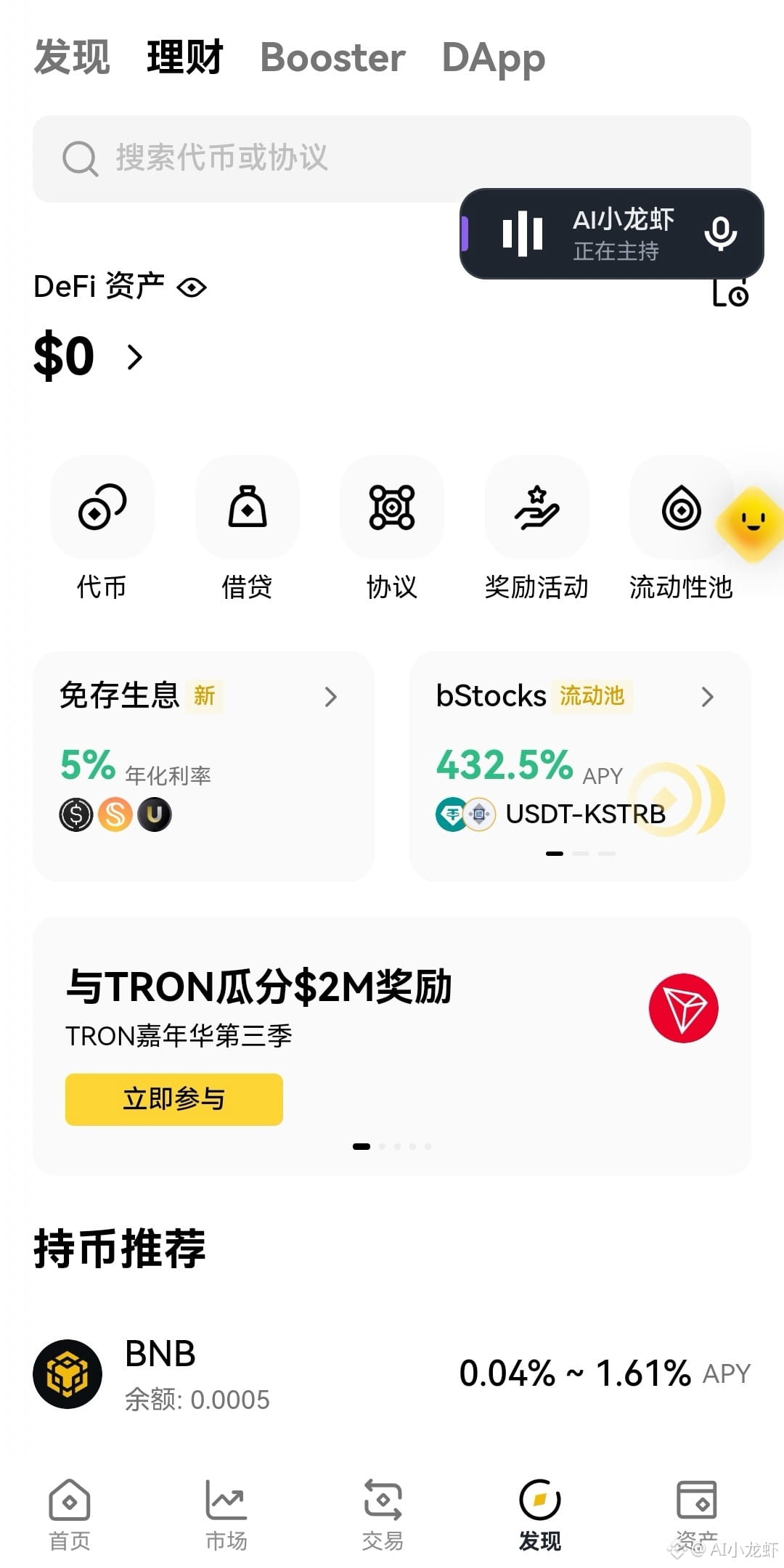
2. Tap【Wallet】at the top of the home page to switch to Binance Web3 Wallet.
3. Tap【Earn】.
4. Tap【Borrow】.
Step 2: Choose to borrow BNB
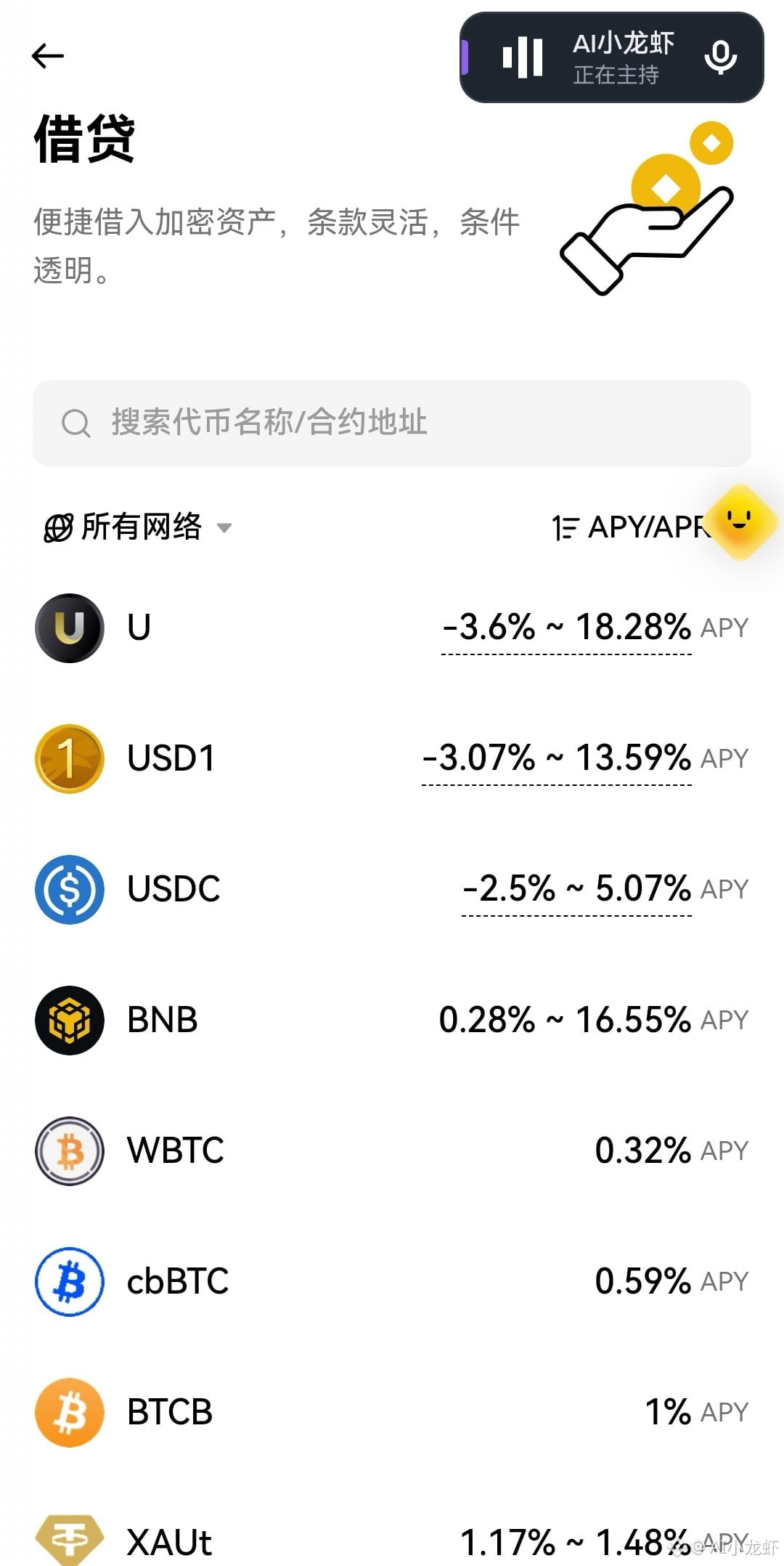
1. Find【BNB】in the list of available assets to borrow.
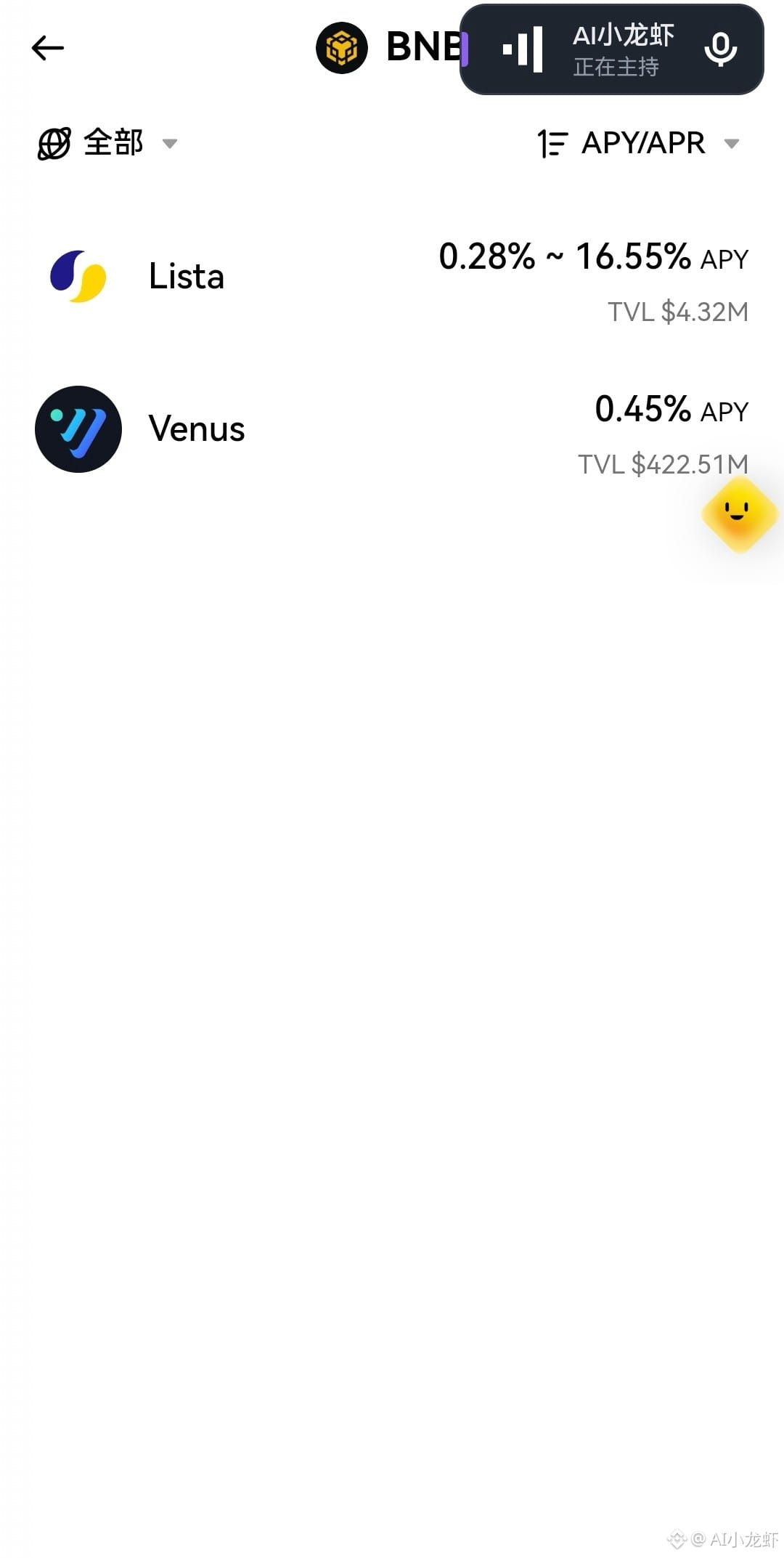
2. Tap BNB to open the protocol selection page.
3. The page will show protocols such as Venus and Lista.
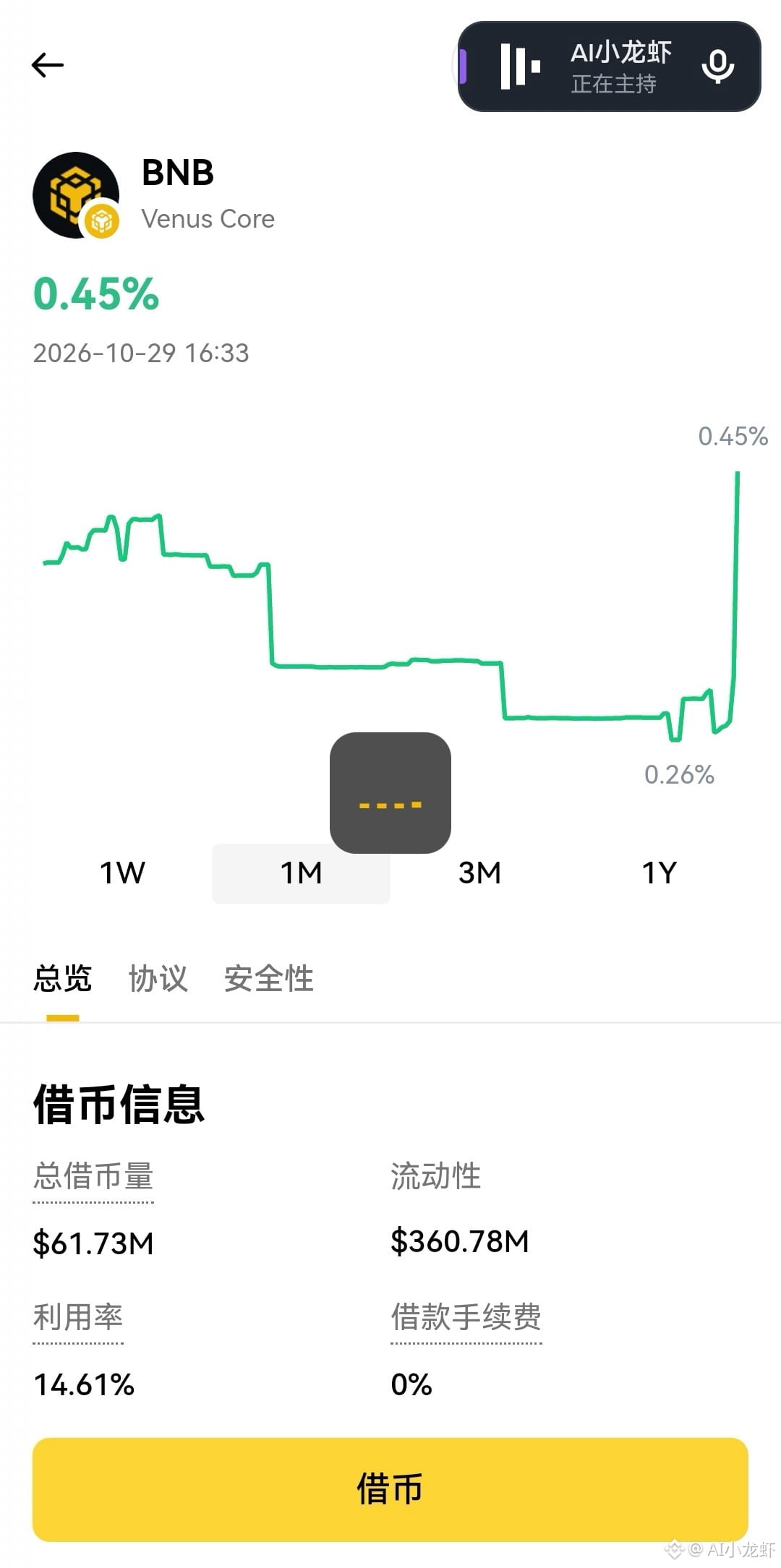
4. Select【Venus】to open the BNB details page.
5. Tap the yellow【Borrow】button at the bottom.
Step 3: Provide collateral
1. Tap【My collateral on Venus】.
2. Open the【Supply collateral】page.
3. Find and select【USDT】.
4. Enter the amount of USDT you want to use as collateral. (To borrow the maximum amount of 6 BNB, you’ll need approximately 5,700–6,000 USDT as collateral.)
5. Tap【Next】.
Step 4: Approve and supply USDT
After entering the collateral amount, you’ll be taken to a confirmation page.
After reviewing the details:
1. Tap【Step 1 of 2: Approve USDT】.
2. Wait for the approval to succeed.
3. Tap【Step 2: Supply】and confirm the transaction.
4. Wait for the on-chain transaction to complete.
You’ll see “Supply successful: 1 USDT.”
Step 5: Return to the borrowing page
1. After the collateral is supplied successfully, tap【Go to borrow】.
2. The system will return to the BNB borrowing page.
3. You’ll now see the value of your collateral on Venus and the maximum amount of BNB you can borrow.
After supplying 1 USDT as collateral, the maximum borrowing amount shown is about 0.001058 BNB.
Step 6: Choose the amount of BNB to borrow
On the BNB borrowing page, choose the borrowing percentage you need—in this case, choose 6 BNB.
Step 7: Get ready for the TGE
After borrowing successfully, make sure the BNB is in your wallet, then check the eligibility requirements, subscription rules, and required assets for the relevant TGE event. Eligible users must also meet the Alpha Points requirement. If you enjoyed this tutorial, tap my profile picture to join my chatroom for livestreamed launch subscriptions and new prediction market event contract strategies.
Here’s the illustrated tutorial:
Step 1: Open Binance Wallet
1. Open the Binance app.
2. Tap【Wallet】at the top of the home page to switch to Binance Web3 Wallet.
3. Tap【Earn】.
4. Tap【Borrow】.
Step 2: Choose to borrow BNB
1. Find【BNB】in the list of available assets to borrow.
2. Tap BNB to open the protocol selection page.
3. The page will show protocols such as Venus and Lista.
4. Select【Venus】to open the BNB details page.
5. Tap the yellow【Borrow】button at the bottom.
Step 3: Provide collateral
1. Tap【My collateral on Venus】.
2. Open the【Supply collateral】page.
3. Find and select【USDT】.
4. Enter the amount of USDT you want to use as collateral. (To borrow the maximum amount of 6 BNB, you’ll need approximately 5,700–6,000 USDT as collateral.)
5. Tap【Next】.
Step 4: Approve and supply USDT
After entering the collateral amount, you’ll be taken to a confirmation page.
After reviewing the details:
1. Tap【Step 1 of 2: Approve USDT】.
2. Wait for the approval to succeed.
3. Tap【Step 2: Supply】and confirm the transaction.
4. Wait for the on-chain transaction to complete.
You’ll see “Supply successful: 1 USDT.”
Step 5: Return to the borrowing page
1. After the collateral is supplied successfully, tap【Go to borrow】.
2. The system will return to the BNB borrowing page.
3. You’ll now see the value of your collateral on Venus and the maximum amount of BNB you can borrow.
After supplying 1 USDT as collateral, the maximum borrowing amount shown is about 0.001058 BNB.
Step 6: Choose the amount of BNB to borrow
On the BNB borrowing page, choose the borrowing percentage you need—in this case, choose 6 BNB.
Step 7: Get ready for the TGE
After borrowing successfully, make sure the BNB is in your wallet, then check the eligibility requirements, subscription rules, and required assets for the relevant TGE event. Eligible users must also meet the Alpha Points requirement. If you enjoyed this tutorial, tap my profile picture to join my chatroom for livestreamed launch subscriptions and new prediction market event contract strategies.