


To move crypto from Binance Wallet to your Binance Exchange account, open Deposit on the Exchange side, pick the coin and network, and copy the deposit address. Then send the coin from Binance Wallet to that address on the same network, keeping a little of the native token for gas. Funds are credited after network confirmation.
👉 New to Binance Wallet? Set it up here with a 10% trading fee rebate.
What is the difference between Binance Wallet and the Exchange account?
They live in the same Binance app, but they work differently.
Binance Wallet: a self-custody wallet. You control the keys, and every transfer out of it is an on-chain transaction with a gas fee.
Exchange account: your Spot and Funding wallets, held by Binance. This is where you trade on the order book, use Convert, P2P or Earn, and withdraw to a bank.
So moving coins from Binance Wallet to the Exchange is really a blockchain deposit into your own Binance account.
What do you need before you start?
A verified Binance Exchange account.
The coin you want to move, sitting in Binance Wallet.
Gas in the native token of that network, for example BNB on BNB Smart Chain or ETH on Ethereum.
A coin that Binance Exchange supports for deposits on that network.
How do you get your Exchange deposit address?
Open Wallet, then Overview, and click Deposit.
Choose Deposit Crypto and select the coin, for example USDT.
Pick the network you will send on. Most Binance Wallet users choose BNB Smart Chain (BEP20) because gas is cheap.
Copy the address, or the memo too if the coin needs one.
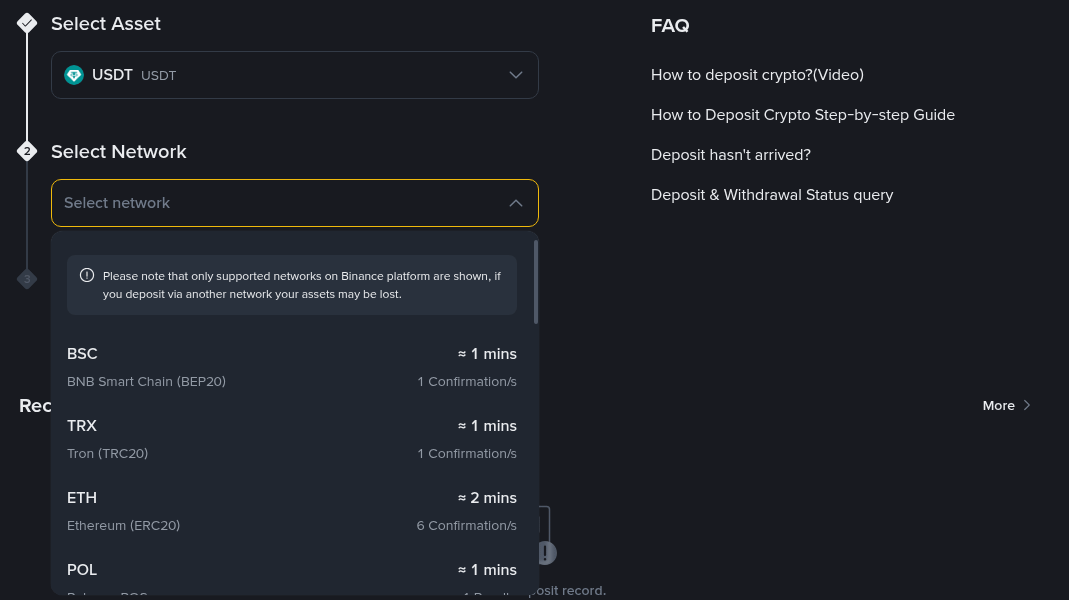
Only networks Binance supports for that coin are listed, each with its typical arrival time.
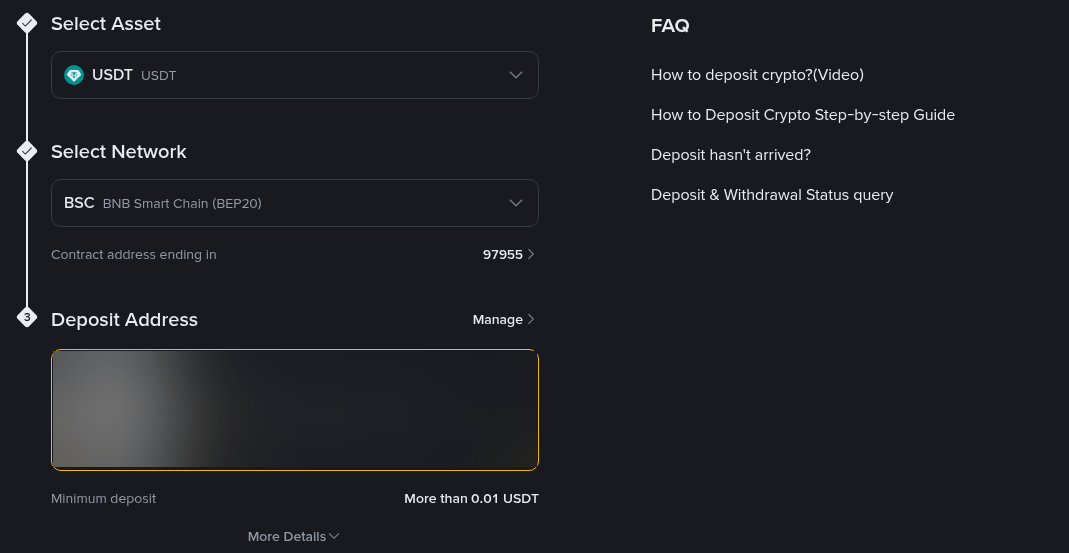
Your deposit address appears once the coin and network are selected.
How do you send from Binance Wallet to the Exchange?
Open the Binance app and switch to Wallet at the top.
Tap the coin you want to move, then tap Send.
Paste the Exchange deposit address and select the same network.
Enter the amount, review the gas fee and confirm.
The app may also offer a direct transfer option between Exchange and Binance Wallet for supported tokens. If your token or network isn't listed there, the deposit address method above always works for coins Binance supports.
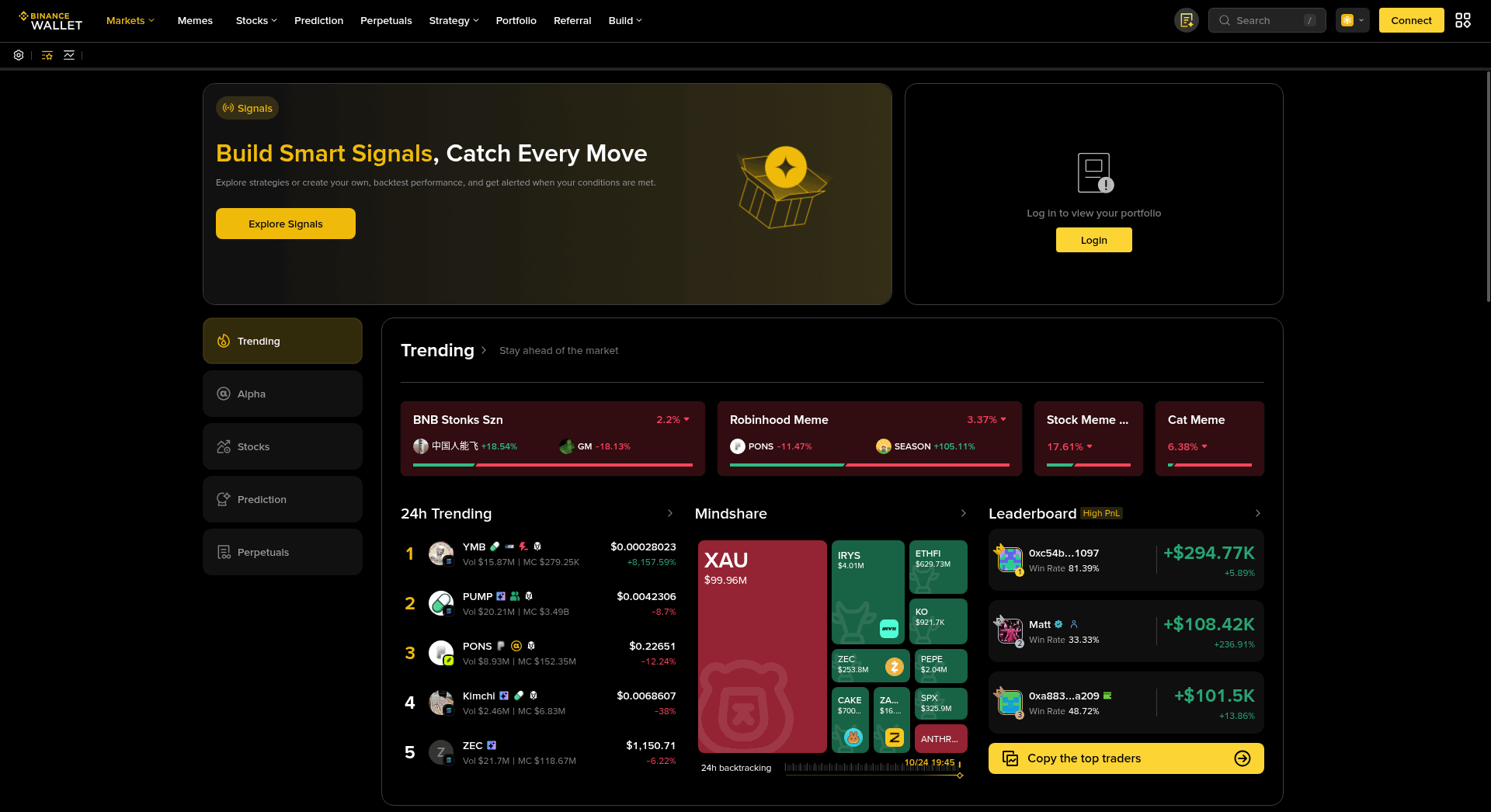
Binance Wallet also has a web version with markets and your portfolio. Sends out of the wallet always go on-chain.
Which network should you use?
Use a network that both sides support. Sending on a network the Exchange doesn't list for that coin can mean the deposit is never credited.
BNB Smart Chain (BEP20): low gas, widely supported for USDT, USDC and BNB.
Ethereum (ERC20): supported for most tokens, but gas is usually higher.
Solana and other chains: fine when Binance lists the coin on that network for deposits.
What fees do you pay?
You pay only the network gas fee, taken from Binance Wallet in the native token. Binance does not charge a fee for crypto deposits into the Exchange account.
If you trade inside Binance Wallet before moving the coins, the swap has its own fees, shown before you confirm.
How long does the transfer take?
Usually a few minutes. The deposit is credited after the required number of network confirmations, and you can follow it under Deposit history using the transaction ID.
Why didn't my transfer arrive?
The network on the deposit page didn't match the one you sent on.
The coin needs a memo or tag and it was left out.
The token isn't supported for deposits on Binance Exchange, which is common with new or small tokens.
The transaction is still waiting for confirmations, or it failed for lack of gas.
If a token isn't supported, swap it inside Binance Wallet into one that is, such as USDT or BNB, and send that instead.
FAQ
Can I move funds back from the Exchange to Binance Wallet?
Yes. Withdraw from the Exchange to your Binance Wallet address, or use the app's transfer option if your token supports it.
Do I need BNB to send USDT on BNB Smart Chain?
Yes. Gas on BNB Smart Chain is paid in BNB, so keep a small amount in the wallet.
Is a transfer to the wrong network recoverable?
Sometimes, but not always, and it can take a long time. Double-check the network before you confirm.
Can I send an unlisted meme token to the Exchange?
No. Swap it in Binance Wallet first, then move a supported coin.
Ready to try it?
If you haven't set up the wallet yet, you can create your Binance Wallet with code WELCOMECODE and get a 10% rebate on Binance Wallet trading fees.
Disclosure: WELCOMECODE is my referral code. If you use it, I may earn a commission from Binance at no extra cost to you. This is not financial advice.