



A fake pop-up window has been observed appearing on top of apps on iPhones running outdated iOS versions (below iOS 27) — and the older your iOS, the greater the exposure. Disguised as a security warning, it urges users to "withdraw your funds immediately" or "contact customer service." Tapping it can put your funds directly at risk.
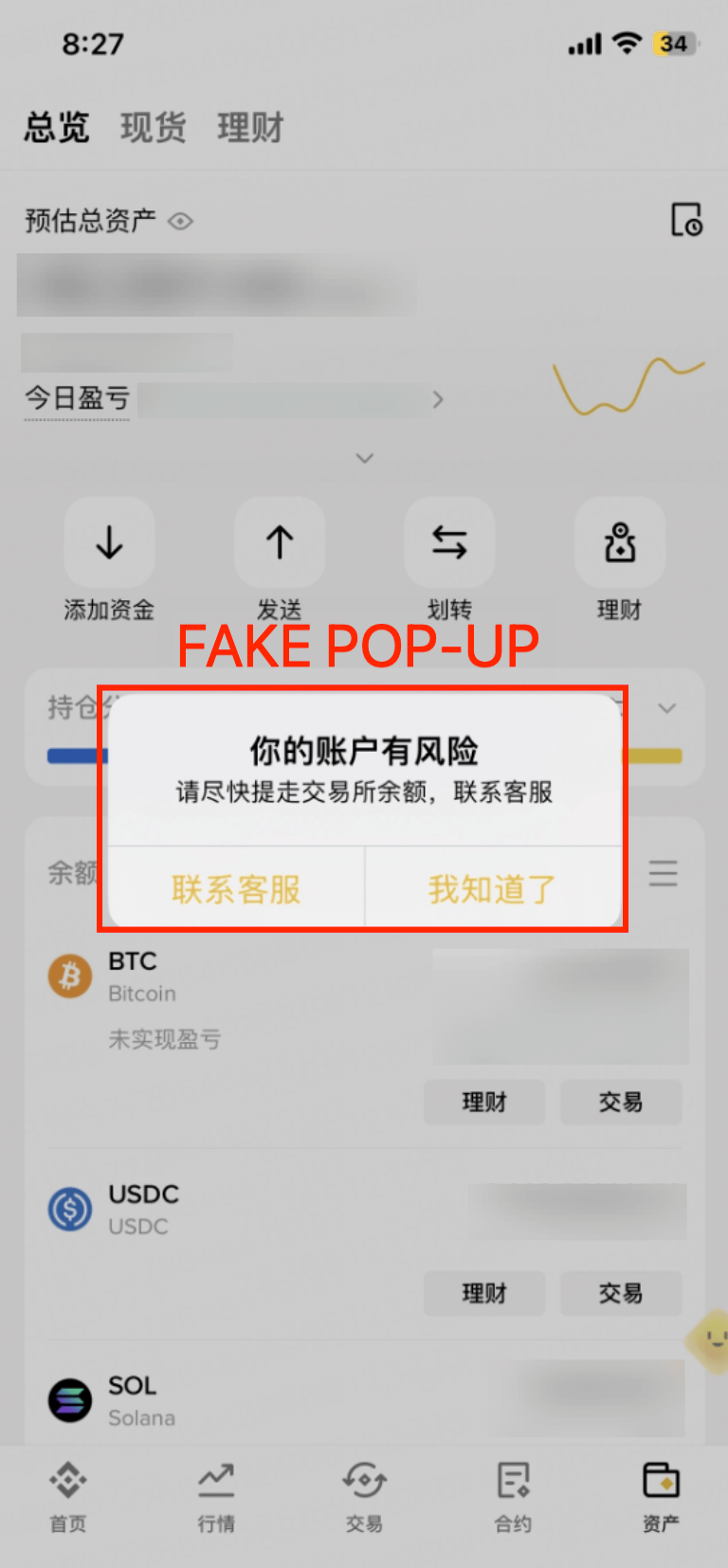
To be clear: this is not a Binance issue. The exploit targets iPhones that haven't been updated — the Binance App itself remains secure. The pop-up is injected by a third party, not by Binance.
What to do right now:
✅ Update your iPhone — Go to Settings → General → Software Update and install the latest iOS (currently iOS 27.0.1). iOS 27 is available for iPhone 11 and later models. If your iPhone doesn't support iOS 27, update to the highest version it supports, then upgrade to an iOS 27-compatible device (iPhone 11 or later) as soon as you can. Outdated devices face a much higher risk of such pop-ups — keeping your software up to date is the most effective way to stay protected.
🚨 Never withdraw because a pop-up told you to — This is critical: Binance will never ask you to withdraw your funds — not to "secure your account," not to "protect your assets," not for any urgent reason. If a pop-up asks this, it is not Binance. Close it immediately. Do not tap.
✅ Unsure whether a pop-up is real? Verify before acting — If a pop-up appears inside the Binance App and you're not sure it's genuine, don't tap it. Confirm with Binance Customer Support through the official app/website.
Already tapped one, or noticed anything unusual? Contact Binance Customer Support immediately through the official app/website.
📚 Further Reading:
Protect Your iPhone in 30 Seconds with Two Simple Setups
This content is for informational purposes only and does not constitute financial, legal, or investment advice.