

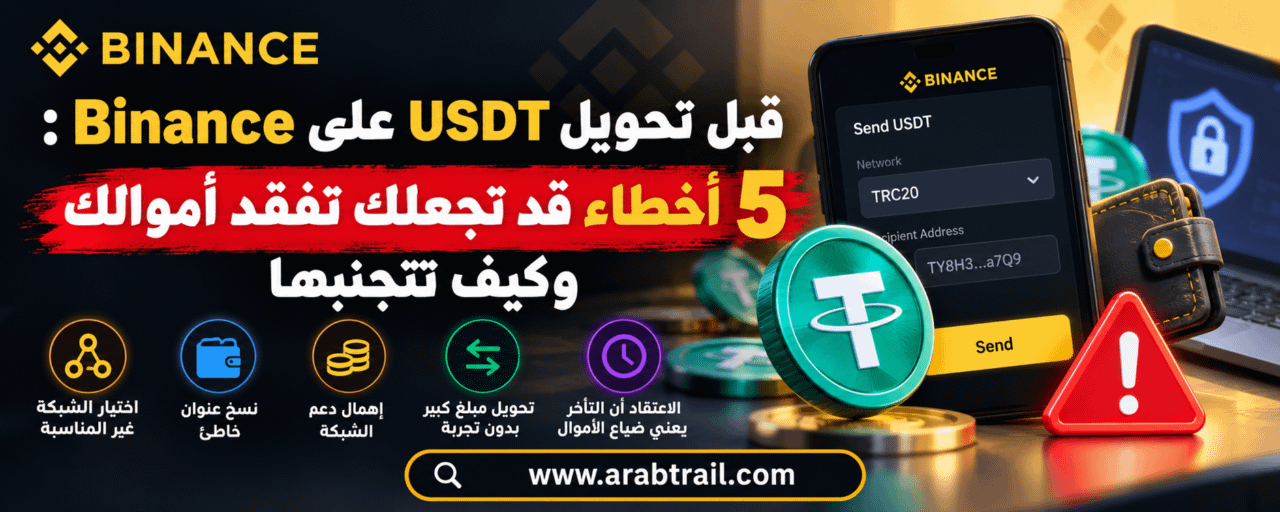
Before Transferring USDT on Binance: 5 Mistakes That Could Cost You Your Money and How to Avoid Them
Bought USDT on Binance and want to transfer it to another wallet or platform? Be careful: the wallet address you copied may be correct, but choosing the wrong network could prevent your funds from arriving.
Many beginners think transferring USDT is like making a bank transfer, but there’s an important difference: once a transaction is confirmed on the blockchain, it usually can’t be canceled or reversed.
The transfer itself is not difficult; the problem lies in small details users may overlook, such as the deposit network, receiving address, or minimum deposit.
In this guide, we’ll look at five common mistakes when transferring USDT from Binance and how you can avoid them before clicking the confirmation button.
1. Choosing an unsuitable USDT transfer network
This is one of the most important mistakes to watch out for before withdrawing cryptocurrency.
When you choose to withdraw USDT from Binance, you may see several networks, including:
TRC20 — TRON network
ERC20 — Ethereum network
BEP20 — BNB Smart Chain network
Although the currency has the same name, USDT, these networks are not identical, and you cannot assume they are compatible with every wallet and platform.
Practical example:
Suppose you want to transfer 200 USDT from Binance to another platform.
If the receiving platform supports USDT deposits only via TRC20, but you select ERC20 when withdrawing, the funds may not appear in your receiving account.
In some cases, recovering the funds may be difficult or impossible.
How can you avoid this mistake?
Before opening the withdrawal page on Binance:
Open the deposit page on the receiving platform.
Select USDT.
Check which deposit networks are supported.
Copy the receiving address.
Return to Binance and select the matching network.
The basic rule: First choose a supported network, then compare the fees.
2. Copying the wrong wallet address
You may choose the correct transfer network and still send USDT to the wrong address.
There are several possible reasons:
Copying an old address.
Using an address that belongs to someone else.
Choosing an unsuitable deposit address.
Copying an address sent by a stranger.
Malware changing the wallet address while you copy and paste it.
The serious issue is that confirmed blockchain transactions usually cannot be canceled.
How can you avoid the problem?
Copy the deposit address directly from the receiving wallet or platform.
After pasting it into Binance, review the entire address, not just the first and last characters.
Also make sure the address is compatible with the network you selected.
Do not rely on an address sent by someone on Telegram or WhatsApp who claims to be from technical support.
If this is your first time sending to a new address, it may be a good idea to make a small test transfer, if the limits and fees allow it.
3. Choosing the cheapest network without checking whether it is supported
When withdrawing USDT, fees may vary between networks.
Some networks may be cheaper than others, but that does not mean they are suitable for every transfer.
Example:
You want to send USDT to a platform that supports only ERC20, but you see that BEP20 fees are lower.
Choosing BEP20 to save on withdrawal fees may cause a problem with the deposit arriving.
So do not make transfer cost the only factor when choosing a network.
The right way:
Check which networks the receiving platform supports.
Select the matching network on Binance.
Review the displayed withdrawal fees.
Check the estimated amount that will arrive.
Make sure the details are correct before proceeding.
Remember that withdrawal fees may change depending on the network, platform, and operating conditions.
The right network is not always the cheapest one; it is the network through which the receiving platform can accept the funds.
4. Sending a large amount to a new address without testing it first
Suppose you want to transfer 1,000 USDT to a wallet you are using for the first time.
If you enter the wrong address or select the wrong transfer network, recovering the amount may be difficult.
A test transfer can therefore help reduce risk.
How do you make a test transfer?
Check the deposit network and address.
Check the minimum withdrawal and deposit amounts.
Send a suitable small amount if the fees allow it.
Wait for the amount to appear on the receiving platform.
Review the transfer details again before sending the remaining amount.
But be aware: Some platforms do not credit deposits below a certain minimum, and network fees can make small test transfers impractical.
Also, a successful first transfer does not mean you can skip reviewing the details of the second one.
5. Assuming that a delay in receiving USDT means the funds are lost
You sent USDT from Binance, and the balance was deducted from your account, but the funds have not arrived in the receiving wallet.
Does that mean you have lost your funds?
Not necessarily.
There are three main scenarios you should distinguish between.
Scenario one: The withdrawal is still being processed
If the withdrawal status on Binance indicates that the transaction is still being processed, it may not have been sent to the network yet.
Check the status and wait for it to update according to the platform’s instructions.
Scenario two: The transaction has been sent but is awaiting confirmation
The receiving platform may require a certain number of blockchain confirmations before crediting the funds to your account.
Even if the transaction appears on the network explorer, the deposit may not yet meet the receiving platform’s requirements.
Scenario three: The transaction is complete, but the balance has not appeared
If the transaction is confirmed on the blockchain, the problem may be with the selected network, the minimum deposit amount, or the receiving platform’s deposit processing system.
What should you do?
Open your withdrawal history on Binance.
Check the transaction status.
Copy the transaction ID (TXID), if available.
Check it using the appropriate blockchain explorer.
Check the receiving address and network.
If the transaction is complete but the balance has not arrived, contact the receiving platform’s official support team.
Do not send a second transfer just because the first one is delayed.
What should you do if you sent USDT over the wrong network?
If you discover that you selected an unsuitable network, do not assume the funds are gone forever—but do not assume that recovery is guaranteed either.
Recovery depends on several factors, including:
The network you used.
The address that received the funds.
The party that controls the private keys.
The support available from the receiving platform.
Policies for recovering unsupported deposits.
If you sent USDT to a trading platform, contact its official support team and provide the transaction ID, deposit address, and network used.
If the wallet is under your control, technical options may be available in some cases, but you should understand them thoroughly before taking any action.
Warning: Never share your wallet recovery phrase or private key with anyone who claims they can recover your funds.
Also beware of people who ask for an upfront fee in exchange for guaranteeing the recovery of cryptocurrency transfers.
Checklist before withdrawing USDT from Binance
Before clicking the withdrawal confirmation button, review these points:
✅ Did you select the correct currency, USDT?
✅ Does the withdrawal network match the deposit network?
✅ Is the wallet address correct?
✅ Does the receiving platform support the selected network?
✅ Have you reviewed the withdrawal fees?
✅ Is the expected amount to arrive clear?
✅ Have you checked the minimum deposit amount?
✅ Is the receiving platform trustworthy?
If you are unsure about any of these points, it is best to check before making the transaction.
Where can beginners learn more about USDT and Binance?
If you are new to cryptocurrency, it is important not only to learn how to buy USDT, but also to understand how to protect your account, choose the right transfer network, and handle deposit and withdrawal issues.
There are Arabic educational resources that help beginners understand these topics, including ArabTrail, a website focused on simplifying cryptocurrency concepts and providing practical guides to Binance, USDT, digital wallets, and account security.
🔎 To find the website, search for the name ArabTrail on Bing or Google.
You’ll find Arabic content explaining cryptocurrency basics, login and identity verification issues, and ways to avoid common mistakes when using trading platforms.
It is always important to review Binance’s official instructions and compare them with educational information before taking any action involving your funds.
In summary: How can you transfer USDT more safely?
Transferring USDT from Binance does not require complicated steps, but you need to pay attention to details that may affect whether the funds arrive.
Always remember:
Do not choose a network based on fees alone.
Check that the withdrawal and deposit networks are compatible.
Review the wallet address before sending.
Use a test transfer if appropriate.
Keep the transaction ID (TXID) so you can track the transfer if needed.
Do not trust anyone who asks for your wallet details or promises to recover your funds for a fee.
One minute spent reviewing the transfer details could save you from a problem that may be difficult to resolve later.
This article is for educational purposes only and does not constitute financial advice. Always verify fees, available networks, and withdrawal and deposit instructions through official sources.
#Binance #USDT #TRC20 #ERC20 #BEP20 #CryptoSafety #العملات_الرقمية #بينانس #تعلم_الكريبتو