Interlink NFT claim stuck at 0/3 with “not completed”? It’s not a bug. It’s the way you’re opening the page.
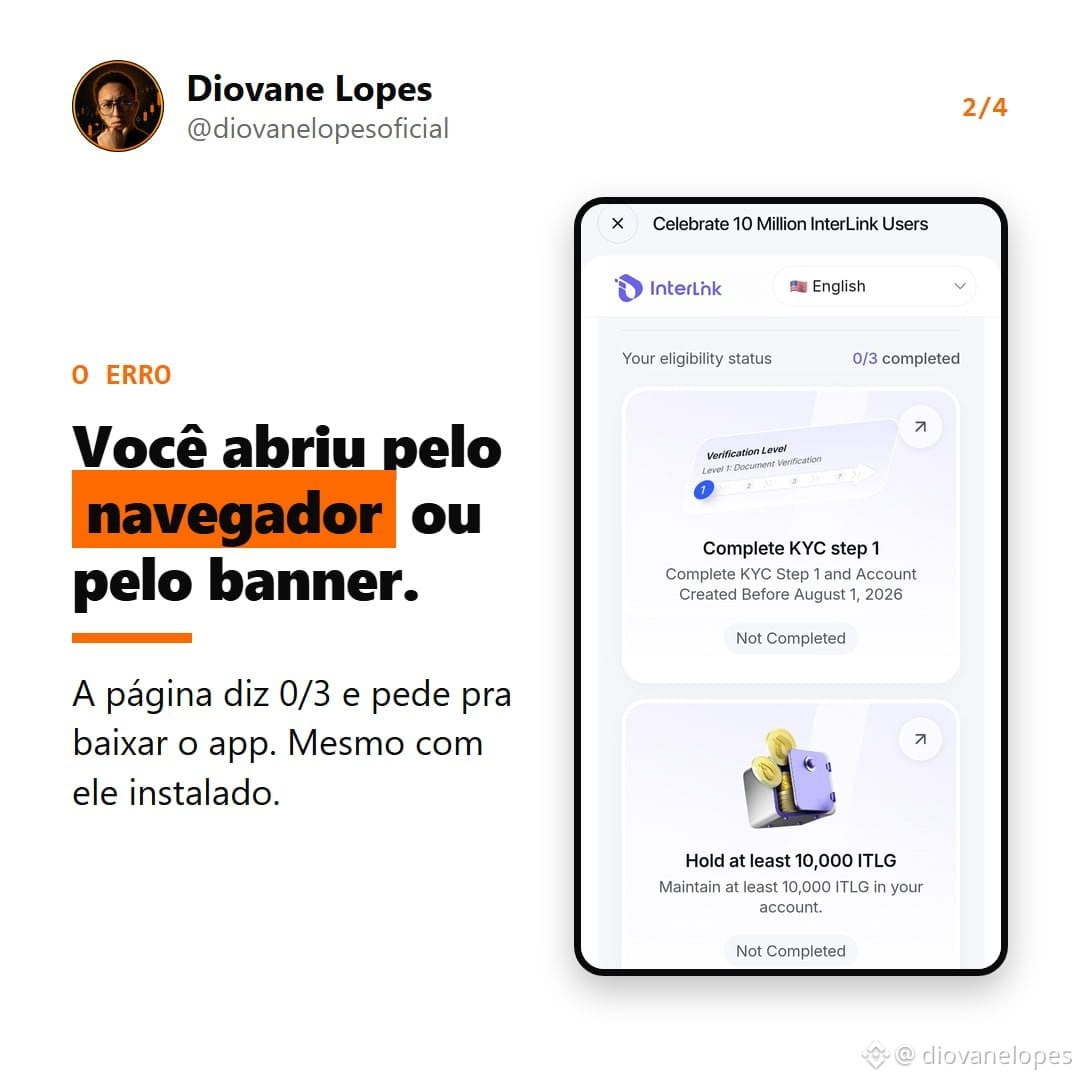
I went through this myself. I opened it in the browser, then through the banner in the app, and it always said “not completed” and told me to download the app I already had installed. I even uninstalled it and restarted my phone. Nothing worked.
Here’s what I found:
1. The page opened through the browser or the banner is just for show. It doesn’t connect to your account.
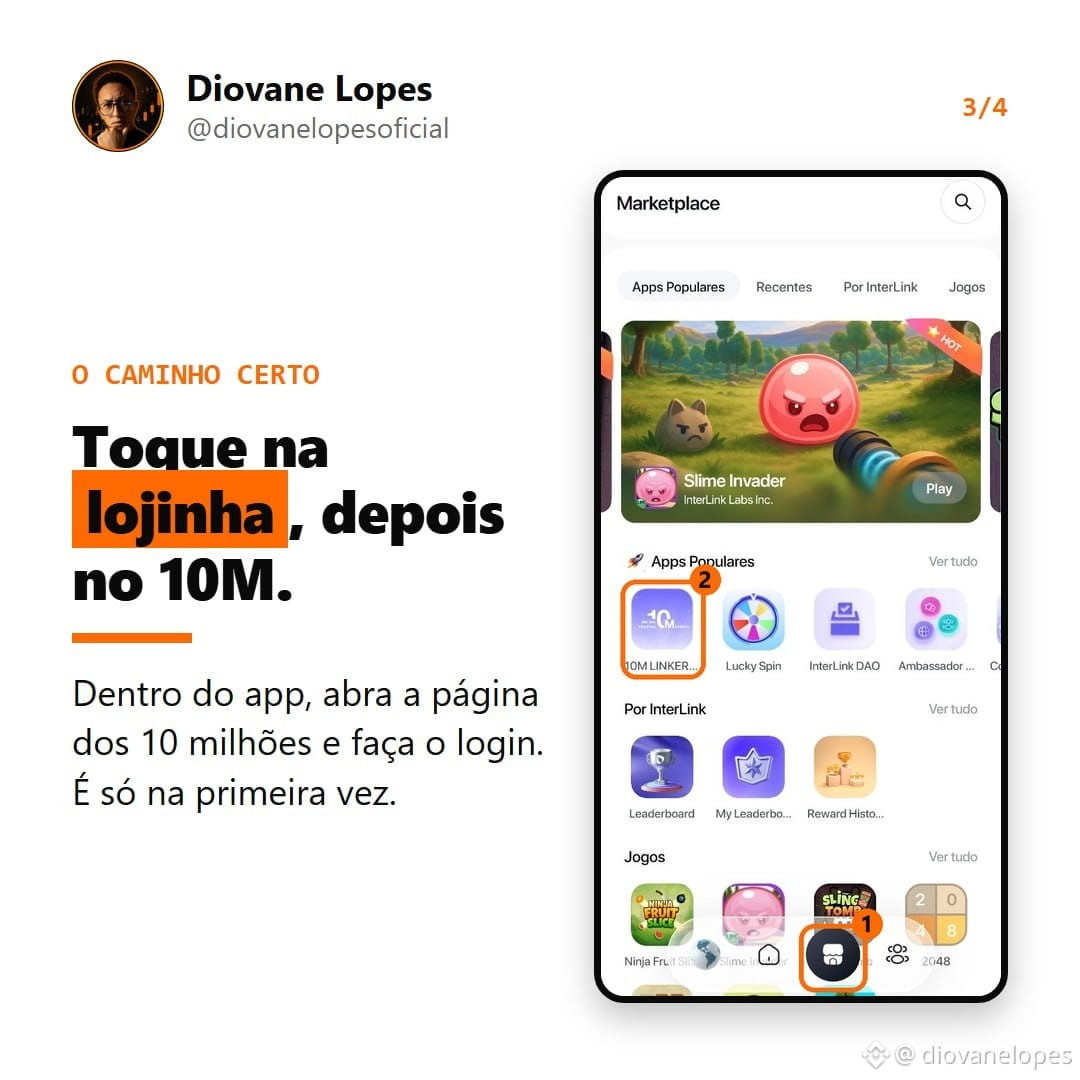
2. The right way is through the app: tap the shop icon, open 10M LINKERS, and log in. If you’ve already completed KYC step 1 and have the minimum ITLG balance, those two steps will show as completed. All that’s left is to share the post.
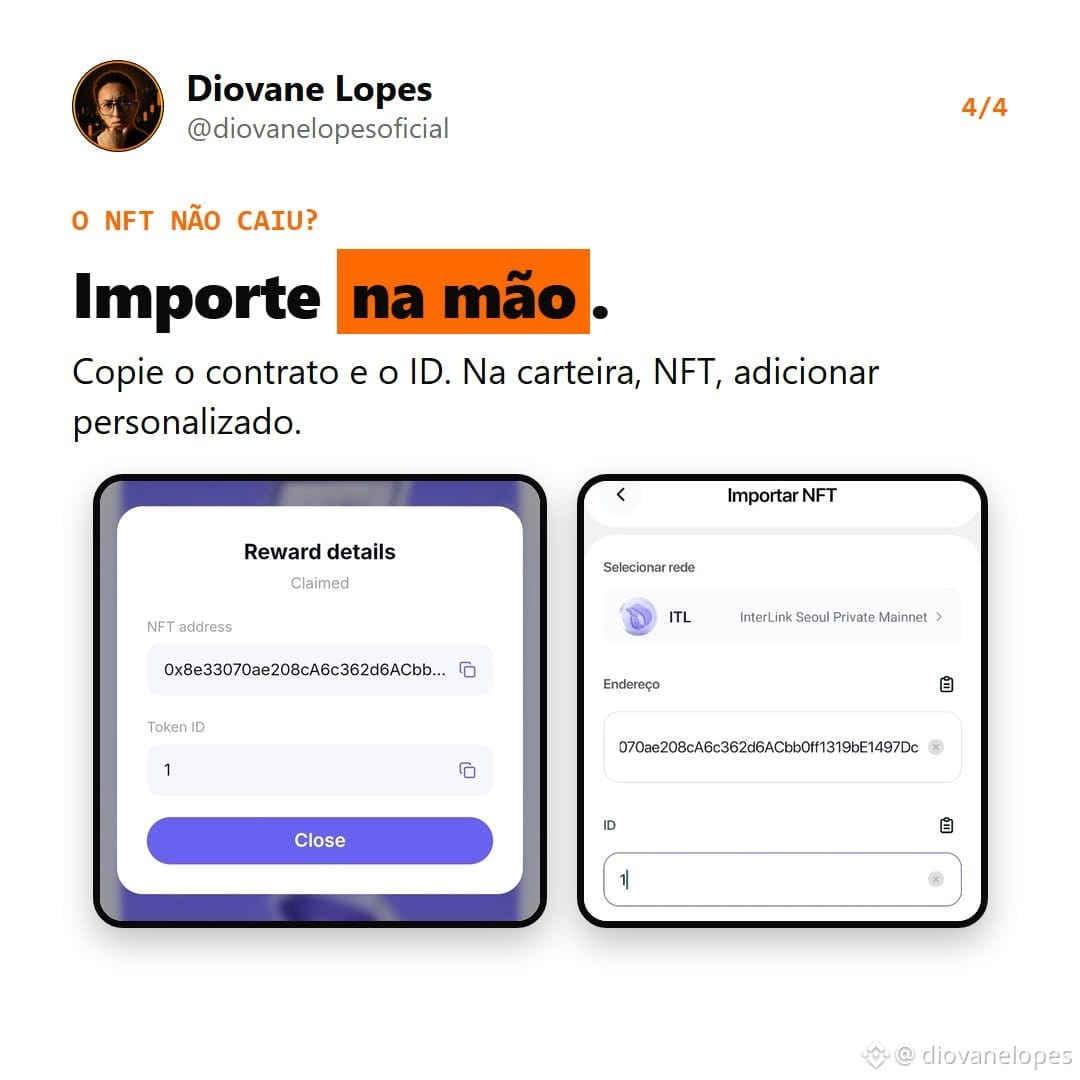
3. After you claim it, the NFT won’t automatically appear in your wallet. You have to import it manually under “Add custom NFT,” using the contract address and ID.
4. Back up your wallet before doing anything.
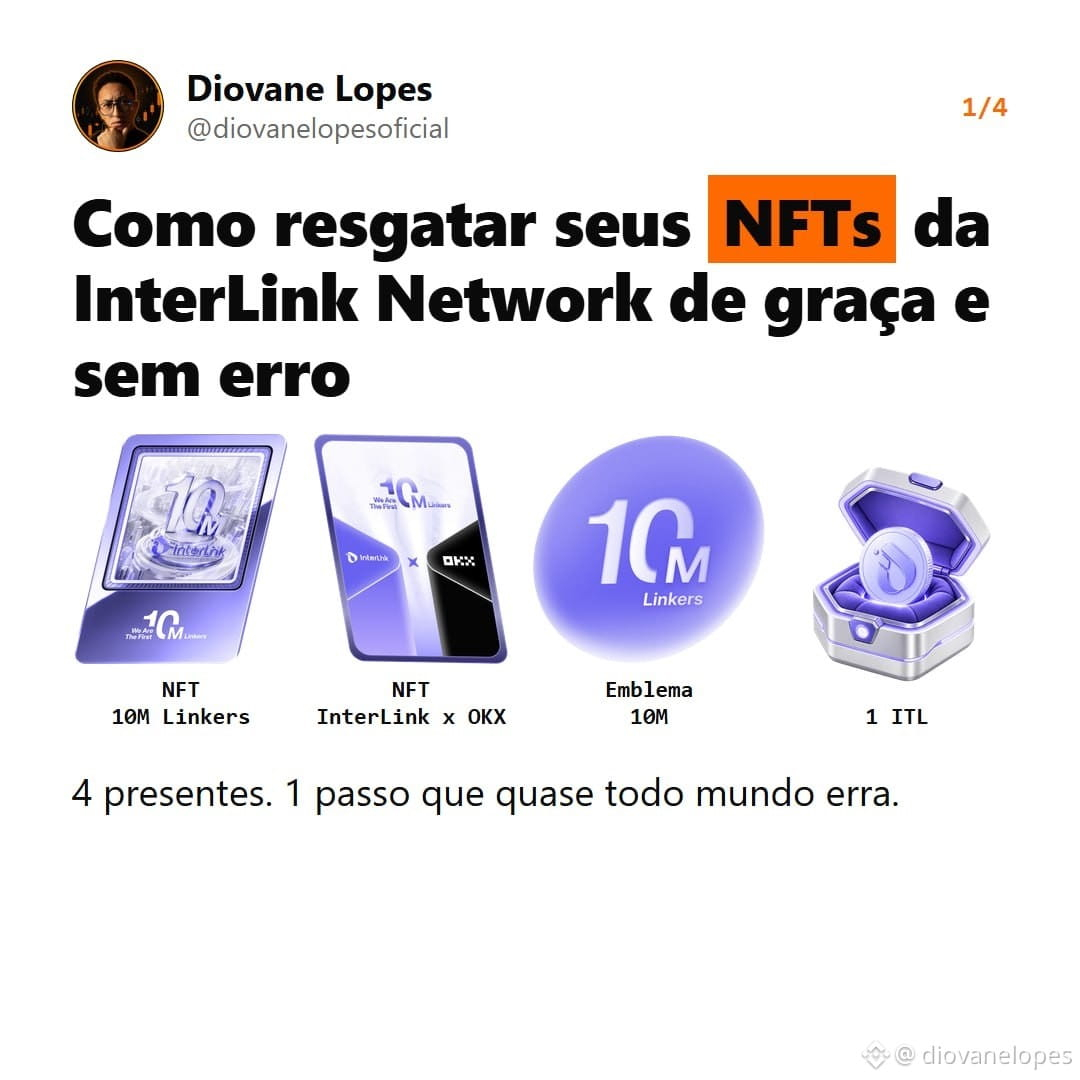
There are 4 gifts celebrating 10 million users: 2 NFTs, the 10M badge, and 1 ITL. The deadline is October 12.
My opinion: a campaign gift isn’t a guarantee of profit. I see it as a bonus for those who got in early, not as income, and I’m not counting on it having any particular price. The real value here is learning the process, because campaigns like this will happen again. And the costliest mistake isn’t even tapping the wrong button—it’s losing your wallet because you didn’t back it up.
The full step-by-step guide, with screenshots, is in my video today. Search for “Diovane Lopes” on YouTube.
$BTC
I went through this myself. I opened it in the browser, then through the banner in the app, and it always said “not completed” and told me to download the app I already had installed. I even uninstalled it and restarted my phone. Nothing worked.
Here’s what I found:
1. The page opened through the browser or the banner is just for show. It doesn’t connect to your account.
2. The right way is through the app: tap the shop icon, open 10M LINKERS, and log in. If you’ve already completed KYC step 1 and have the minimum ITLG balance, those two steps will show as completed. All that’s left is to share the post.
3. After you claim it, the NFT won’t automatically appear in your wallet. You have to import it manually under “Add custom NFT,” using the contract address and ID.
4. Back up your wallet before doing anything.
There are 4 gifts celebrating 10 million users: 2 NFTs, the 10M badge, and 1 ITL. The deadline is October 12.
My opinion: a campaign gift isn’t a guarantee of profit. I see it as a bonus for those who got in early, not as income, and I’m not counting on it having any particular price. The real value here is learning the process, because campaigns like this will happen again. And the costliest mistake isn’t even tapping the wrong button—it’s losing your wallet because you didn’t back it up.
The full step-by-step guide, with screenshots, is in my video today. Search for “Diovane Lopes” on YouTube.
$BTC