


Key Takeaways
By integrating with national QR standards, Binance Pay enables international travelers to pay like locals in Argentina, Bolivia, Brazil, Colombia, Peru, the Philippines, and Vietnam—with crypto, with no gas fees, and without currency exchange.
In Argentina, eligible local users can now pay with their fiat or crypto balance, making Binance Pay accessible to mainstream users who no longer need to be “crypto-native”.
Argentina recorded transaction growth of more than 200% and a 30-day return rate of 70%+, indicating that Binance Pay is becoming a daily payment habit—not just a new novelty.
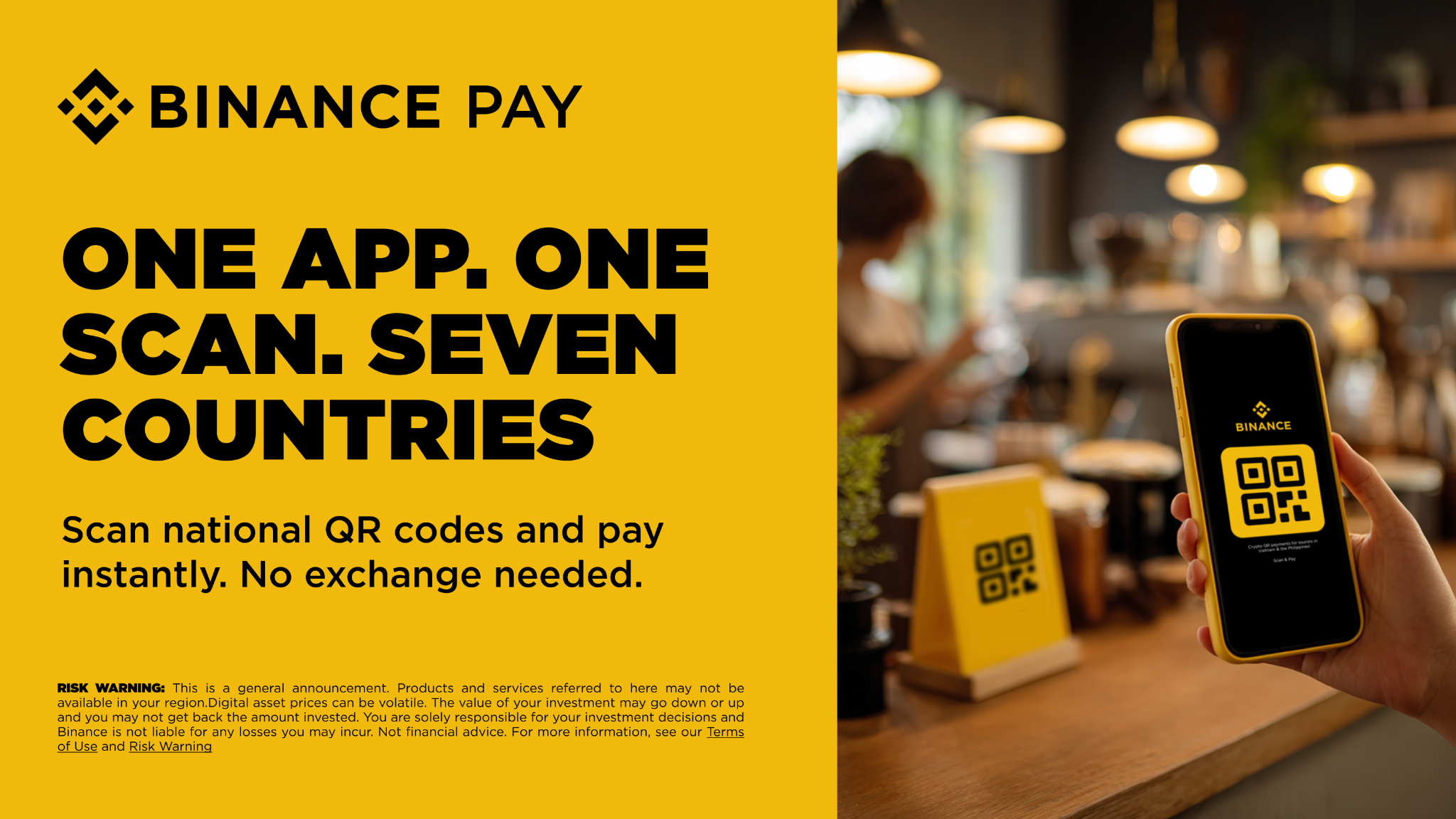
Paying with QR codes has become commonplace in many parts of the world. However, not all QR codes work the same way. Previously, different banks and wallets used incompatible QR formats, meaning merchants had to display separate rows of codes—so users could only pay if they happened to have the specific app required by each code.
Interoperable national QR codes solve this. It’s a unified payment standard supported by a country’s central bank or payment authority, created to address a common problem: fragmentation. By creating a single interoperable standard, anyone can pay participating merchants with one scan—regardless of which bank or wallet they use. It’s faster for buyers, simpler for merchants, and that’s why QR has become the default payment method in many countries.
Pay Like a Local with Crypto in 7 Countries
Now, Binance Pay brings the same local convenience to international travelers. By integrating directly with interoperable national QR infrastructure, Binance Pay enables travelers visiting the supported seven countries—Argentina, Bolivia, Brazil, Colombia, Peru, the Philippines, and Vietnam—to pay like locals without needing to exchange local currency. Most recently, Colombia joined this network in July 2026, further expanding Binance Pay’s cross-border reach. Users only need to open the Binance app, scan the interoperable national QR code, and then pay directly with USDT, USDC, BTC, ETH, or 100+ other cryptocurrencies, with no gas fees.
With Binance Pay, you don’t need to look for a currency exchange counter, carry cash, or open a local bank account—just open the Binance app, scan, and pay. Payments are settled instantly with no gas fees and no hidden conversion costs, making it the simplest way to spend your crypto while traveling.
Binance Pay Adds Fiat Payments—First in Argentina
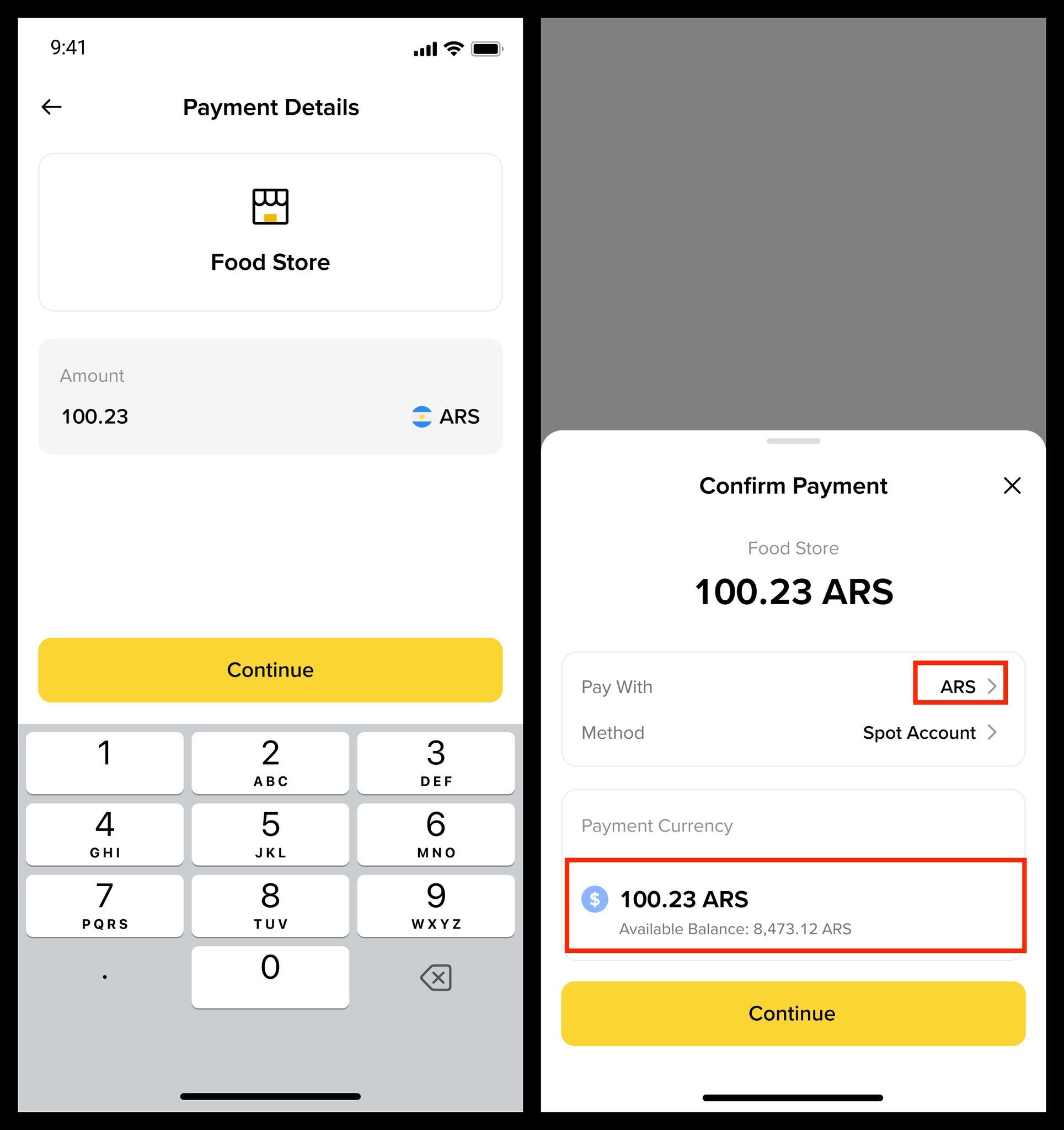
In addition to crypto payments, eligible local users can now pay with their fiat or crypto balances, adding more flexibility at checkout. This feature was first launched in Argentina, where Binance Pay QR payments previously supported only crypto. Now, paying with fiat or crypto means Binance Pay can be used by all mainstream users—not just those who already hold crypto.
Anyone who has an Argentine Peso (ARS) balance on Binance can pay local merchants just like they would with other digital wallets. Now you can deposit, grow, and spend money—all within the Binance app—with more markets expected to follow.
The same app, the same merchants, just more ways to pay.
200% Growth and Still Growing in Argentina
The results show clear demand. Since the launch of ARS payments in Argentina, crypto still contributes the majority of transactions, but payments using fiat balances continue to rise steadily—strong signals that Binance Pay is reaching beyond just users already accustomed to crypto, and becoming a daily local payment habit for mainstream users.
This momentum shows in the numbers: between May and June 2026, payments for interoperable national QR codes grew 11% in the number of transactions and 2% in volume, with Argentina emerging as a standout market—recording growth of over 200% in transaction count and 150% in volume, driven by strong demand. Most telling, more than 70% of users returned within 30 days, a strong signal that this is ongoing and repeat demand—not just a fleeting curiosity.
How to Scan a QR Code and Pay Using Binance Pay
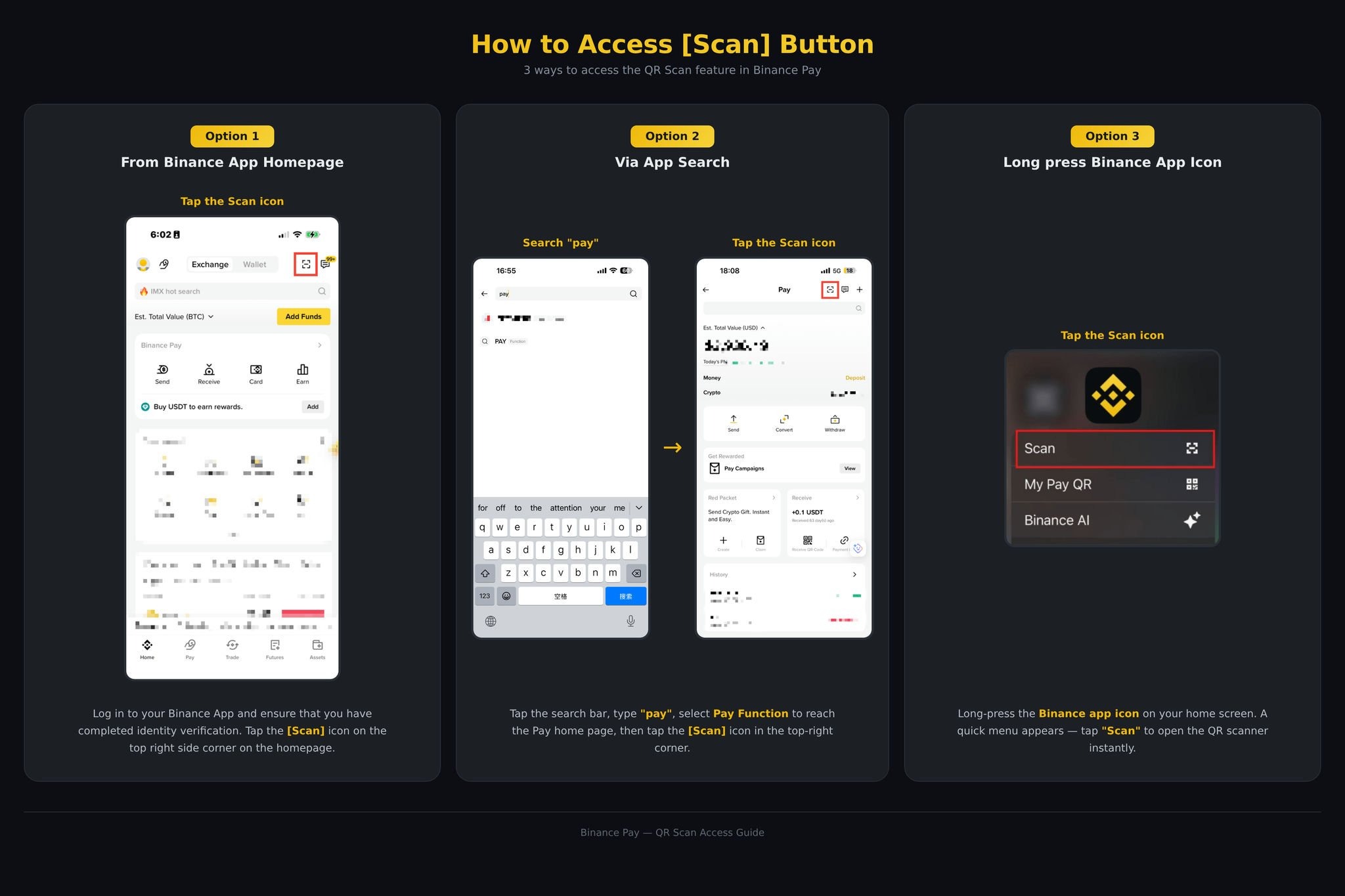
Access the [Scan] feature:
Log in to your Binance app and make sure you’ve completed identity verification. Tap the [Scan] icon in the top-right corner of the home page.
Alternatively, search for “Pay” in the search bar and tap [Scan] under “Functions.”
Or simply press and hold the Binance icon on your home screen, then tap [Scan].
Scan the supported merchant QR code.
Confirm the amount and authorize the payment.
Once 2FA is complete, the payment is processed immediately.
Closing
Secretly, QR payments have become the way the world pays. That convenience now has no limits thanks to a national, interoperable QR standard. By connecting directly to local QR infrastructure in seven countries, Binance Pay enables travelers to pay like locals from a single app. The initial momentum in Argentina—with 200% growth and a 70% retention rate—shows that the Binance Pay experience meets real demand.
Binance’s ambition goes far beyond those first seven countries. The goal is to make Binance Pay embedded in tourist destinations worldwide, so whether you’re buying street food in Vietnam or buying coffee in Argentina, paying feels easy and familiar. One scan, one app, anywhere: limitless ways to pay, wherever the world takes you.
Read Next
Binance Pay Will Expand Crypto QR Payments to 10+ Countries in Q3 2026
Enjoy This Football Season Without the Hassle with Binance Pay
Disclaimer: Digital asset prices may fluctuate. The value of your investment may rise or fall and you may not get back the amount you invested. You are solely responsible for your investment decisions and Binance is not responsible for any losses you may incur. Please fund your wallet and do your transactions carefully. The availability of Binance Pay, supported assets, merchants, limits, and features may vary by jurisdiction and user eligibility. Transactions may be subject to exchange rates, spreads, or other applicable fees. This is not financial advice. For more information, see Terms of Use, Binance Pay Terms of Use, and Risk Warning.
Please note: There may be differences between the original content in this English language and its translation version (which may be generated by AI). Please refer to the original English version for the most accurate information in case of any differences.