Opus 5.5 gives you the freedom to design App Icons
Back when I was using Fable, I tried to have Fable help me design an App Icon, but the results weren’t very good. In the end, I had to use ChatGPT to generate an image—but that output isn’t vector-based.
Over the past few days, I used Opus 5.5 to make videos, which sparked an idea. If Opus 5.5 can use JavaScript + Canvas to draw a video frame by frame, then using JS + Canvas to draw an icon should also be totally fine.
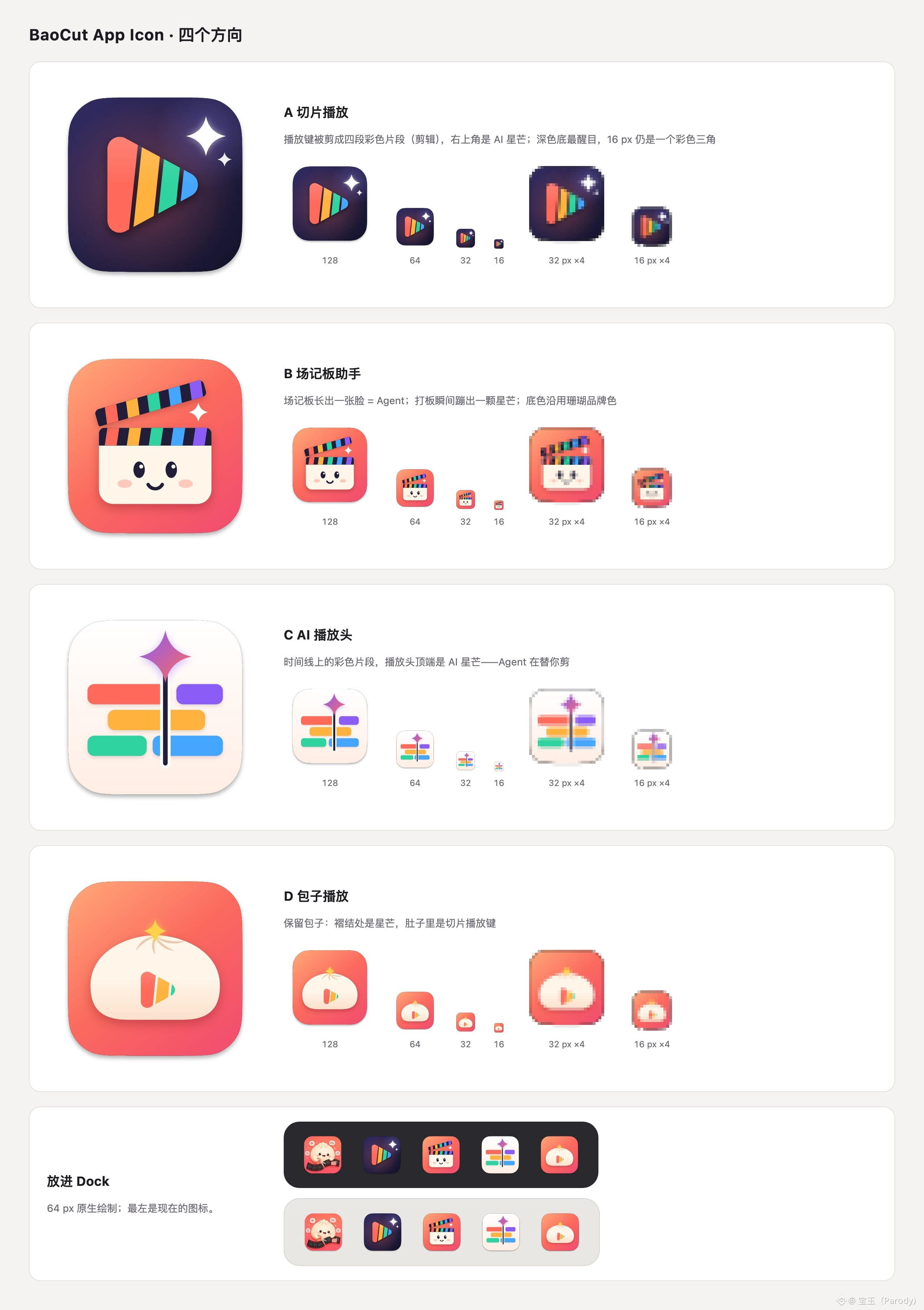
So I tried it. The first version exceeded my expectations: simple, good-looking, and the results were quite impressive. The prompt was just one sentence:
> Please redesign an App Icon for http://BaoCut.app—keep it simple, colorful, and reflect video editing and AI agents.
> You can draw it directly using js on a canvas.
The key point to notice is “draw with js on canvas,” not SVG. SVG doesn’t produce a JS draw canvas effect that looks as good.
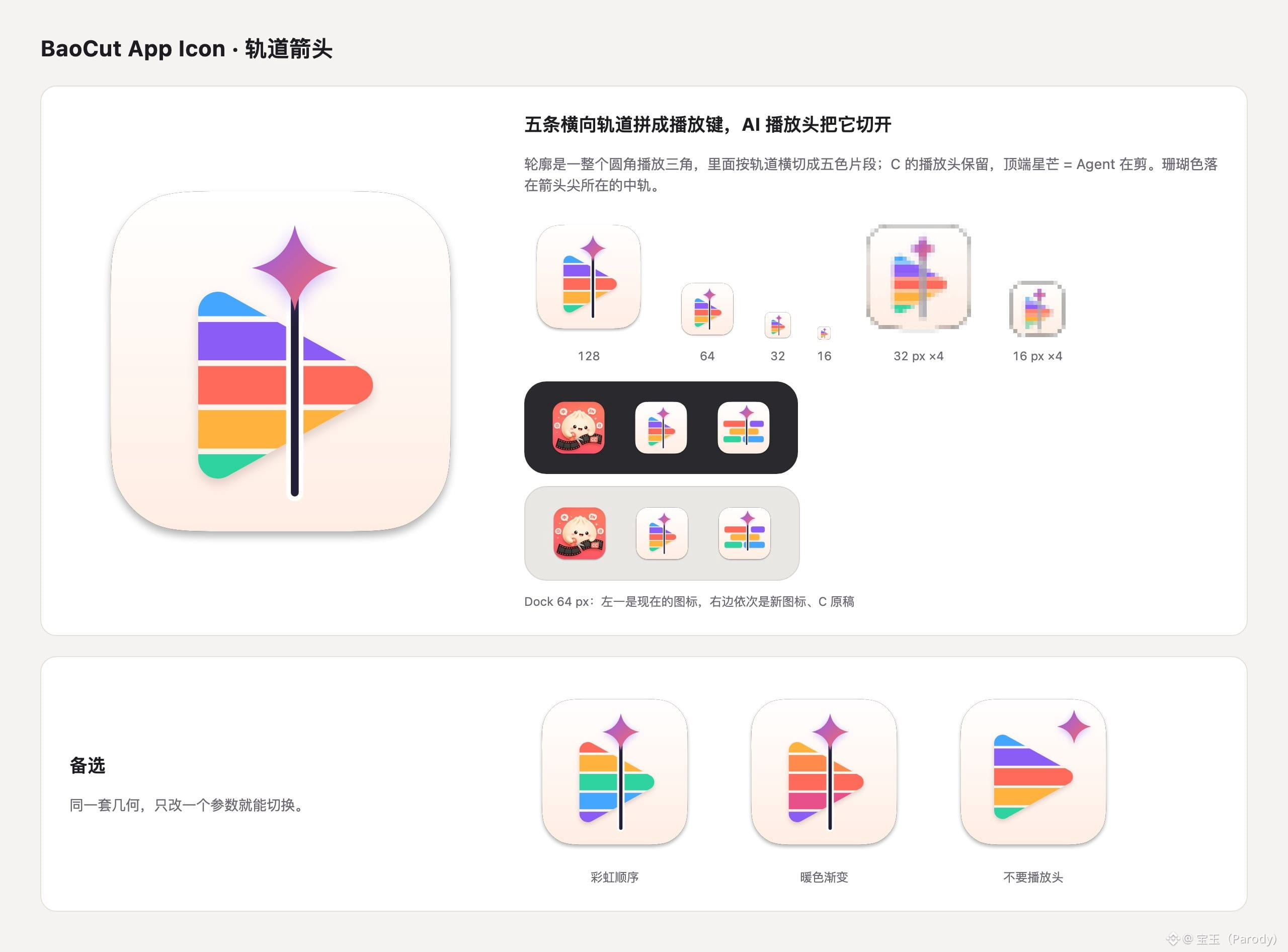
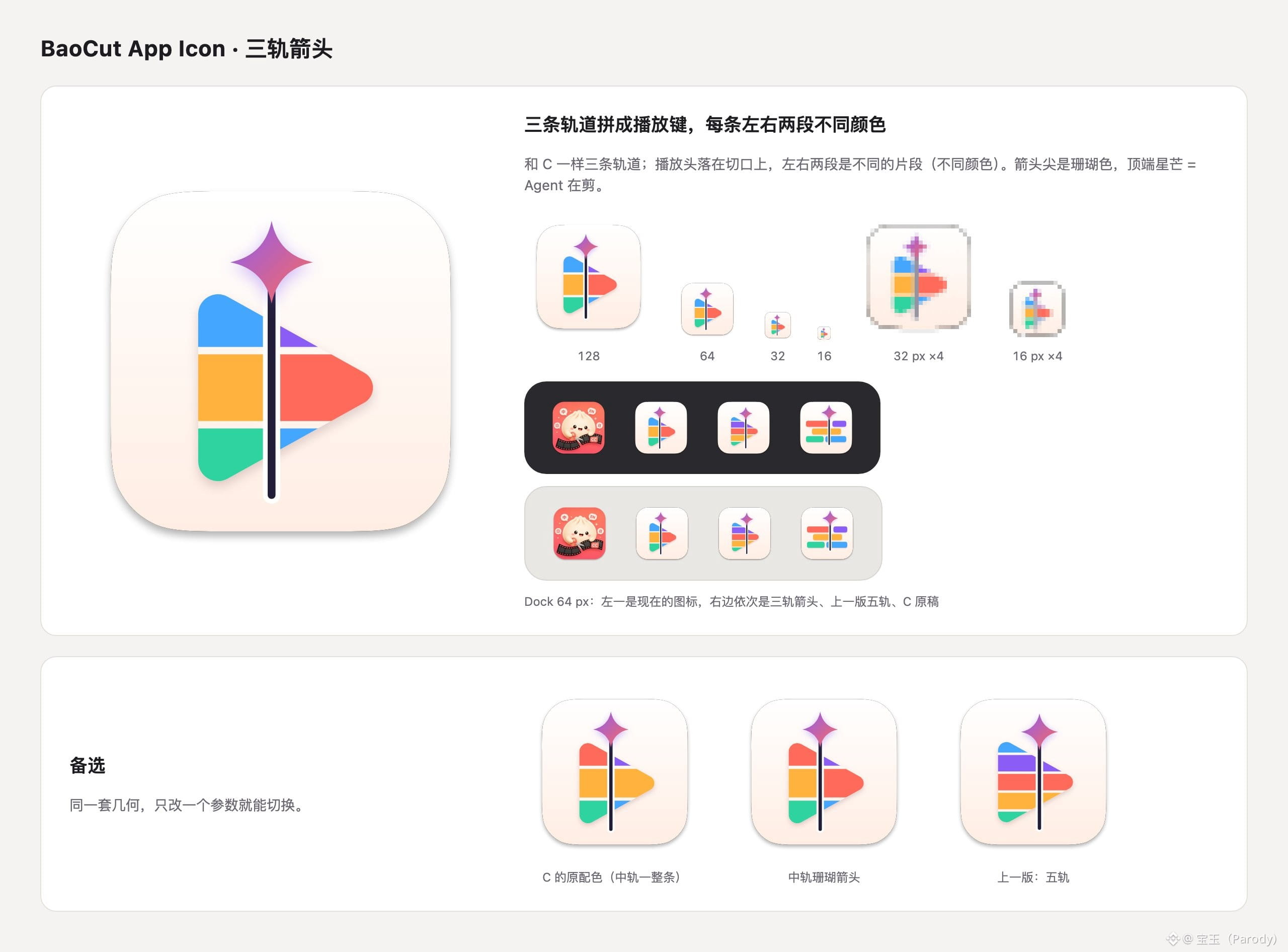
After that, it’s basically like working with a client—you just keep asking it to modify things endlessly. For example, I thought Option 3 was great, so I asked it to adjust based on Option 3. After several rounds of iteration, I ended up with a version I’m quite satisfied with.
Back when I was using Fable, I tried to have Fable help me design an App Icon, but the results weren’t very good. In the end, I had to use ChatGPT to generate an image—but that output isn’t vector-based.
Over the past few days, I used Opus 5.5 to make videos, which sparked an idea. If Opus 5.5 can use JavaScript + Canvas to draw a video frame by frame, then using JS + Canvas to draw an icon should also be totally fine.
So I tried it. The first version exceeded my expectations: simple, good-looking, and the results were quite impressive. The prompt was just one sentence:
> Please redesign an App Icon for http://BaoCut.app—keep it simple, colorful, and reflect video editing and AI agents.
> You can draw it directly using js on a canvas.
The key point to notice is “draw with js on canvas,” not SVG. SVG doesn’t produce a JS draw canvas effect that looks as good.
After that, it’s basically like working with a client—you just keep asking it to modify things endlessly. For example, I thought Option 3 was great, so I asked it to adjust based on Option 3. After several rounds of iteration, I ended up with a version I’m quite satisfied with.