

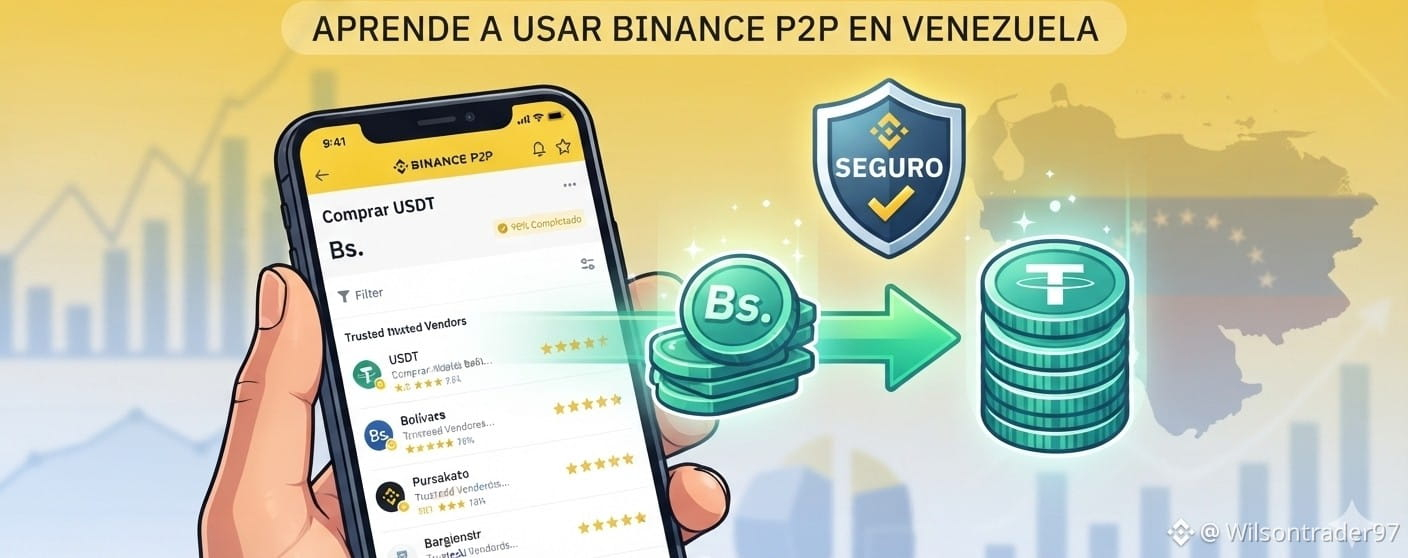
Bolivars in the bank and want to protect them in dollars? 🇻🇪 Check out this step-by-step guide
You’ve probably heard that saving in cryptocurrencies is an excellent option in Venezuela to beat inflation. But how do you turn your bolivars into digital dollars (USDT) quickly, safely, and without paying commissions?
💥The answer is Binance P2P (Peer-to-Peer). It’s a marketplace within Binance where you buy directly from other Venezuelans using your usual bank or Pago Móvil. What’s best? Binance acts as a safe arbitrator: it freezes the seller’s coins until you pay, ensuring that no one loses their money.
If you’re a beginner and want to make your first purchase today, follow this guide with just 4 steps:
🎒 Requirements before you start
Have your Binance account verified (with your ID card uploaded).
A national bank account in your own name (Banesco, Banco de Venezuela, Mercantil, etc.) with Mobile Payment enabled.
🚶♂️ Step by step: From Bolívares to USDT in 5 minutes
STEP 💨 1: Go to P2P and turn on the magic filters 🔍
Open your Binance app and in the top search bar type “P2P” or go to the Trading section > P2P. Make sure to select the “Buy” tab and the USDT currency.
The secret to getting to the point: Tap the “Filter” icon (it looks like a funnel in the top right corner). There, type the exact amount in bolívares you want to exchange (for example: 500 or 1000) and select your preferred payment method (such as Mobile Payment, Banesco, or Banco de Venezuela). Tap “Confirm”. Done! The system will now only show you the exact sellers that fit your budget and your bank.
STEP 💨2: Choose your seller based on their reputation 📊
From the clean list produced by the filter, check the reputation of the merchants. Always choose a user with a completion rate higher than 95% and more than 100 completed orders. This ensures you’re negotiating with someone fast, safe, and honest. Press the green button “Buy” next to their name.
STEP 💨3: Make the payment in Bolívares
When you click Continue, Binance will freeze the seller’s USDT and show you their banking details (ID, Phone, Bank, or Account Number). Open your traditional banking app and make the transfer or Mobile Payment for the exact amount shown on the screen.
STEP 💨4: Notify and receive your dollars
Once you’ve made the payment, immediately go back to the Binance app and press the yellow button that says “Transferred, notify the seller”. You can use the in-app chat to send them the payment screenshot if you want. In a couple of minutes, the seller will confirm the money and the USDT will automatically be released to your “Funds” wallet. Done!
🛡️ 4 golden rules for a 100% safe purchase
🚨Check the seller’s statistics: Don’t get carried away just by the cheapest price. A merchant with a low price but a completion rate below 90% will likely waste your time or cancel the order. Always prioritize good reputation.
🚨Same account holder: Mobile Payment or transfer must come from a bank account that is in your own name. Don’t use your family members’ or third parties’ accounts, or your order could be canceled.
🚨No “crypto” words in the bank: When you make the transfer at your bank, in the “Concept/Reference” field put something simple like “Payment” or “Services”. Never write words like “Binance”, “USDT”, “Crypto”, or “Dollars”, since national banks could block the transaction.
🚨Never cancel if you already paid: If you already transferred the bolívares, never tap the “Cancel order” button. If you have any issue, use the “Appeal” button and Binance Support will help you release your coins.
🚀 Your turn to act! Did this guide help you?
If this tutorial helped you understand how to protect your money in an easy and secure way, support me so I can keep creating more valuable content for the Venezuelan community:
FOLLOW ME! ➕ Click the Follow button up here so you don’t miss the next guides.
LIKE IT ❤️ If you learned something new today.
SHARE IT 🔄 With a friend or family member in Venezuela who is still afraid to use Binance or who doesn’t know how to protect their bolívares.
Do you have any questions about your first purchase or do you want us to make a tutorial on how to sell your USDT and send them back to your bank? I’m reading the comments! 👇
BTC USDT #Venezuela #BinanceP2P #Beginners #CryptoVenezuela #SafeFinance #CryptoSavings $USDT $ETH $BTC