

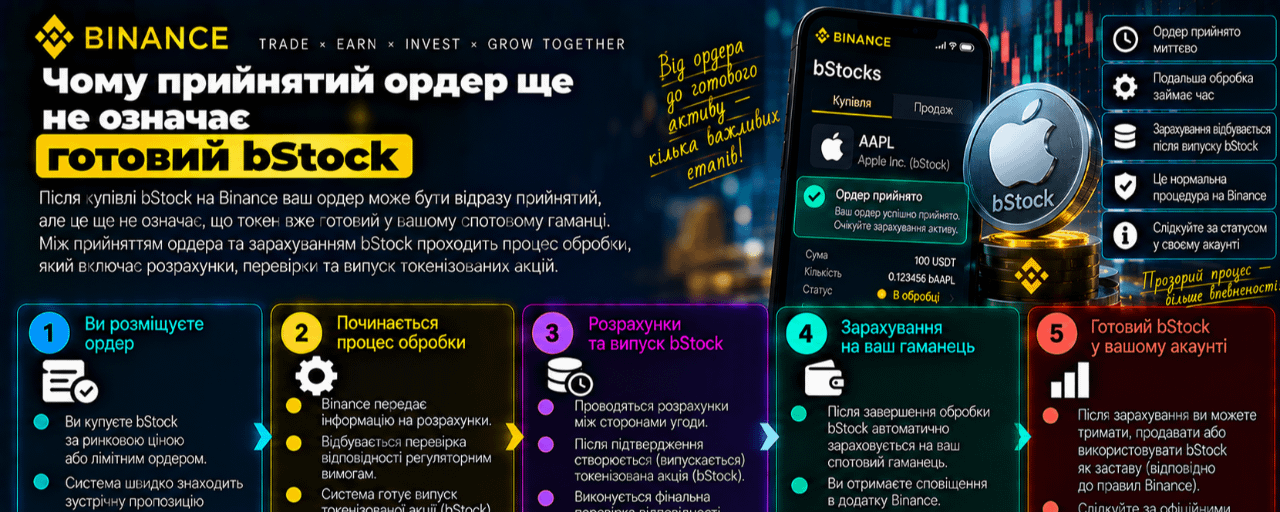

The Tokenize this order switch creates the impression that after pressing Buy, the token will immediately appear in the balance. Binance's official FAQ describes a longer sequence: the order must be accepted, executed, settled, and processed. Only after that does the corresponding position appear as bStock in the account.
The outcome is affected by checks for user eligibility, availability of the underlying security, market conditions, fees, taxes, withholding, and rounding. Therefore, the initial requested amount and the final number of bStock may not match up to the last digit. This is not the same as buying already issued bStock on the spot market: on spot, execution depends on the order book, liquidity, and the counterparty’s price.
A practical order of verification:
before confirming, check whether “Tokenize this order” or the global “Tokenize all orders” is active;
After execution, do not rely only on the application status, but verify the final bStock balance;
check the history of Stocks and Token Conversion if the result differs from what was expected;
Take into account separately the possible difference between the bStock price and the underlying paper price due to liquidity, spread, trading outside the main session, and data delays.
Key idea: tokenization is a separate process after the trade request. Control is needed not only before clicking Buy, but also after the settlement is completed.
#CreateWithBinance #ShareMyTradFi #bStocks #Токенізація #ФінансоваГрамотність