



In August, we rolled out a new set of updates on Binance Square, making it easier for you to follow the market, discover content creators, join live broadcasts, share your trades, and keep up with your conversations. Update the Binance app to version v3.20 or later to explore the latest features.
1. Trading and live broadcast leaderboards
Looking for standout traders? The trading leaderboards list highlights the top posts shared by traders, showing their trading activities and rankings all in one place. This makes it easy to discover traders, view their trades, and find content worth following.
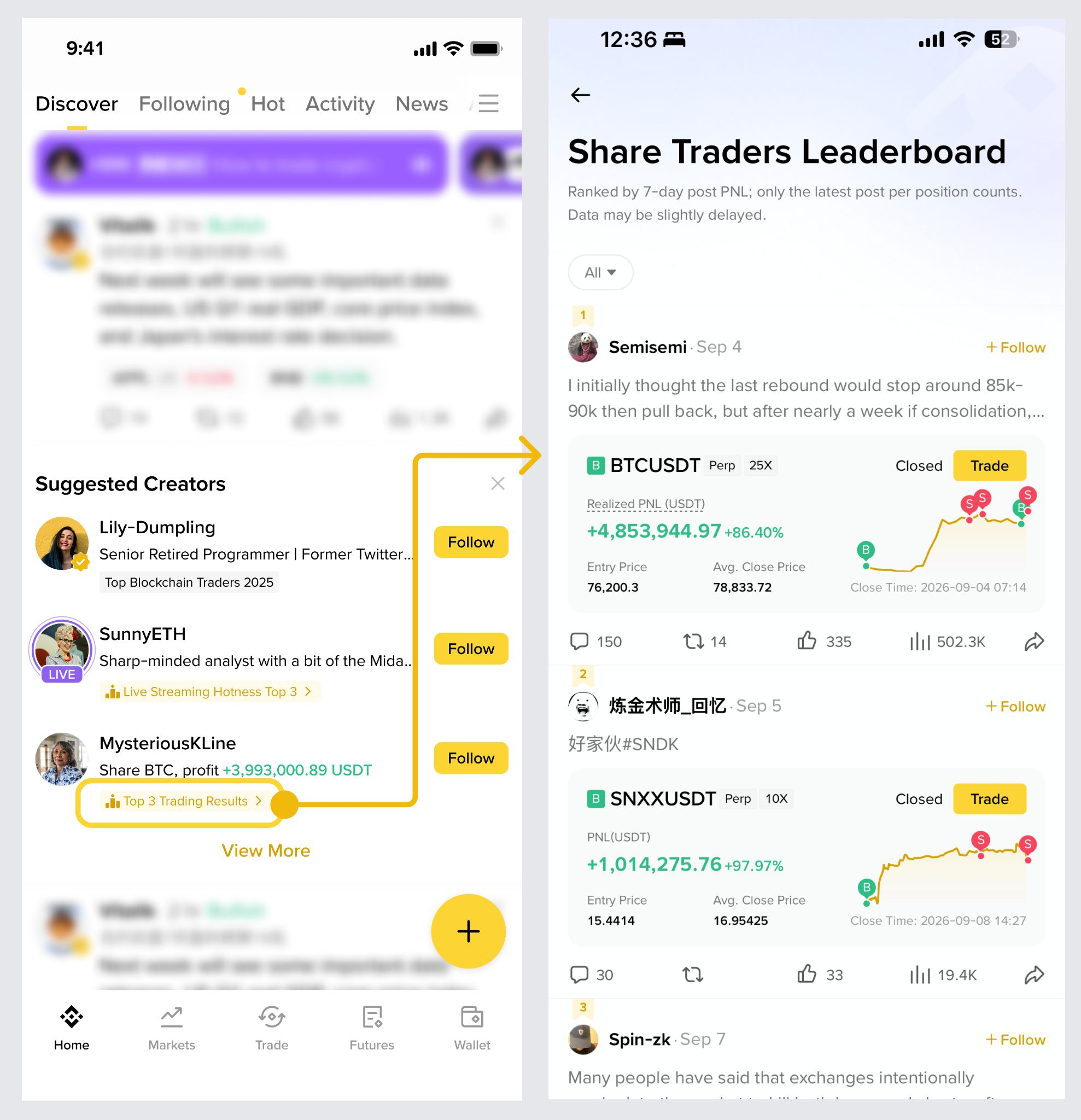
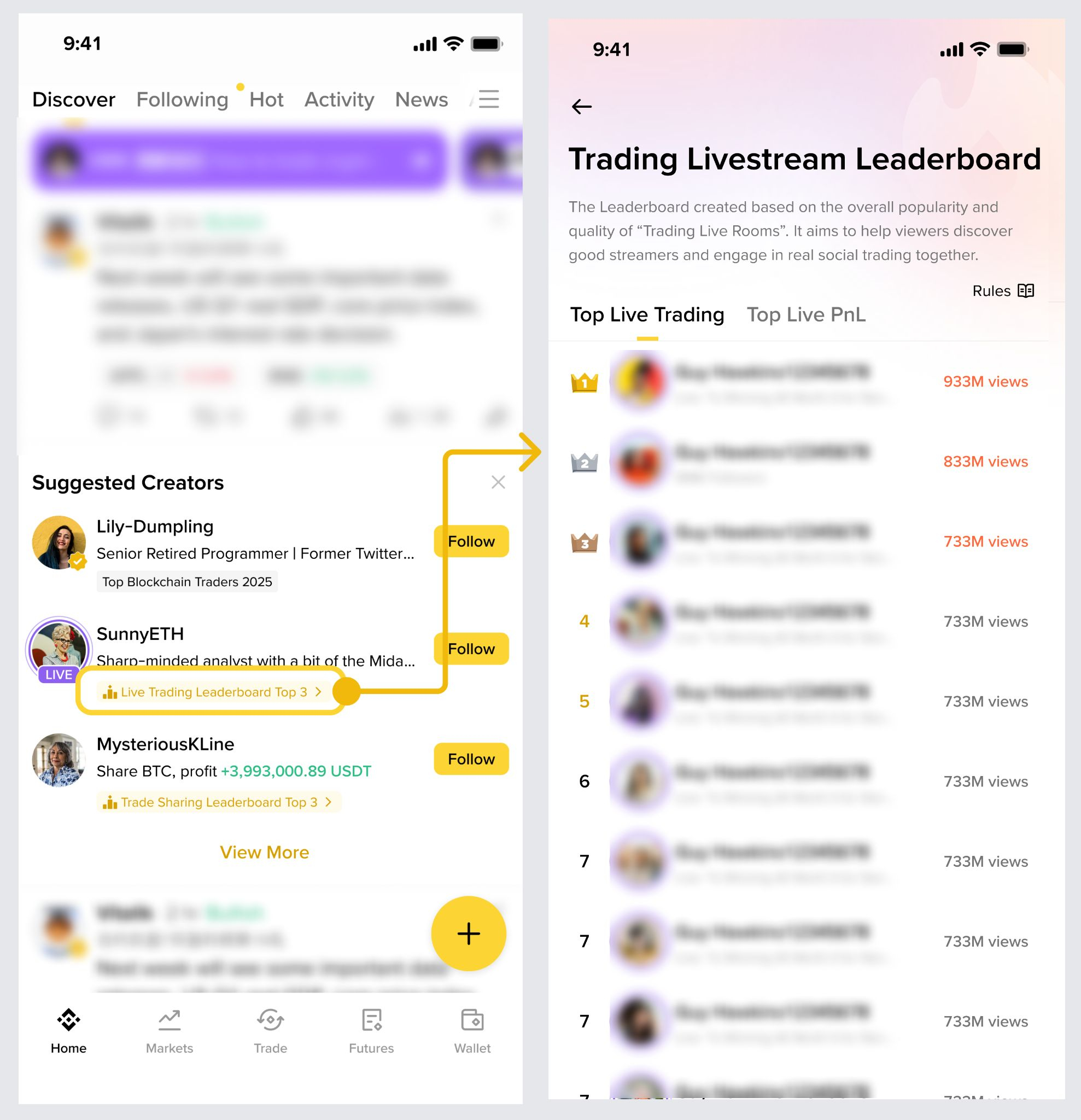
Don’t know who to follow? The Live Trading leaderboard highlights the top traders in the live broadcast, helping you quickly find a trading stream worth watching.
2. Stocks on Binance Square
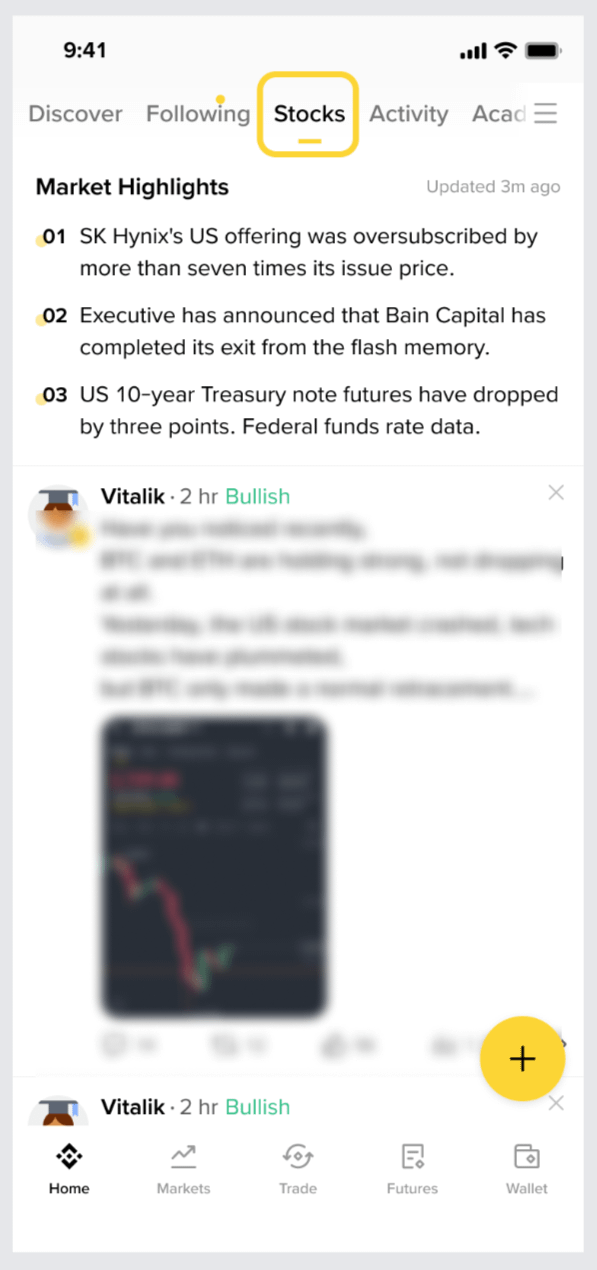
Stock-related content now has a dedicated space on Binance Square.
Keep up with the latest market highlights, browse the newest posts, and join community discussions about stocks and ETFs—all in one place, without having to search and navigate between pages.
3. Share your take on market news
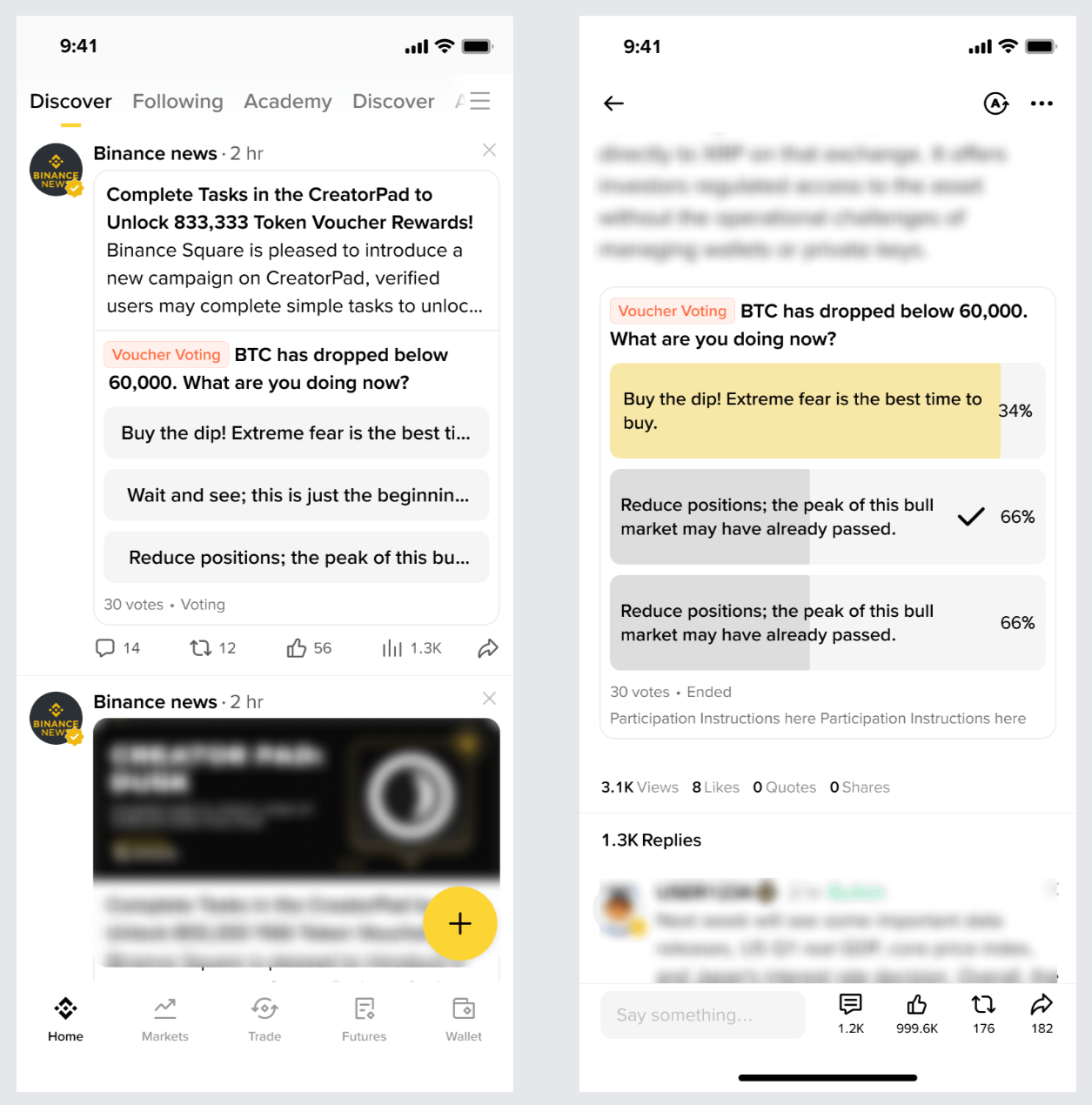
Some Binance News posts now include built-in polls, letting you quickly share your opinion while keeping up with the latest market news.
Choose the option that reflects your viewpoint, discover what the community thinks, and join discussions about market developments.
4. Instant translation for live broadcasts
Following live broadcasts in other languages is now easier than ever.
Instant translation of texts helps you understand what the broadcaster is saying, while translating shared comments in discussions allows users who speak different languages to participate. Broadcasters can also select the broadcast language to help them reach the right audience.
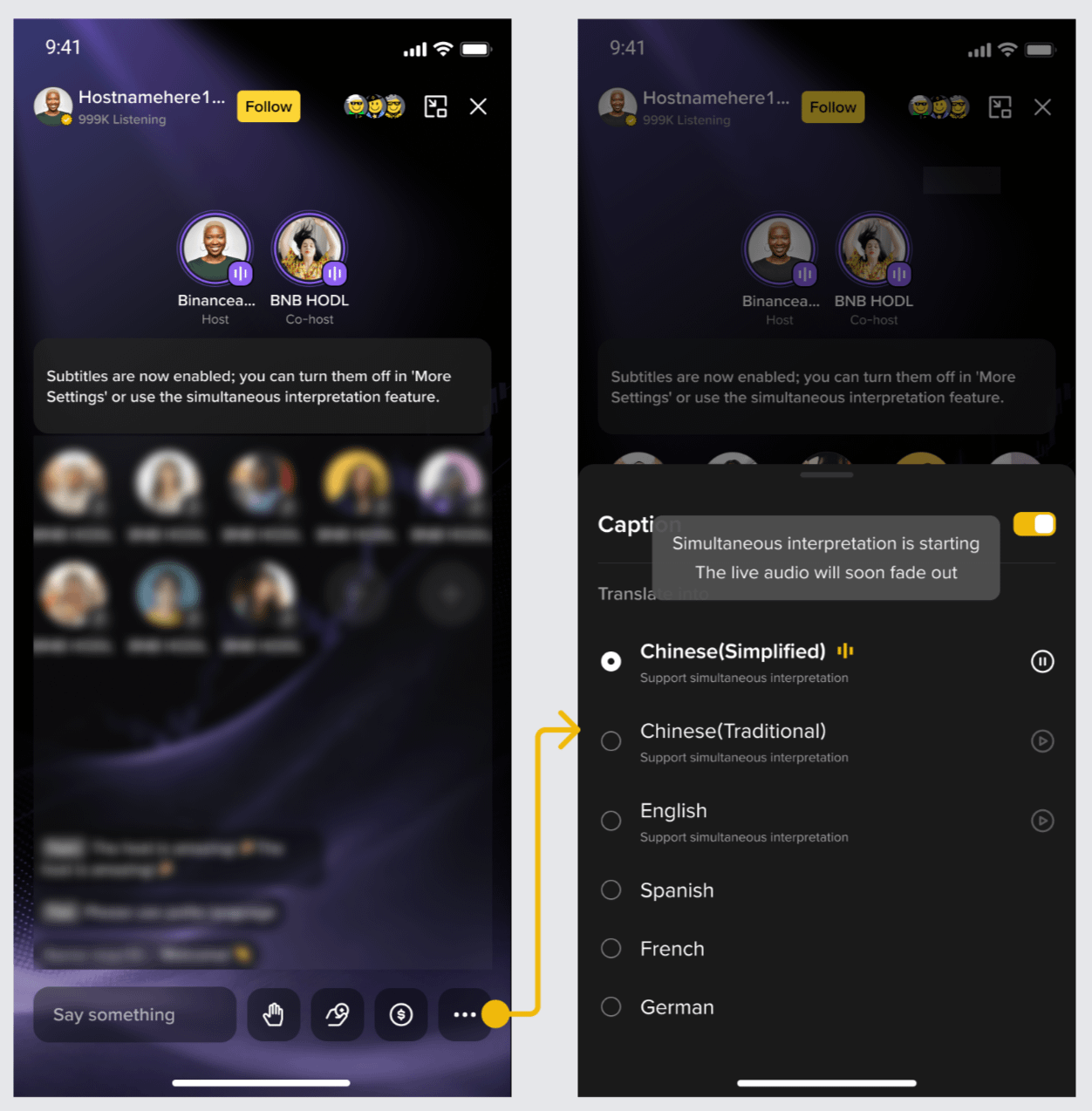
not live yet
5. More information before you follow
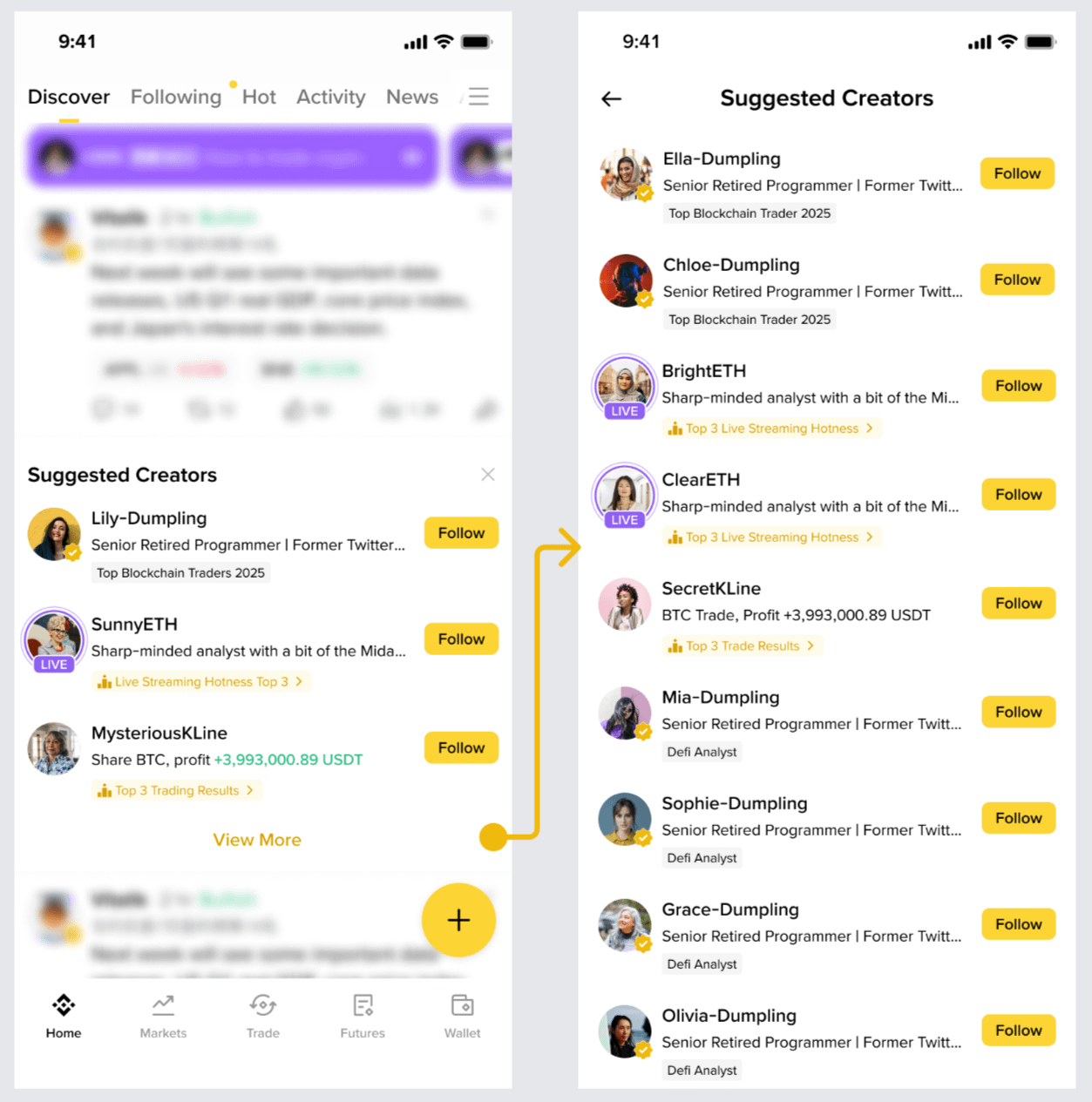
Finding worth-following content creators is now easier than ever.
Suggested content creator cards now show additional trading-related information, including trading share categories and performance ranking, so you can get a clearer picture of the creator before tapping “Follow.”
6. Browse images by swiping
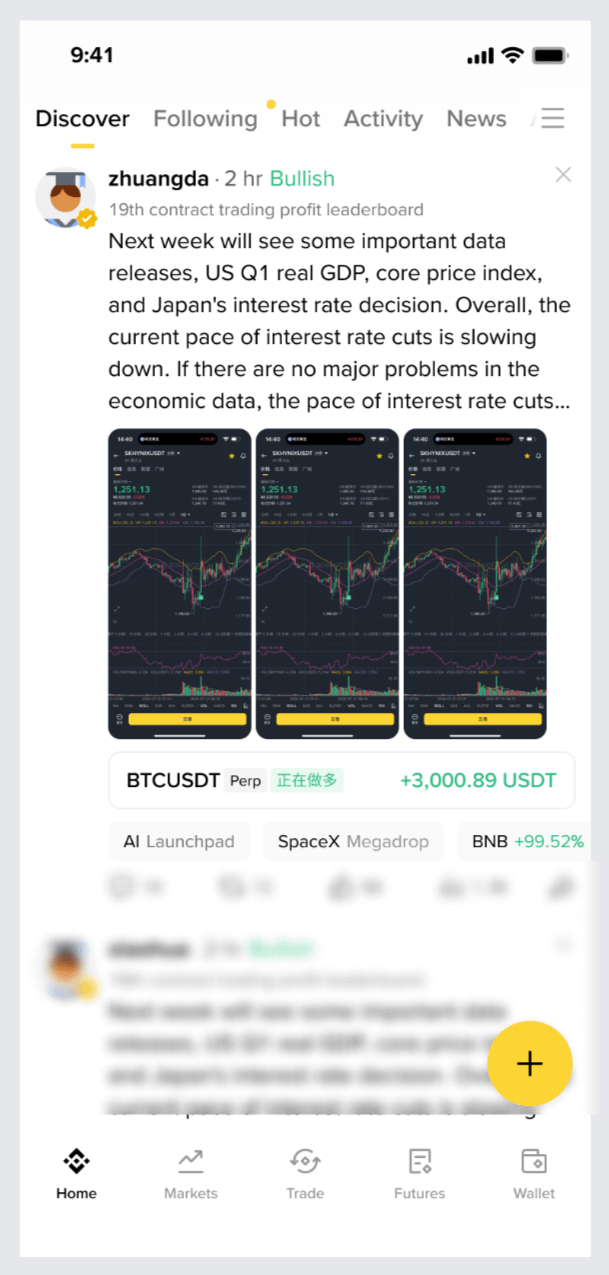
Browsing posts with multiple images is now easier than ever.
Swipe horizontally to move directly between images from the Posts feed, with each image displayed as close as possible to its original dimensions, making it easier to view charts, trading screenshots, and sequential posts.
7. Automatically rotate the screen while watching
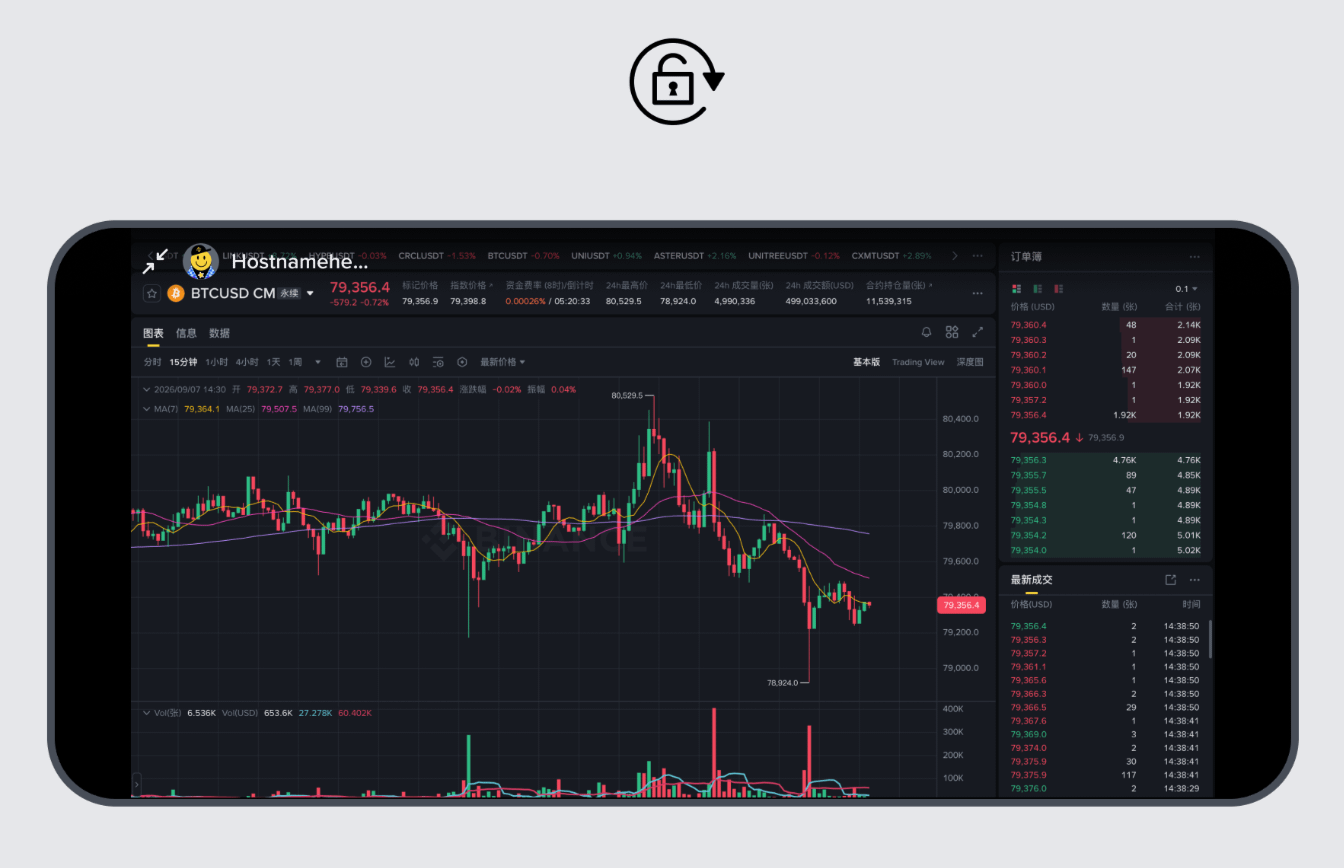
Need a wider view for charts or a live broadcast? Just rotate your phone horizontally.
When you enable auto-rotate on your device, the way live broadcasts, recordings, and video clips are displayed automatically switches between portrait and landscape depending on device orientation. Playback continues uninterrupted during the switch, so you can enjoy a larger viewing area without interrupting what you’re watching.
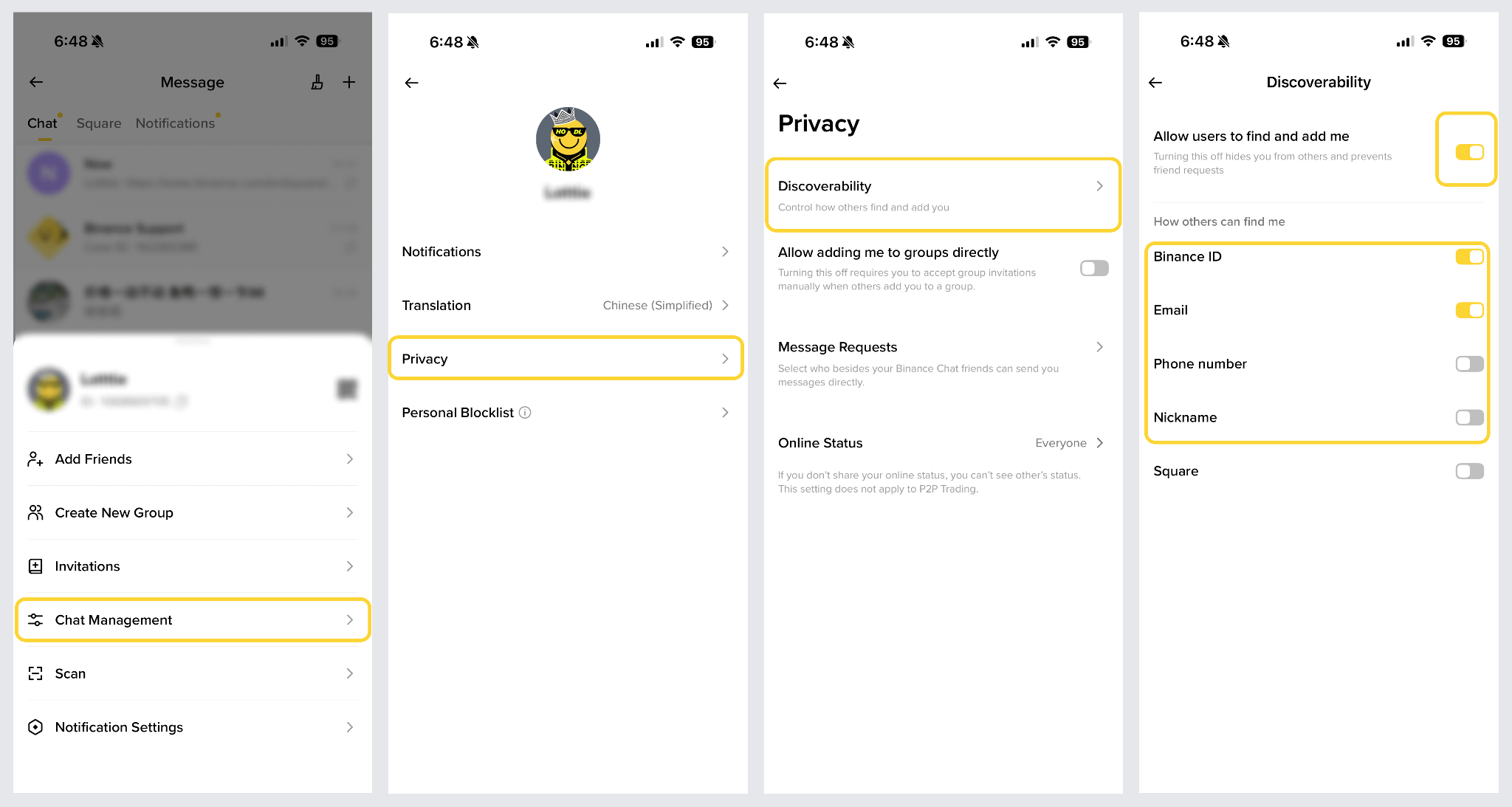
Choose who can find you in Binance Chat
Want your friends to find you easily without letting strangers search for you? You can now choose how to be found from the Privacy settings in Binance Chat.
Set whether others can find you using your Binance ID, email address, phone number, or nickname, so you have greater control over who can contact you.
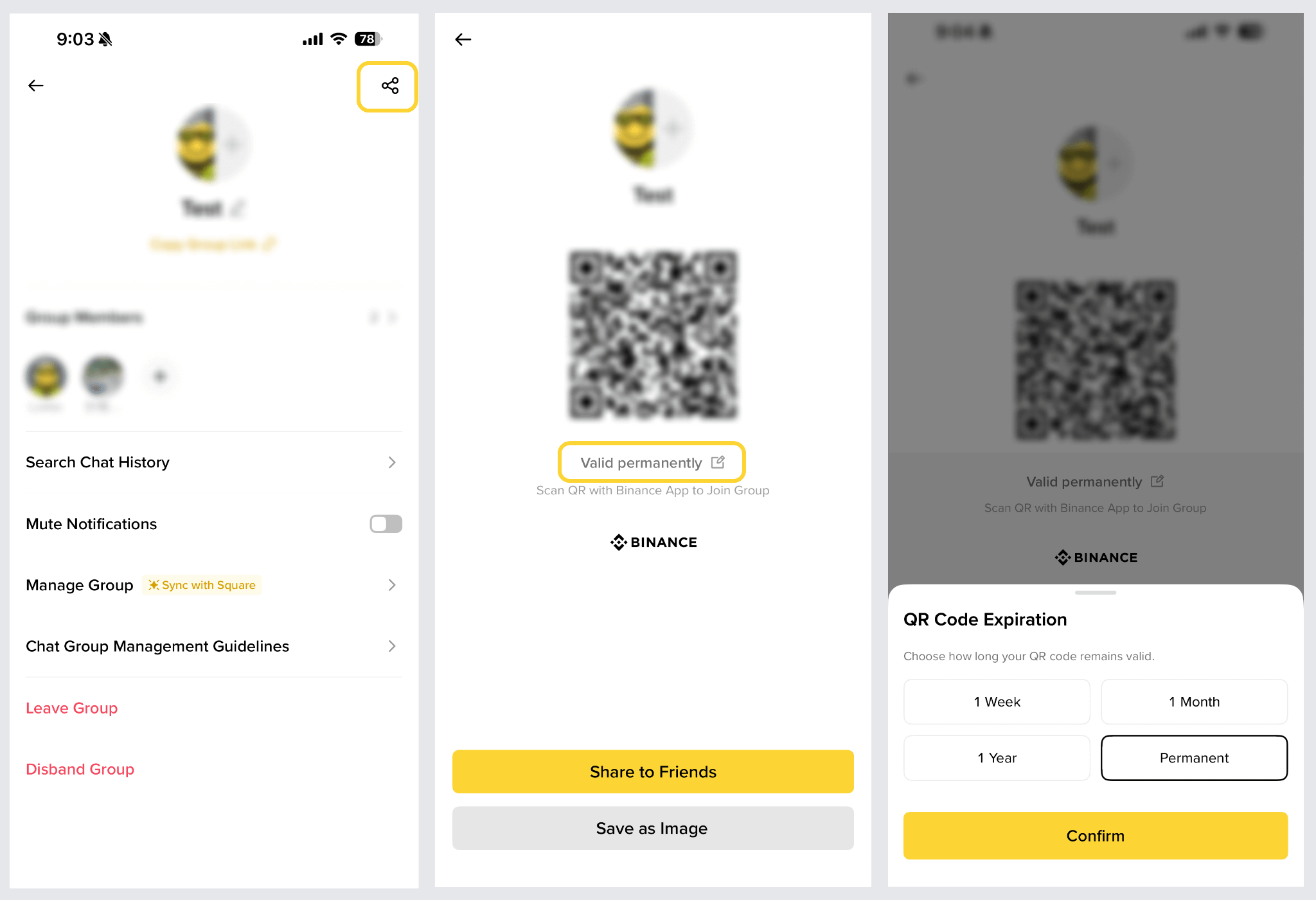
9. Set the QR code expiration time
You can now set how long the group QR code remains valid.
Choose a shorter expiration time for time-limited events, or a longer one for ongoing groups—so you can share and manage group join invitations more flexibly.
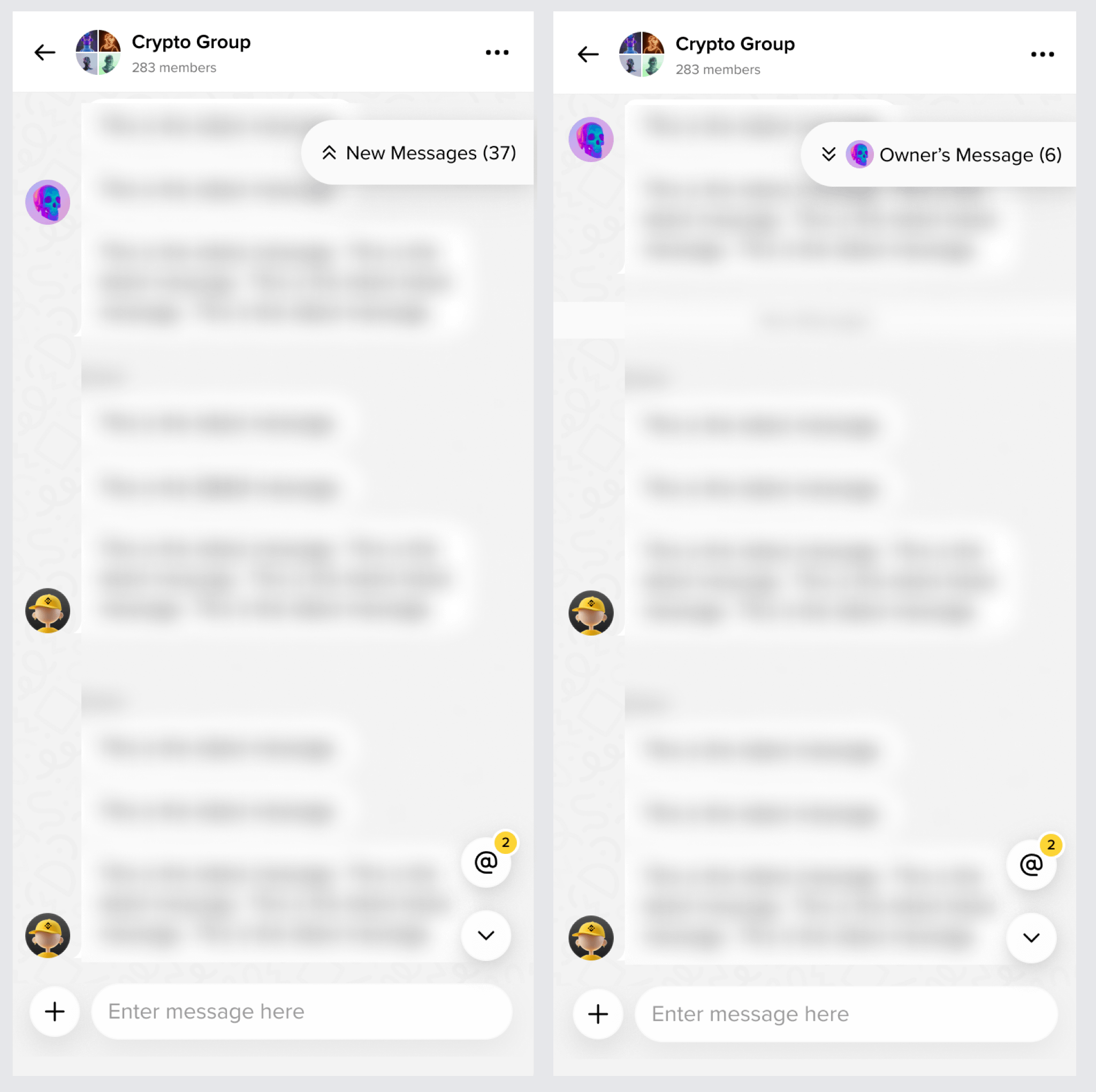
10. Catch up on what you missed—quickly
Missed a lot of messages in the group chat? No need to scroll through them all.
Tap “New Messages” to jump directly to your first unread message. You can also view the group owner’s messages separately, so you can find important updates easily without getting lost in the rest of the messages.
These were the top Binance Square updates for August.
What features would you like to see later? Share your ideas in the comments. We’ll keep listening to your feedback and improving Binance Square so you can enjoy an experience that fits you.