


In the livestream room, you can now directly display your own multi-order set. Viewers can follow with one click—no need to jump to another page, for a smoother experience. It’s recommended to update the Binance app to v3.19 or later to unlock this feature.
Step 1: Find the multi-order entry point
After you start the livestream, tap the button in the bottom toolbar.
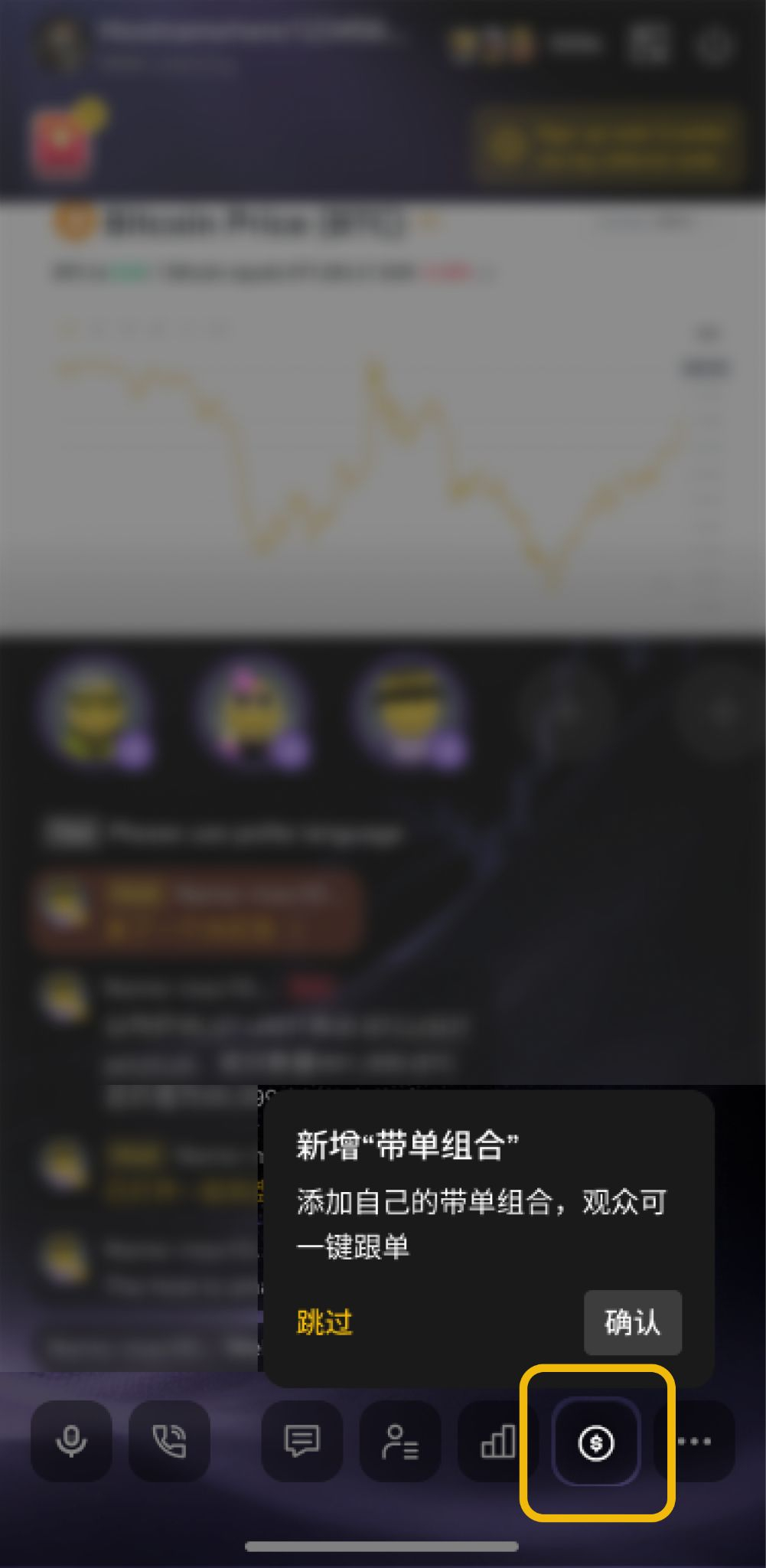
💡 Prerequisites: You need to already have at least one live multi-order set (for either the public domain or private domain).
Step 2: Manage multi-order sets
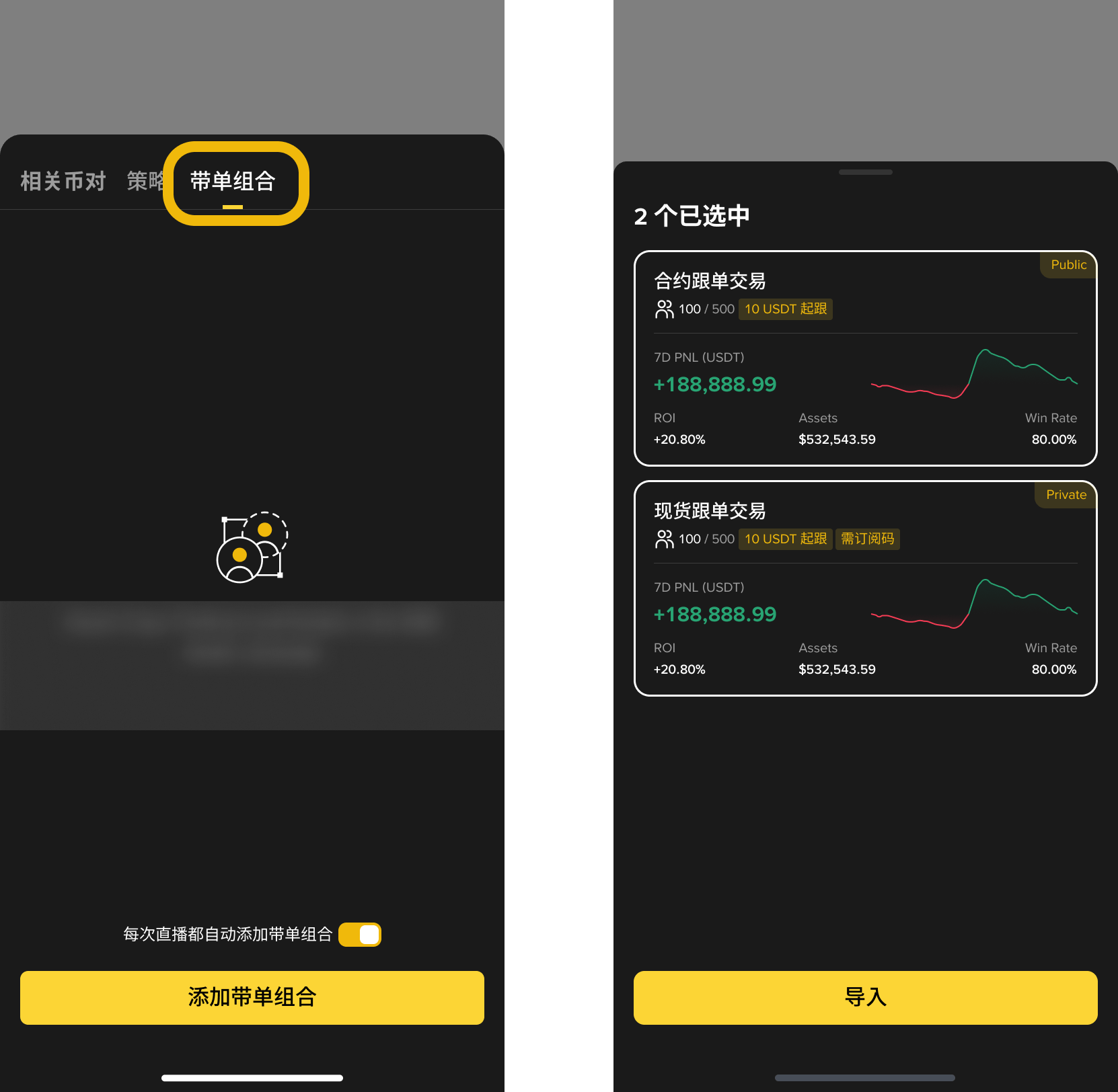
After tapping, the management panel will pop up from the bottom. Switch to the “Multi-order Sets” tab. You can:
Turn on “Automatically add per livestream.” The next time you go live, the set will be added automatically.
Manually click "Add follow-trading combination" and select the combination you want to display
You can choose one or multiple. Select and confirm to add. Each card shows data such as number of followers, PNL, ROI, etc.
📌 Public-domain combinations appear first, private-domain combinations appear later. Private-domain combinations are marked with "Requires a subscription code".
Step 3: Pin and show to viewers
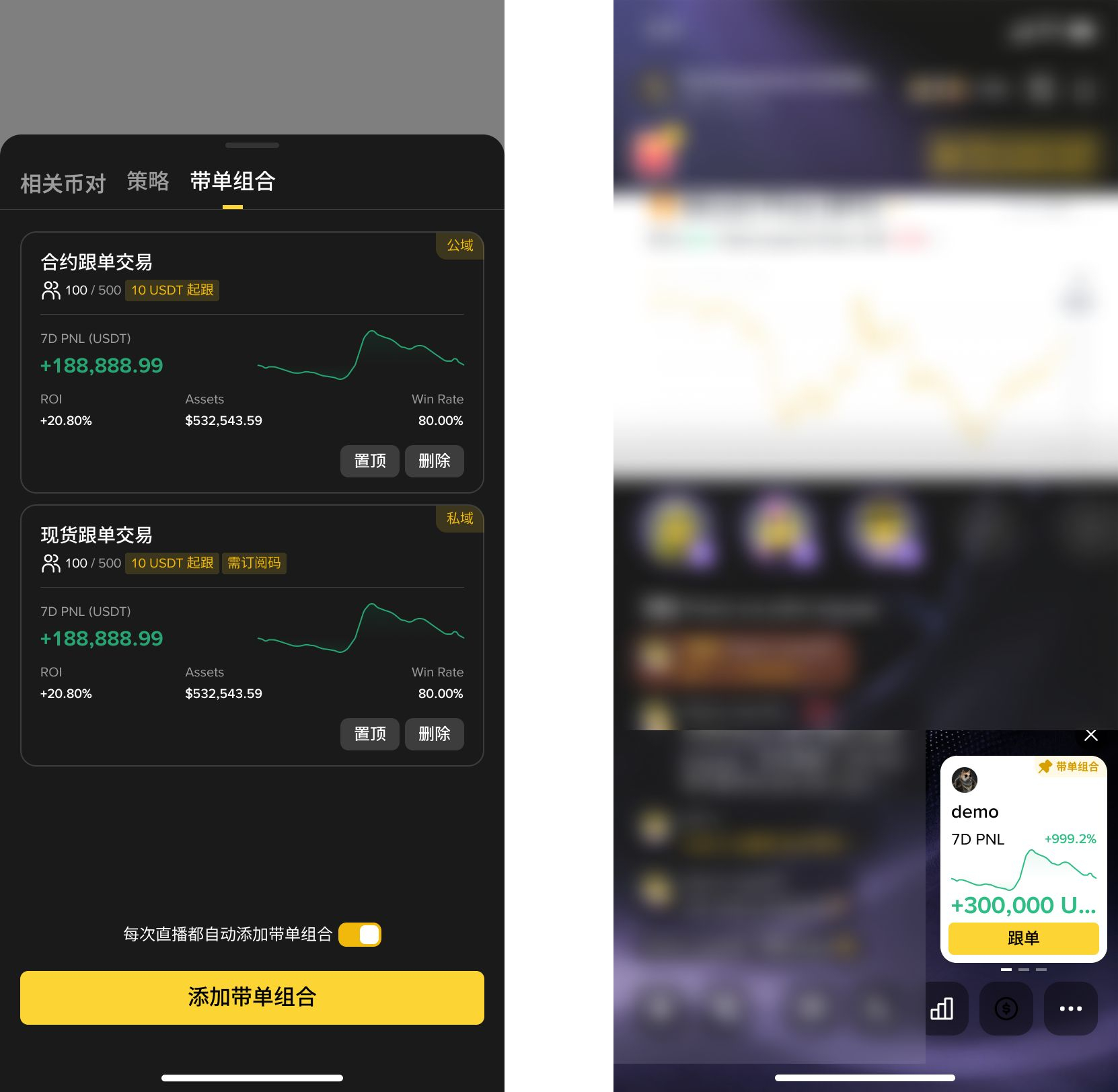
After adding, you can perform actions on each combination:
Pinned: Move to the first position in the list. A floating mini card appears on the right side of the live chat area. Viewers can click "Follow" to start follow-trading.
Unpin: Remove the mini card from the chat area
Delete: Remove this combination from the live room
⚠️ Viewers of a full combination cannot join. Please keep an eye on the available slots in time.
FAQ
Q: Why can’t I see the follow-trading entry?
A: Please confirm that you currently have an actively running contract follow-trading combination. Suspended combinations will not be displayed.
Q: What is the purpose of the automatic add toggle?
A: Once enabled, every time you go live, the system will automatically add your currently active follow-trading combinations to the live room. No manual action is needed for each session.
Q: Can viewers in private domain combinations see it?
A: Yes, they can see it, but viewers need a subscription code to join.
Q: Can all viewers see the pinned mini card?
A: Viewers need to have an active contract and follow-trading permission to see content related to follow-trading.