

Recently, I've noticed many friends have lost money while depositing and withdrawing, so here's a beginner's tutorial, along with some related knowledge (blockchain network, GAS fees, etc.)
Withdraw from the Binance Chain to the wallet
Think critically, this tutorial uses a standard wallet as an example; if it's another **, the same principle applies!
1. Click on Withdraw
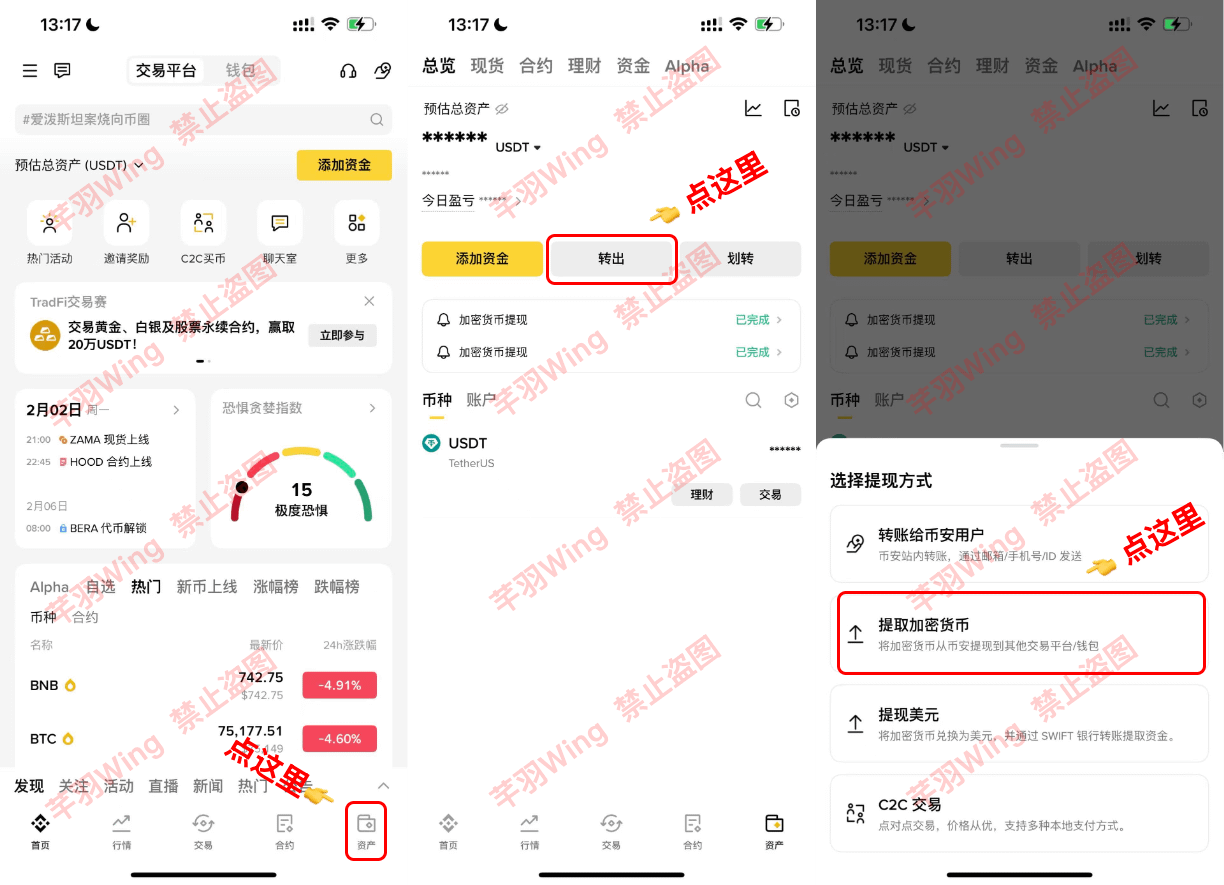
2. Select USDT, tap on 'Receive' in the wallet
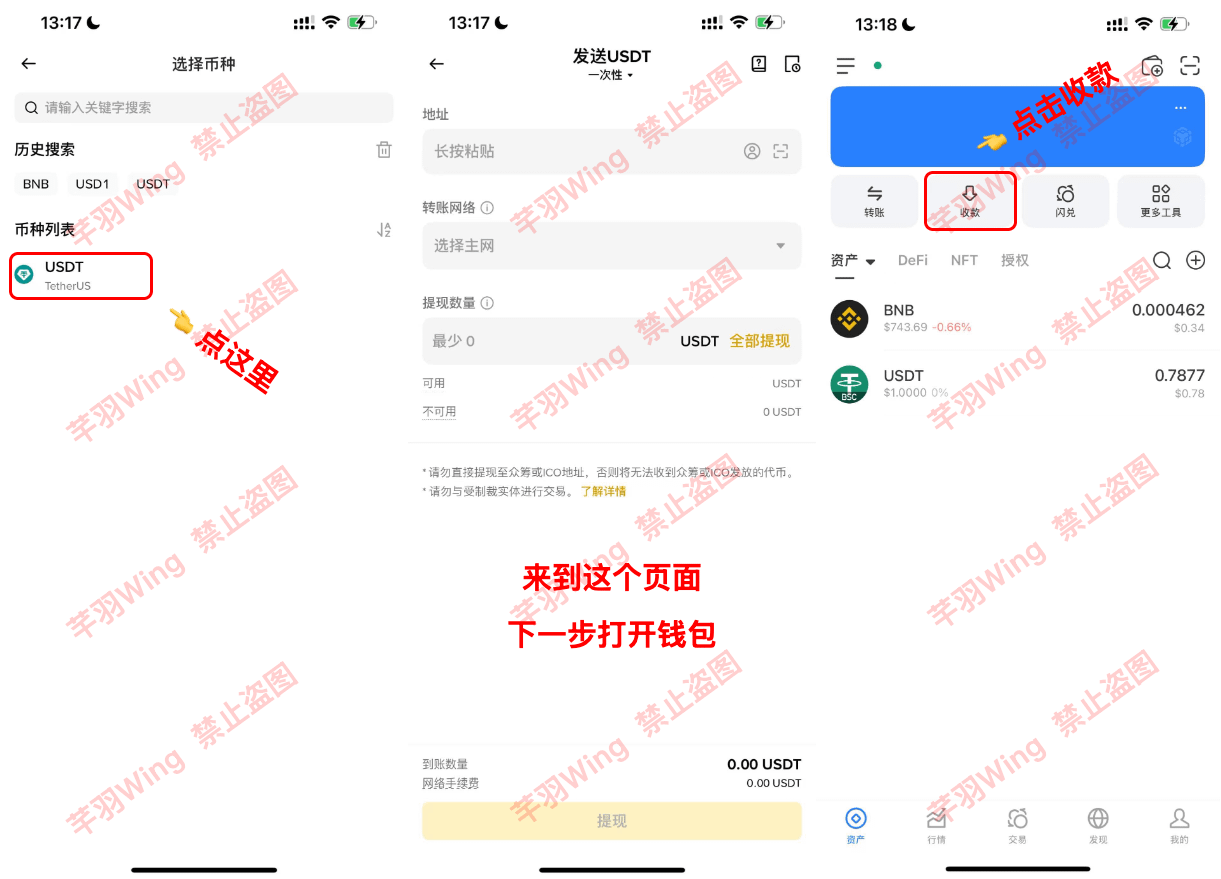
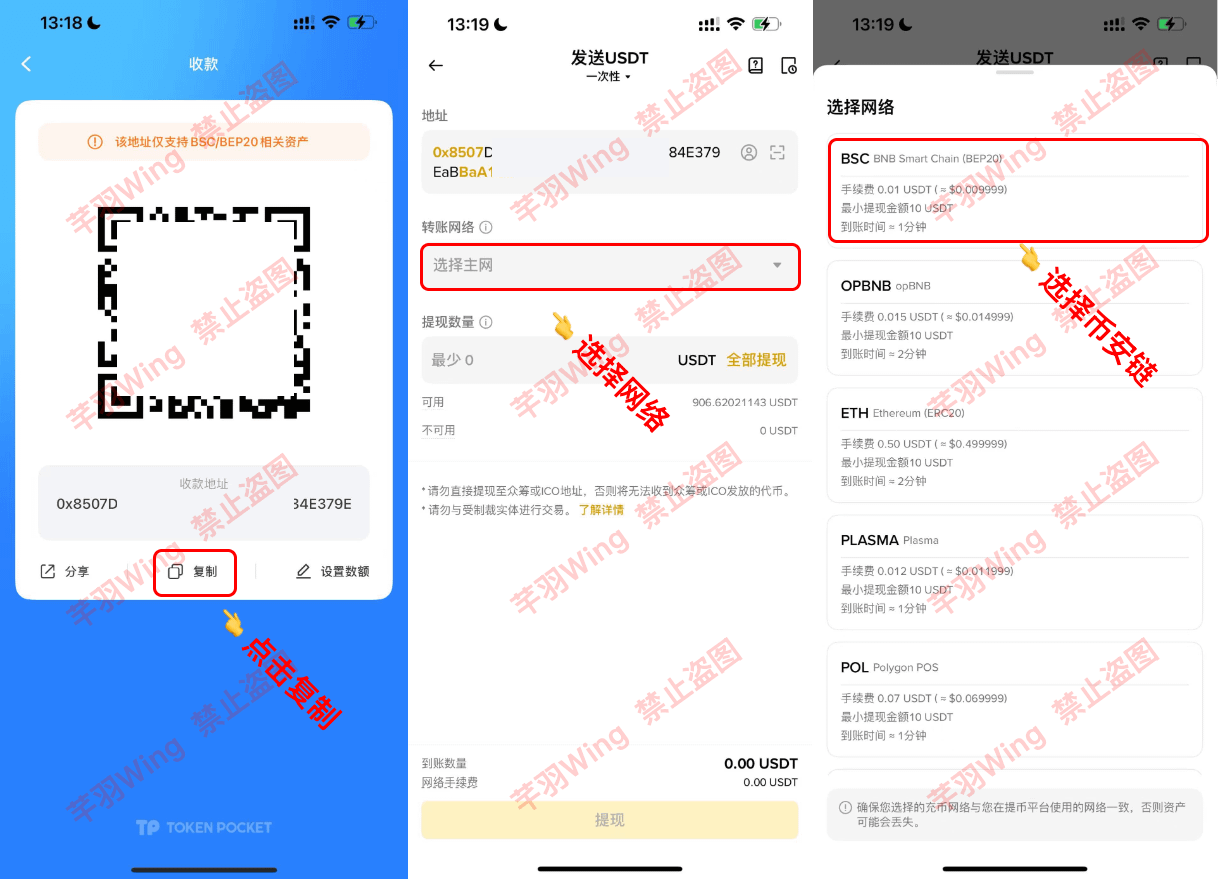
3. Copy the wallet address (also known as public key)
Return to Binance, paste the address, and select the BSC Binance Chain network; the network must match, the receiving wallet must be on the BSC network, and withdrawals should also choose this one;
One more thing: BSC network, ETH, BASE, etc. all belong to the EVM system and their addresses are interchangeable, but it's important to develop good habits!
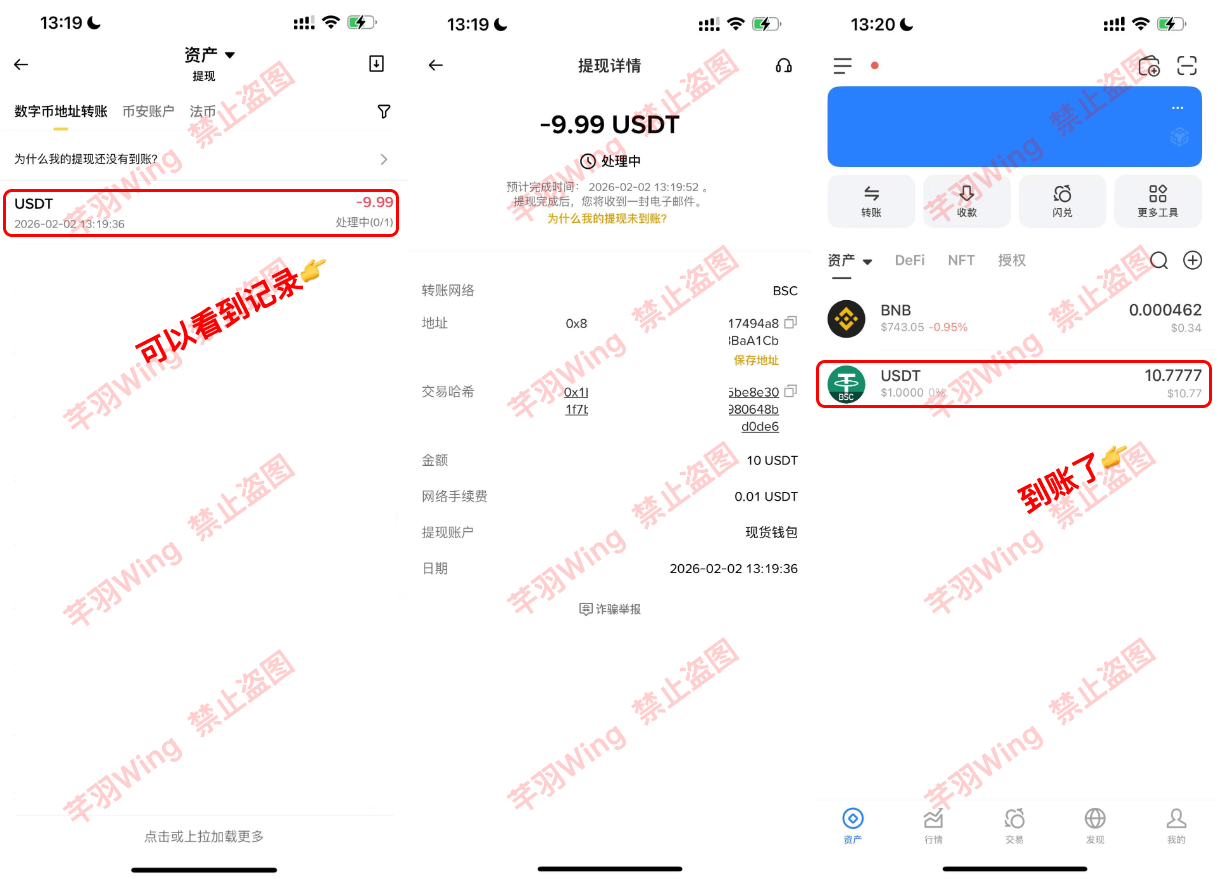
4. Enter the withdrawal amount, verify, and the withdrawal is successful. Here, we take 10 USDT as an example.
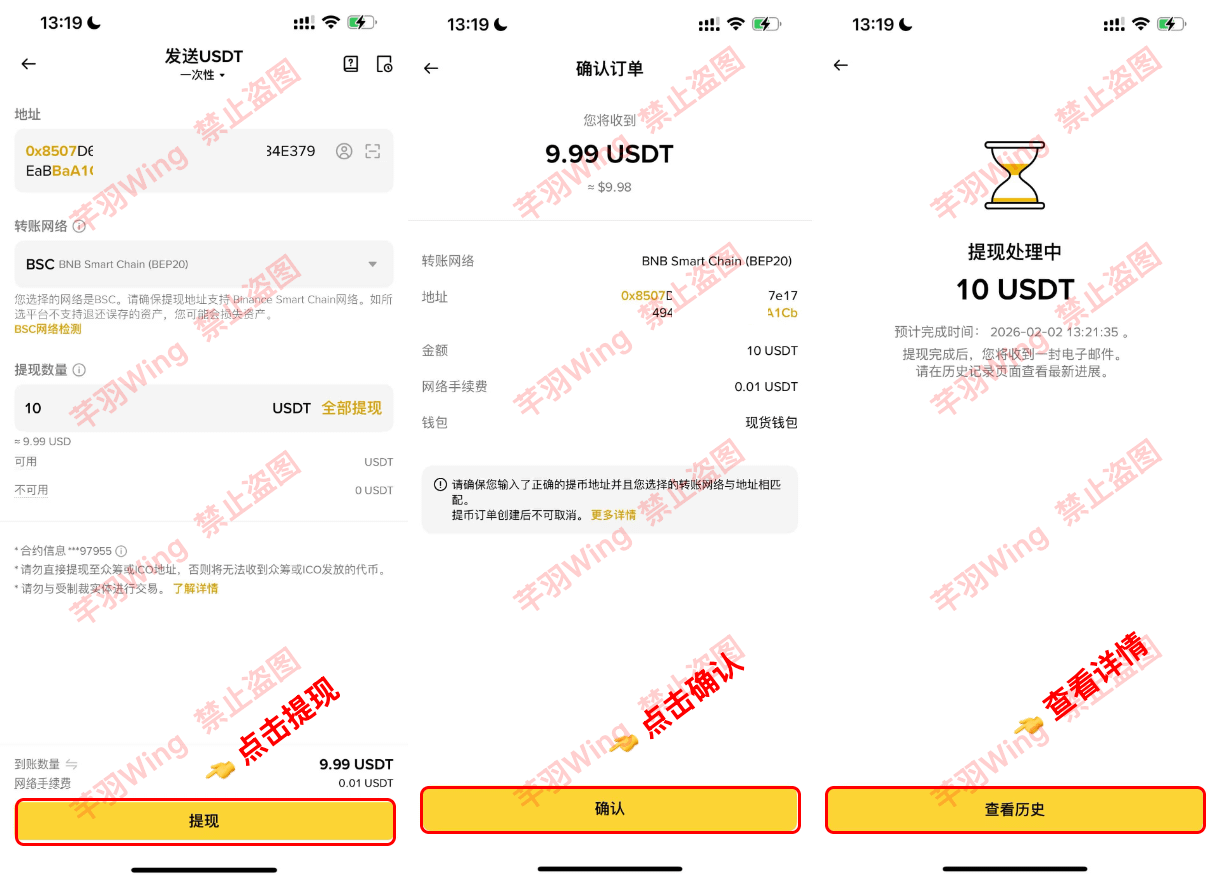
5. Check the withdrawal details and return to your wallet to see if the funds have arrived. The BSC network is very fast!
Third-party deposits or wallet deposits to the Binance platform
Here, we'll use USDT as an example and continue with the same wallet we just used.
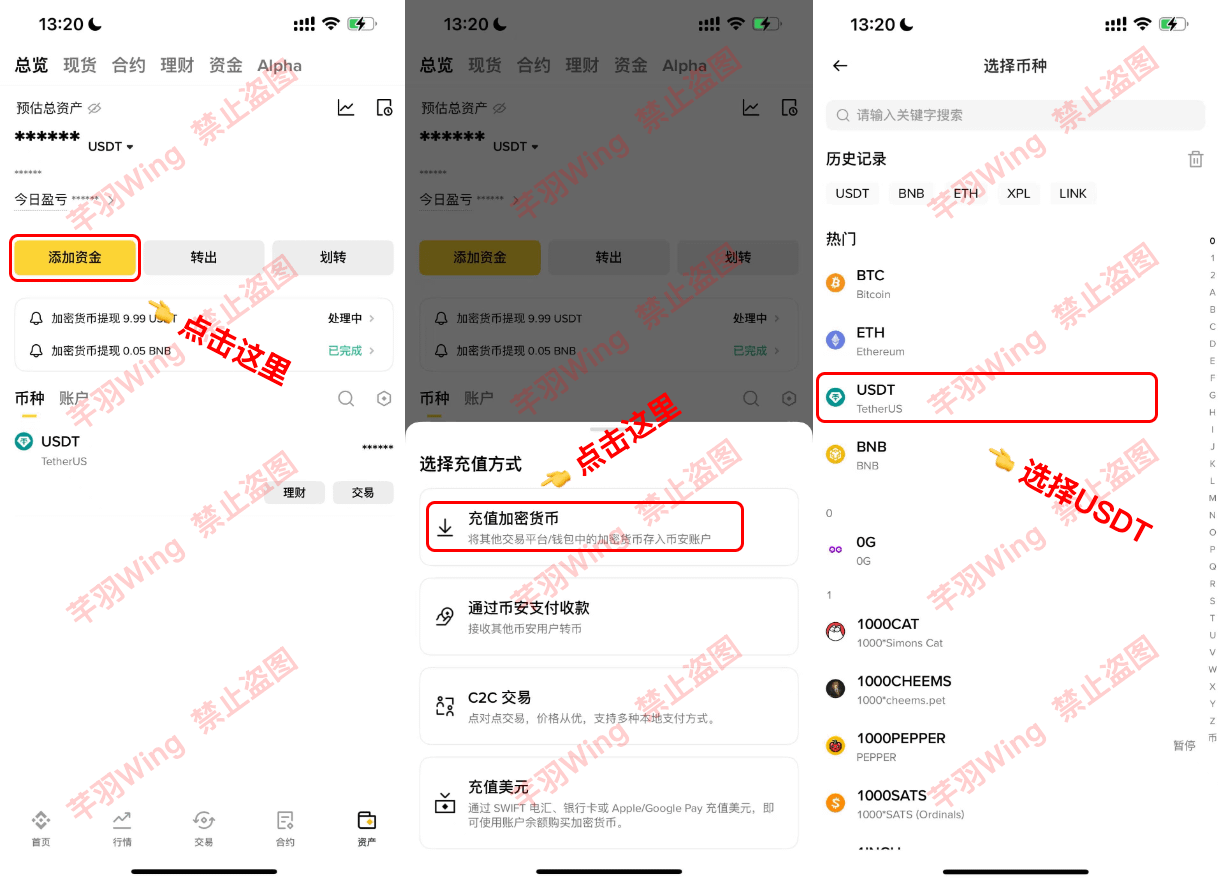
6. Click "Add Funds," select "Deposit," and choose USDT.
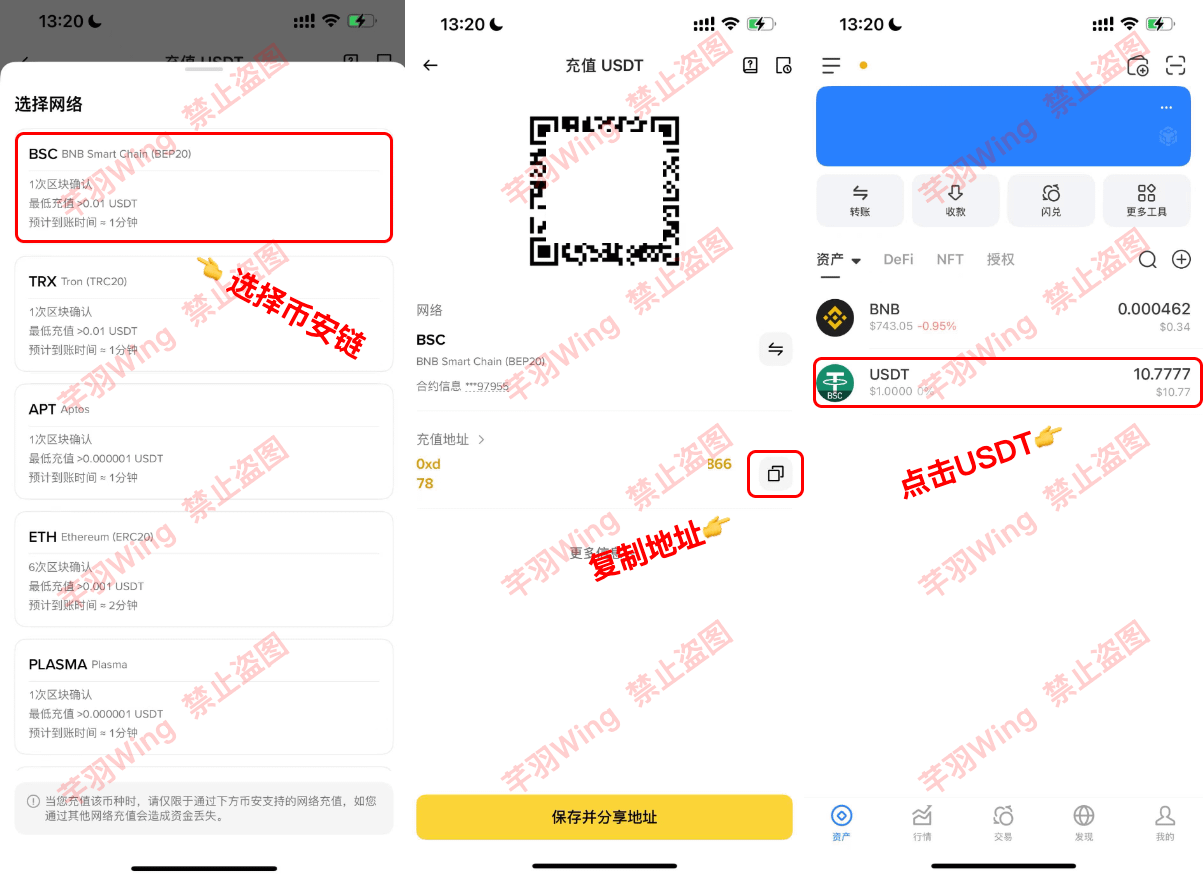
7. Select the BSC network, copy the wallet address, and open the wallet.
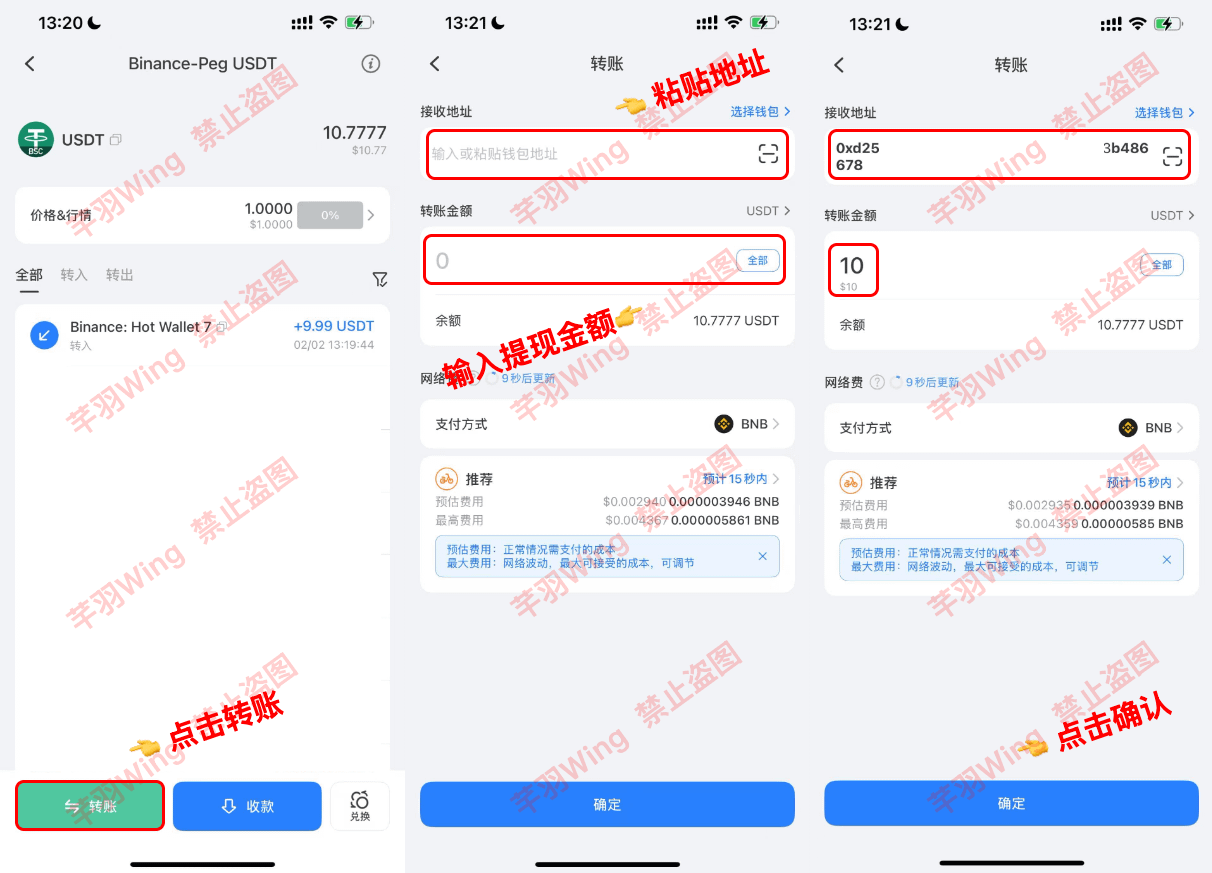
8. Click USDT, transfer, paste the address, enter the amount, and click confirm.
Here, because the wallet supports the BSC network, and I've already switched to the BSC network, I can transfer funds directly, unlike centralized platforms where you have to select the network when withdrawing or depositing.
9. Security verification complete; transfer successfully from wallet.
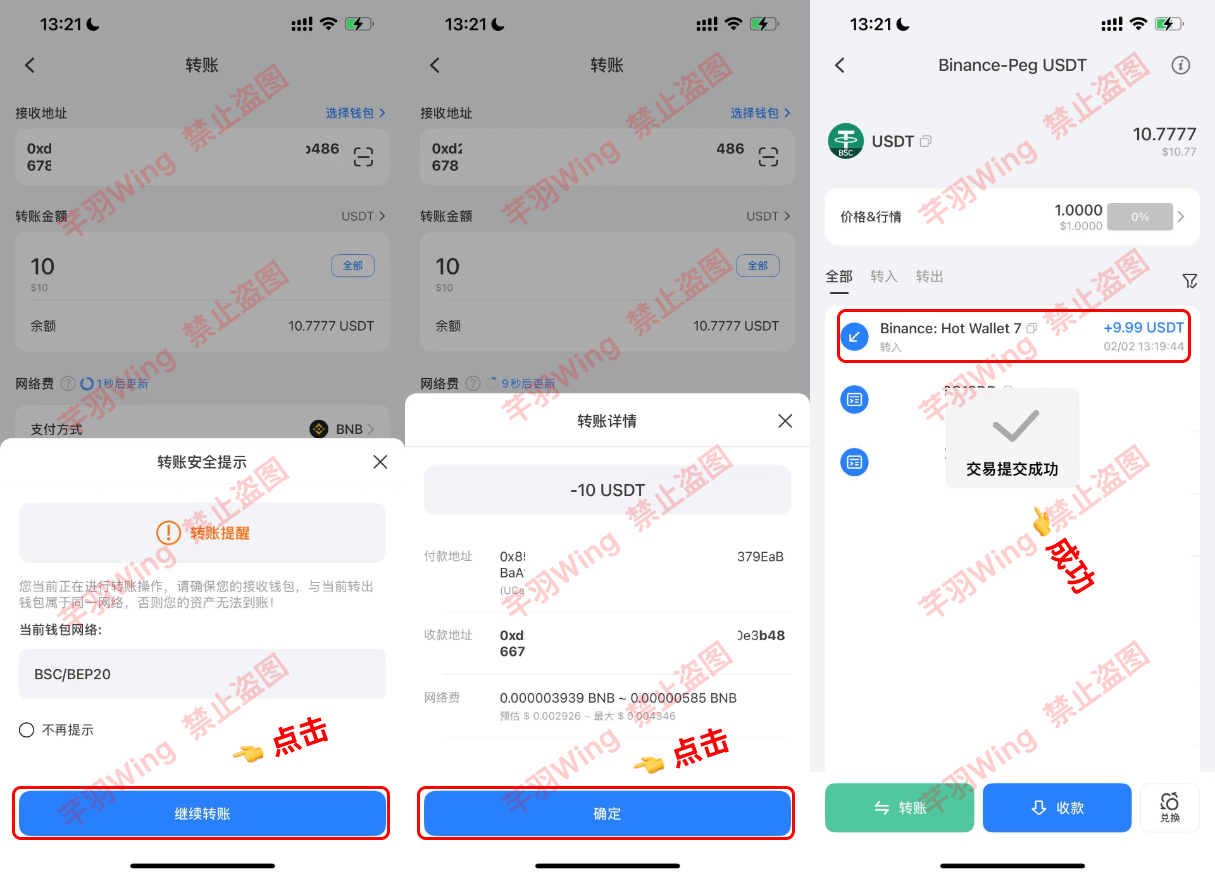
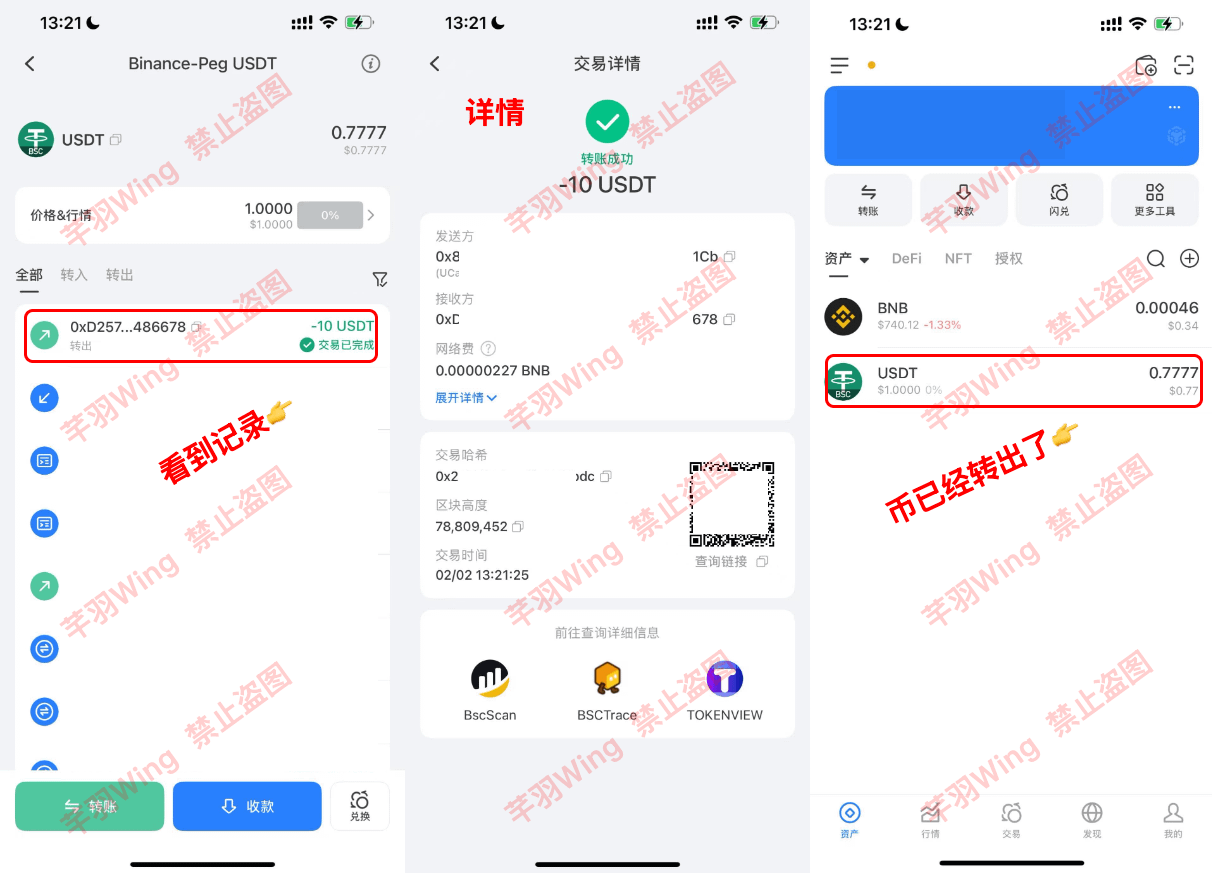
10. Check the transfer details, and you'll see that the amount of coins has decreased.
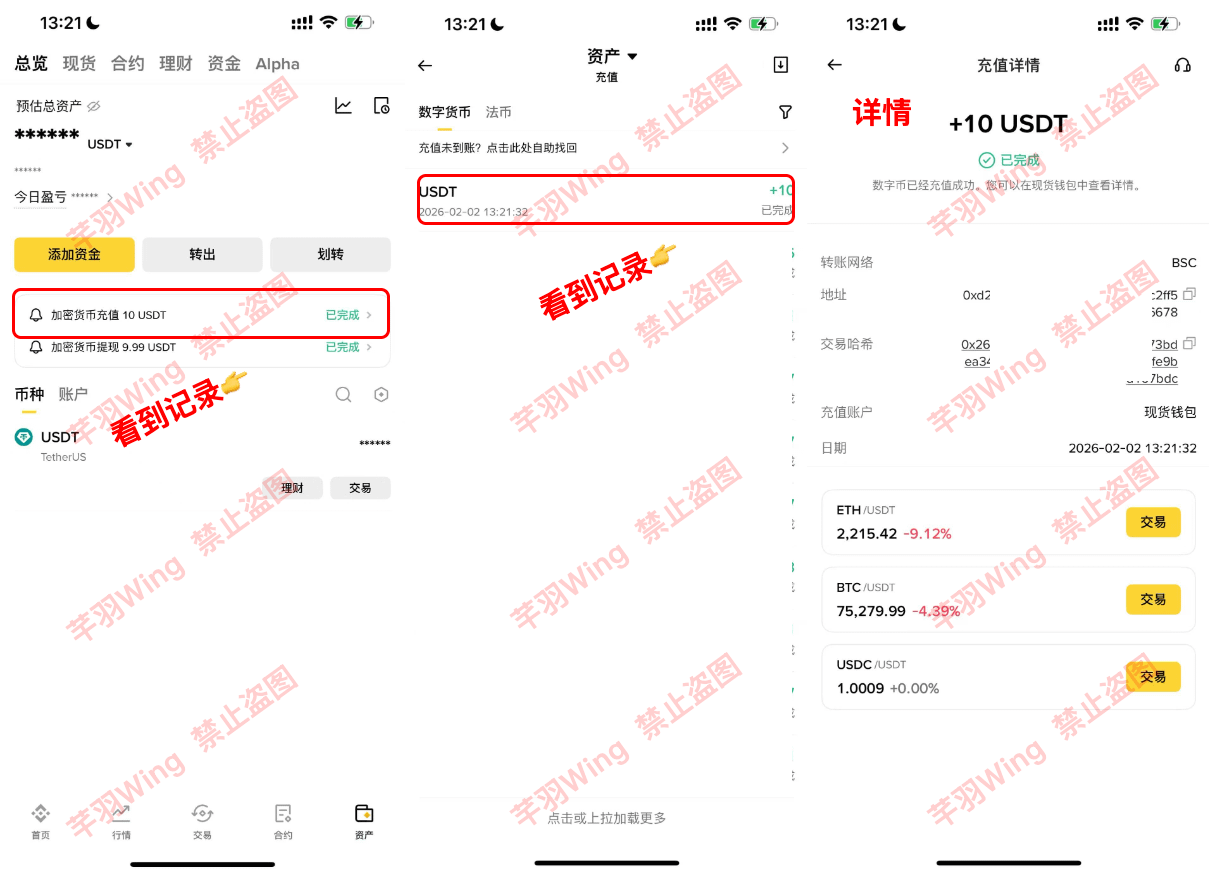
11. Back on Binance, I found a deposit notification, and the deposit was successful. That's the efficiency of Binance Chain!
If you have any questions during the above process, please leave a message and I will answer them all! Thank you for your support!