On bStocks there’s one small detail that’s easy to miss
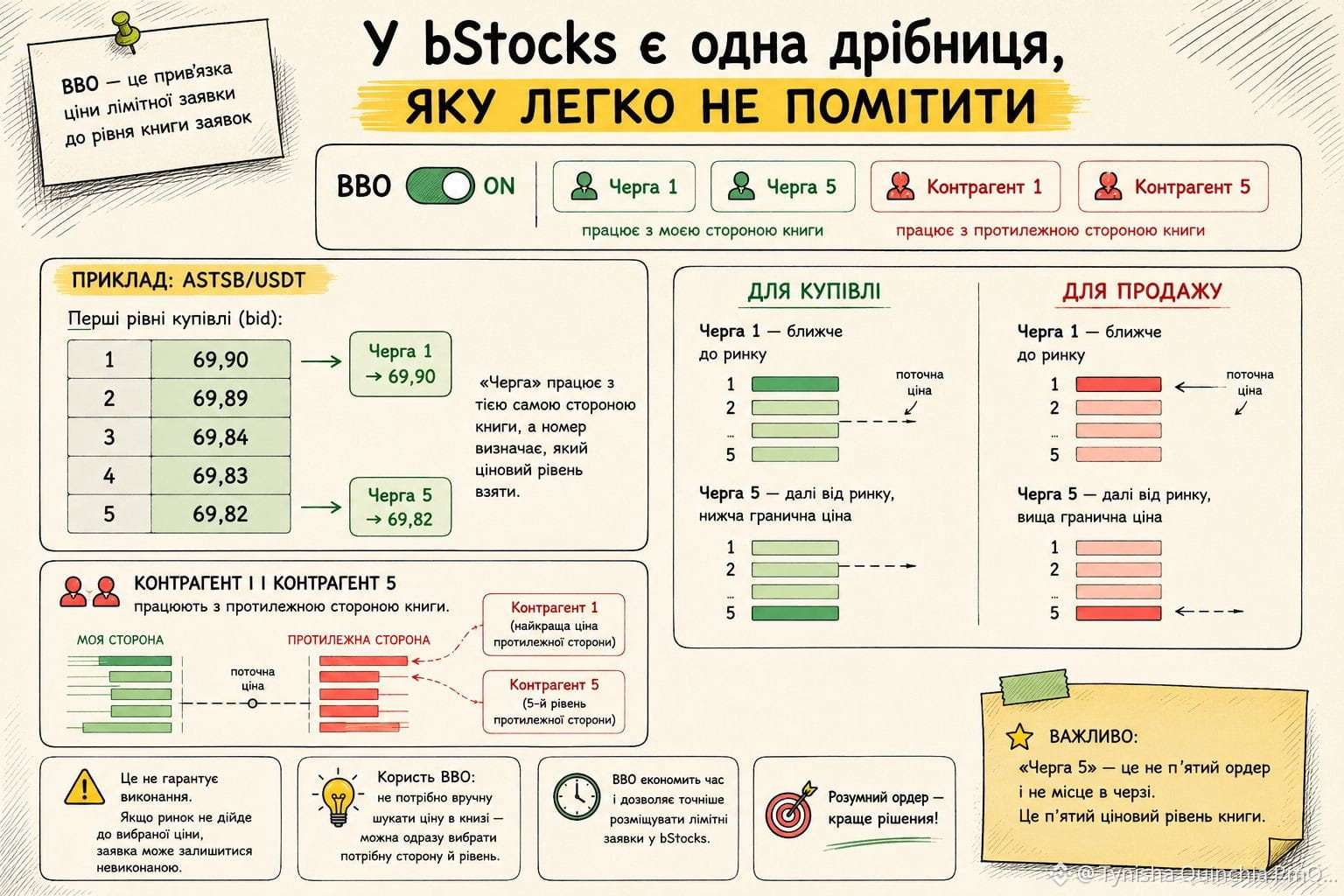
When I first placed a limit order on bStock, I noticed this: after enabling the BBO, you can see “Queue 1”, “Queue 5”, “Counterparty 1” and “Counterparty 5”.
This is a way to link the price of a limit order to a specific level of the order book.
As an example, let’s take ASTSB/USDT.
The first buy levels may look like this:
1 — 69.90
2 — 69.89
3 — 69.84
4 — 69.83
5 — 69.82
“Queue 1” → 69.90.
“Queue 5” → 69.82.
That is, “Queue” uses the same side of the order book, and the number tells you which price level to take.
So:
Queue 1 — closer to the current market.
Queue 5 — farther from the market, but for a buy it gives a lower limit price.
For selling, the logic is mirrored:
Queue 1 — closer to the market, lower sell price.
Queue 5 — farther from the market, but higher sell price.
And “Counterparty 1” and “Counterparty 5” work with the opposite side of the order book.
Important: “Queue 5” is not the fifth order and not a place in the queue. It’s the fifth price level of the order book.
And it doesn’t guarantee execution. If the market doesn’t reach the selected price, the limit order may remain unfilled.
For me, the benefit of BBO is simple: you don’t have to manually search for the price in the book—you can directly choose the side and the level.#bstockscis @BinanceCIS
When I first placed a limit order on bStock, I noticed this: after enabling the BBO, you can see “Queue 1”, “Queue 5”, “Counterparty 1” and “Counterparty 5”.
This is a way to link the price of a limit order to a specific level of the order book.
As an example, let’s take ASTSB/USDT.
The first buy levels may look like this:
1 — 69.90
2 — 69.89
3 — 69.84
4 — 69.83
5 — 69.82
“Queue 1” → 69.90.
“Queue 5” → 69.82.
That is, “Queue” uses the same side of the order book, and the number tells you which price level to take.
So:
Queue 1 — closer to the current market.
Queue 5 — farther from the market, but for a buy it gives a lower limit price.
For selling, the logic is mirrored:
Queue 1 — closer to the market, lower sell price.
Queue 5 — farther from the market, but higher sell price.
And “Counterparty 1” and “Counterparty 5” work with the opposite side of the order book.
Important: “Queue 5” is not the fifth order and not a place in the queue. It’s the fifth price level of the order book.
And it doesn’t guarantee execution. If the market doesn’t reach the selected price, the limit order may remain unfilled.
For me, the benefit of BBO is simple: you don’t have to manually search for the price in the book—you can directly choose the side and the level.#bstockscis @BinanceCIS