

Thinking about starting a Binance Live stream? It’s easier than you think—and a great way to connect with the crypto community. Whether you’re talking about the #MarketRebound or sharing your trading setup, here’s a quick guide to get started.
Step 1: Find “Go Live”
Open the Binance app:
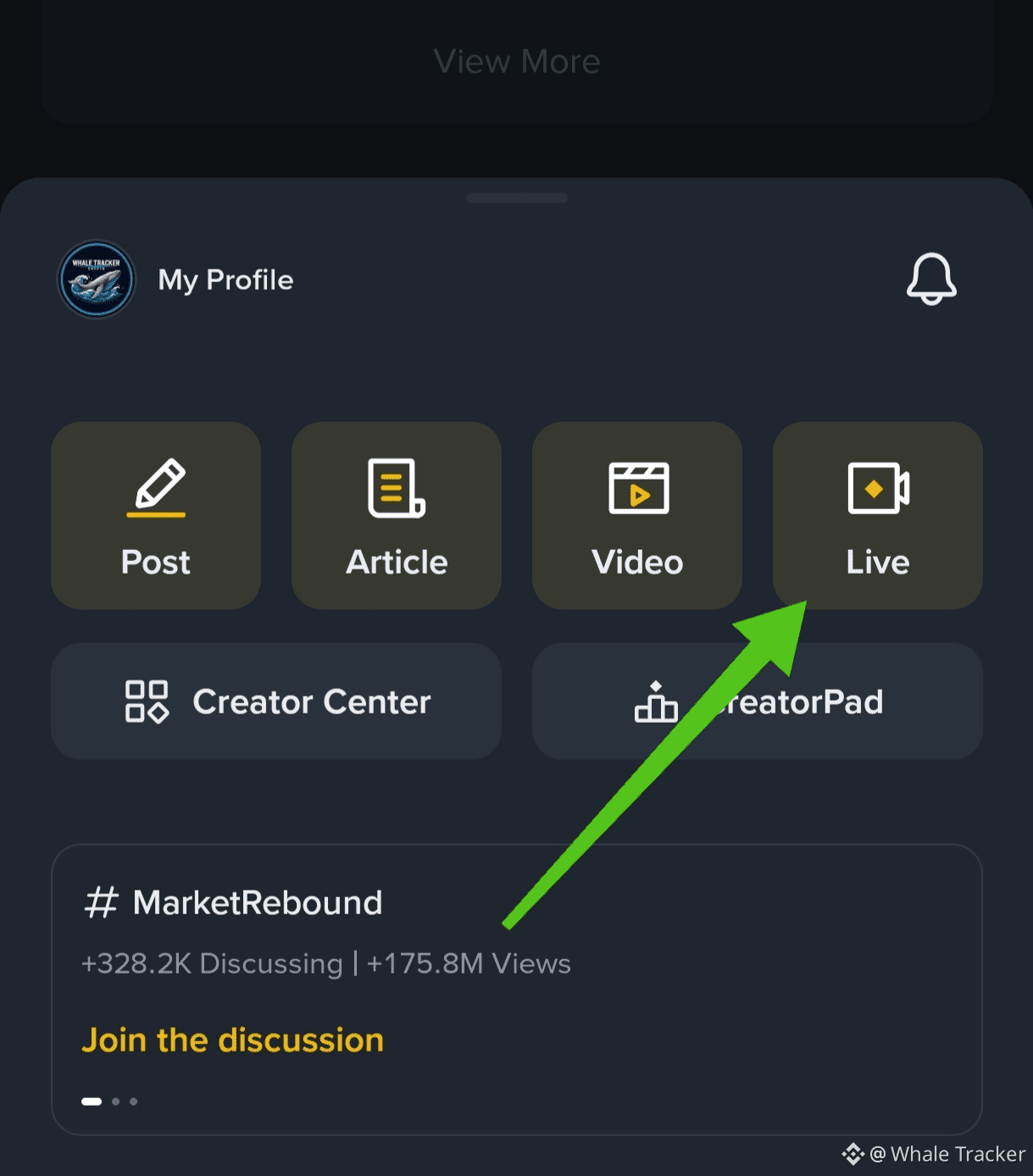
Tap the Post (+) button on the homepage and select Live, or
Go to your Profile and choose Live from there.
Step 2: Choose Your Streaming Style
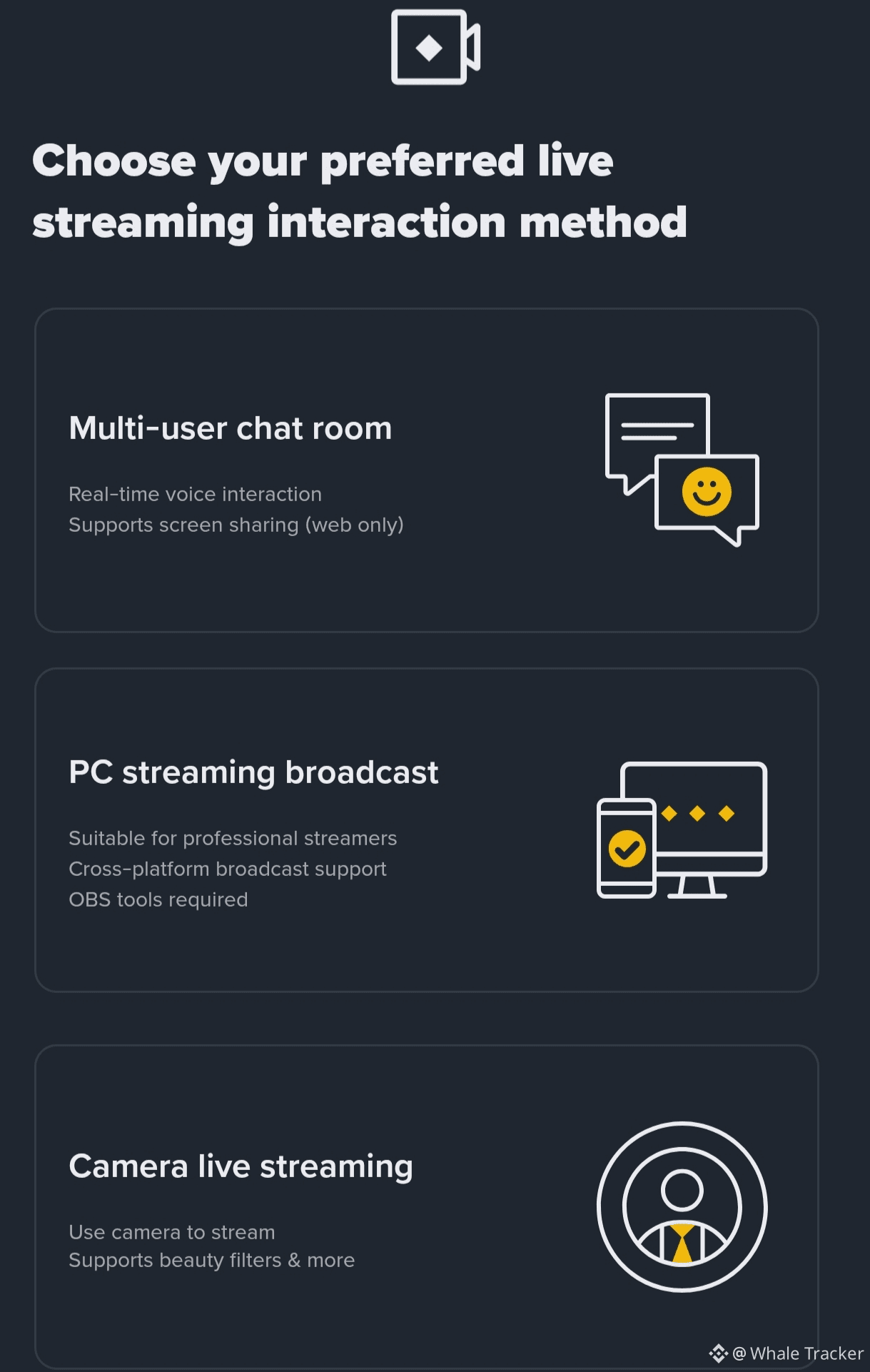
Tap Start Live and pick one:
🎤 Live Audio – Voice-only discussions or podcasts
📹 Camera Live – Use your phone camera for casual updates
🖥️ PC Streaming – OBS/screen sharing for pro-level chart analysis
Tip: First time? Try Live Audio or Camera Live.
Step 3: Set Up Your Stream
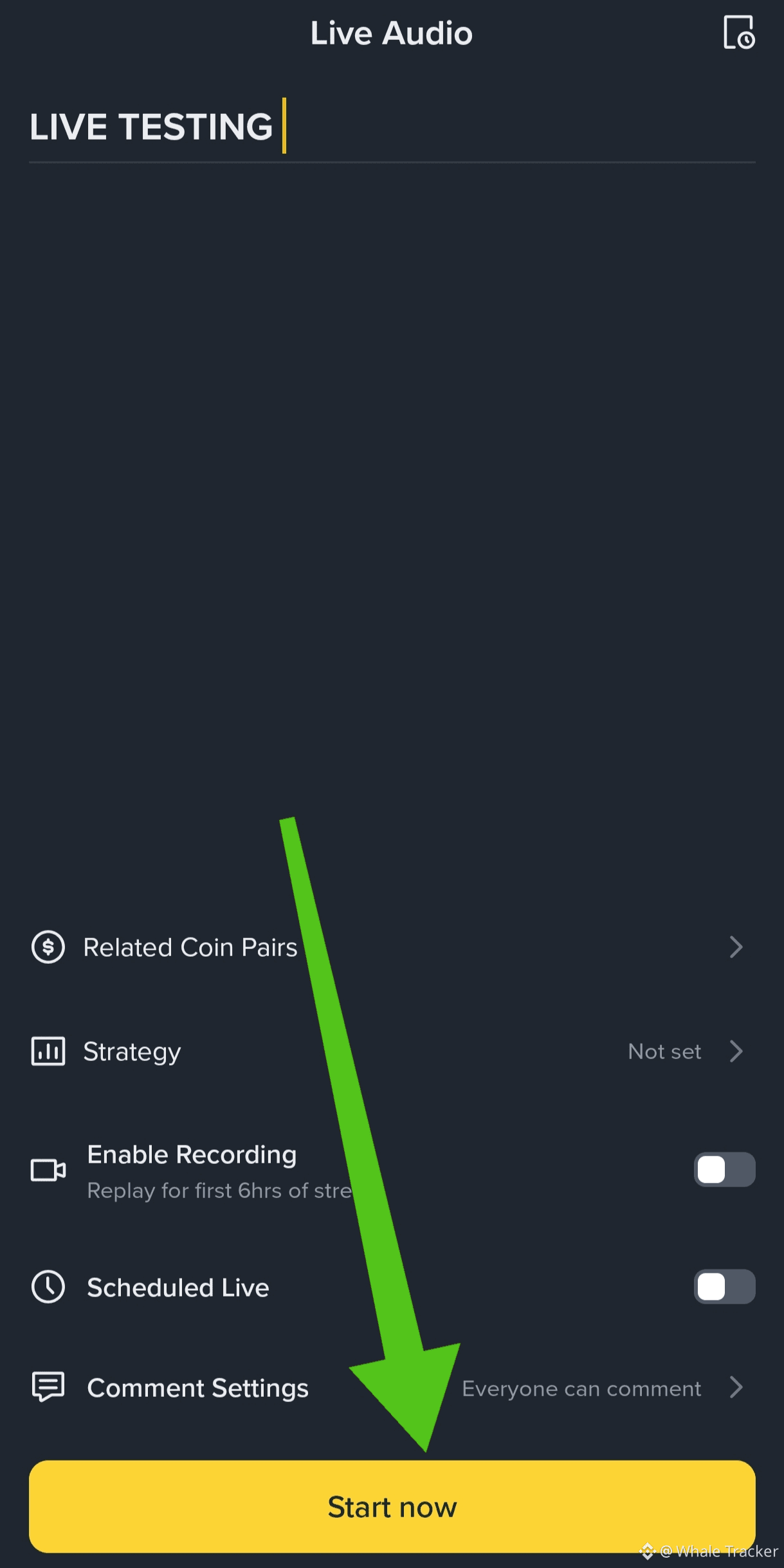
Before going live:
Add a clear title
Tag relevant coin pairs (BTC, BNB, ETH, etc.)
Keep comments open
Turn on recording for replay
Step 4: Go Live & Engage
Chat with viewers in real time
Share charts (PC mode)
Receive crypto tips from viewers 🎁
Why Go Live?
Build a real community
Share your market insights
Earn crypto directly while streaming
Going live isn’t just for experts—just start and grow as you go.
Have you tried Binance Live yet? What’s holding you back? 💬