

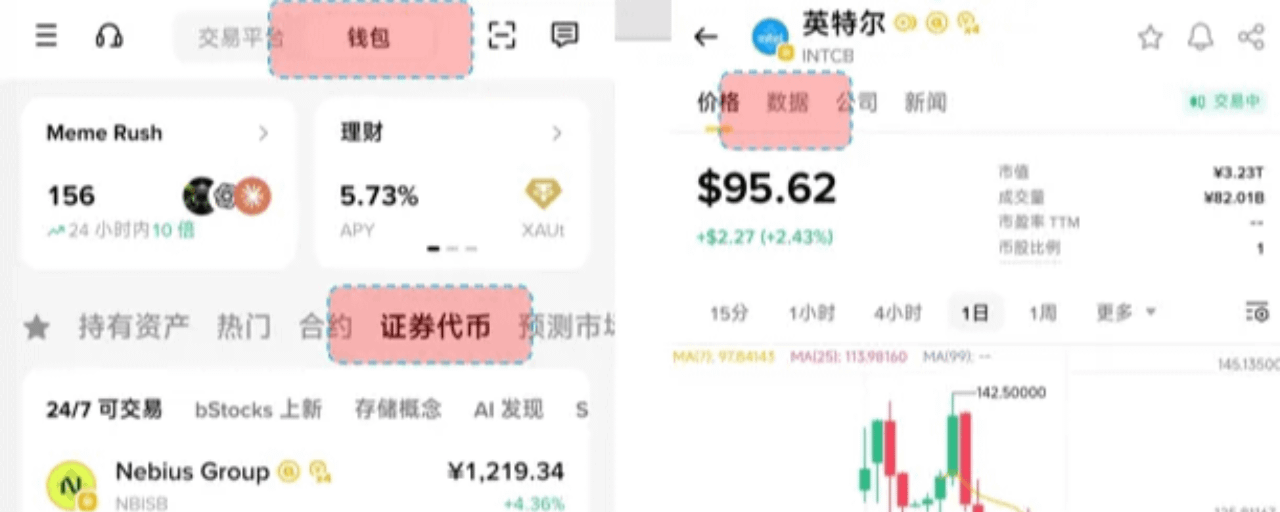

Brothers, the bStocks spot we bought on Binance can be withdrawn from the Binance CEX to a Binance Wallet or other self-custody wallets. This means you truly control the asset private keys and avoid exchange risks. It supports long-term cold storage with a hardware wallet and improves security. Next, I’ll write a basic tutorial:
Goal: Withdraw bStocks from Binance CEX to Binance Wallet (or other BSC-compatible wallets) to achieve true self-custody. Binance Spot → select bStocks → withdraw → choose the BSC network → paste the Wallet address → confirm → funds arrive to self-custody on-chain.
I. Detailed transfer steps
Step 1: Withdraw bStocks on Binance CEX
Open the Binance app, go to Wallets → Spot
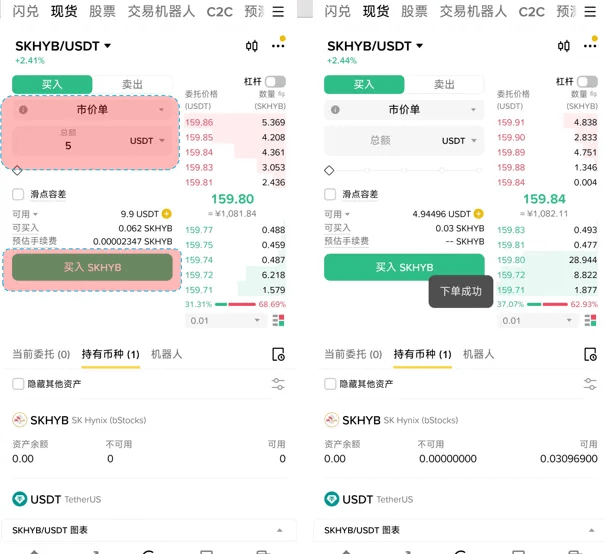
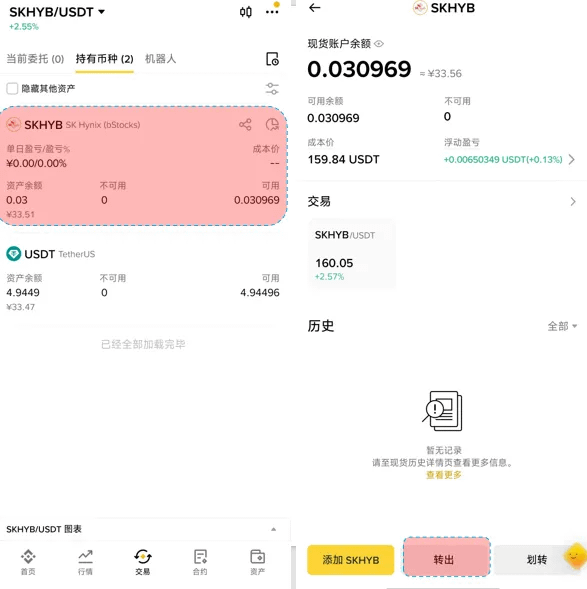
Find your bStocks (e.g., search SKHYB), then click Withdraw.
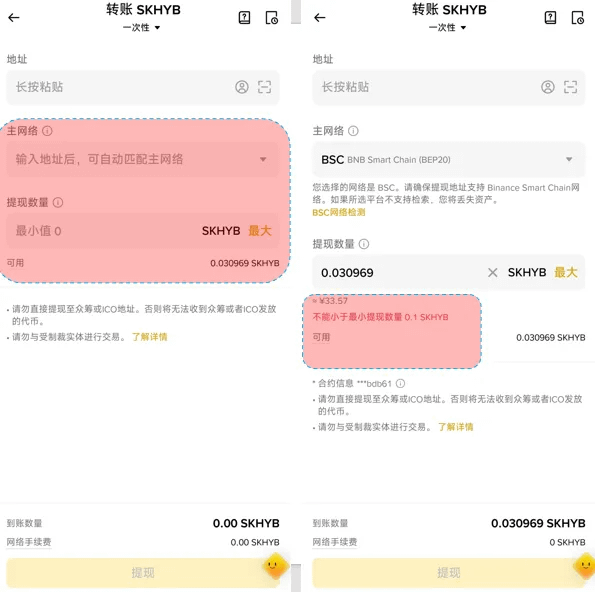
Fill in the withdrawal information:
Network: you must select BNB Smart Chain (BSC) (very important—selecting the wrong network will make you lose your coins).
Address: paste your Binance Wallet receiving address (see Step 2).
Amount: enter the quantity you want to withdraw (watch the minimum withdrawal amount—usually very low; for example, for SKHYB like the picture, it’s 0.1 SKHYB).
Wait for the funds to arrive (on the BSC network, it usually takes a few seconds to a few minutes).
Step 2: Receive bStocks in Binance Wallet
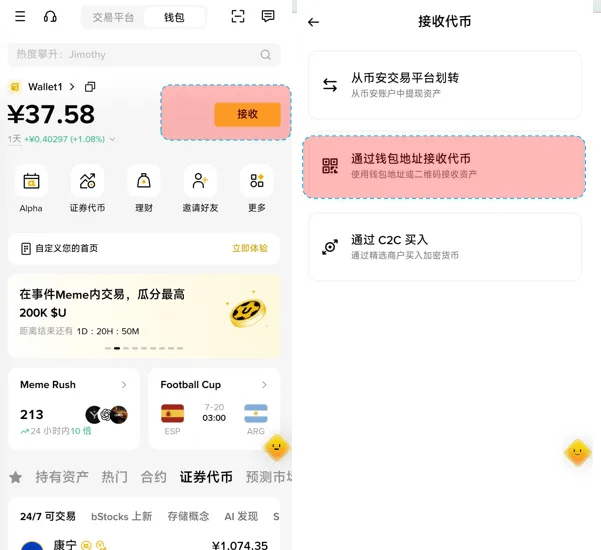
Open Binance Wallet → switch to BNB Chain.
Click Receive.
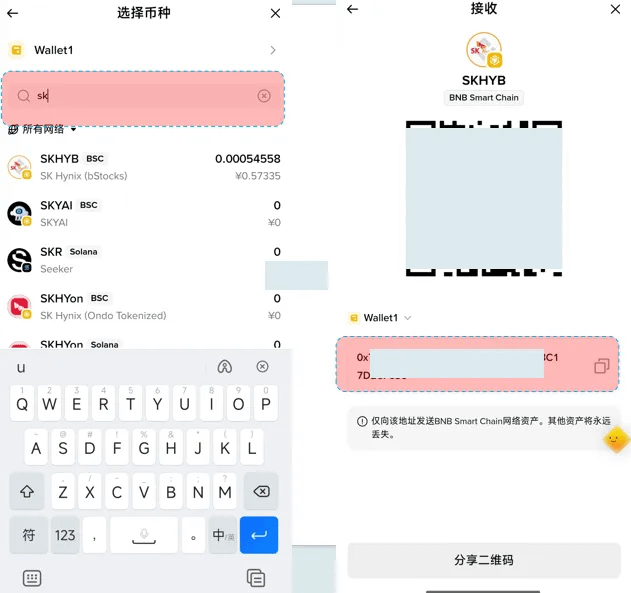
Search for and select the bStocks you want to receive (e.g., SKHYB).
Copy the receiving address (or display the QR code).
Paste this address into the withdrawal page of Binance CEX.
After the funds arrive: you can see bStocks in your Wallet’s Assets list.
II. Advanced usage: spread across multiple wallets + hardware wallet
Spread across multiple wallets:
Repeat the steps above to create multiple Binance Wallets, or use MetaMask / Trust Wallet (add BNB Chain).
Distribute different amounts across different wallets to reduce the risk of a single wallet.
Transfer to a hardware wallet (recommended for long-term storage):
Add a BNB Chain account in your hardware wallet (e.g., Ledger).
Send bStocks from the Binance Wallet to the hardware wallet address (gas fee is extremely low).
Hardware wallet offline signing provides the highest security.
III. Notes & Common Questions
Network must match: only use BSC (BNB Smart Chain). Other networks (e.g., ETH) will cause permanent loss of assets.
Withdrawal fee: Binance usually charges a small service fee + BSC gas fee (very low).
Minimum withdrawal amount: different bStocks have slightly different minimums. It’s recommended to test with a small amount first (0.01).
Time to arrive: normally a few seconds to 5 minutes; the slowest should not exceed 30 minutes.#币安用户共创