
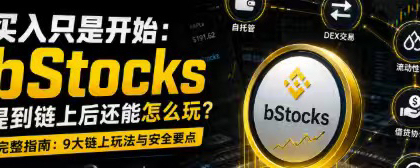

# (Buying is just the beginning: How can you play with bStocks once they hit the chain?)
For many people who encounter bStocks for the first time, what they care about is:
How do you buy? When will it rise? Can you trade 24/7?
But what’s truly interesting about bStocks isn’t just that trading hours are more flexible—it can also move into on-chain wallets and participate in a wider range of on-chain scenarios.
Traditional stocks are usually locked in a brokerage account; what users can do is mainly buy, hold, and sell.
Once stock-type assets are tokenized, they can be stored in wallets like other on-chain assets, used for transfers, participate in DEX trading, and even enter liquidity pools and lending protocols.
You can think of it like this:
**Traditional stocks are assets held in an account; bStocks are “financial building blocks” that can enter the on-chain world.**
However, as the玩法 (ways to use it) increase, so do the risks.
From a practical usage perspective, let’s discuss what you can do after bStocks are put on-chain, and the security issues that beginners most easily overlook.
## 1. Self-custody of the wallet: the assets are kept by you
The most direct change after putting bStocks on-chain is that instead of holding them on the platform account, you move to wallet self-custody.
Previously, you could see assets by logging into the platform account. After moving on-chain, the assets will appear in your own wallet address.
This means users can decide for themselves:
* Which wallet you store the assets in;
* Which address to transfer to;
* Which on-chain applications you connect to;
* When you perform the trade;
* Whether it involves other DeFi scenarios.
The biggest feature of self-custody is that:
**More asset control is handed to the user themselves.**
But control and responsibility appear at the same time.
If you forget the password for the platform account, you can usually recover it via verification. But once the mnemonic phrase or private key for an on-chain wallet is lost, the assets are often extremely hard to restore.
Therefore, for the first time extracting bStocks, I recommend:
1. Use a wallet you’re familiar with;
2. Confirm that the wallet supports the corresponding network;
3. Do a small test first;
4. Verify the asset amount after it arrives;
5. Only perform large operations after everything is confirmed to be correct.
Don’t move all of your assets to a wallet you’ve never used the first time you try.
The first step of on-chain operations isn’t about efficiency—it’s about making sure you can securely control your assets.
## 2. On-chain transfer: if you enter the wrong address, there is usually no “cancel” button
After bStocks are in your wallet, you can transfer them on-chain according to the product and contract rules.
On-chain transfers look simple:
```text
Enter the receiving address
→ Confirm network
→ Fill in the amount
→ Pay Gas
→ Wait for transaction confirmation
```
But the biggest difference between on-chain transfers and regular bank transfers is:
**Once a trade is confirmed, it’s usually not possible to withdraw/cancel it.**
So at least verify these four items before transferring:
* Is the receiving address correct;
* Whether the sending and receiving networks match;
* Whether the counterparty platform supports that asset;
* Whether the address meets the product’s receiving requirements.
Don’t only verify the first few digits of the address.
A safer method is to verify the first six and last six digits of the address, and send a small test transaction first.
Also pay special attention to clipboard hijacking.
Some malicious programs will automatically replace the copied wallet address with the attacker’s address after the user copies it. Therefore, even if the address is copy-pasted, it must be re-checked before submitting the transaction.
## 3. DEX trading: tradeable 24/7, but it doesn’t mean you’ll always get a good price at any time
After bStocks goes on-chain, you may be able to swap it on decentralized exchanges that support it.
Users don’t need traditional buy/sell order matching—they connect their wallet directly and complete the trade through a liquidity pool.
Basic operations are usually:
```text
Connect wallet
→ Choose the bStocks and the target asset
→ Enter the swap amount
→ Check the estimated amount you will receive
→ Confirm slippage and fees
→ Wallet signature
```
DEX trading’s advantage is flexibility, and the assets are always controlled by the user’s wallet.
But note:
**You can trade it, but that doesn’t mean it’s suitable to trade.**
Especially during periods when the underlying stock’s traditional market is closed, the on-chain price may be influenced more by liquidity, market expectations, and buy/sell demand.
At this point, this may happen:
* Widened bid-ask spread;
* Increased execution (trade) slippage;
* The on-chain price shows a premium;
* The on-chain price shows a discount;
* Small trades are fine, but large trades get a clearly worse price.
Therefore, before trading bStocks on a DEX, you can’t just look at the price shown on the page—you also need to check:
* Liquidity depth;
* Price impact;
* Estimated received amount;
* Maximum slippage;
* Whether the current traditional market is open.
Seeing “trading 24 hours a day” shouldn’t be understood as “there is always sufficient liquidity and a reasonable price at all times.”
## 4. Liquidity pool: earn fees, but it may also reduce upside gains
If a DEX provides a liquidity pool related to bStocks, users may be able to deposit both assets to provide liquidity for other traders.
For example:
```text
bStocks + stablecoins
```
After users deposit the two assets into the liquidity pool, they can earn trading fees or other incentives according to the rules.
This looks like you’re holding bStocks while also getting extra returns.
But the liquidity pool is not as simple as “depositing and earning interest.”
When the bStocks price changes significantly, the automatic market-making mechanism continuously adjusts the ratio of the two assets in the pool.
Assuming bStocks rises significantly:
* The number of bStocks in the pool may gradually decrease;
* The stablecoin amount may gradually increase;
* Final returns may be lower than simply holding bStocks.
If bStocks drops significantly, the opposite situation may occur:
* The number of bStocks held increases;
* Stablecoin amount decreases;
* Users bear more downside assets passively.
This is the impermanent loss you must consider when providing liquidity.
So before adding liquidity, you need to ask yourself:
1. Am I bullish long-term, or do I think the price will fluctuate within a range?
2. Can the fee income cover potential losses?
3. Is this pool’s trading volume and liquidity stable?
4. Can I accept that the final asset proportions may change?
If you are very bullish on a specific bStocks and expect a big rise in the future, simply holding it can sometimes be more direct than providing liquidity.
## 5. Lending protocols: release liquidity without selling the assets
If an on-chain lending protocol supports related bStocks, users may be able to deposit them into the protocol as collateral to borrow stablecoins or other assets.
For example:
```text
Deposit bStocks worth $1,000
→ As collateral
→ Lend a certain amount of stablecoins
→ For capital rotation or other configurations
```
The value of this kind of setup is:
**You don’t need to sell bStocks immediately, and you may still be able to release some liquidity.**
But the biggest risk of collateralized lending is liquidation.
When the corresponding stock price drops, the collateral value of bStocks will also decline.
If the value of the collateral drops too much and the account health falls below what the protocol requires, liquidation may be triggered.
Therefore, when using bStocks as collateral, you shouldn’t only look at “how much you can borrow the most”—you should focus on:
* Maximum collateral ratio;
* Current borrowing ratio;
* Account health;
* Liquidation threshold;
* Borrowing interest rate;
* Estimated liquidation price.
I’m more inclined to proactively leave a larger safety buffer.
The protocol allows borrowing 50%, but it doesn’t mean you must borrow up to 50%.
If the collateral itself is highly volatile, the higher the borrowing ratio, the closer you are to the liquidation line.
The real advanced part of collateralized lending isn’t about maximizing capital efficiency—it’s about having enough room to adjust even when the market falls.
## 6. Query on-chain assets: don’t trust only the wallet page
After bStocks goes on-chain, every operation leaves an on-chain record.
Users can look it up via a block explorer:
* Your current wallet balance;
* Transfer records;
* Transaction hash;
* Time of the trade;
* Sending and receiving addresses;
* Gas fees;
* Contract interaction records;
* Token approval records.
When your wallet page doesn’t display the assets in time, don’t assume right away that the assets are lost.
You can first check the transaction hash via a block explorer.
If on-chain shows the transaction succeeded, it usually means the assets have reached the corresponding address—your wallet just hasn’t automatically recognized or displayed that token yet.
At this point, you can make assets appear in your wallet by adding the correct token contract.
A block explorer is like a public ledger on-chain.
Your wallet interface might not show anything, but the on-chain records won’t disappear out of thin air.
## 7. Verifying contract addresses: names and icons can be forged
One of the most common scams on-chain is creating a fake token whose name, ticker, and even icon are the same as the real asset.
When users search for a bStocks, they might see multiple assets with the same name.
So the core of determining whether an asset is real isn’t the name or the icon—it comes down to:
**The token contract address.**
The right approach is to obtain the contract address through trusted channels, for example:
* Binance official product page;
* Official announcements;
* Officially verified project pages;
* Verified information on a trusted block explorer.
Then verify the official contract address against the addresses in your wallet, DEX, or block explorer one by one.
You need to remember this one sentence:
**Token names can be the same; icons can be copied—only the contract address is the real on-chain ID of the asset.**
Any contract addresses sent via DMs, comments, or unfamiliar group chats should not be used directly.
## 8. Authorization management: connecting a wallet doesn’t mean assets are transferred—authorization is the key
When using a DEX, liquidity pool, or lending protocol, users usually need to approve tokens first.
Authorization means allowing a smart contract to call the specified token in your wallet within a certain range.
A common flow is:
```text
First click: approve tokens
Second click: execute the trade or deposit assets
```
Many users only focus on the second trade, but ignore the first authorization.
Some protocols, for convenience, may request infinite-amount token approvals.
This means that as long as you authorize it to exist long-term, the contract may continue to have permission to call that token.
If the protocol itself has vulnerabilities, or if a user enters a fake website by mistake, infinite approvals can greatly increase asset losses.
A safer approach is:
* Use precise-amount token approvals as much as possible;
* Don’t use unfamiliar protocols;
* Check wallet approvals regularly;
* Revoke obsolete approvals in time;
* Don’t connect large-asset wallets to websites casually;
* Keep the interactive wallet separate from the long-term storage wallet.
I prefer using a “two-wallet setup”:
### Storage wallet
It’s mainly for long-term asset storage—avoid connecting to unfamiliar applications as much as possible.
### Interactive wallet
Only allocate a small amount of assets that you plan to use for on-chain operations to connect DEXs, liquidity pools, and lending protocols.
That way, even if the interacting wallet faces risk, you can still control the loss range as much as possible.
## 9. Before signing, you must clearly understand what you are confirming
On-chain operations usually require a wallet signature, but different signatures grant different permissions.
Some signatures are only for login verification and do not directly transfer assets;
Some signatures are made for approving tokens;
Some signatures are made when executing transfers or contract operations.
Don’t get into the habit of clicking “confirm” immediately when a wallet pop-up appears.
Before signing, confirm at least:
* Whether you are accessing the official website;
* Is the wallet connecting to the correct network;
* Whether you are calling the correct contract;
* Which asset was approved;
* What is the approved amount;
* Whether it involves an asset transfer;
* Whether the gas fees are abnormal.
If you can’t understand the page content, the safest action isn’t to keep clicking—it’s to cancel temporarily.
In the on-chain world, many losses aren’t because users don’t know the password, but because they actively sign actions they didn’t understand.
## 10. Correct order of using bStocks after they are on-chain
For users trying bStocks on-chain for the first time, I recommend experiencing the following steps gradually in this order:
```text
Step 1: Withdraw a small amount to your wallet
Step 2: Use a block explorer to query your assets
Step 3: Verify the token contract address
Step 4: Try a small on-chain transfer
Step 5: Understand DEX prices and liquidity
Step 6: Consider the liquidity pool or lending protocol again
Step 7: Regularly check and revoke unnecessary approvals
```
Don’t immediately use DEXs, liquidity pools, lending/borrowing, and multi-layer leverage all at once.
Every additional protocol you use adds another layer of smart contract, authorization, and operational risk.
## Conclusion
After bStocks is put on-chain, there are indeed more things you can do:
You can self-custody, transfer, swap, and provide liquidity—and it may also enter lending protocols to improve how efficiently assets are used.
But the core of on-chain activities has never been to make asset operations more and more complicated.
Real advanced usage should be:
**Know what you’re using, where the returns come from, and who bears the risks.**
For me, the three principles after bStocks are put on-chain are:
**Verify first, then authorize; start small, then scale up; ensure safety first, then consider returns.**
Buying bStocks might be only the first step.
How to securely store, query, and use it on-chain is what truly makes this kind of asset worth researching.
The supported networks, wallets, DEXs, liquidity pools, and lending protocols may change—please refer to the latest official pages from Binance and the relevant protocols.