
Recently, the market has seen increasing expectations for interest rate cuts, but at the same time, hawkish cut possibilities are also being mentioned, leading to increased exchange rate volatility. In this flow, there is also growing interest in how to prepare the investment environment.
Today, we will briefly discuss the interest rate and exchange rate issues being talked about in the market, and we will also organize how to set up the Binance app so that even those using foreign exchanges for the first time can easily follow along.
If you still haven't signed up for Binance, click the link below to receive commission discount benefits!
➡️ Go to receive Binance commission 20% discount benefits
Existing subscribers can also receive discount benefits if conditions are met, so please make sure to take them.
The invited person already has an account registered with Binance.
The invited person has never accepted an invitation before.
The invited person has not traded on the Binance platform or used any products in the last 180 days with their account.
When the eligible inviter opens the link and logs in, a confirmation window will appear.
The inviter's clicking [Bind Now] will take effect.

Recent market summary
The market is almost certain that the Fed will cut rates
However, as with the two previous times, there are analyses that the likelihood of hawkish cuts is high.
The minutes of the October FOMC also showed that many members preferred to keep rates unchanged.
Key Exchange Rate Trends
The dollar-won exchange rate is likely to maintain a solid downward trend
If QE is announced, there is also a possibility of a decline in the exchange rate
The Fed has ended QT → There is a possibility of market stress relief measures
Currently, the market is staying in a exploratory phase, waiting for policy signals rather than establishing a clear direction. In such situations, it is important to prepare the trading environment for actual market responses rather than simply checking indicators.
Especially for investors who are using foreign exchanges for the first time, it is helpful to properly set up the basic account preparation step by step.
How to sign up for Binance
Preparation before sign-up
Email or phone number
Identification (pick one from Resident Registration Card, Driver's License, or Passport)
App installation guide
Android: Search for Binance on Google Store and install
iOS: Search for Binance on App Store and install
Sign-up link and code
Sign-up link ➡️ Commission discount application link
→ Make sure to check whether the referrer code is automatically applied upon sign-up for the discount benefits to take effect
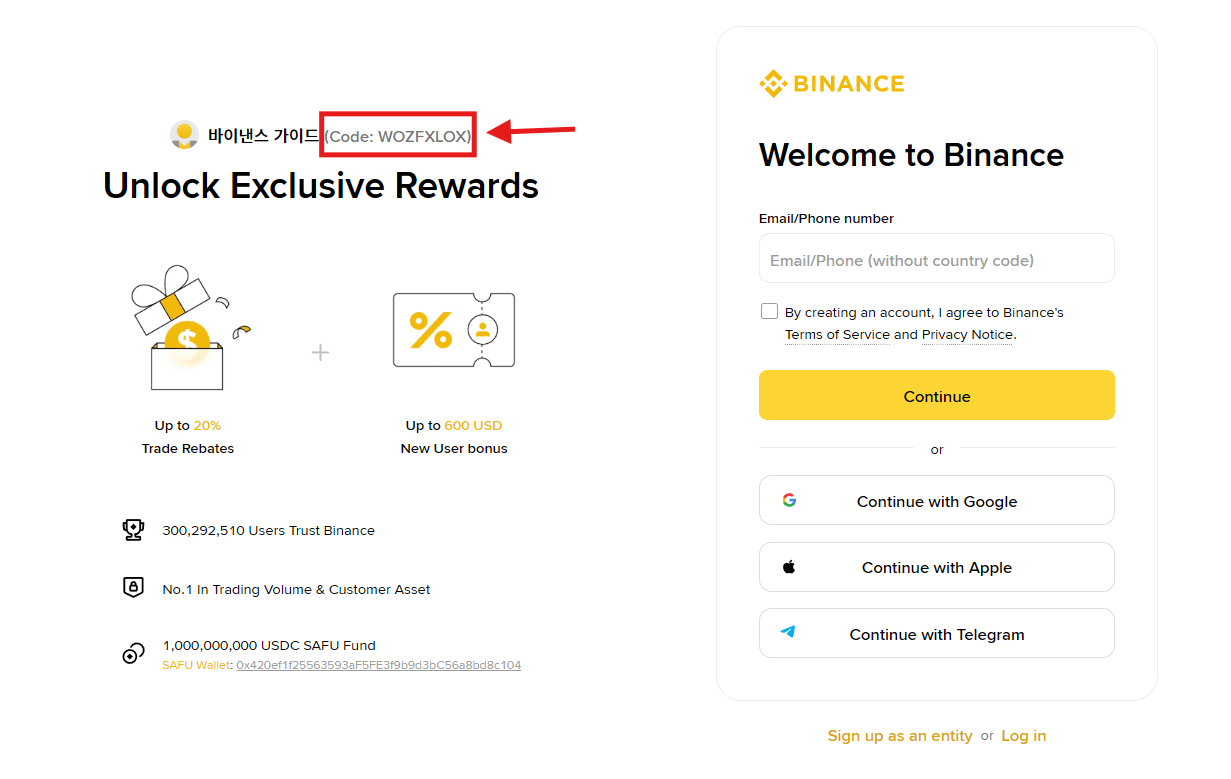
Sign-up process (PC & Mobile Common)
Run the site or app → Select sign-up
Enter email/phone number, then set password
Enter the verification code to confirm your identity
Select country and complete KYC with identification
Once you complete up to this point, the basic account creation and verification are finished. However, the most confusing part in actual trading is the app screen configuration, so setting it to Pro mode is much more convenient.
How to set up Lite version
Basically set to Lite. Simple screen for beginners, but cannot see charts in detail.
Price, basic buy/sell focus
Settings: Profile → Click Lite at the bottom
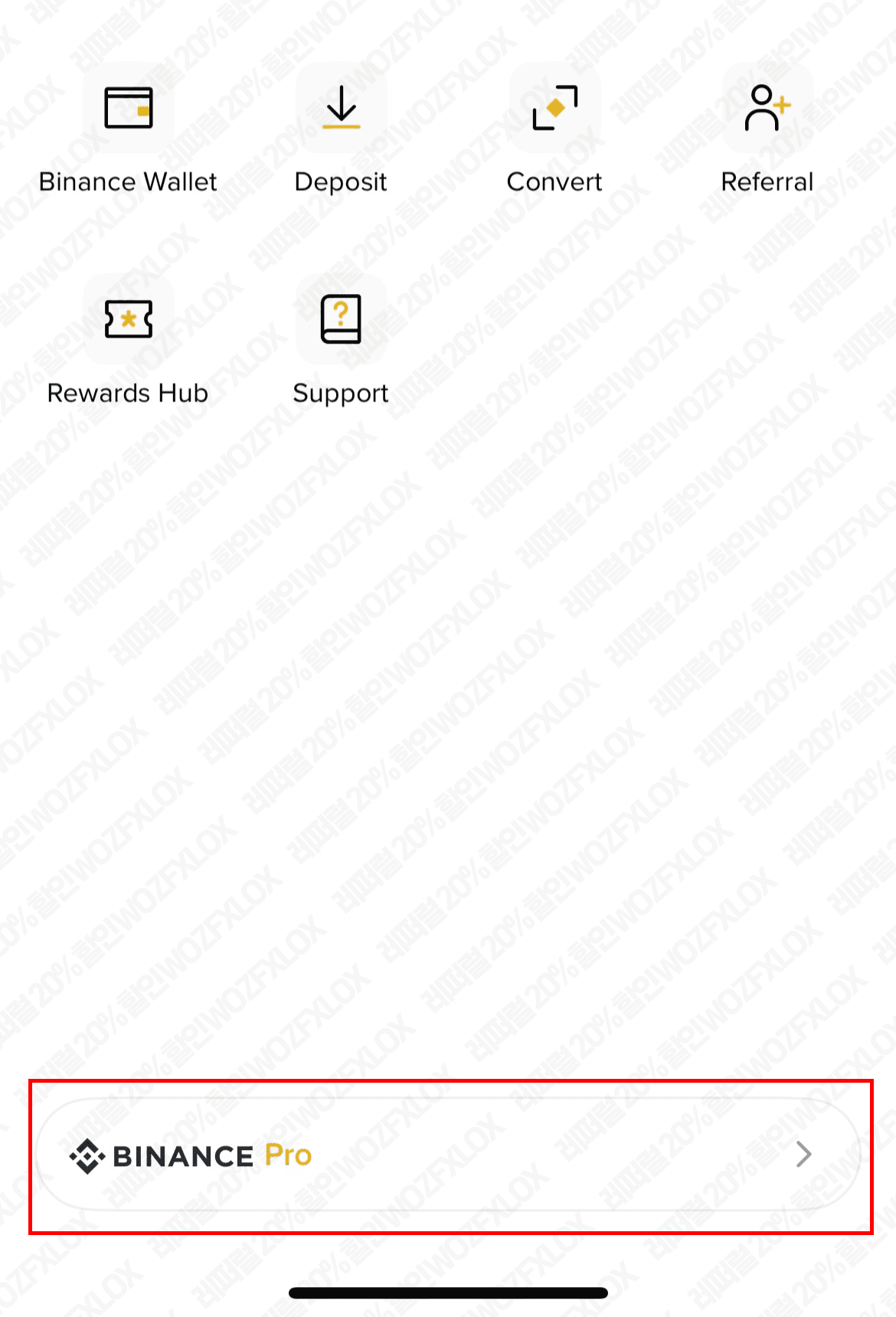
How to set up Pro version
All trading features provided
Indicators, order types, futures, and P2P available
Settings: Profile → Click Pro at the bottom
🔐 Points to note
If you start by setting up the trading environment in Lite, you will adapt quickly.
Advanced mode is necessary for active investors to respond to volatility and utilize charts.
🚀 Conclusion
As expectations for interest rate cuts and the possibility of liquidity policies are reflected simultaneously, the market is in a phase of increased short-term volatility.
In such times, it is necessary to pre-optimize the actual trading environment along with market trends. The Lite and Pro versions of the Binance app can be switched according to the situation, allowing anyone to respond to the market efficiently.