Open Binance App (Log In) Go to Exchange
Click Assets
Convert Your $BNB In Spot (In Situation Your Fund In Other Wallet Then)
Confirm Your Assets In Spot
Go to Home & Click Wallet (Upper Side Show Exchange & Wallet)
Check If You Are In Wallet Home. Then Click Receive
Click Transfer From Binance Exchange
Select BNB
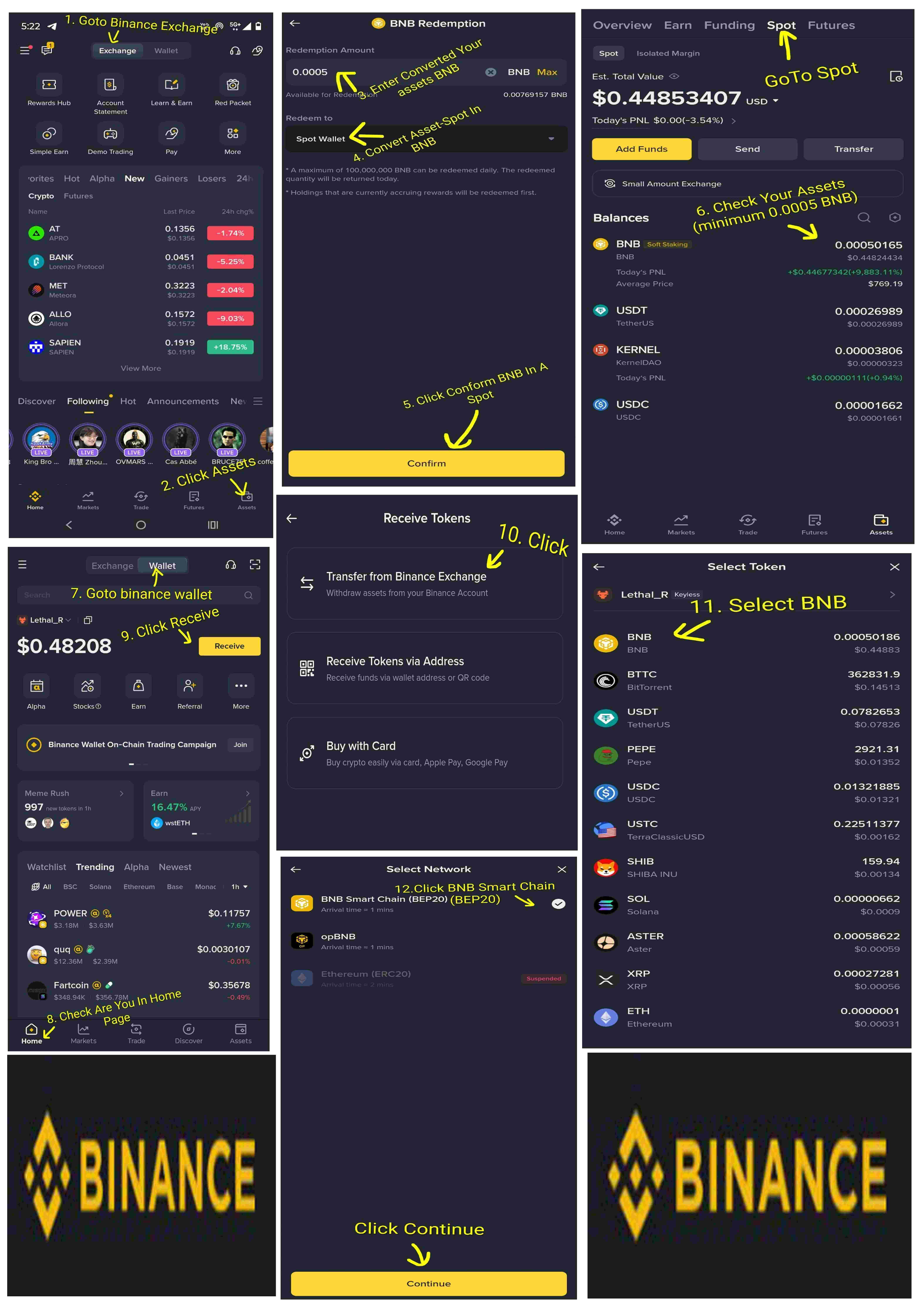
Click BNB Smart Chain (BEP20) (White Mark Show Then Choose)
Click Continue Then Show Address & Network Confirm That.
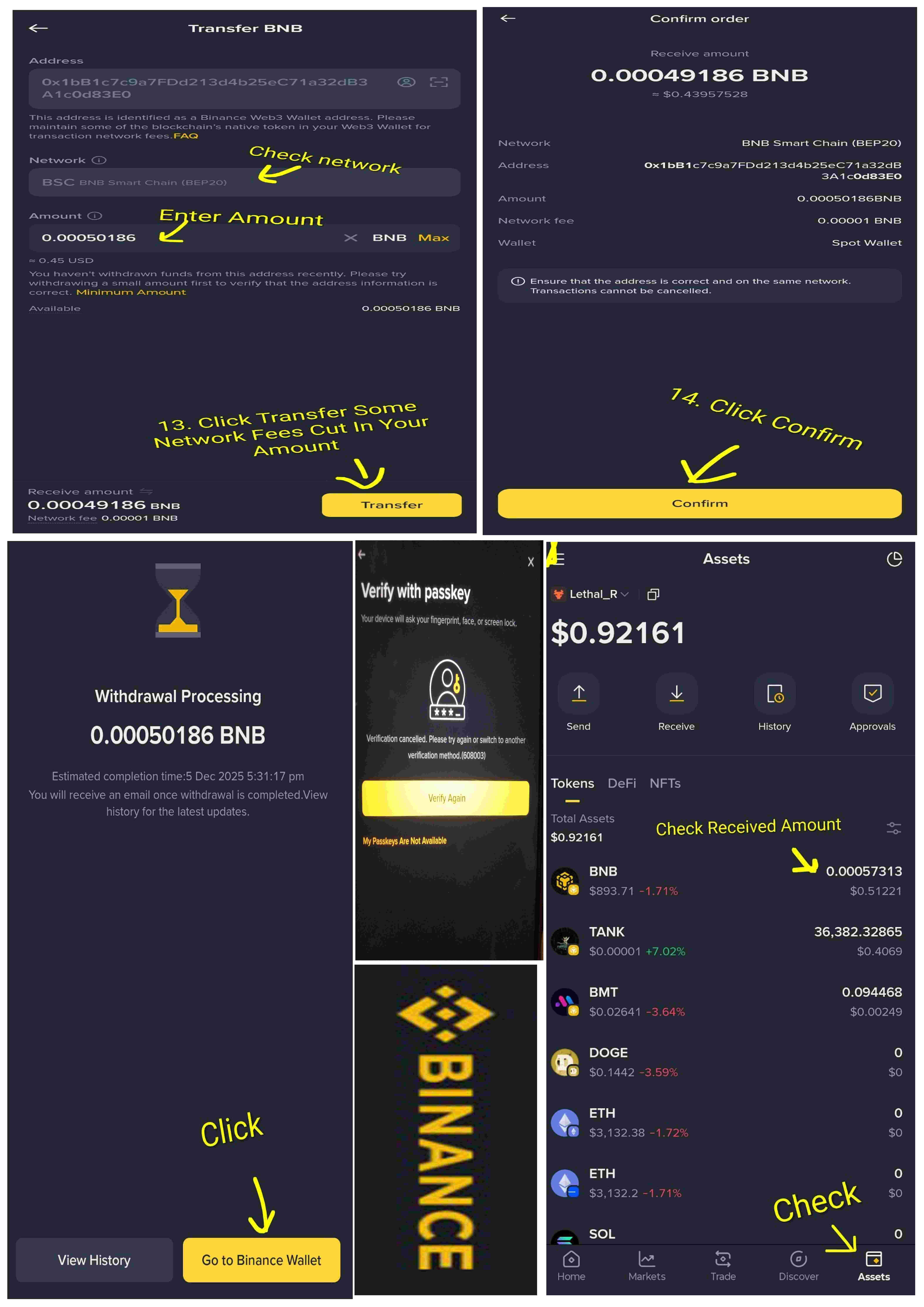
Enter Amount (How Much BNB)
Click Transfer (Some Network Fees Cut In Your Amount & Other Amount Receive)
Check All & Then Click Confirm
Click Verify Again (Use Your Passkey or Fingerprint Through Payment)
Show In Display Withdrawal Processing & Also Showing Amount
View History? Go to Binance Wallet Click Any One Of That
or
Go To Wallet Assets (Your Amount Showing There)