

The latest Binance registration guide specifically for users in mainland China. It includes detailed diagrams for KYC verification, facial recognition processes, and how to use the referral code 8888H to get a 20% fee discount. It covers security trading tips like C2C buying to prevent frozen cards, helping you safely kick off your crypto journey.
Introduction to the Binance platform
For newbies, Binance is one of the world's leading cryptocurrency trading platforms, offering a wide range of trading services. Due to specific policy reasons, users from mainland China need to master the right access and authentication techniques when registering and using Binance to ensure smooth activation of all features and protect personal assets with absolute security.
🚀 Preliminary preparations for registering on Binance.
Before officially starting the registration, please ensure you have the following tools and documents ready; this is key to successfully opening an account:
Secure network environment (scientific internet tools): Since the Binance official website cannot be accessed directly in mainland China, please use scientific internet tools. Key tip: Make sure to select an IP node that is not from the USA, Singapore, or mainland China to ensure network stability and registration compliance.
Valid identification documents: Registration on Binance requires real-name verification (KYC). For users in mainland China, please have your Chinese passport or ID ready for smooth subsequent identity verification and facial recognition.
Common contact method: Prepare a secure overseas email (like Gmail, Outlook, etc.) for faster and more stable receipt of verification codes.
🛠️ Binance registration process flowchart (correct order of operations).
To ensure account security and a smooth process, please strictly follow the order of operations below:
Step 1: Access via the exclusive referral link.
Click the official recommended link below to access the registration page; the system will automatically bind a 20% trading fee discount benefit for you:
👉 Binance official registration link: https://www.binance.com/zh-CN/join?ref=8888H
(Friendly reminder: If you register via the app or manually open the official website, please make sure to manually fill in 'Referral ID': 8888H to activate the fee waiver.)
Step 2: Fill in your registration email.
On the registration page, enter your email address and click to send the verification code.
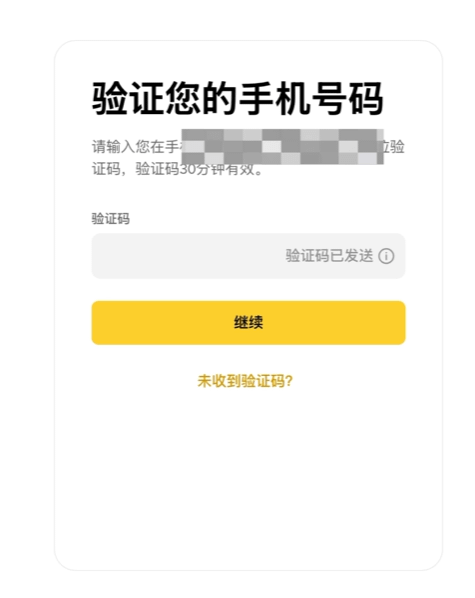
Step 3: Complete the verification code verification.
Log into your registered email to check the 6-digit confirmation email sent by Binance. Accurately enter the verification code on the registration page and click 'Submit' to confirm.
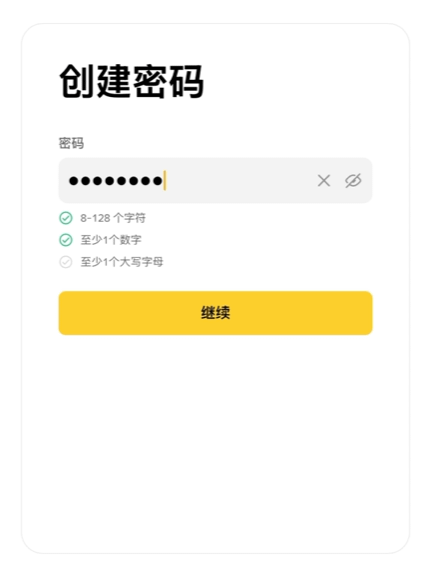
Step 4: Set a high-strength security password.
After verification, enter the password setting phase. For the highest level of account security, the password must include uppercase and lowercase letters, numbers, and special characters, with a length between 8-20 characters.
Step 5: Identity verification (KYC).
After creating the basic account, you need to perform real-name verification as prompted to unlock trading permissions:
Select 'China' as your country/region.
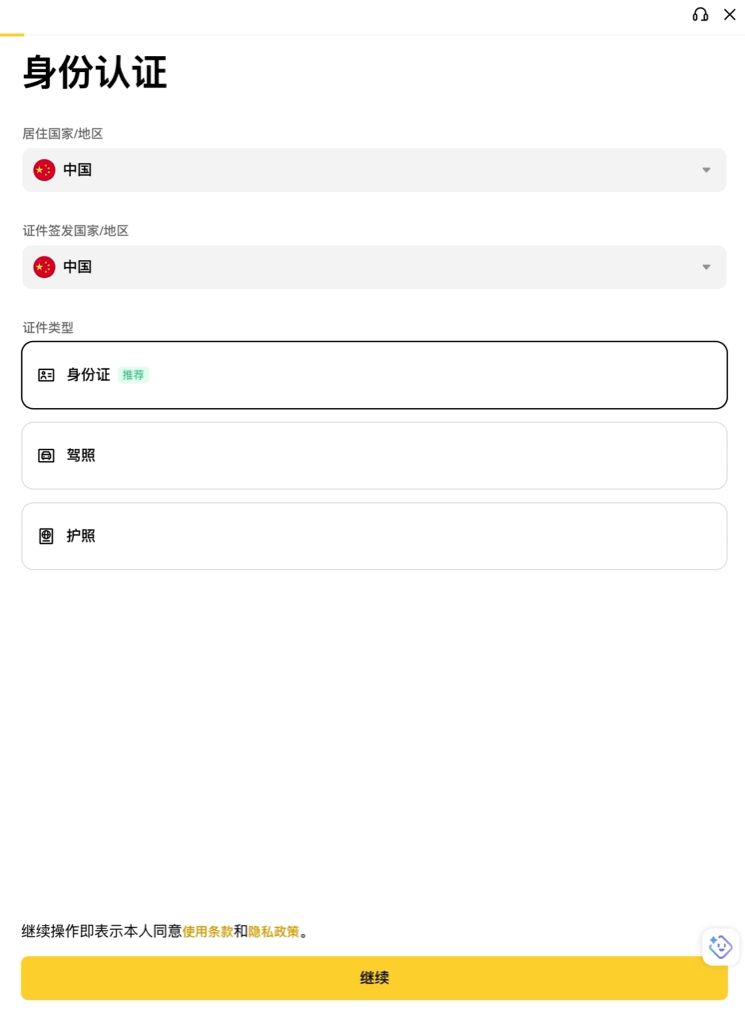
Upload clear photos of your passport or ID (front and back) as prompted.
Complete facial recognition verification in a well-lit environment (please do not wear hats or glasses).
Step 6: Enable the highest security protection for your account.
For your fund's safety, it is highly recommended to immediately enable two-factor authentication (2FA). It is recommended to download and bind the Binance Authenticator or Google Authenticator to add a second lock to your assets.
💰 How to Safely Buy Cryptocurrency on Binance (with C2C Frost Card Strategy)
After completing registration and security settings, you can start buying cryptocurrencies. For mainland users, C2C trading (over-the-counter trading) is the most common way to deposit funds.
1. Adjust the quoted currency unit.
Log into the Binance App, go to system settings, and switch the default fiat currency from USD to CNY (Renminbi). This way you can see trading pairs that support WeChat, Alipay, and domestic bank cards in the trading zone.
2. C2C Trading (peer-to-peer trading between users)
Enter the 'C2C Trading' section, select the cryptocurrency you want to buy (like USDT), and input the purchase amount.
The system will list merchants; it's advisable to filter for high transaction rates and long registration times of quality merchants. Make payment according to the merchant's provided payment method.
【Frost Card Core Warning】: When making payments via online banking, Alipay, or WeChat, absolutely do not add any notes (e.g., never write 'buy crypto', 'USDT', 'Binance', 'digital currency', etc.), just leave the transfer blank to avoid triggering bank risk control that could freeze your bank card!
After completing the payment, make sure to return to the Binance page and click 'Paid, Notify Seller'. Wait for the merchant to confirm receipt before the cryptocurrency is safely transferred to your account.
3. Quick Buy Crypto.
If you want to complete transactions faster, you can choose the 'Quick Buy Crypto' feature. After entering the amount you wish to purchase, the system will automatically match you with suitable payment methods and merchants. After confirming the order and completing the payment, the cryptocurrency will be automatically delivered.
By now, you have successfully completed account registration, security settings, and the cryptocurrency purchase process on Binance. Welcome to the world of opportunities in cryptocurrency trading!