Must-read for large deposits and withdrawals!
USD Wire Transfer:
First, obtain your own transfer information in the Binance APP, and then go to your commonly used bank for the foreign exchange transfer.
Step 1: Obtain Binance USD transfer account information
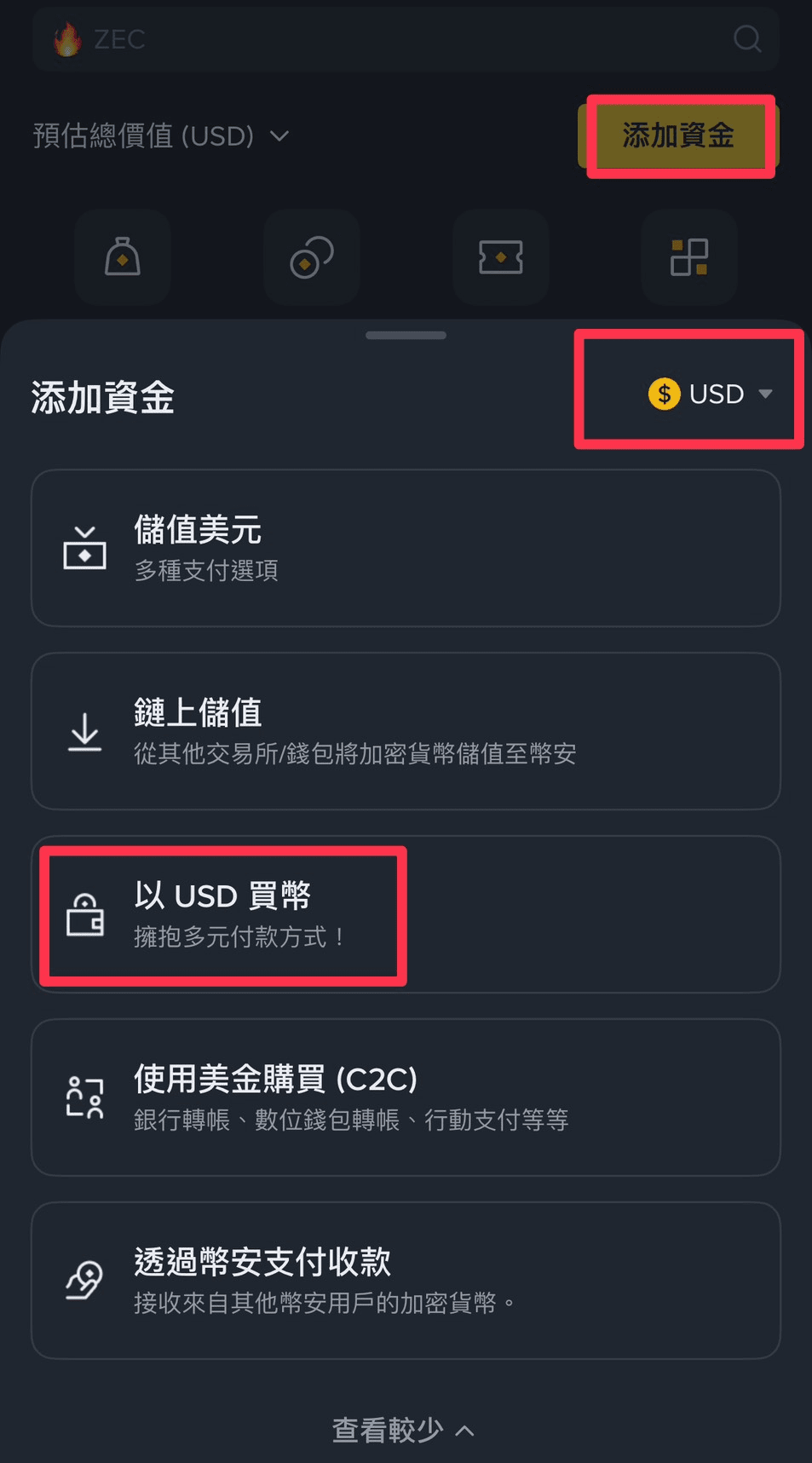
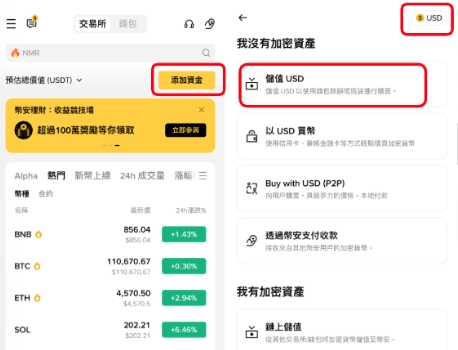
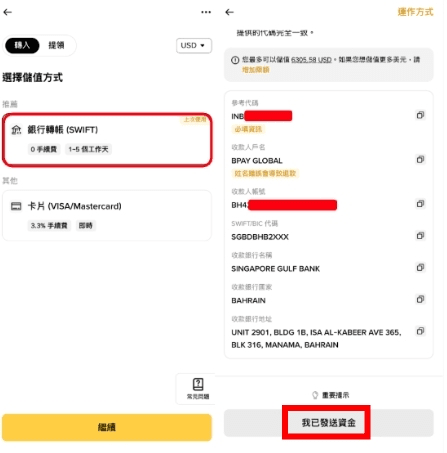
Binance APP entrance: select Add Funds on the homepage ➝ switch to USD in the top right corner ➝ Deposit USD ➝ Bank Transfer ➝ Get your exclusive bank transfer information
Step 2: Local Bank Foreign Exchange
It is recommended to use Future Bank, which allows you to complete account opening and USD foreign exchange online directly. This is currently the most convenient and cost-effective method based on practical tests. You can also use another pure online bank, Rakuten International Commercial Bank.
Of course, if it is a traditional bank, it is also possible, but traditional banks generally require you to open a USD account at a physical branch and bind it with a foreign exchange designated account, which is relatively troublesome. Moreover, investing in cryptocurrencies may attract special attention from bank staff.
Here we use Future Bank as a demonstration~!
💡 Preparation for transferring from Future Bank: Download the Future Bank APP to complete account opening and open a USD account.
Future Bank APP operation demonstration: On the homepage, select foreign exchange ➝ click on USD (if you don't have USD yet, you can buy it at this step) ➝ transfer ➝ fill in the corresponding Binance payment account information in order.
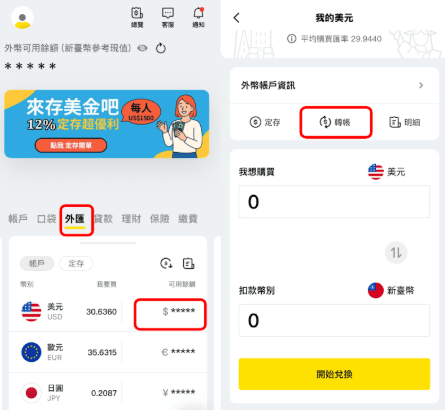
⚠️ Note: The reference code is used by Binance to identify your account, so it is essential to copy and paste the reference code provided by Binance in the notes for each transaction. Additionally, when filling out the reason for the bank transfer, it is also recommended to select based on the actual situation: domestic capital outflow - invest in cryptocurrencies, to avoid any issues with the transfer.
Step 3: Confirm successful reloading
After Binance receives the payment, it will send an email and APP push notification to inform you. It typically takes about T+1 business days to receive it, very fast.
Step 4: Use fiat currency to purchase cryptocurrency
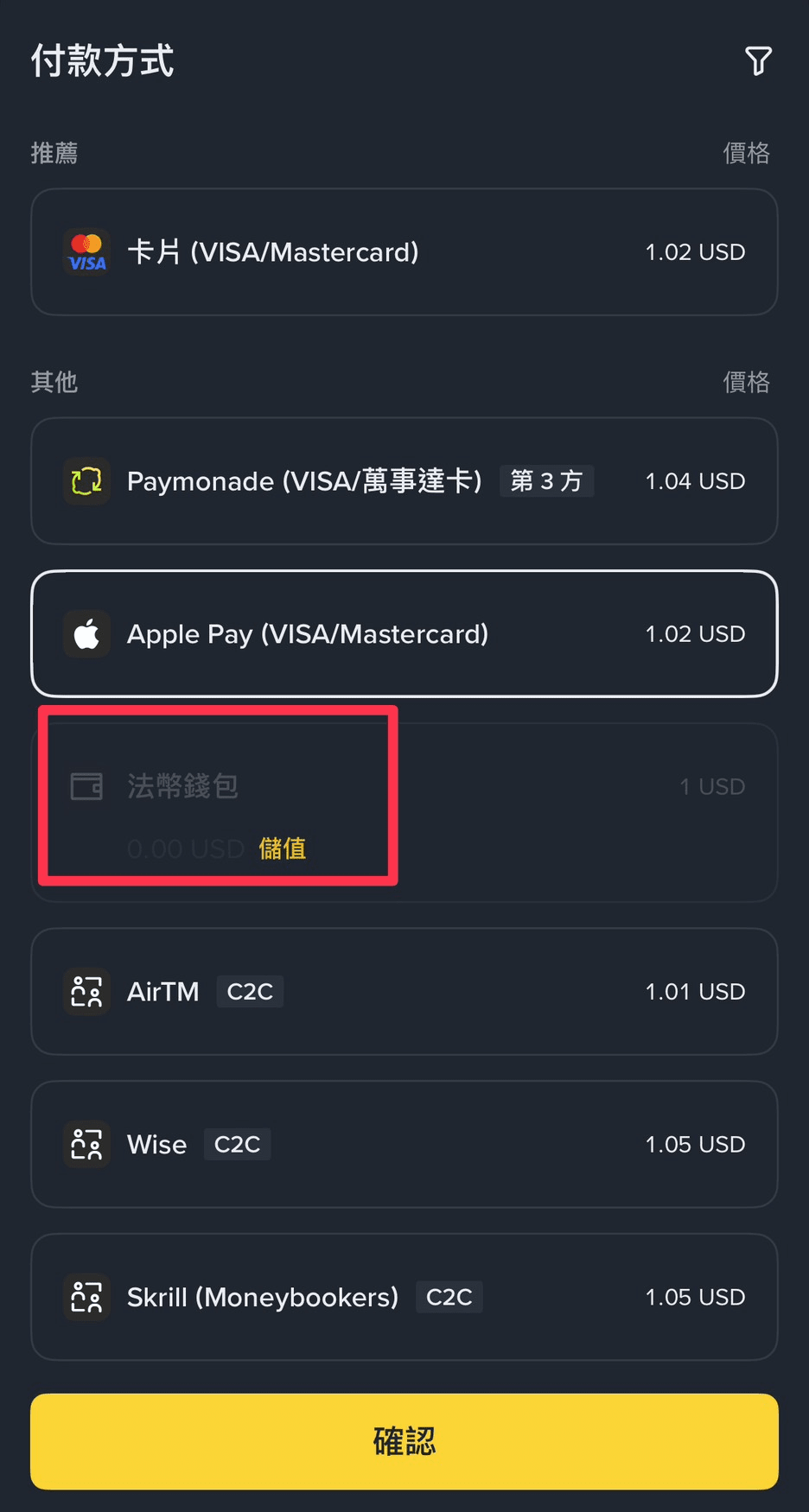
After receiving the payment, just return to the homepage's 'Add Funds', click the arrow below to open the full menu, select 'Buy coins with USD', and you can choose to use the balance in your USD fiat wallet for purchase. It is recommended to directly exchange USD for USDT. Binance currently offers a 1:1 exchange rate to ensure no loss during the entire transaction process, making it more convenient for subsequent transactions in the Binance exchange.