Binance is one of the largest cryptocurrency exchanges in the world, surely familiar to cryptocurrency investors. If you are new to this investment field, you may wonder how to buy and sell coins using VND.
You can top up your wallet in various ways: Deposit VND via VCB, through Visa cards, P2P. P2P trading is considered the most convenient method with many options.
Binance P2P is a peer-to-peer cryptocurrency trading platform between users. At Binance P2P, buyers and sellers can exchange coins easily.
Buy/sell coins on Binance with VND through Binance P2P (via Binance app)
Step 1
Click on "P2P Trading" on the main screen and then click on the "Buy" section at the top left corner of the Trading interface: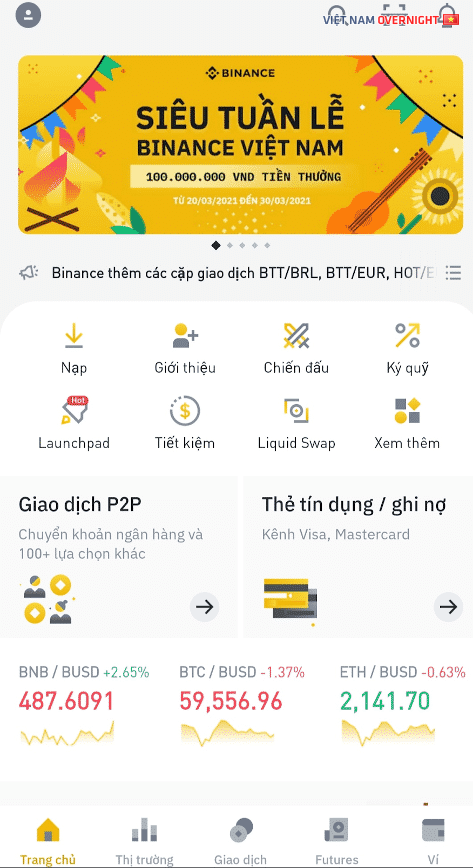
Next, you click on the word Buy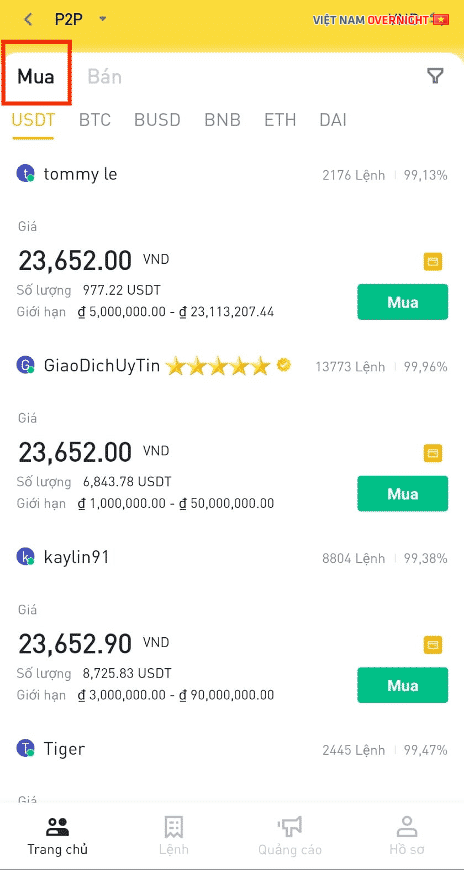
Step 2
Choose a type of currency you want to deposit and select a seller then click "Buy" to place an order.
Criteria for selecting sellers
Number of completed transactions & Partner's completion rate: Seller's reputation level
The payment time for a transaction
Partner conditions: Minimum purchase/sale quantity, payment method...
You need to choose Buy "With Fiat" or "With Crypto", enter the exact "Quantity", select the "Payment method" and then click the "Buy" button
For example:
Choose to buy USDT with VND, select the seller with the best price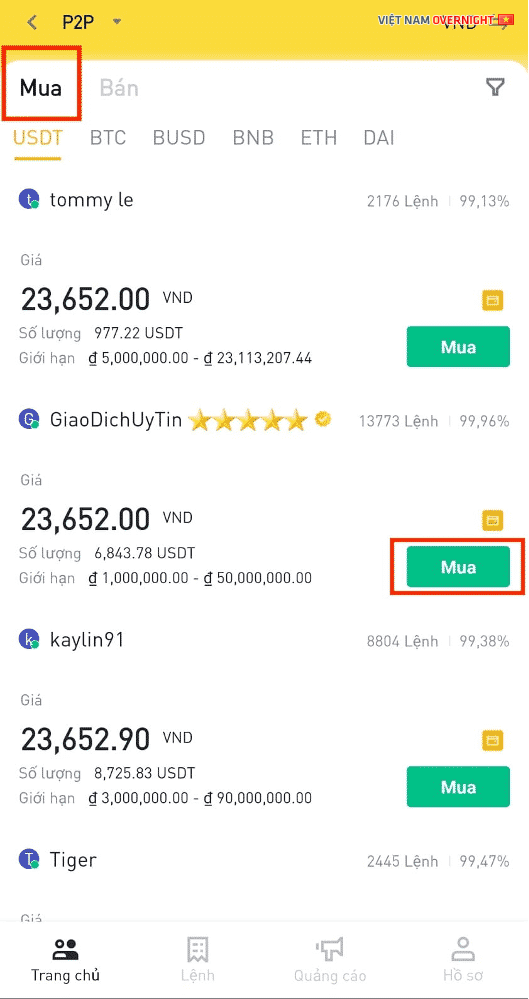
In fiat purchase, enter the amount in VNĐ and then press buy USDT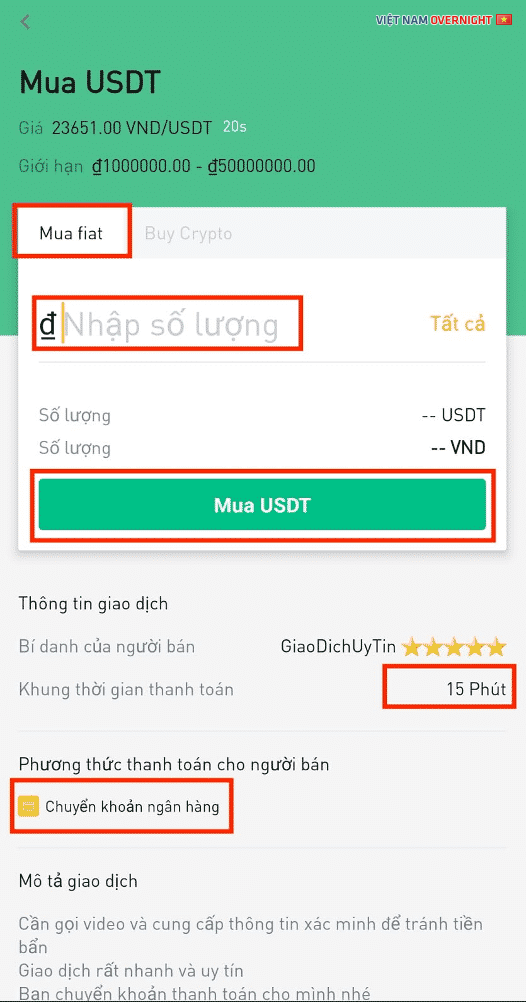
You can filter sellers based on 2 criteria:
Quantity
Payment method: E-wallet or bank transfer
Additionally, to select the desired fiat currency, above the funnel icon button, there will be a button with 2 opposite arrows for you to choose VND as the fiat currency.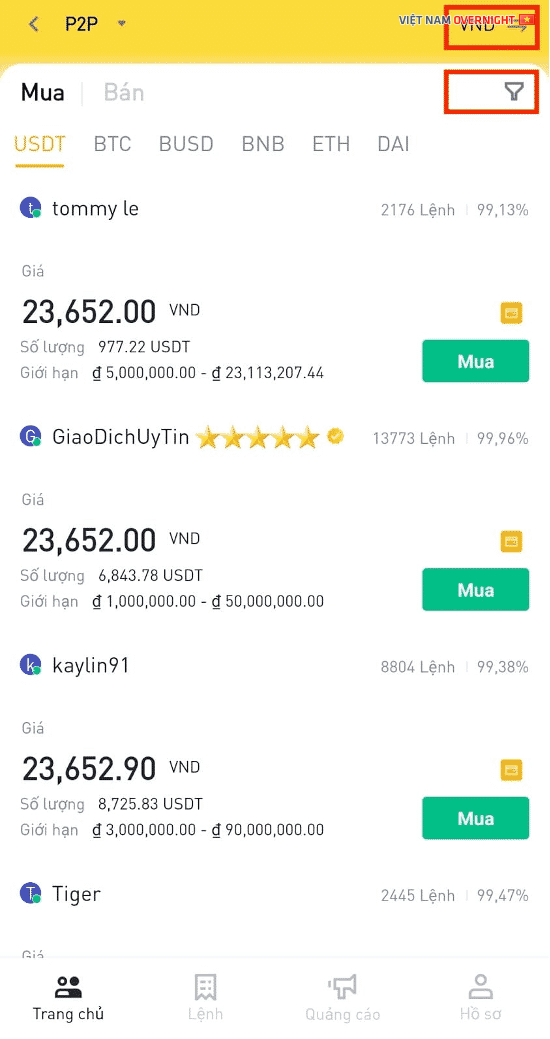
Enter the amount in VNĐ, choose a reasonable payment method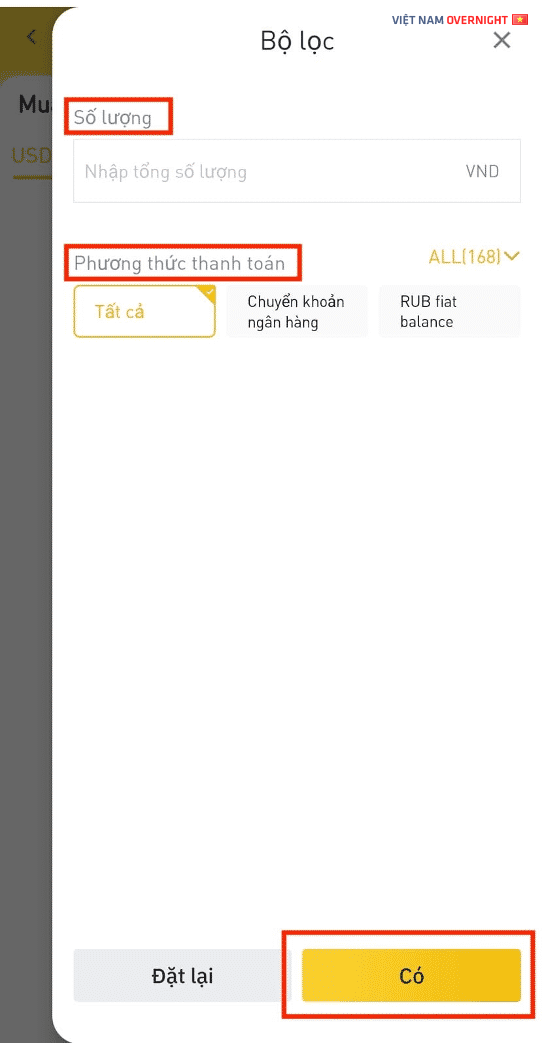
Step 3
Press the "Transfer" button to go to the payment information page.
Payment to the seller
Copy the partner's payment information into the transfer information
Copy the transaction order number and paste it into the transfer content section.
After making the payment, click on "Paid, next", press "Confirm" and the status will be updated to "Waiting to be released". You need to wait for the seller to transfer the coin after confirming that you have received the payment.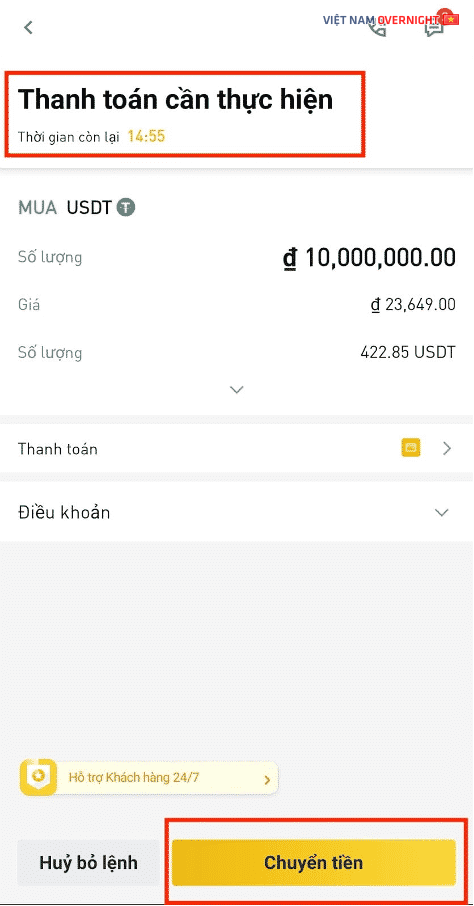
Press the Transfer button, the payment time for the seller is 15 minutes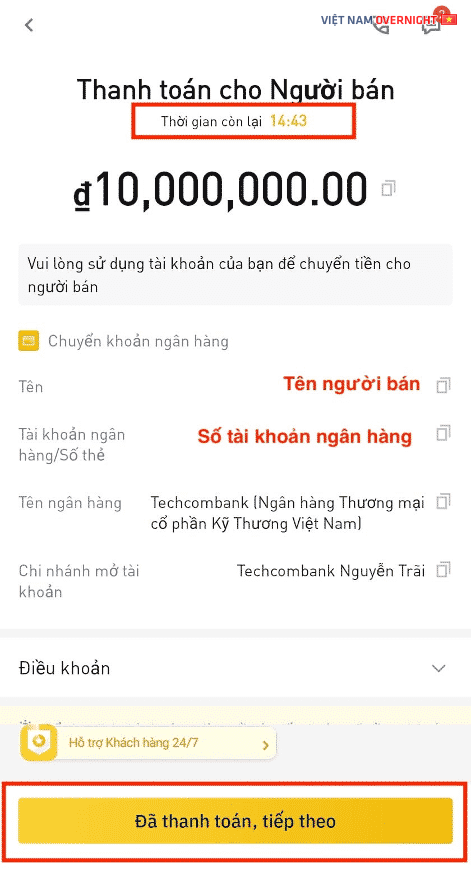
Step 4
Once the seller transfers the coin, the transaction will be completed. You will be directed to the completed transaction screen with the message "Funds have been deposited into your wallet". Choose "View wallet balance" and select "Transfer" to convert assets between the P2P wallet and the Spot wallet to start trading.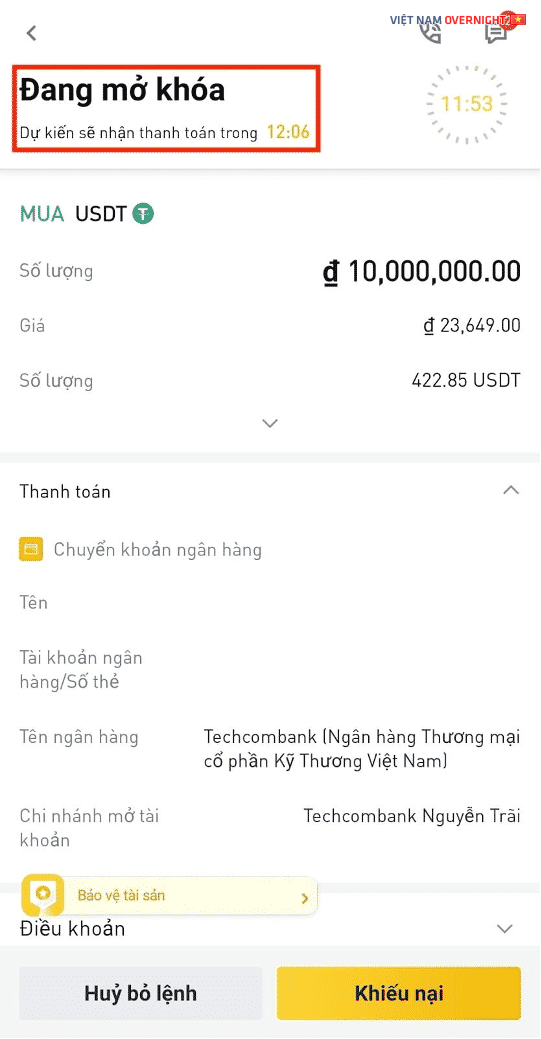
USDT has been deposited into your wallet, click done or view wallet balance.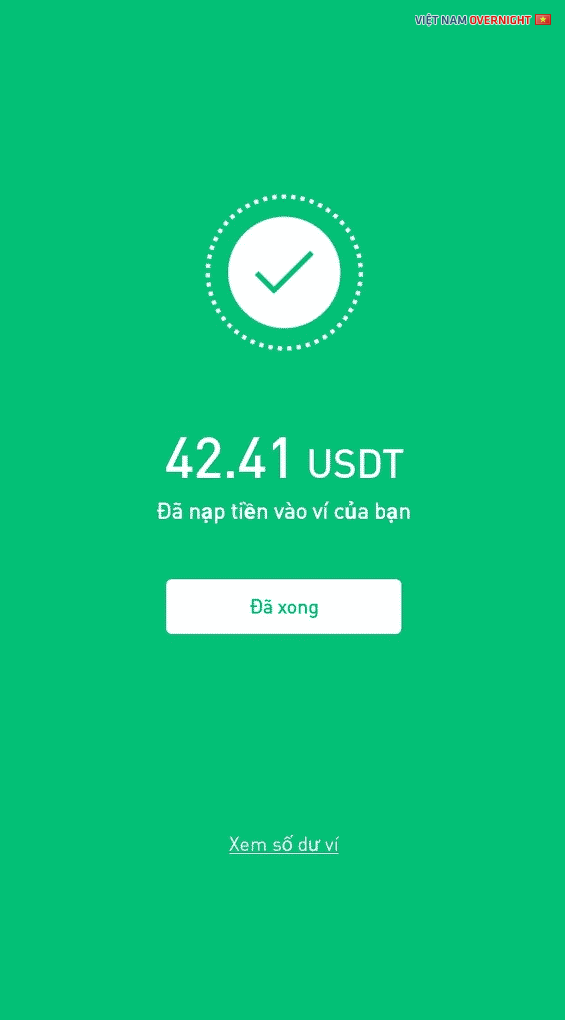
Select transfer to transfer USDT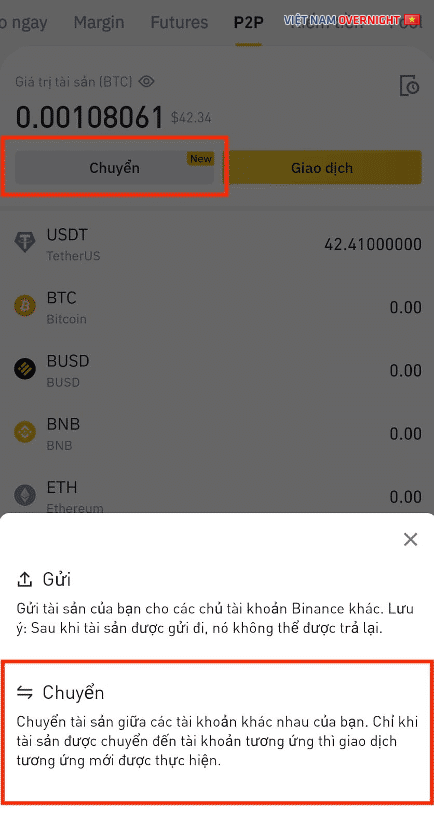
How to contact the partner:
If the seller transfers money to you slowly or has any other issues, you can directly message the seller
Click on the chat icon with the word "Contact" at the top right of the order details to start chatting, or click on the phone icon to call the partner in a transaction.
If you want to transfer money to your bank account, the selling transaction steps are similar to the buying transaction (sell USDT to receive VND)
After payment, press transfer money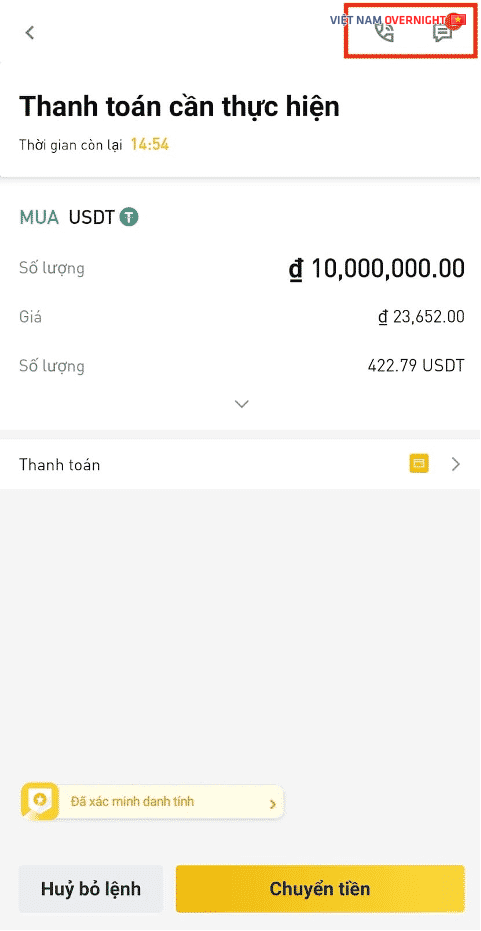
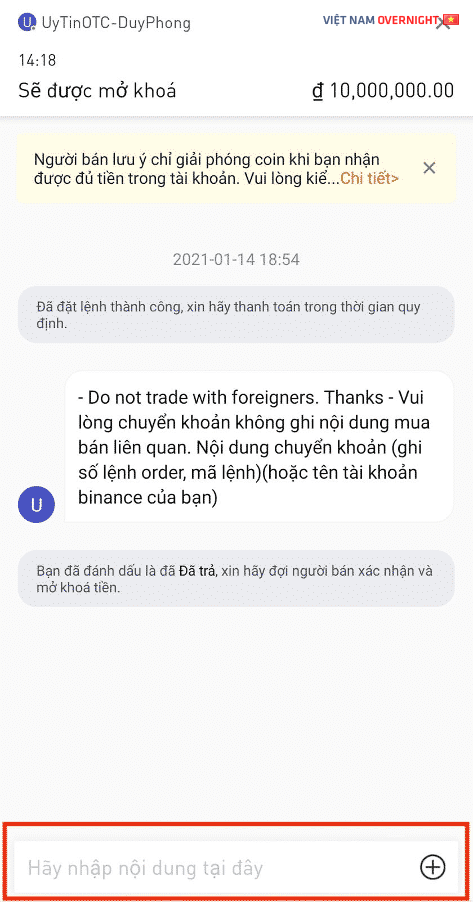
Will be unlocked, you have marked as paid, please wait for the seller to confirm and unlock the funds.