

Congratulations on completing the creation and verification of your Binance account! 🎉
Now you are ready to step into the vibrant world of cryptocurrency trading. In this article, I will guide you in detail on how to buy coins on Binance using a bank account, a convenient and easy method suitable for both beginners and experienced traders.
I will present the guide for both the web version on computers and the mobile app, while explaining how to use both Binance Lite and Binance Pro, so you can choose the interface that suits your needs and personal preferences.
If you don't have a Binance account, sign up now to experience it! 🚀
1. Buy coins through the Binance app with a bank account
The Binance app has two main modes: Binance Lite and Binance Pro. Each mode offers a different experience: Binance Lite is friendly for beginners, while Binance Pro provides many advanced features for professional traders. Below is a detailed step-by-step guide for both modes.
1.1. Buy coins on Binance Pro
Pro mode is suitable for users who want to take advantage of advanced features and advanced P2P on the app.
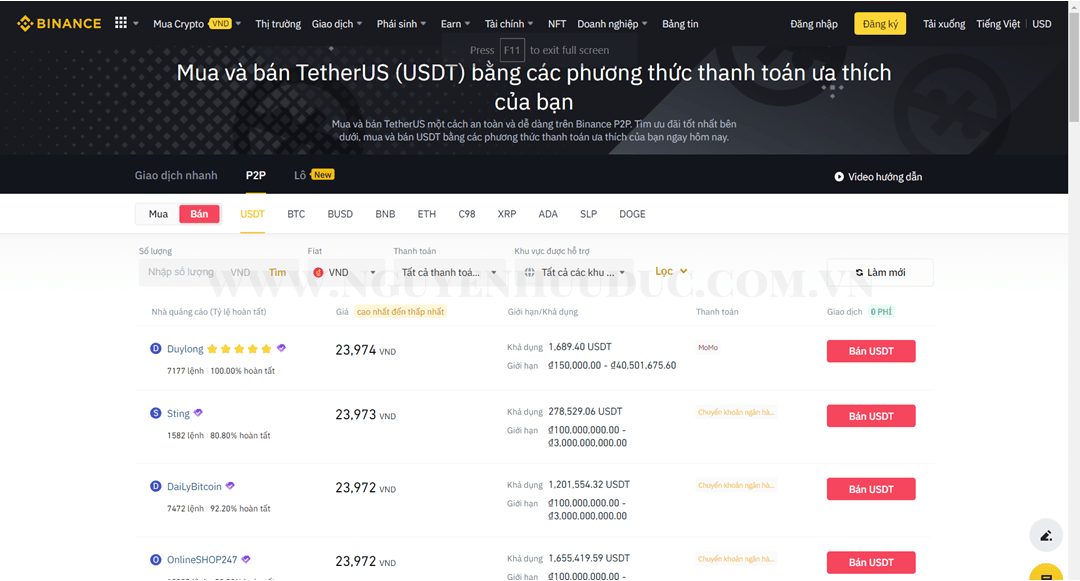
The steps to follow:
Activate the Binance Pro mode in the account settings.
Access the 'Buy/Sell Crypto' section and choose P2P trading.
Select the type of coin you want to buy and find a suitable seller.
Enter the amount of coins or the amount of money you want to buy.
Make the payment via bank transfer.
Confirm the transaction and wait for the seller to confirm.
After receiving the coin, transfer them to Spot wallet for easier trading or long-term storage.
1.2. Buy coins on Binance Lite
Binance Lite is simpler and friendlier, very suitable for beginners.
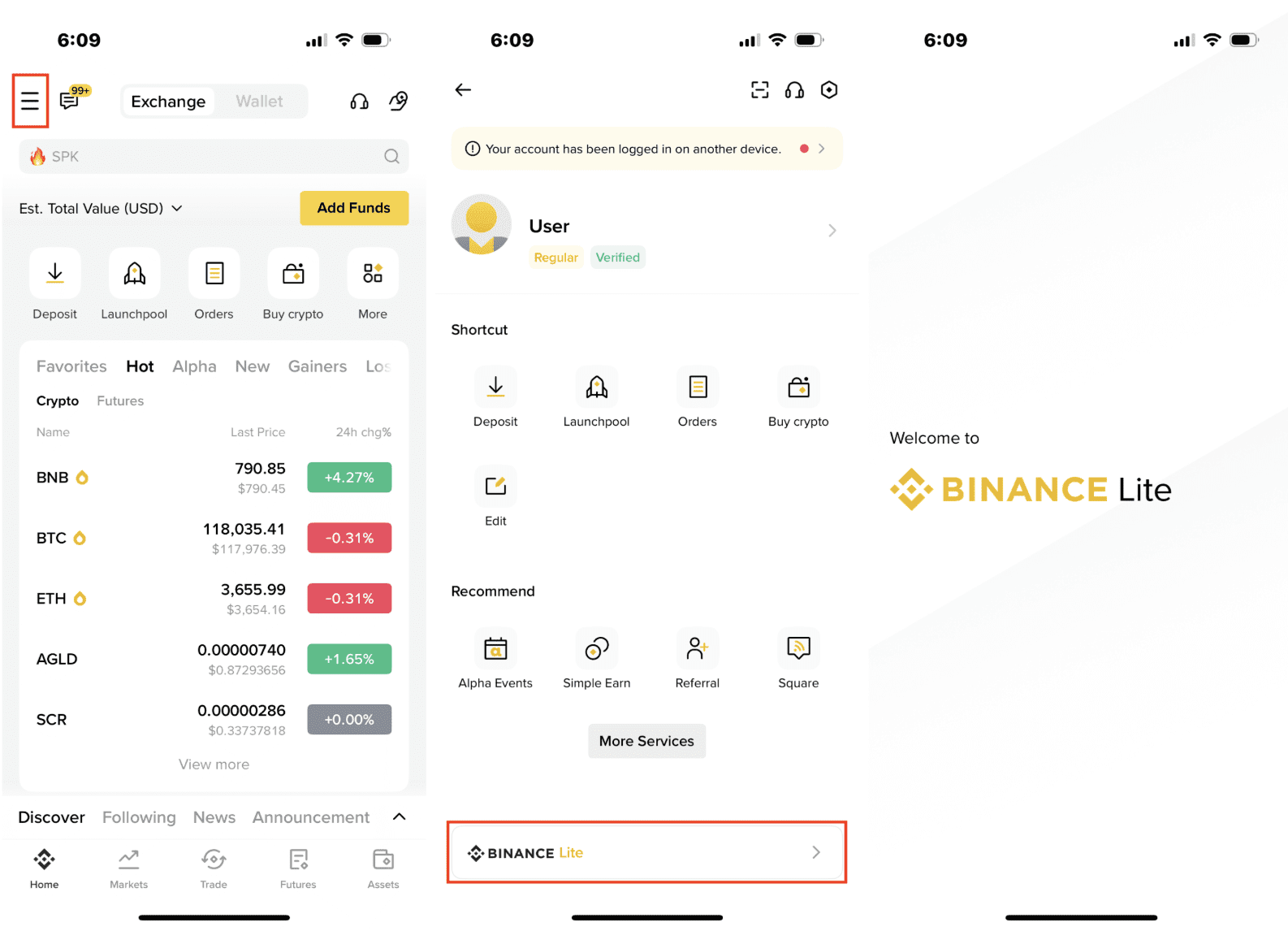
The steps to follow:
Activate Binance Lite from the app settings.
Access the 'Buy Crypto' section right on the main interface.
Select the type of coin you want to buy.
Enter the amount you want to buy and click 'Buy now'.
Choose a payment method and make a bank transfer.
After payment, confirm the transaction.
Transfer coins to the Spot wallet after the seller confirms.
2. Buy coins through the Binance web version
If you are using a computer, buying coins with a bank account on the web version is also very easy.
The steps to follow:
Access Binance.com and log in to your account.
Select the 'Buy Crypto' section and choose P2P trading.
Choose the type of coin you want to buy and find a reputable seller.
Enter the quantity of coins and proceed to payment via bank.
Confirm the payment and wait for the seller to transfer the coin.
After receiving the coin, transfer them to the Spot wallet to start trading.
With this detailed guide, you will clearly understand the process of buying coins on Binance quickly, safely, and conveniently. 🔑
Start today to explore the world of crypto full of potential! 🚀💎