How to apply for a BTC (Bitcoin) account on Binance
Applying for a BTC account on Binance is the first step into the digital asset realm. Bitcoin, as the largest cryptocurrency by market capitalization, has the widest recognition and liquidity. Here are the detailed steps to open an account:
1. Visit the official Binance website: First, access the Binance registration page through this link: https://accounts.binance.com/register?ref=B2345. Using the invitation code B2345 for registration can enjoy discounts on trading fees.
2. Create an account: Fill in your email address and set a secure password on the registration page. After submitting the registration information, the system will send a verification email to your inbox; click the link to complete the verification and activate your account.
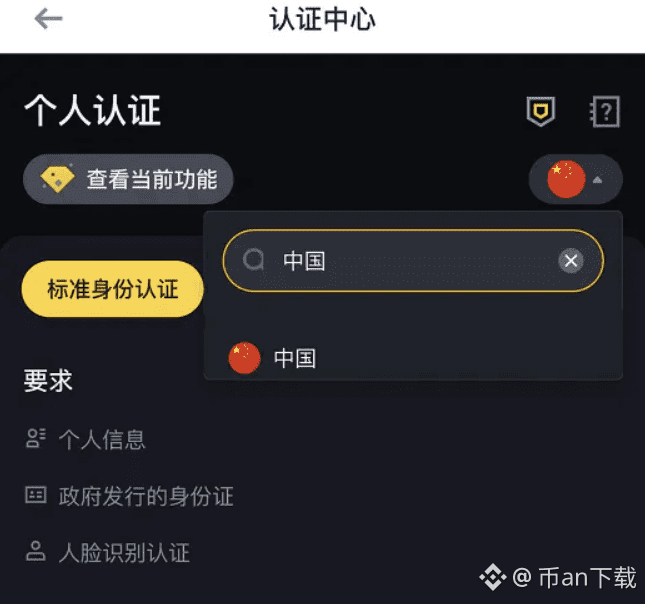
3. Complete KYC identity verification: After logging into your Binance account, go to the personal center to complete KYC (Know Your Customer) verification. You will need to provide valid identification photos and facial recognition verification to ensure account security and platform compliance.
4. Bind payment methods: In the account settings, add your commonly used payment methods, supporting various deposit channels such as bank transfers, credit cards, and debit cards, making it convenient for you to quickly deposit and withdraw.
5. Buy and trade BTC: After completing the above steps, you can buy Bitcoin through C2C trading, quick buy, or the spot market. Binance supports BTC trading pairs with hundreds of cryptocurrencies, allowing you to flexibly configure your digital asset portfolio.
By following the above steps, you can successfully open a BTC account on Binance and start your Bitcoin investment journey. As the world's largest cryptocurrency exchange, Binance provides you with a safe and convenient trading experience.
Applying for a BTC account on Binance is the first step into the digital asset realm. Bitcoin, as the largest cryptocurrency by market capitalization, has the widest recognition and liquidity. Here are the detailed steps to open an account:
1. Visit the official Binance website: First, access the Binance registration page through this link: https://accounts.binance.com/register?ref=B2345. Using the invitation code B2345 for registration can enjoy discounts on trading fees.
2. Create an account: Fill in your email address and set a secure password on the registration page. After submitting the registration information, the system will send a verification email to your inbox; click the link to complete the verification and activate your account.
3. Complete KYC identity verification: After logging into your Binance account, go to the personal center to complete KYC (Know Your Customer) verification. You will need to provide valid identification photos and facial recognition verification to ensure account security and platform compliance.
4. Bind payment methods: In the account settings, add your commonly used payment methods, supporting various deposit channels such as bank transfers, credit cards, and debit cards, making it convenient for you to quickly deposit and withdraw.
5. Buy and trade BTC: After completing the above steps, you can buy Bitcoin through C2C trading, quick buy, or the spot market. Binance supports BTC trading pairs with hundreds of cryptocurrencies, allowing you to flexibly configure your digital asset portfolio.
By following the above steps, you can successfully open a BTC account on Binance and start your Bitcoin investment journey. As the world's largest cryptocurrency exchange, Binance provides you with a safe and convenient trading experience.