
What is Binance Futures?
Binance Futures or Binance futures contracts, is a form of derivatives trading on the Binance exchange. Futures on Binance allow investors to place orders based on their speculation about the price fluctuations of a currency without owning that currency. Therefore, futures trading on Binance facilitates profits both in bullish and bearish markets.
To be able to create a Futures position, users must deposit assets (specifically Stablecoins) as collateral before proceeding with the transaction.
Instructions for using Binance Futures
Mở account Binance Futures
Before opening a Binance Futures account, it is necessary to create a regular Binance account.
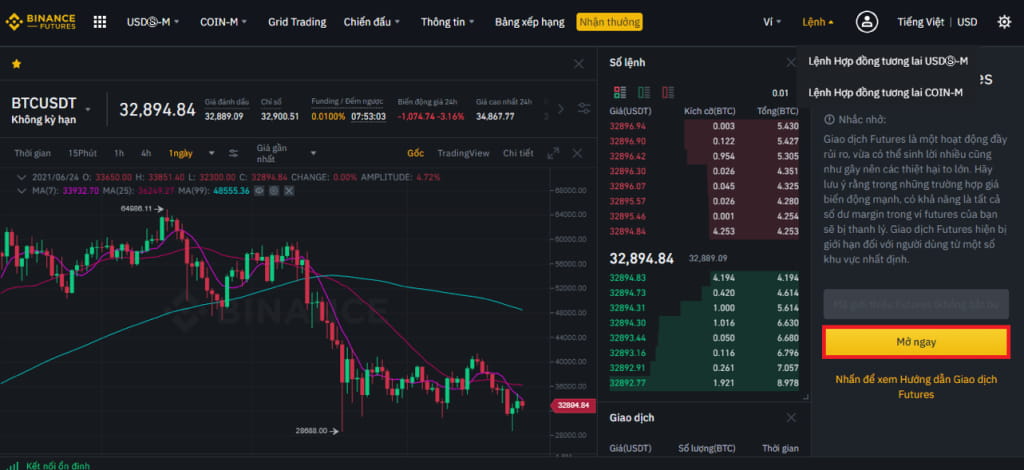
To create a Binance Futures account, under Derivatives ⇒ select USDS$-M Contract.
Click the Open Now button to activate your Binance Futures account.
Transfer funds to Binance Futures
You can transfer funds back and forth between your Funding Wallet (the wallet you use on Binance) and your Futures Wallet (the wallet you use on Binance Futures).
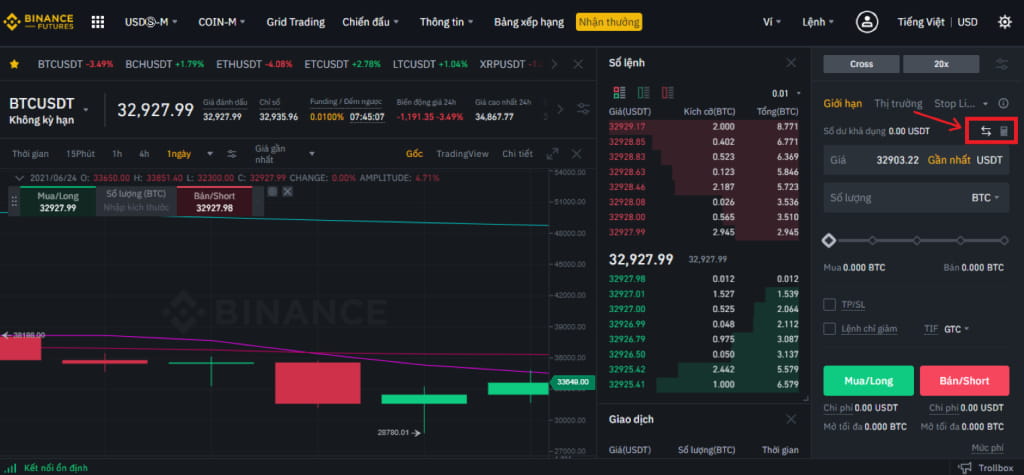
To transfer funds to Furutes Wallet, click the “Transfer” icon on the right side of the Binance Futures page.
Select the coin and enter the amount you want to transfer ⇒ Click “Confirm”.
Once completed, you will see the balance added to your Futures Wallet.
In case you want to switch back from Futures Wallet to Spot Wallet, you can change the transfer direction using the double arrow icon as shown below:
Interface of Binance Futures
The main Binance Futures interface includes 5 areas:
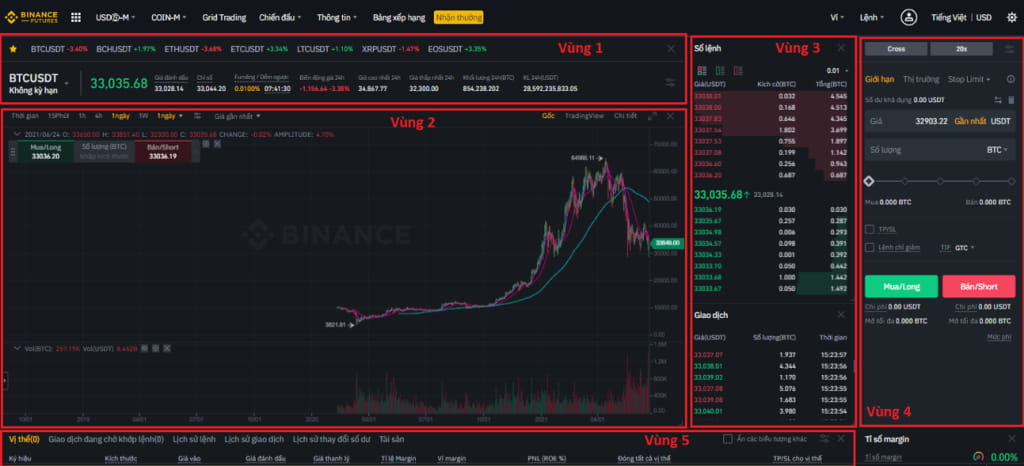
Zone 1 – Basic information
Select coin pair to trade.
See current prices and other metrics.
Zone 2 – Price chart
Show price chart, choose time frame, technical indicators for analysis.
Zone 3 – Order book and trading orders
Order book: Displays Long and Short orders waiting to be matched.
Trading orders: Statistics of successfully executed trading orders.
Zone 4 – Where to place orders when trading
Zone 5 – Open positions, balance history
Open positions.
Transactions waiting to be matched: Summary of orders waiting to be matched.
Order history: Summary of the history of orders you have made.
Transaction history: Summary of transactions made with profit + loss statistics for each order.
Balance change history: View balance changes on Futures account.