


Main İdea
Binance futures is a platform that allows you to buy and sell cryptocurrencies using leverage.
In our detailed guide, you will find all the information about using Binance futures.
Before you start trading Binance Futures, remember that it is a very risky platform. Do not start without sufficient knowledge.

Binance futures screen view 1- Opening a Binance Futures Account
Before opening a Binance futures account, you need to have a Binance account. If you do not have an account, you can read our Binance registration guide article.
From the Binance homepage, click Futures, then USD-M futures.
The Binance futures account opening screen will appear and ask you for a futures referral code. You can type ' turkey20 ' here.
Then you have to answer a test about the risks of futures trading. You don't have to answer all the questions correctly the first time. You can make mistakes and find the right answers.
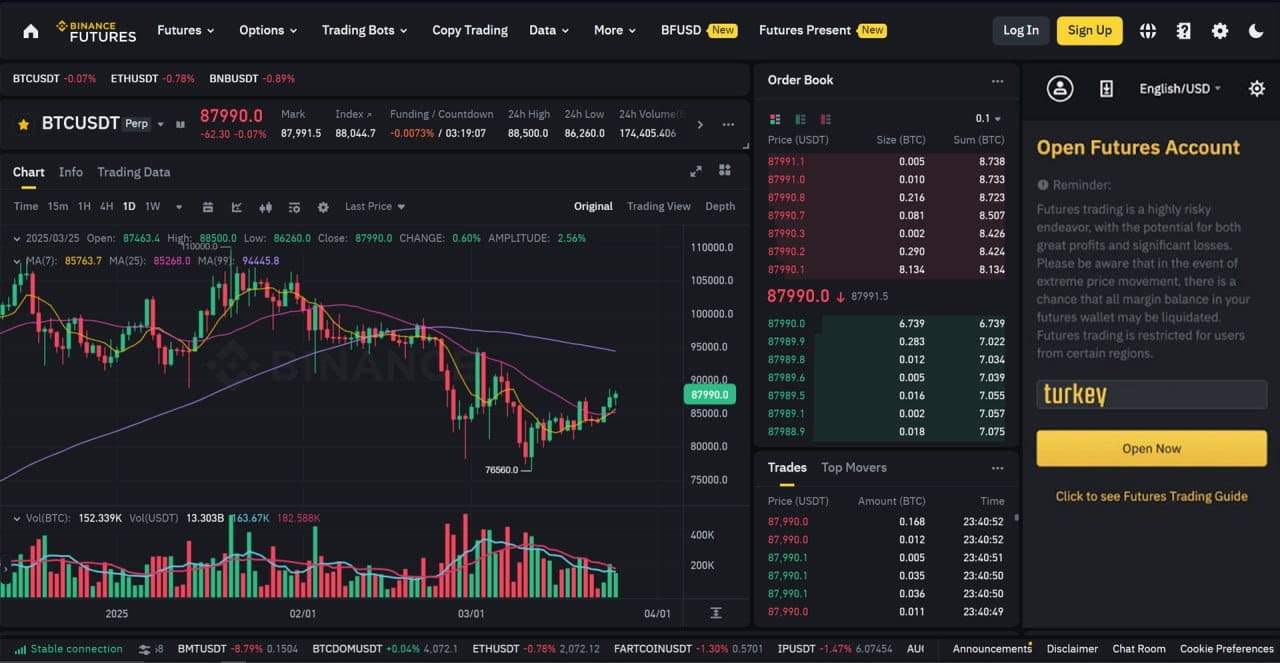
Binance Futures Referral Code 2025 2-Transfer Money ( Fund ) from Binance Spot to Futures
You need to transfer money to buy and sell in Binance futures. The most common transfer is from spot to futures. If you wish, you can also deposit money into your futures wallet from funding, options, etc. sections. We will use spot.
Click on the double arrow on the right side of the futures page.
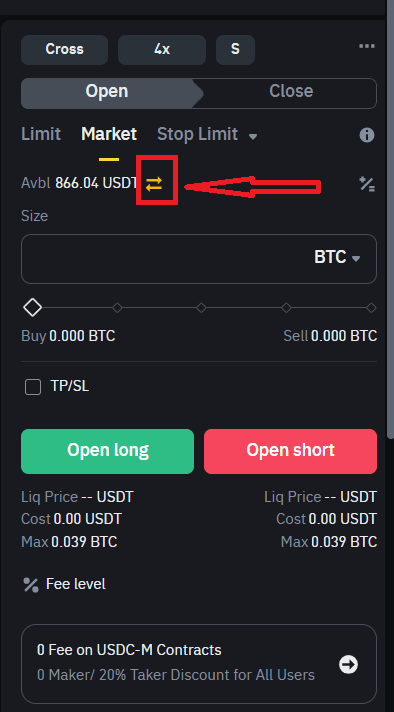
Binance Futures Transfer It should say Fiat and Spot on the top and Usd-M Futures on the bottom.
You can choose usdt, usdc, btc, eth, bnb, fdusd as coins. Usdt or usdc are usually used. You can transfer small amounts of bnb. It provides commission discounts on transactions. We will use usdt.
Enter the amount you want to transfer in the Amount section. You can select the entire amount by pressing the Max button. Then, press the ' Confirm ' button to complete the transfer process.

Binance Spot to Futures Transfer 3-General Concepts for Binance Futures Trading ( Leverage, Cross Isoleted Margin )
To trade Binance futures, you need to know some concepts and how to use them. Now we will talk about these basic concepts.
To adjust your leverage ratio, we click on the button at the top right. The maximum leverage ratio is x125, although it varies for each coin.
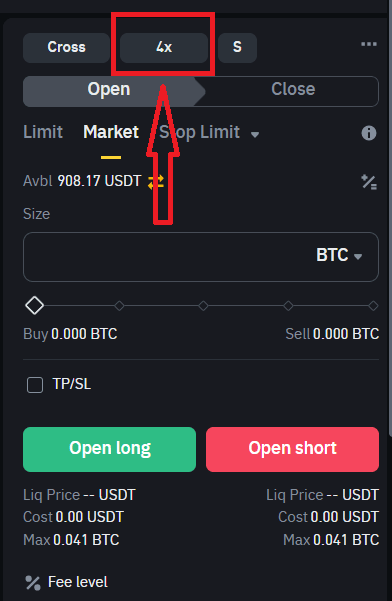
Binance Futures Leverage Then we select our leverage ratio from the leverage adjustment screen, after we press the 'Confirm' button. High leverage means high risk.
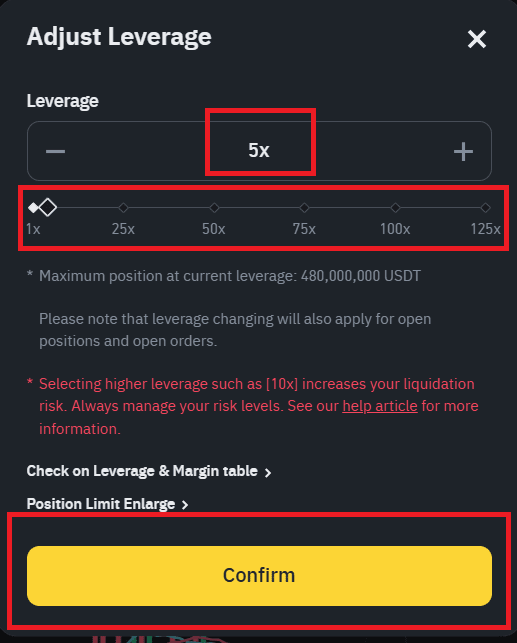
Binance Futures Adjust Ratio Cross and isolated margin selection .Cross margin takes your entire futures balance as collateral for your trade. Isolated margin takes only the money you used for that trade as collateral.
Isolated margin is a good option for beginners, while cross margin is a good option for professionals.
For more detailed information, you can read our article What is cross and isolated margin ?
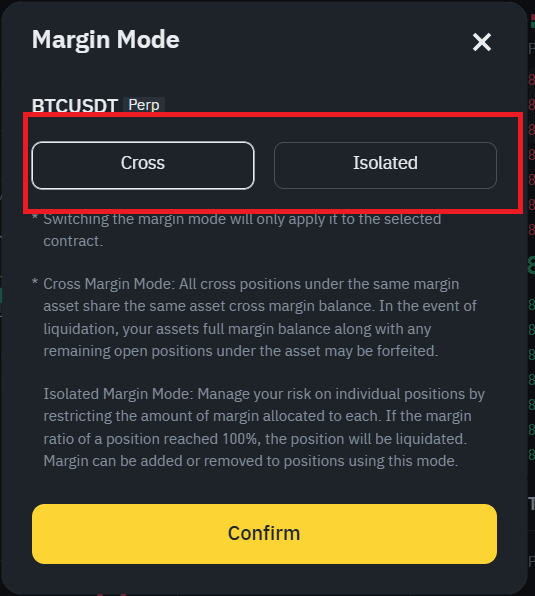
Binance Futures Cross Isoleted Margin 4-How to Use Binance Futures Calculator
Using Binance Futures calculator protects you from risks. We recommend that you use a calculator before making a trade. This allows you to understand very important data such as your possible profit, loss, liquidation price.
When you click on the +/= button on the right side of the Binance futures page, the calculator will open.
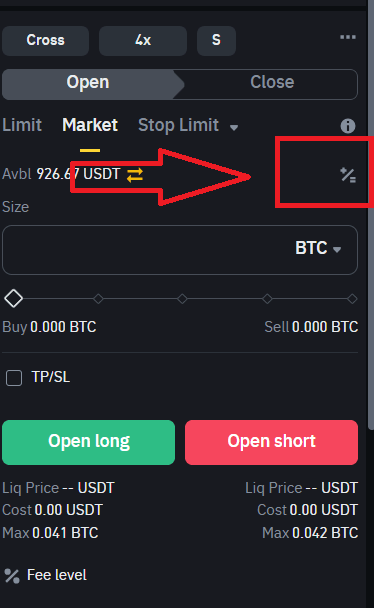
Binance Futures Calculator Before opening a trade, select the amount and leverage you will open. We will write these into the calculator. You will learn your risks before opening a trade.
In the example,-Our leverage ratio is x27
-Our balance is 923.61 USDT
-Our entry price is $ 87,500-The size of the position we will open is 0.285 Btc
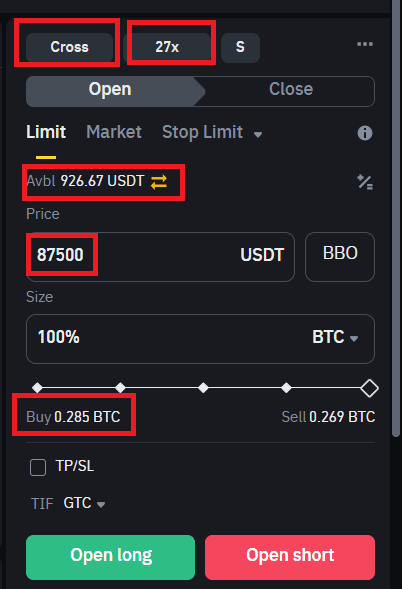
Binance Futures Sample Trading PNL Calculation
We enter the necessary information for the PNL calculation. We also enter the price we target. I choose $89,000.When we press the Calculate button, you will see that we will make a profit of $427.50 when our target price of $89,000 is reached.
Pnl Calculate With this logic, you can learn the target price and liquidation price before opening a trade.
5-I trade futures
In futures trade, when you think the price will increase, you should open a ''Long'' position and when you think the price will decrease, you should open a ''Short'' position.
Limit order : It allows you to trade at the price you want. For example, if Bitcoin is $87,000, you enter a buy order for $86,500, this is a limit order.
Market Order : Your trade will be carried out at the current price. For example, if the current Bitcoin price is $87,000, you place a market order and buy at this price.You pay 2.5 times more commission for a market order than for a limit order.
After determining the transaction type and selecting the amount, if we expect an increase, we click the "Open Long" button, if we expect a decrease, we click the "Open Short" button.
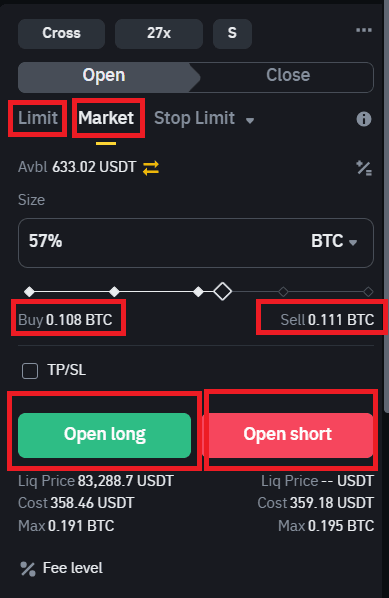
Binance Futures Trade You have made your first trade. Now let's examine our position and see how we can end it by making a profit.
Size : It shows how many coins you bought or sold.
Entry Price : Shows how many dollars you buy and sell.
Brek Even Price : It shows you how many dollars the coin will break even at. The reason it is different from the entry price is the commission and other fees you pay.
Market Price : Shows the current price of the coin.
Liq.Price : Indicates the point at which the position will be liquidated.
Pnl : Shows your profit or loss.

Futures Positions Picture When we want to close the position;
With a market order, you can close immediately at the current price. You will pay 2.5 times more commission. All you have to do is click the Market button.
Write the price you want for the limit order. Write the amount you want to close in the button next to the price section. If you want to close everything, do not touch this section. Then click the limit button. Your position will be closed when it reaches the price you want. You can cancel the limit order from the ''Open Order'' section.

Futures Limit-Market Order Now let's see what Tp/sl means.Now let's see what Tp/sl means. Press the pencil sign to give a Tp/Sl order.
Tp : Take Profit .You can write the price you want to make a profit at in this section.
Sl: Stop Loss.If you want to stop at a point when you lose, write the price at which you will stop the loss in this section.
Your profit and loss amounts will appear in the picture. Whichever occurs first, the position is closed and the other order is canceled.
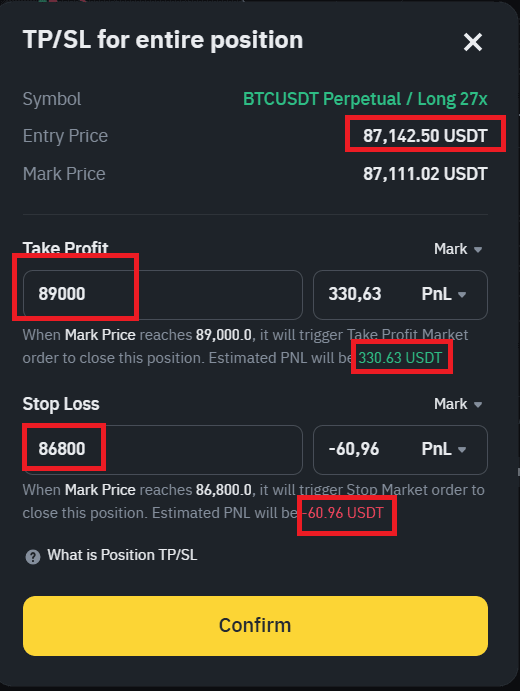
Take profit-Stop Loss Closing
Now you can use futures trade at the beginner level. Remember that these trade are risky and you can lose all your money.
#Futures_Trading #futures #Binance